
1. Kirish
This manual provides detailed instructions for the setup, operation, and maintenance of your Mitsubishi WD-65731 65-Inch 1080p DLP HDTV. This television features a 1080p DLP chip and the TurboLight150 lamp system for high-definition viewing. It includes Mitsubishi's 6-Primary Color System and Plush 1080p video processing for enhanced picture quality.
The WD-65731 is designed for ease of use with features like ClearThought Easy Connect and a variety of digital and analog inputs.
2. Sozlash
2.1 Qadoqdan chiqarish va joylashtirish
Carefully remove the television from its packaging. Ensure the TV is placed on a stable, level surface or securely mounted according to manufacturer guidelines. Allow adequate ventilation around the unit.
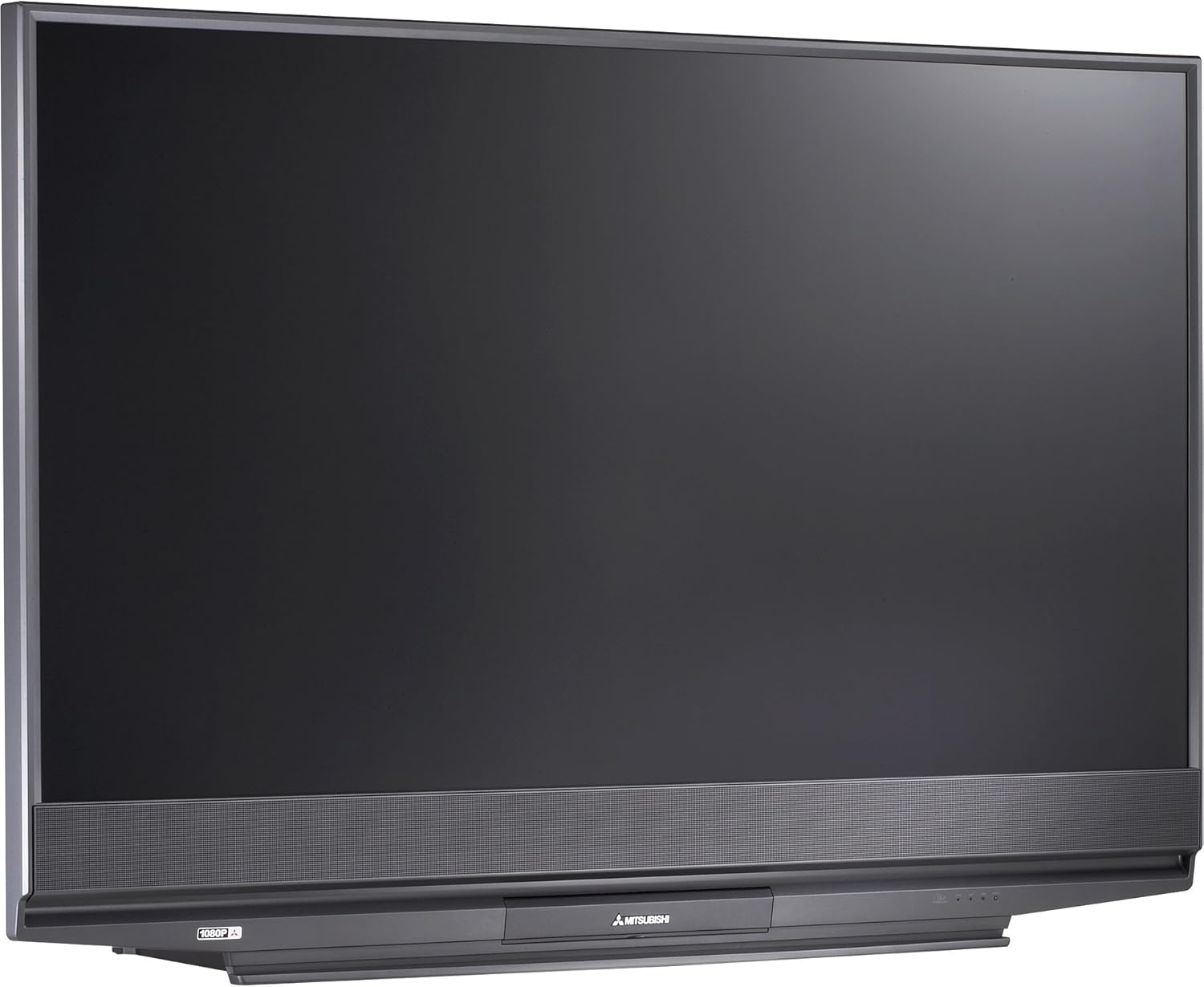
2.1-rasm: Old view of the Mitsubishi WD-65731 65-Inch 1080p DLP HDTV. This image shows the television's display and integrated speaker bar.
2.2 Qurilmalarni ulash
The Mitsubishi WD-65731 features ClearThought Easy Connect, which automatically recognizes inputs as they are plugged in.
- Connect your cable box, satellite receiver, DVD player, or gaming console to the appropriate input ports (HDMI, Component, Composite, S-Video).
- For high-definition sources, use the HDMI or Component inputs.
- Connect your antenna or cable directly to the RF input for broadcast or basic cable reception.
- Ensure all audio and video cables are securely connected.
2.3 Dastlabki yoqish
Plug the power cord into a wall outlet. Press the power button on the TV or remote control. Follow any on-screen prompts for initial setup, such as language selection and channel scanning.
3. Foydalanish bo'yicha ko'rsatmalar
3.1 Picture Enhancement Technologies
- Plush 1080p: This technology up-converts lower resolution signals (analog, digital broadcasts, DVD, game consoles) to 1080p for enhanced detail and clarity. It also reformats 720p and 1080i HDTV signals for precise scaling.
- PerfectColor: Adjust the screen's color palette with six independent color controls (magenta, red, yellow, green, cyan, blue) for personalized color accuracy.
- 4D Video Noise Reduction: Analyzes multiple frames to identify and remove video noise or snow, providing a cleaner picture, especially in fast-moving scenes.
3.2 Audio xususiyatlari
- Level Sound Dynamics Limiter: This feature evens out program sound levels, reducing sudden volume changes, particularly during commercial breaks.
- The integrated speaker system provides 20 watts of total audio output (10 watts per channel).
3.3 Convenience Features
- TV Guide On Screen: An 8-day program guide system to browse television listings.
- Tasvir ichidagi rasm (PIP): View two programs simultaneously using the two tuner PIP function.
- Ekranni ajratish: Display content from two different sources side-by-side.
- V-Chip Parental Controls: Manage and restrict viewing of certain programs based on ratings.
- Uyqu taymeri: Set the television to automatically turn off after a specified period.
- Full-Screen Image Freeze: Pause the live picture on screen.
- Aspect Ratio Modes: Six 4:3 aspect ratio modes and two 16:9 aspect ratio modes are available.
4. Ulanish
The WD-65731 offers a comprehensive range of input and output options for connecting various devices.
| Ulanish turi | Miqdori | Tavsif |
|---|---|---|
| HDMI | 2 dyuym | High-Definition Multimedia Interface for digital audio and video. |
| Komponent video | 2 dyuym | For high-quality analog video signals. |
| Composite AV (RCA) | 3 in (1 front), 1 out | Standard analog video and stereo audio. |
| S-Video | 3 in (1 front) | Improved analog video quality over composite. |
| RF | 2 dyuym | For antenna or coaxial cable connection. |
| PC DVI-I | 1 dyuym | Digital Visual Interface for computer connection. |
| IEEE 1394 (Firewire/i.Link) | 2 dyuym | High-bandwidth digital connection for camcorders and compatible PCs. |
| Analog audio chiqishi | 1 yil | Tashqi audio tizimlariga ulanish uchun. |
| Raqamli audio chiqishi (koaksiyal) | 1 yil | For connecting to digital audio receivers. |
5. CableCARD Setup
The WD-65731 is Digital Cable Ready and features a CableCARD slot, allowing you to receive digital cable television services directly without an external cable box.
- Obtain a CableCARD from your local cable television provider.
- Locate the CableCARD slot on the back of your television.
- Carefully insert the CableCARD into the designated slot.
- Contact your cable provider to activate the CableCARD and enable subscribed channels.
When a digital cable TV channel is received via the CableCARD, it is decoded and remains a digital video signal to the screen, ensuring optimal picture quality. Standard-definition digital channel signals are up-converted by the Plush imaging feature for an HD-quality picture.
6. Xizmat ko'rsatish
6.1 lamp Tizim
The television utilizes a 150-watt TurboLight lamp system. The lifespan of the lamp can vary based on usage. If the picture becomes dim or the lamp indicator light illuminates, the lamp may need replacement. Refer to the troubleshooting section or contact customer support for lamp almashtirish protseduralari.
6.2 Tozalash
- Ekran: Ekranni yumshoq, tuklarsiz mato bilan sekin artib oling. O'jar belgilar uchun biroz dampen the cloth with water or a screen-cleaning solution specifically designed for televisions. Do not spray liquid directly onto the screen.
- Mahkamasi: Shkafni yumshoq, quruq mato bilan arting. Abraziv tozalagichlar yoki erituvchilardan foydalanishdan saqlaning.
- Ensure the television is unplugged before cleaning.
7. Muammolarni bartaraf qilish; nosozliklarni TUZATISH
If you experience issues with your television, consult the following common problems and solutions.
- No Power / TV does not turn on:
- Elektr shnuri televizorga ham, rozetkaga ham mahkam ulanganligini tekshiring.
- Devor rozetkasini boshqa qurilmada sinab ko'rish orqali uning ishlayotganiga ishonch hosil qiling.
- If the TV cycles power multiple times or shows a blinking green light, it may indicate an internal issue or a lamp muammo.
- No Picture / Dim Picture:
- To'g'ri kirish manbai tanlanganligini tekshiring.
- Check all video cable connections between the TV and your source devices.
- A dim picture or no picture with the lamp light on might indicate a failing lamp. The TurboLight150 lamp has a finite lifespan and may require replacement.
- Ovoz yo'q:
- Ovoz o'chirilgan yoki minimal darajaga o'rnatilmaganligiga ishonch hosil qiling.
- Ovoz kabeli ulanishlarini tekshiring.
- If using external audio, ensure the TV's internal speakers are not disabled and the external system is properly configured.
- Picture Quality Issues (Noise, Distortion):
- Barcha kabellar mahkam ulangan va shikastlanmaganligiga ishonch hosil qiling.
- Rasm sozlamalarini sozlang (yorqinlik, kontrast, aniqlik, rang).
- The 4D Video Noise Reduction feature can help reduce noise from various sources.
For persistent issues, refer to the warranty and support section for contact information.
8. Texnik shartlar
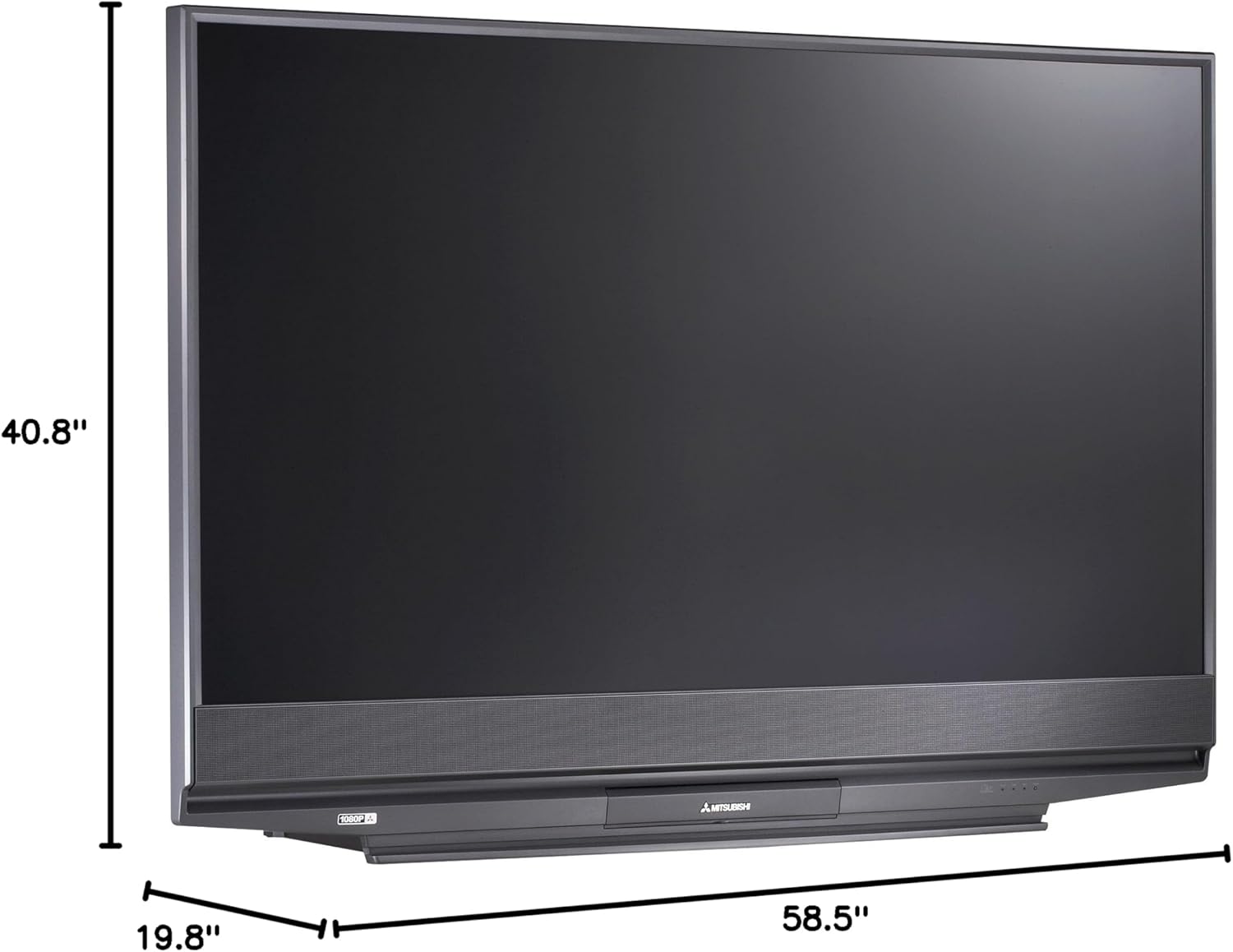
8.1-rasm: Dimensions of the Mitsubishi WD-65731 65-Inch 1080p DLP HDTV. The image indicates a width of 58.5 inches, height of 40.8 inches, and depth of 19.8 inches.
| Xususiyat | Tafsilot |
|---|---|
| Model nomi | WD-65731 |
| Ekran o'lchami | 65 dyuym |
| Displey texnologiyasi | DLP (Raqamli nurni qayta ishlash) |
| Rezolyutsiya | 1080p (1920 x 1080 piksel) |
| Aspekt nisbati | 16:9 |
| Lamp Tizim | 150-watt TurboLight |
| Ovoz chiqishi | 20 vatt (10 Vt x 2) |
| Tyuner turi | ATSC, QAM |
| Ulanish texnologiyasi | HDMI, Component, Composite, S-Video, RF, PC DVI, Firewire |
| Mahsulot o'lchamlari (D x G x Y) | 19.8"D x 58.5"W x 40.8"Y |
| Element og'irligi | 58.3 funt |
| Rang | Qora |
| Ota-ona nazorati | V-chip |
| Kiritilgan komponentlar | Stend, televizor |
9. Qutida nima bor
Ochishda quyidagi barcha narsalar mavjudligiga ishonch hosil qiling:
- Mitsubishi WD-65731 65-Inch 1080p DLP HDTV Unit
- Multibrand NetCommand Remote Control (with 2 AA batteries)
- IR emitter kabeli
- Quvvat kabeli
- Foydalanuvchi uchun qo'llanma (ushbu hujjat)
- TV Stand (if purchased as a bundle or included)
10. Kafolat va qo'llab-quvvatlash
10.1 Kafolat haqida ma'lumot
Your Mitsubishi WD-65731 DLP HDTV comes with the following warranty:
- Qismlar: Bir yil
- Mehnat: Bir yil
- In-home service: Kiritilgan
Please retain your proof of purchase for warranty claims. The warranty period begins from the date of purchase.
10.2 Mijozlarni qo‘llab-quvvatlash
For technical assistance, service inquiries, or to locate an authorized repair center, please contact Mitsubishi Customer Support. Refer to the official Mitsubishi webeng dolzarb aloqa ma'lumotlari uchun sayt yoki xaridingiz hujjatlari.