
Kirish
This manual provides essential information for the installation, operation, and maintenance of your Western Digital WD Blue 320 GB PATA Desktop Hard Drive, model WD3200AAJB. This internal hard drive is designed for desktop computer systems requiring a PATA (Parallel ATA) interface, offering 320 GB of storage capacity, a 7200 RPM rotational speed, and an 8 MB cache.
Sozlash; o'rnatish
1. O'rnatishdan oldingi nazorat ro'yxati
O'rnatishni boshlashdan oldin sizda quyidagilar mavjudligiga ishonch hosil qiling:
- WD Blue 320 GB PATA Hard Drive (WD3200AAJB)
- 40-pin PATA ribbon cable
- 4-pin Molex power connector from your power supply
- Tornavida (Phillips boshi tavsiya etiladi)
- Antistatik bilaguzuk (tavsiya etiladi)
- Computer case mounting screws
2. Jumper sozlamalari
The WD3200AAJB hard drive uses jumpers to configure its role within the PATA chain (Master, Slave, or Cable Select). Refer to the label on the drive for the specific jumper configuration diagram. Typically, the options are:
- Magistr: For the primary drive on a PATA channel.
- Qul: For a secondary drive on the same PATA channel as a Master drive.
- Cable Select (CS): Allows the PATA cable to determine the drive's role. Both drives on the cable must be set to CS for this to function correctly.
Ensure your computer is powered off and unplugged before adjusting jumpers.
Batafsil view of the rear of the WD Blue hard drive, highlighting the 40-pin PATA interface connector, the 4-pin Molex power connector, and the jumper block. The jumper block is used to configure the drive as Master, Slave, or Cable Select, as indicated by a diagram on the drive's label.
3. Jismoniy o'rnatish
- Kompyuteringizni o'chiring va quvvat simini ajratib oling.
- Kompyuter korpusini oching.
- Mavjud 3.5 dyuymli haydovchi uyini toping.
- Carefully slide the hard drive into the bay and secure it with mounting screws.
- Connect the 40-pin PATA ribbon cable to the drive's PATA interface connector and to the motherboard's PATA controller. Ensure the red stripe on the ribbon cable aligns with Pin 1 on both the drive and the motherboard connector.
- Connect a 4-pin Molex power connector from your power supply to the hard drive's power input.
- Kompyuter korpusini yoping va quvvat simini qayta ulang.
4. Tizimning dastlabki konfiguratsiyasi
After physical installation, power on your computer. You may need to:
- Enter the BIOS/UEFI setup to ensure the drive is detected and configured correctly.
- Use your operating system's disk management tools to partition and format the drive before it can be used for storage. Refer to your operating system's documentation for specific instructions.
Faoliyat tamoyillari
The WD Blue WD3200AAJB hard drive is designed for reliable data storage and retrieval in desktop environments. It incorporates several technologies to optimize performance and user experience:
- WhisperDrive Technology: Minimizes operational noise to ensure a quiet computing environment.
- IntelliSeek: Calculates optimal seek speeds to reduce power consumption, noise, and vibration, contributing to longer drive life and quieter operation.

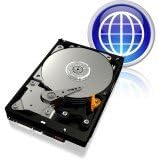
Yuqori yuk view of the Western Digital Blue 320 GB PATA desktop hard drive, showing the metallic platter, read/write head, and the circuit board on the underside. This image illustrates the overall physical appearance of the hard drive.
Xizmat
To ensure the longevity and optimal performance of your hard drive, consider the following maintenance practices:
- Ma'lumotlarni zaxiralash: Regularly back up important data to an external drive or cloud storage. Hard drives are mechanical devices and can fail.
- Tizimni sovutish: Ensure your computer case has adequate airflow to prevent the hard drive from overheating. High temperatures can reduce drive lifespan.
- Changni tozalash: Periodically clean the interior of your computer case to remove dust buildup, which can impede cooling.
- Dasturiy ta'minotga texnik xizmat ko'rsatish: Run disk defragmentation utilities (for non-SSD drives) and check for disk errors periodically using your operating system's built-in tools.
Muammolarni bartaraf qilish; nosozliklarni TUZATISH
If you encounter issues with your WD Blue hard drive, consider these common troubleshooting steps:
- Drayv aniqlanmadi:
- Verify that the PATA ribbon cable and power cable are securely connected to both the drive and the motherboard/power supply.
- Check the jumper settings (Master/Slave/Cable Select) to ensure they are configured correctly for your system.
- Enter your computer's BIOS/UEFI setup to confirm the drive is recognized.
- Sekin ishlash:
- Ensure the PATA cable is not damaged.
- Check for excessive background processes or malware that might be consuming system resources.
- Run disk defragmentation (if applicable) and error checking utilities.
- G'ayrioddiy shovqinlar:
- Clicking, grinding, or repetitive noises can indicate a potential drive failure. Immediately back up any critical data if you hear such sounds.
- Drayvning ishonchli o'rnatilganligiga va kompyuter korpusiga tebranmasligiga ishonch hosil qiling.
Texnik xususiyatlari
| Xususiyat | Spetsifikatsiya |
|---|---|
| Model raqami | WD3200AAJB |
| Raqamli saqlash hajmi | 320 GB |
| Qattiq disk interfeysi | ATA (PATA) |
| Ulanish texnologiyasi | PATA |
| Qattiq disk forma faktori | 3.5 dyuym |
| Qattiq diskning aylanish tezligi | 7200 aylanish tezligi |
| Cache Memory Installed Size | 8 MB |
| Ma'lumot uzatish tezligi | 100 Megabit / soniya |
| Mos qurilmalar | Ish stoli |
| Element og'irligi | 1.6 funt |
| Uskuna platformasi | Mac, PC, laptop (for compatibility with PATA interface) |
Kafolat haqida ma'lumot
This Western Digital WD Blue 320 GB PATA Desktop Hard Drive (WD3200AAJB) is covered by a 2 yillik ishlab chiqaruvchi kafolati. For detailed terms and conditions, please refer to the official Western Digital warranty statement available on their website or included with your purchase documentation.
Qo'llab-quvvatlash
For technical assistance, driver downloads, firmware updates, or further product information, please visit the official Western Digital support website. You can typically find support resources by searching for your specific model number (WD3200AAJB) on their site.


