
Kirish
This manual provides essential information for the safe and efficient operation of your Brookstone iDesign Tower Stereo System. Please read this manual thoroughly before using the product and retain it for future reference.
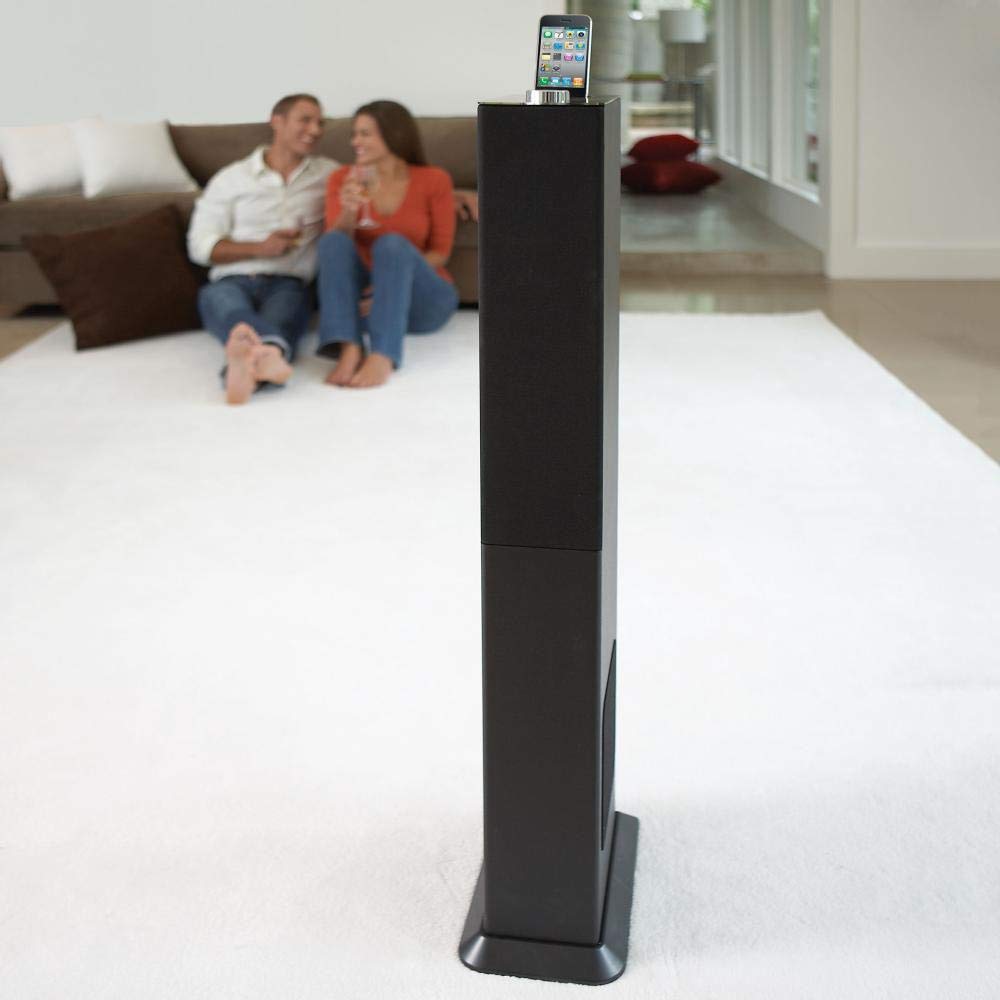
Image: The Brookstone iDesign Tower Stereo System, a tall, slender speaker unit designed for audio playback and device charging.
Xavfsizlik ma'lumotlari
- Quvvat manbai: Faqat belgilangan quvvat adapteridan foydalaning. Vol.ga ishonch hosil qilingtage mahalliy quvvat manbaiga mos keladi.
- Ventilyatsiya: Hech qanday shamollatish teshiklarini to'sib qo'ymang. Ishlab chiqaruvchining ko'rsatmalariga muvofiq o'rnating.
- Suv va namlik: Ushbu jihozni yomg'ir yoki namlik ta'siriga qo'ymang. Qurilma ustiga vazalar kabi suyuqlik bilan to'ldirilgan narsalarni qo'ymang.
- Issiqlik: Radiatorlar, issiqlik moslamalari, pechkalar yoki boshqa qurilmalar (shu jumladan,) kabi issiqlik manbalari yaqiniga o'rnatmang. ampissiqlik hosil qiluvchi ko'targichlar).
- Tozalash: Faqat quruq mato bilan tozalang.
- Xizmat ko'rsatish: Barcha xizmatlarni malakali xizmat ko'rsatuvchi xodimlarga topshiring. Har qanday uskuna shikastlanganda xizmat ko'rsatish talab qilinadi.
Paket tarkibi
Iltimos, paketdagi barcha narsalar mavjudligini tekshiring:
- iDesign Tower Stereo System
- Masofadan boshqarish
- Quvvat adapteri
- Foydalanuvchi uchun qo'llanma (ushbu hujjat)
- Note: iPod/iPhone devices are not included.
Mahsulot tugadiview
The iDesign Tower Stereo System features a sleek design with integrated speakers and a docking station for compatible Apple devices. It includes a backlit on/volume knob and a remote control for convenient operation, delivering full, deep bass, crisp, clear highs, and warm middle tones.
Asosiy tarkibiy qismlar:
- Karnay panjaralari: Multi-angled speakers for room-filling sound.
- Docking Port: For iPod and iPhone devices (1st and 2nd generation iPod touch, iPod classic, 4th and 5th generation iPod nano, iPhone 3GS, iPhone 3G, iPhone).
- On/Volume Knob: Backlit control for power and volume adjustment.
- Yordamchi kirish: For connecting other audio devices (cable not included).
- Kirish quvvati: Quvvat adapterini ulash uchun.
- Masofadan boshqarish sensori: Masofadan boshqarish pultidan signallarni qabul qiladi.
Sozlash; o'rnatish
1. Joylashtirish
Place the iDesign Tower Stereo System on a stable, flat surface. Ensure there is adequate space around the unit for proper ventilation. Avoid placing it in direct sunlight or near heat sources.
2. Quvvatga ulanish
- Connect the power adapter cable to the Power Input port on the back of the iDesign Tower Stereo System.
- Quvvat adapterini standart rozetkaga ulang.
3. Device Docking (iPod/iPhone)
The system is designed for specific iPod and iPhone models:
- iPod touch (1st and 2nd generation)
- iPod klassik
- iPod nano (4th and 5th generation)
- iPhone 3GS
- iPhone 3G
- iPhone
Carefully align your compatible iPod or iPhone device with the docking port and gently push it down until it is securely seated. The device will begin charging automatically when docked and the system is powered on.
4. Auxiliary Input (Optional)
To connect other audio devices (e.g., MP3 players, CD players) that are not compatible with the docking port, use a 3.5mm audio cable (not included) to connect the device's headphone output to the Auxiliary Input port on the iDesign Tower Stereo System.
Foydalanish bo'yicha ko'rsatmalar
1. Quvvatni yoqish/o‘chirish
Press the On/Volume knob to turn the system on or off. The knob will illuminate when the system is powered on.
2. Ovoz balandligini boshqarish
Rotate the On/Volume knob clockwise to increase the volume and counter-clockwise to decrease it. You can also adjust the volume using the remote control.
3. Manba tanlash
The system automatically detects a docked iPod or iPhone. If an auxiliary device is connected, you may need to select the input source using the remote control (if available) or by cycling through inputs with a dedicated button (refer to remote control section for details).
4. Masofadan boshqarish pultidan foydalanish
The included remote control allows you to manage playback functions (play, pause, skip tracks) and volume for your docked iPod or iPhone from a distance. Point the remote control towards the sensor on the front of the tower system.
5. Zaryadlovchi qurilmalar
When a compatible iPod or iPhone is docked and the system is powered on, the device will charge automatically.
Xizmat
Tozalash
Wipe the exterior of the system with a soft, dry cloth. Do not use liquid cleaners or aerosol sprays, as these may damage the finish or internal components. Ensure the system is unplugged before cleaning.
Saqlash
If storing the system for an extended period, unplug it from the power outlet and store it in a cool, dry place, away from direct sunlight and extreme temperatures.
Muammolarni bartaraf qilish; nosozliklarni TUZATISH
| Muammo | Mumkin sabab | Yechim |
|---|---|---|
| Quvvat yo'q | Quvvat adapteri ulanmagan yoki rozetka ishlamayapti. | Ensure power adapter is securely connected to the system and a working wall outlet. |
| Oʻrnatilgan qurilmadan ovoz yoʻq | Device not properly docked; volume too low; device not playing. | Re-seat the device in the dock. Increase system volume and device volume. Ensure music is playing on the device. |
| No sound from auxiliary input | Auxiliary cable not connected; incorrect source selected; volume too low. | Ensure auxiliary cable is securely connected. Select auxiliary input. Increase system and source device volume. |
| Masofadan boshqarish pulti ishlamayapti | Batteries dead; remote not pointed at sensor; obstruction. | Replace remote control batteries. Point remote directly at the sensor. Remove any obstructions between remote and system. |
| Qurilma quvvatlanmayapti | Device not compatible; system not powered on; device not properly docked. | Verify device compatibility (see Setup section). Ensure system is powered on. Re-seat the device in the dock. |
Texnik xususiyatlari
- Model: B003YB9T2C
- Brend: Brookstone
- Paket o'lchamlari: 42.6 x 14 x 8.6 dyuym
- Mahsulot og'irligi: 28.3 funt
- Birinchi mavjud: 10 yil 2010 mart
- Moslik: iPod touch (1st/2nd gen), iPod classic, iPod nano (4th/5th gen), iPhone 3GS, iPhone 3G, iPhone.
Kafolat va qo'llab-quvvatlash
For warranty information and customer support, please refer to the documentation included with your purchase or visit the official Brookstone websayt. Kafolat da'volari uchun xaridingizni tasdiqlovchi hujjatingizni saqlang.
"Made for iPod" and "Made for iPhone" mean that an electronic accessory has been designed to connect specifically to iPod or iPhone, respectively, and has been certified by the developer to meet Apple performance standards. Apple is not responsible for the operation of this device or its compliance with safety and regulatory standards. Please note that the use of this accessory with iPod or iPhone may affect wireless performance.