
Kirish
The ADATA S102PRO is a high-performance USB 3.0 flash drive designed for fast and reliable data storage and transfer. Its durable design and high-speed interface make it ideal for everyday use, allowing you to carry important files, documents, photos, and videos with ease.
Sozlash; o'rnatish
Follow these steps to begin using your ADATA S102PRO USB Flash Drive:
- USB portini aniqlang: Locate an available USB port on your computer. For optimal performance, use a USB 3.0 port (often colored blue internally). The ADATA S102PRO is backward compatible with USB 2.0 ports, but data transfer speeds will be limited to USB 2.0 rates.
- Qopqoqni olib tashlang: Carefully remove the protective cap from the USB flash drive to expose the USB connector.
- Drayvni joylashtiring: Insert the USB connector firmly into the USB port on your computer. Ensure it is inserted correctly; do not force it.
- Tizimni aniqlash: Your operating system (Windows, macOS, Linux) should automatically detect and install the necessary drivers. A notification may appear indicating that the device is ready for use. The drive will typically appear as a removable disk or volume in your file tadqiqotchi.
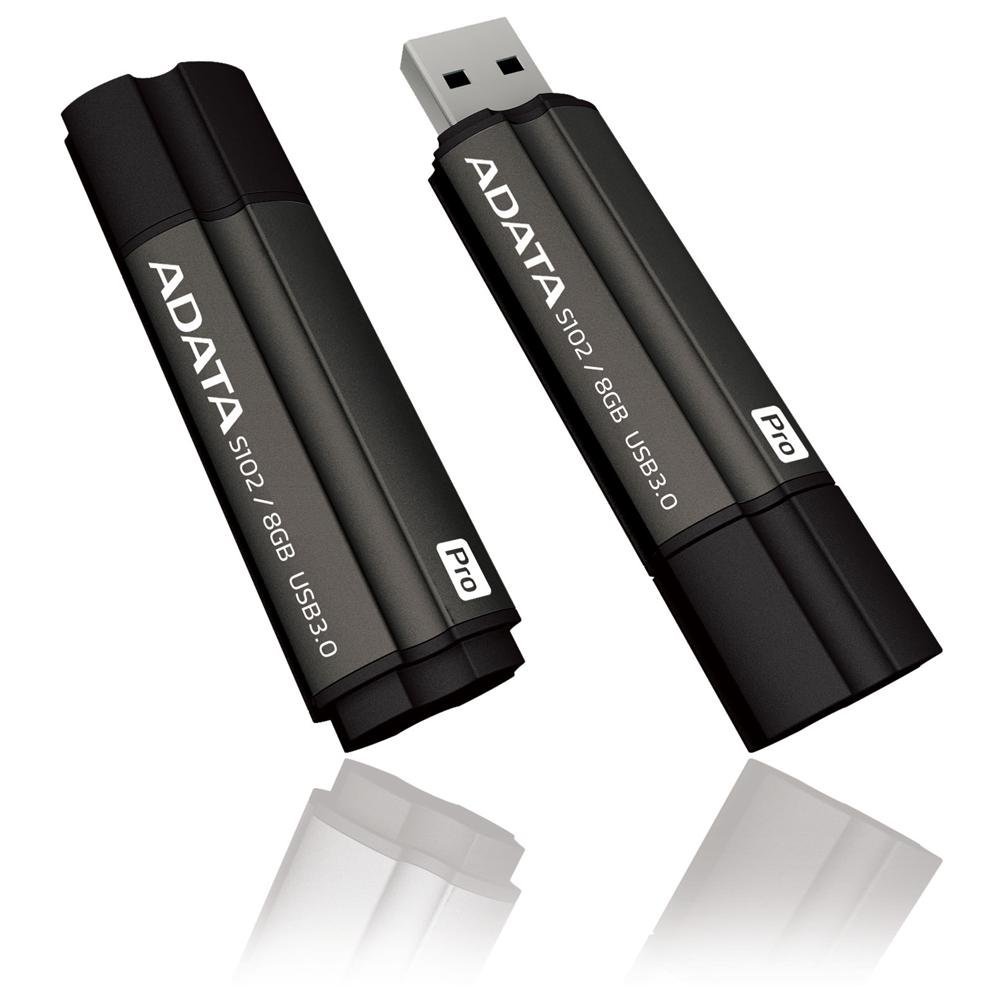
Image: The ADATA S102PRO USB Flash Drive shown with its protective cap on and with the cap removed, revealing the USB 3.0 connector. This illustrates the physical appearance and how to prepare the drive for insertion.
Ishlayotgan
Once the ADATA S102PRO is recognized by your computer, you can begin transferring files:
- Drayvga kirish:
- Windows: Open "This PC" or "My Computer" and locate the drive listed under "Devices and drives" (e.g., "Removable Disk" or a drive letter like E:).
- MacOS: The drive icon will appear on your desktop or in the Finder sidebar under "Locations."
- Oʻtkazilmoqda Files:
- Nusxa olish uchun files uchun the flash drive, drag and drop them from your computer's folders into the flash drive's window.
- Nusxa olish uchun files dan the flash drive, drag and drop them from the flash drive's window to a folder on your computer.
- You can also use the standard copy (Ctrl+C / Command+C) and paste (Ctrl+V / Command+V) functions.
- Diskni xavfsiz olib tashlash: It is crucial to safely eject the flash drive before physically removing it to prevent data corruption.
- Windows: Click the "Safely Remove Hardware and Eject Media" icon in the system tray (bottom-right corner), then select your flash drive and click "Eject." Wait for the "Safe to Remove Hardware" message.
- MacOS: Drag the drive icon from the desktop to the Trash, or click the Eject button next to the drive name in the Finder sidebar. Wait for the icon to disappear before removing the drive.
Xizmat
Proper care will help ensure the longevity and reliability of your ADATA S102PRO USB Flash Drive:
- Protect the Connector: Always keep the protective cap on the USB connector when the drive is not in use to prevent dust, dirt, and physical damage.
- Ekstremal sharoitlardan qoching: Do not expose the drive to extreme temperatures, direct sunlight, high humidity, or strong magnetic fields.
- Ehtiyotkorlik bilan ishlang: Drayvni tushirib yuborishdan yoki kuchli zarbalarga duchor qilishdan saqlaning.
- Do Not Remove During Transfer: Never unplug the drive while data is being read from or written to it. Always follow the safe removal procedure.
- Doimiy zaxira nusxalari: While flash drives are reliable, it is always recommended to back up critical data to another storage device or cloud service.
Muammolarni bartaraf qilish; nosozliklarni TUZATISH
If you encounter issues with your ADATA S102PRO, try the following solutions:
- Drayv tan olinmagan:
- Drayv USB portiga to'liq kiritilganligiga ishonch hosil qiling.
- Kompyuteringizda boshqa USB portini sinab ko'ring.
- Kompyuterga xos muammoni istisno qilish uchun drayverni boshqa kompyuterda sinab ko'ring.
- Check your computer's Device Manager (Windows) or System Information (macOS) to see if the drive is listed, even if it doesn't appear in File Tadqiqotchi/Qidiruvchi.
- Sekin uzatish tezligi:
- Ensure you are connected to a USB 3.0 port for optimal performance. USB 2.0 ports will limit speeds.
- Ko'plab kichik o'tkazmalar files bir nechta katta fayllarni uzatishga qaraganda sekinroq bo'lishi mumkin files.
- Close other applications that might be using system resources or performing disk operations.
- Cannot Write Files to Drive:
- Check if the drive is full. Delete unnecessary files or transfer them to another location.
- ni ta'minlash file system (e.g., FAT32, NTFS, exFAT) is compatible with your operating system and allows writing. If formatted as NTFS on macOS, you may only have read access without third-party software.
- Check for any software-based write protection or permissions issues on your computer.
Texnik xususiyatlari
| Brend | ADATA |
| Model nomi | S102PRO |
| Model raqami | AT806-4G-CPK |
| Xotirani saqlash hajmi | 4 GB |
| Uskuna interfeysi | USB 3.0 (Backward compatible with USB 2.0) |
| Ishlab chiqaruvchi | A-DATA TECHNOLOGY (USA) CO. L |
| UPC | 842243005080 |
| ASIN | B004AVOGW8 |
Kafolat va qo'llab-quvvatlash
For detailed warranty information, product registration, and technical support, please visit the official ADATA website. You can typically find support resources, FAQs, and contact information for customer service there.
ADATA rasmiysi Websayt: www.adata.com