
Kirish
The Spracht BluNote Pro is a versatile portable wireless speaker designed for both music playback and professional conference calls. It features Bluetooth connectivity, high-quality audio with a bass radiator, and advanced conferencing capabilities including dual MEMS microphones and echo/noise cancellation. Its compact design and rechargeable battery make it ideal for transport and extended use.
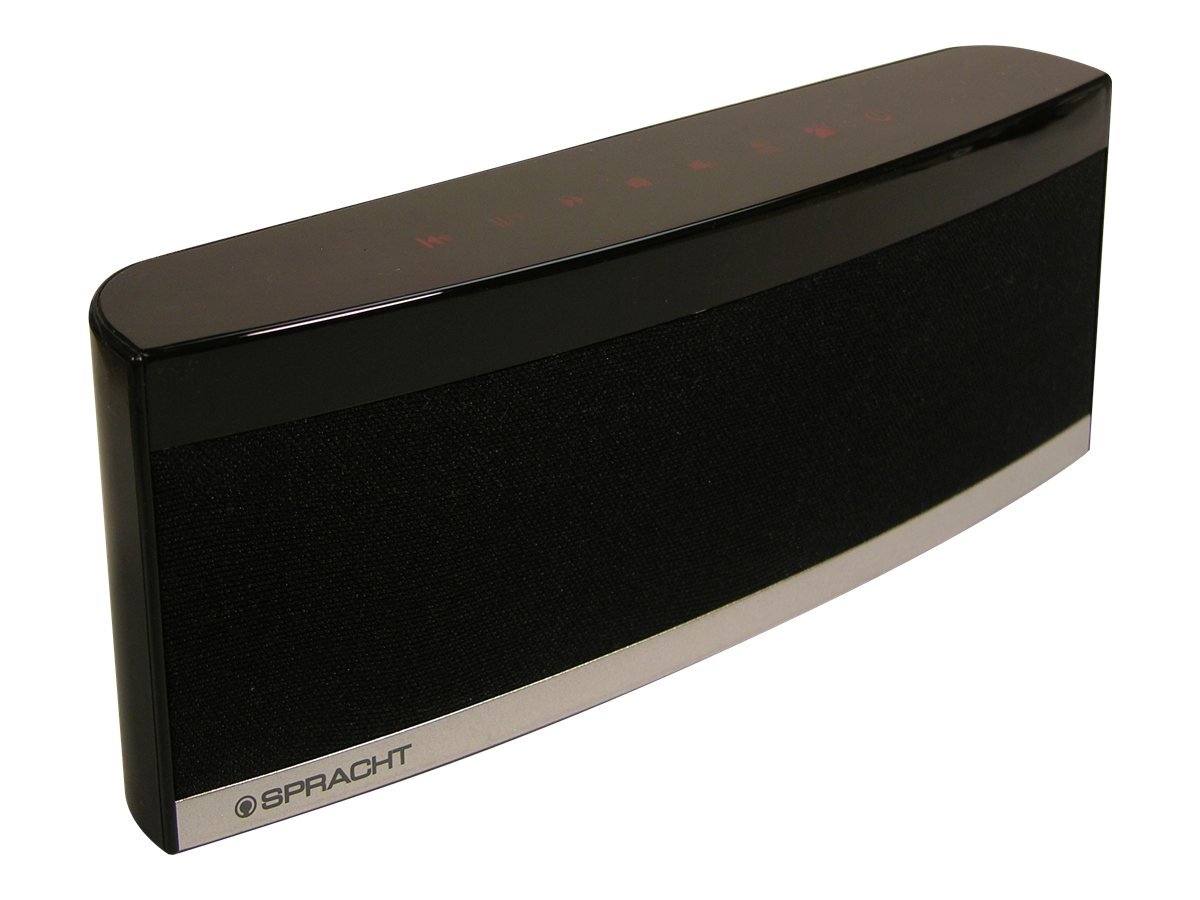
Image: The Spracht BluNote Pro speaker, a sleek black device with illuminated touch panel controls, shown on a surface.
Qutida nima bor
- Spracht BluNote Pro portable wireless speaker
- AC adapter (120-240V)
- Rechargeable 1500 mAh Li-ion battery (pre-installed or separate)
- 3.5mm audio jack cable (for non-Bluetooth devices)
- User guide/registration card
Xususiyatlari
- Bluetooth Stereo Speaker: Advanced Audio Distribution Profile (A2DP) for wireless audio streaming.
- Kengaytirilgan ovoz: Passive bass radiator and two high-quality speakers deliver up to 5 watts of full-frequency range sound.
- Sensorli panel boshqaruvlari: Modern design with intuitive touch-sensitive buttons.
- Uzoq muddatli batareya: Rechargeable 1500 mAh Lithium-Ion battery for extended music playback or conference calls.
- Superior Conferencing: Dual MEMS microphones with impedance matching, Digital Signal Processing (DSP) for noise and echo cancellation, and full-duplex communication.
- Qo'ng'iroqlarni boshqarish: Answer and make phone calls using the Push-To-Talk (PTT) button. Features Caller ID display.
- Yilni va engil: Oson ko'chirish uchun mo'ljallangan.
- iOS Equalizer App: Free application available to further customize your audio experience. This app can increase the speaker's volume by up to 25% and provide additional sound enhancements.
Video: tugadiview of the Spracht BluNote Pro speaker, demonstrating its features and compact design. This video highlights the touch panel controls, passive bass radiator, and its ability to handle phone calls.
Sozlash; o'rnatish
- Batareyani zaryadlash: Connect the provided AC adapter to the speaker's DC IN port and plug it into a power outlet. The battery indicator will show charging status. A full charge ensures maximum portability.
- Yoqish/o‘chirish: ni bosing va ushlab turing Yoqish/o‘chirish button on the touch panel until the unit powers on or off.
- Bluetooth ulanishi:
- Ensure the BluNote Pro is powered on.
- Smartfon, planshet yoki boshqa Bluetooth-ni yoqadigan qurilmangizda Bluetooth-ni yoqing.
- Ni qidirish available devices and select "BluNote Pro" from the list.
- Once paired, the Bluetooth indicator light on the speaker will confirm the connection.
- Connecting Non-Bluetooth Devices: Use the supplied 3.5mm audio jack cable to connect the BluNote Pro to devices without Bluetooth capability. Insert one end into the speaker's AUX IN port and the other into your device's headphone jack.
Foydalanish bo'yicha ko'rsatmalar
Musiqani ijro etish
- Oʻynatish/toʻxtatib turish: ni bosing Oʻynatish/toʻxtatib turish button to start or pause music playback.
- Next/Back Track: dan foydalaning Keyingi trek va Orqa trek buttons to navigate through your music.
- Ovoz balandligini sozlash: ni bosing Ovozni oshirish or Ovozni pasaytirish Ovoz balandligini sozlash uchun tugmalar.
- Bassni kuchaytirish: ni bosing Bass Boost button to enhance low-frequency sounds.
Konferentsiya qo'ng'iroqlari
- Qo'ng'iroqlarga javob berish / tugatish: When a call comes in, the BluNote Pro will ring. Press the Telefon qo'ng'irog'iga javob berish button to accept the call. Press it again to end the call.
- Qo'ng'iroq qiluvchining identifikatori: The numeric Caller ID display on the front panel will show the incoming caller's number.
- Mikrofonlar: The dual MEMS microphones ensure clear voice pickup during calls, with integrated noise and echo cancellation for optimal communication.
- To'liq dupleks: The speaker supports full-duplex communication, allowing both parties to speak and hear simultaneously without interruption.
iOS Equalizer App
A free iOS Equalizer App is available to further customize your audio experience. This app can increase the speaker's volume by up to 25% and provide additional sound enhancements. Download it from the App Store and follow the in-app instructions for setup.
Xizmat
- Tozalash: Karnayning tashqi qismini tozalash uchun yumshoq, quruq matodan foydalaning. Abraziv tozalagichlar yoki erituvchilardan foydalanishdan saqlaning.
- Batareya parvarishi: To prolong battery life, avoid fully discharging the battery frequently. Recharge the unit regularly, especially if it will be stored for an extended period.
- Saqlash: Dinamikni quruq, salqin joyda, to‘g‘ridan-to‘g‘ri quyosh nuri va haddan tashqari haroratdan uzoqroq joyda saqlang.
Muammolarni bartaraf qilish; nosozliklarni TUZATISH
| Muammo | Yechim |
|---|---|
| Bluetooth orqali ulanib bo'lmadi |
|
| Ovoz yo'q yoki past ovoz |
|
| Qo'ng'iroq sifati past (aks-sado/shovqin) |
|
| Batareya zaryad olmayapti |
|
Texnik xususiyatlari
| Xususiyat | Tafsilot |
|---|---|
| Model nomi | BluNote+Chat |
| Model raqami | WS-4012 |
| Karnay turi | Portativ dinamiklar |
| Ulanish texnologiyasi | Bluetooth |
| Simsiz aloqa texnologiyasi | Bluetooth |
| Bluetooth diapazoni | 10 metrgacha (33 fut) |
| Karnay maksimal chiqish quvvati | 5 vatt |
| Audio chiqish rejimi | Stereo |
| Surround ovoz kanali konfiguratsiyasi | 2.0 |
| Quvvat manbai | AC adapteri, qayta zaryadlanuvchi lityum-ion batareya |
| Batareya turi | 1500 mA/soat lityum-ion (shu jumladan) |
| Nazorat usuli | Touch Panel, App |
| Mahsulot o'lchamlari (D x G x Y) | 1.38" x 9" x 3.25" (3.5 sm x 22.8 sm x 8.2 sm) |
| Element og'irligi | 9.6 untsiya (272 gramm) |
| Ishlash harorati | Farengeyt 14 dan 131 darajagacha (-10 dan 55 darajagacha) |
| Maxsus xususiyatlar | Dual MEMS Mics, DSP Noise/Echo Cancellation, Caller ID, Bass Boost |
| Mos qurilmalar | Noutbuk, smartfon, planshet, televizor |
Kafolat va qo'llab-quvvatlash
The Spracht BluNote Pro is covered by a Limited Warranty. For specific warranty terms and conditions, please refer to the documentation included with your product or visit the official Spracht websayt.
For technical assistance, troubleshooting, or customer service inquiries, please contact Spracht customer support through their official channels. Contact information can typically be found on the manufacturer's websayt yoki mahsulot o'ramida.