
1. Mahsulot tugadiview
The TP-Link TL-WA750RE is a 150Mbps Universal Wireless Range Extender designed to expand the coverage of an existing wireless network. It eliminates Wi-Fi dead zones by boosting the wireless signal to previously unreachable or hard-to-wire areas. Its compact, wall-mounted design allows for flexible deployment and easy relocation within your home or office.
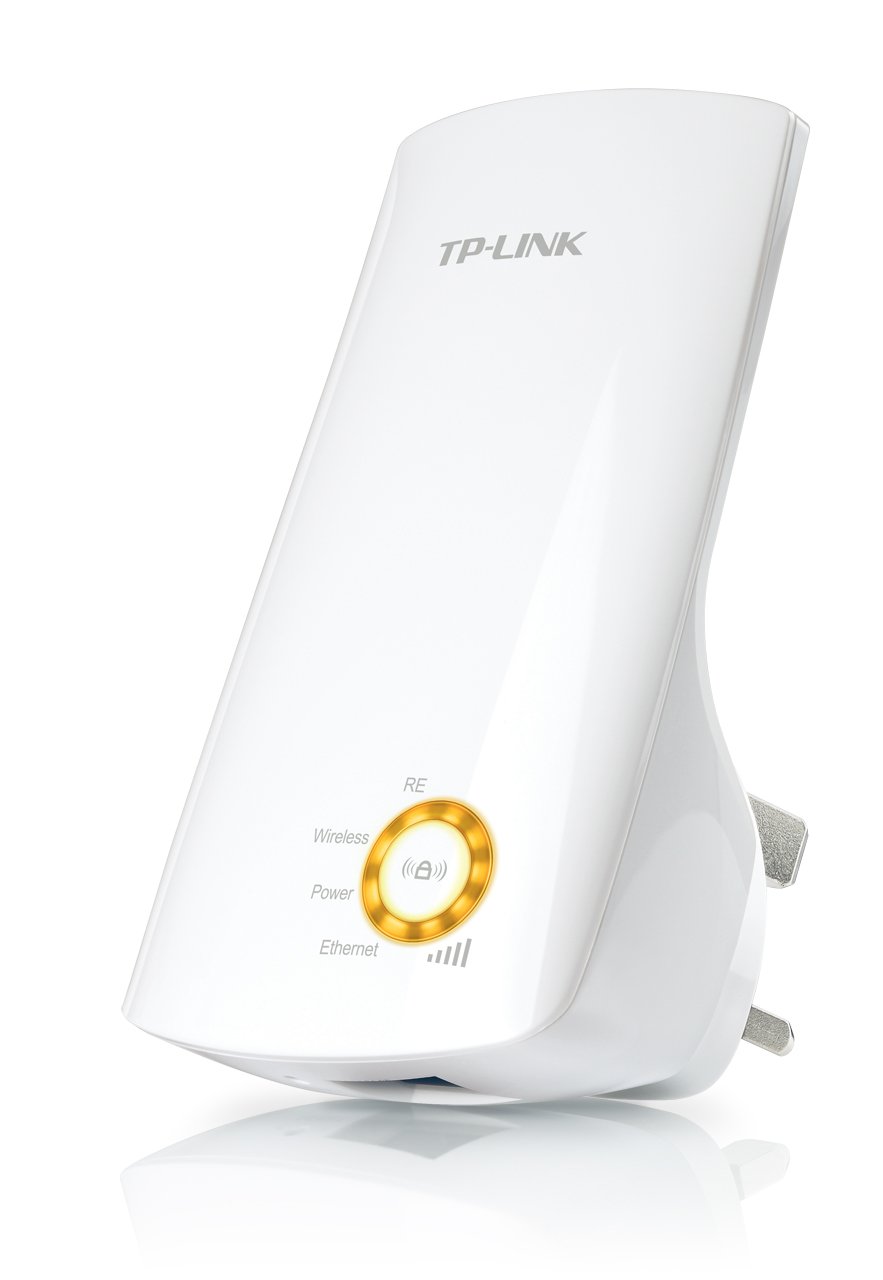
1-rasm: TP-Link TL-WA750RE Universal Wireless Range Extender. This image shows the device in its retail packaging, highlighting its compact design and wall-plug form factor.
2. Asosiy xususiyatlar
- Range Extender rejimi: Boosts wireless signal to eliminate Wi-Fi dead zones and extend network coverage.
- Yilni dizayn: Small size and wall-mounted design for easy deployment and flexible movement.
- WPS tugmasi: Allows for instant setup and secure connection with compatible routers.
- Aqlli signal ko'rsatkichi: Helps users find the optimal location for placing the range extender for best performance.
- Umumiy muvofiqlik: Works seamlessly with all 802.11n/g/b wireless devices.
3. Paket tarkibi
Mahsulot to'plami odatda quyidagi elementlarni o'z ichiga oladi:
- TP-Link TL-WA750RE 150Mbps Universal Wireless Range Extender
- Qo'llanma
4. O'rnatish bo'yicha qo'llanma
4.1. Quick Setup using WPS Button
- Ulanish: Plug the TL-WA750RE into an electrical outlet near your wireless router.
- Routerda WPSni yoqing: Press the WPS button on your main wireless router. Refer to your router's manual for the exact location and procedure.
- Extenderda WPS ni yoqing: Within two minutes, press the WPS button on the TL-WA750RE. The Signal LED on the extender should begin to flash.
- Ulanishni kuting: The Signal LED will turn solid blue or green when a successful connection is established.
- Kengaytirgichni ko'chirish: Unplug the extender and move it to a location between your router and the Wi-Fi dead zone. Ensure the Signal LED indicates a strong connection (e.g., solid blue or green) in the new location.
4.2. Manual Setup via Web Brauzer
- Ulanish: Plug the TL-WA750RE into an electrical outlet near your computer.
- Extender-ga ulanish: Connect your computer to the extender's Wi-Fi network (e.g., "TP-LINK_Extender_XXXXXX"). No password is required initially.
- Kirish Web Interfeys: Ochish a web brauzer va yozing http://tplinkrepeater.net or the extender's default IP address (usually 192.168.0.254) into the address bar.
- Tizimga kirish: Enter "admin" for both the username and password when prompted.
- Ekrandagi ko'rsatmalarga amal qiling: Use the Quick Setup wizard to select your main Wi-Fi network and enter its password.
- Kengaytirgichni ko'chirish: Once configured, unplug the extender and move it to an optimal location between your router and the desired coverage area.
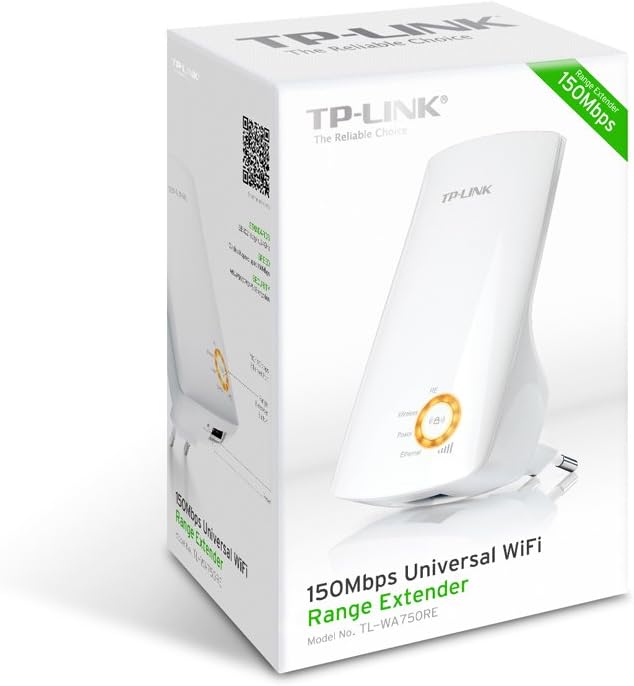
2-rasm: Yon view of the TL-WA750RE. This image illustrates the physical layout of the device, including the WPS button and Ethernet port, which are crucial for setup and operation.
5. Range Extenderni boshqarish
Once the TL-WA750RE is successfully set up, it will automatically extend your existing Wi-Fi network. Devices within the extended range can connect to the network name created by the extender (e.g., "YourNetworkName_EXT").
5.1. Aqlli signal ko'rsatkichi
The Smart Signal Indicator LEDs on the front of the device provide real-time feedback on the signal strength received from your main router. This helps you determine the best placement for the extender:
- To'liq ko'k/yashil: Excellent signal strength.
- Qattiq qizil: Weak signal strength. Consider relocating the extender closer to your router.
- Oʻchiq: No connection to the main router.
5.2. Ethernet Port Usage
The TL-WA750RE includes an Ethernet port. This port can be used to connect a wired device, such as a desktop computer, gaming console, or smart TV, to your wireless network, providing a stable wired connection in the extended Wi-Fi area.
6. Xizmat ko'rsatish
- Tozalash: Qurilmani tozalash uchun yumshoq, quruq matodan foydalaning. Suyuq yoki aerozol tozalagichlardan foydalanmang.
- Joylashtirish: Avoid placing the extender in direct sunlight, near heat sources, or in areas with high humidity.
- Dasturiy ta'minotni yangilash: Vaqti-vaqti bilan TP-Link rasmiysini tekshiring weboptimal ishlash va xavfsizlikni ta'minlash uchun proshivka yangilanishlari uchun sayt.
- Quvvat aylanishi: If the device experiences issues, try unplugging it from the power outlet for 10 seconds and then plugging it back in.
7. Muammolarni bartaraf qilish; nosozliklarni TUZATISH
- Q1: What should I do if I cannot access the extender's web boshqaruv sahifasi?
- A1: Ensure your computer is connected to the extender's network. Verify that http://tplinkrepeater.net is correctly typed in the browser. If issues persist, try using the extender's IP address (e.g., 192.168.0.254) or reset the extender to factory defaults.
- Q2: My extended network has poor signal or frequent disconnections.
- A2: Check the Smart Signal Indicator on the extender. If it's red or off, the extender is too far from your main router. Relocate the extender to a position where the indicator shows a strong signal (solid blue/green). Ensure there are no major obstructions between the router and the extender.
- Q3: How do I reset the extender to factory default settings?
- A3: With the extender powered on, use a pin to press and hold the Reset button (usually a small hole) for approximately 5-10 seconds until all LEDs flash briefly. The extender will then restart with factory default settings.
8. Texnik shartlar
| Brend | TP-Link |
| Model raqami | TL-WA750RE |
| Simsiz standart | 802.11b/g/n |
| Ma'lumot uzatish tezligi | 150 Mbit/s |
| Chastotasi | 2.4 gigagertsli |
| Maxsus xususiyatlar | Smart Signal Indicator, WPS Button |
| Ulagich turi | RJ45 (Ethernet porti) |
| Element og'irligi | 0.4 funt |
| Rang | Oq |
9. Kafolat va qo'llab-quvvatlash
9.1. Kafolat haqida ma'lumot
This TP-Link TL-WA750RE device comes with a 2 yillik kafolat sotib olingan kundan boshlab. Kafolat da'volari uchun sotib olishni tasdiqlovchi hujjatingizni saqlang. Kafolat normal foydalanish paytida materiallar va ishlov berishdagi nuqsonlarni qoplaydi.
9.2. Texnik yordam
For technical assistance, troubleshooting, or further inquiries, please visit the official TP-Link support websaytiga kiring yoki ularning mijozlarga xizmat ko'rsatish markaziga murojaat qiling. Batafsil qo'llab-quvvatlash resurslari, tez-tez so'raladigan savollar va aloqa ma'lumotlarini quyidagi manzildan topishingiz mumkin. www.tp-link.com/support.