
Kirish
The SteelSeries Apex 100 Gaming Keyboard is designed for optimal gaming performance, featuring Quick Tension Switches for fast reaction times, tactile feedback, and quiet operation. It includes blue LED backlighting, advanced anti-ghosting, and is built with splash resistance for durability.
Sozlash; o'rnatish
1. Klaviaturani ulash
Connect the keyboard's USB-A cable to an available USB port on your computer. The keyboard is plug-and-play, and your operating system should automatically detect and install the necessary drivers.

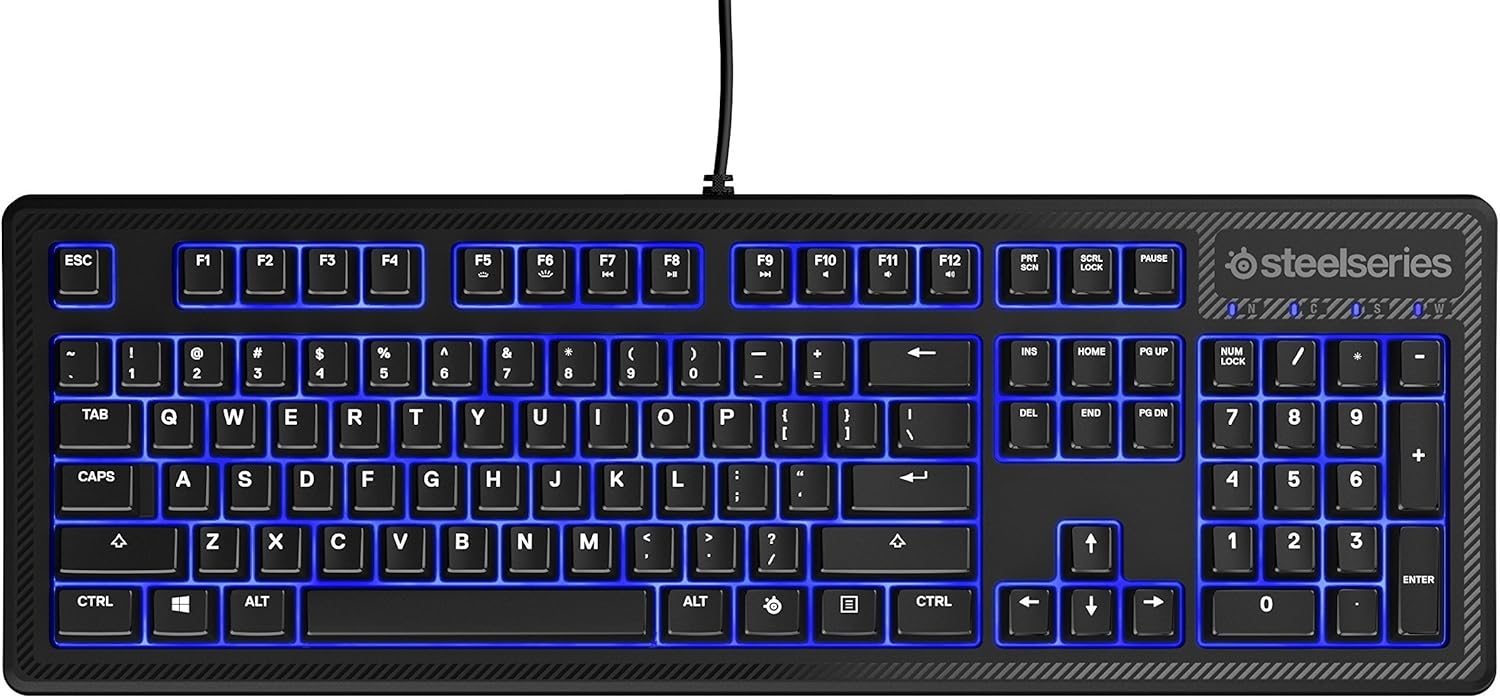
Rasm: yuqori view of the SteelSeries Apex 100 Gaming Keyboard, showing the full QWERTY layout with blue LED backlighting and the attached USB cable.
2. Dasturiy ta'minotni o'rnatish (ixtiyoriy)
For advanced customization, including macro programming and backlighting adjustments, download and install the SteelSeries Engine 3 software from the official SteelSeries websayt (steelseries.com/engine). O'rnatish uchun ekrandagi ko'rsatmalarga amal qiling.
Klaviatura bilan ishlash
Asosiy xususiyatlar
- Quick Tension Switches: Designed to mimic mechanical switches, providing a tactile feel and fast actuation.
- Moviy LED yoritgichi: Offers brilliant ground effects backlighting. Intensity can be adjusted via SteelSeries Engine 3.
- Advanced Anti-Ghosting: Ensures all key presses are registered accurately during intense gaming sessions.
- Media boshqaruvlari: Integrated media control functions are accessible via function keys (F7-F12) in combination with the Fn key.
Rasm: yon view of the SteelSeries Apex 100 Gaming Keyboard, highlighting its ergonomic design and keycap profile.
Customization with SteelSeries Engine 3
The SteelSeries Engine 3 software allows you to:
- Create and assign macros to any key.
- Adjust the intensity of the blue LED backlighting.
- Configure polling rates and other performance settings.
Xizmat
Tozalash
To clean your keyboard, disconnect it from your computer. Use a soft, dry cloth to wipe down the keys and chassis. For stubborn dirt, a slightly damp cloth with mild soap can be used, ensuring no liquid enters the key switches or internal components. The keyboard is splash resistant, but not waterproof; avoid submerging it or exposing it to excessive liquids.
Chidamlilik
The Apex 100 keyboard features a guaranteed 20-million click lifespan for its switches, ensuring long-term reliability under heavy use.

Rasm: pastki view of the SteelSeries Apex 100 Gaming Keyboard, showing the drainage channels and adjustable feet.
Muammolarni bartaraf qilish; nosozliklarni TUZATISH
Klaviatura javob bermayapti
- USB kabeli klaviatura va kompyuterga mahkam ulanganligiga ishonch hosil qiling.
- Klaviaturani boshqa USB portiga ulab ko'ring.
- Kompyuteringizni qayta ishga tushiring.
- Agar USB hubdan foydalansangiz, to'g'ridan-to'g'ri kompyuterga ulanishga harakat qiling.
Backlighting Issues
- Check the backlighting settings within the SteelSeries Engine 3 software.
- Ensure the keyboard's brightness level is not set to minimum.
Ro'yxatdan o'tmagan kalitlar
- Har qanday qoldiqni olib tashlash uchun ta'sirlangan kalitlarni tozalang.
- If the issue persists, consider reinstalling the SteelSeries Engine 3 software or updating your USB drivers.
For further assistance, please refer to the SteelSeries support websayt.
Texnik xususiyatlari
| Xususiyat | Tafsilot |
|---|---|
| Brend | SteelSeries |
| Model nomi | Apex 100 |
| Model raqami | 64435 |
| Ulanish texnologiyasi | USB-A |
| Klaviatura tavsifi | Oʻyin |
| Tavsiya etilgan foydalanish | Oʻyin |
| Maxsus xususiyat | Orqa yoritilgan |
| Rang | Moviy |
| Klaviatura orqa yorug'ligi rangini qo'llab-quvvatlash | Single Color (Blue) |
| Uslub | Whisper Quiet – Tactile & Silent |
| Mahsulot o'lchamlari | 18.21"L x 6.13"W x 1.58"Y |
| Quvvat manbai | USB |
| Kommutator turi | Tactile (Quick Tension Switches) |
| Klaviatura tartibi | QWERTY |
| Tugma miqdori | 104 |
| Mos keladigan operatsion tizimlar oilasi | Windows |
| Tugmalar soni | 100 |
| Qoplama materiali | Plastik |
| Element og'irligi | 2.42 funt |
| UPC | 813682020101 |
Kafolat haqida ma'lumot
According to product information, this item comes with kafolat yo'q. Please check with your retailer for their return or exchange policies.
Qo'llab-quvvatlash
For additional support, driver downloads, or frequently asked questions, please visit the official SteelSeries support websayt: