
1. Kirish
Thank you for choosing the Xanlite TO250S LED Flashlight. This manual provides essential information for the safe and efficient use of your new flashlight. Please read it thoroughly before operation and retain it for future reference.
The Xanlite TO250S is a robust and powerful LED flashlight designed for various applications, offering 3 lighting modes and a long-range beam. Its durable aluminum construction ensures reliability in demanding conditions.
2. Mahsulot tugadiview
The Xanlite TO250S is a compact and powerful LED flashlight. It features a durable aluminum body, a bright LED light source, and multiple lighting modes for versatility.
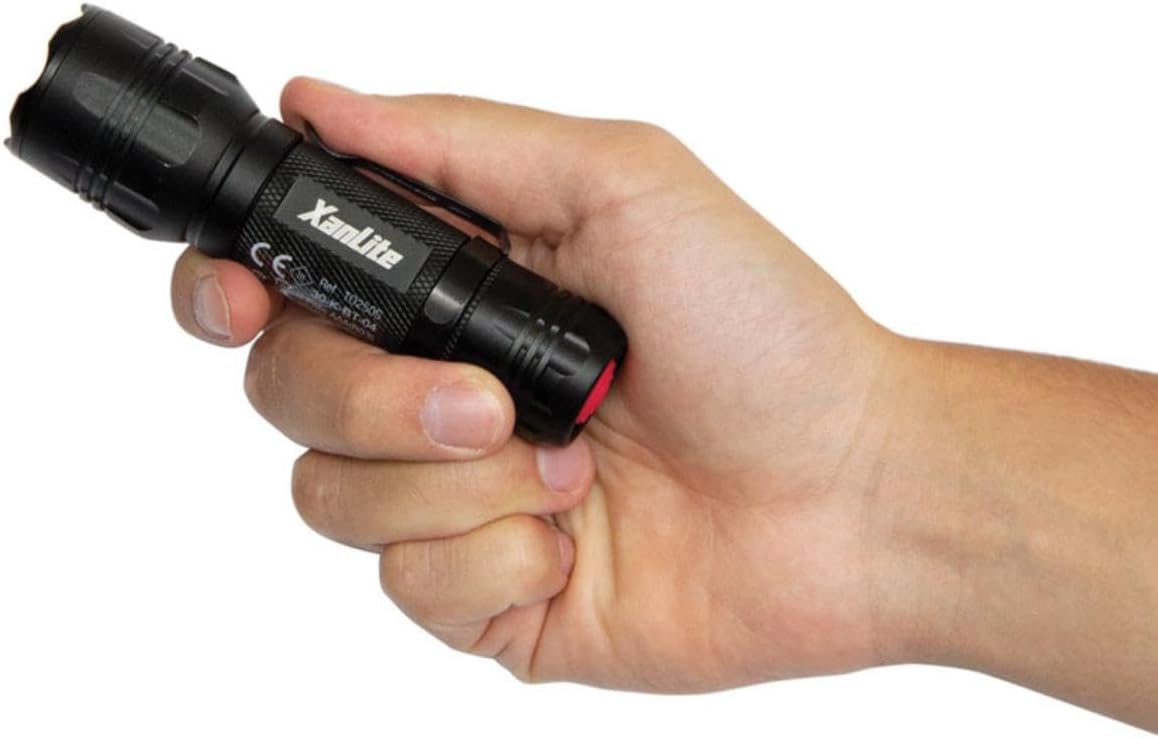
Image: A hand holding the Xanlite TO250S LED flashlight, showcasing uning ixcham dizayni va teksturali tutqichi.

Image: A graphic highlighting key features of the Xanlite TO250S: 3 lighting modes (300 lumens, 150 lumens, flash), 10 hours of autonomy, shock-resistant aluminum body, and a long range of up to 200 meters.
3. O'rnatish va batareyani o'rnatish
Your Xanlite TO250S flashlight requires batteries for operation. Please follow these steps to install them correctly:
- Chiroqning dumi qopqog'ini soat miliga teskari burab, burab qo'ying.
- Insert the required alkaline batteries (typically AAA, as indicated by the product specifications) into the battery compartment, ensuring correct polarity (+/-) as marked inside the flashlight.
- Quyruq qopqog'ini mahkam mahkamlanguniga qadar soat yo'nalishi bo'yicha orqaga burang.

Image: The Xanlite TO250S flashlight with its tail cap removed, revealing the battery compartment and an inserted AAA battery.
4. Operatsiya
To operate your Xanlite TO250S flashlight, use the power button located on the tail cap.
- Yoqish/o'chirish: Press the red power button on the tail cap once to turn the flashlight on. Press it again to turn it off.
- O'zgartirish rejimlari: While the flashlight is on, lightly press the power button (without fully clicking it) to cycle through the available lighting modes: High, Low, and Flash.

Tasvir: yaqindan ko'rilgan tepa view of the Xanlite TO250S flashlight, highlighting the red power button on the tail cap.
5. Yoritish usullari
The Xanlite TO250S offers three distinct lighting modes to suit various needs:
- Yuqori yorqinlik (300 lümen): Provides maximum illumination for long-distance viewing or when a powerful light is required. Ideal for outdoor activities, searching, or working in dark environments.
- Low Brightness (Approx. 150 Lumens): Offers a softer light for close-range tasks, reading, or to conserve battery life.
- Flash rejimi: A flashing light signal, useful for emergencies, signaling, or attracting attention.

Image: A man using the Xanlite TO250S flashlight to inspect the underside of a car, demonstrating its utility in detailed tasks.
6. Xizmat ko'rsatish
To ensure the longevity and optimal performance of your Xanlite TO250S flashlight, follow these maintenance guidelines:
- Tozalash: Chiroq korpusini yumshoq, damp mato. Abraziv tozalash vositalarini yoki erituvchilarni ishlatmang.
- Batareyani almashtirish: Replace batteries when the light output diminishes. Always use fresh alkaline batteries of the specified type (AAA). Do not mix old and new batteries or different battery types.
- Saqlash: If storing the flashlight for an extended period, remove the batteries to prevent leakage and damage. Store in a cool, dry place.
7. Texnik shartlar
| Model raqami | TO250S |
| Brend | Xanlite |
| Rang | Qora |
| Material | alyuminiy |
| Nur manbai turi | LED |
| Oq yorqinlik | 300 lumen |
| Light Beam Distance | 200 metr |
| Yoritish rejimlari | 3 (High, Low, Flash) |
| Batareya turi | Alkaline (Piles Incluses) |
| Ish vaqti | 10 soatgacha |
| Suvga chidamlilik darajasi | Waterproof (Étanche) |
| Maxsus xususiyat | Durable, Adjustable lighting mode, Flash mode |

Image: A diagram illustrating the dimensions of the Xanlite TO250S flashlight, showing a length of 137mm and a width of 39mm.
8. Muammolarni bartaraf qilish; nosozliklarni TUZATISH
If you encounter any issues with your Xanlite TO250S flashlight, please refer to the following common solutions:
- Chiroq yoqilmaydi:
- Batareyalar to'g'ri qutblanish bilan to'g'ri joylashtirilganligini tekshiring.
- Ensure the batteries are fresh and not depleted. Replace if necessary.
- Make sure the tail cap is fully tightened. A loose connection can prevent the flashlight from working.
- Xira yoki miltillovchi yorug'lik:
- Batteries may be low. Replace them with fresh ones.
- Clean the battery contacts and the flashlight's internal contacts with a clean cloth to remove any dirt or corrosion.
- Cannot change lighting modes:
- Ensure you are lightly pressing the power button to cycle modes, not fully clicking it off and on.
If the problem persists after trying these steps, please contact Xanlite customer support.
9. Kafolat va qo'llab-quvvatlash
The Xanlite TO250S LED Flashlight comes with a limited warranty. For specific details regarding warranty coverage, duration, and terms, please refer to the warranty information provided at the time of purchase or contact Xanlite customer service directly.
For technical support, replacement parts, or any other inquiries, please visit the official Xanlite websaytiga tashrif buyuring yoki ularning mijozlarni qo'llab-quvvatlash xizmatiga murojaat qiling. Kafolat da'volari uchun xaridni tasdiqlovchi hujjat sifatida xarid chekingizni saqlang.