
1. Kirish
Thank you for choosing the Comfee Mobile Air Conditioner MPPH-09CRN7. This manual provides essential information for the safe and efficient operation of your appliance. Please read it thoroughly before use and retain it for future reference.
This 3-in-1 unit offers cooling, dehumidification, and fan modes, designed for rooms up to 33m² (88m³).

Rasm: old view of the Comfee Mobile Air Conditioner MPPH-09CRN7.
2. Xavfsizlik ma'lumotlari
Yong'in, elektr toki urishi yoki shikastlanish xavfini kamaytirish uchun elektr jihozlarini ishlatishda doimo asosiy xavfsizlik choralariga rioya qiling.
- Quvvat manbai vol.ga mos kelishiga ishonch hosil qilingtage reyting yorlig'ida ko'rsatilgan.
- Jihozni shikastlangan sim yoki vilka bilan ishlatmang.
- Qurilmani issiqlik manbalaridan va to'g'ridan -to'g'ri quyosh nurlaridan uzoqroq tuting.
- Havo kirish va chiqishlarini to'sib qo'ymang.
- Bu qurilma R290 sovutgichdan foydalanadi. Sovutgich pallasini teshmang.
3. Mahsulot komponentlari va aksessuarlari
The Comfee Mobile Air Conditioner MPPH-09CRN7 comes with the following components:

Image: Diagram showing all included accessories for the mobile air conditioner.
- Egzoz shlangi
- Uskuna adapteri
- Deraza slayderlari to'plami
- Foam Seal (non-adhesive)
- Egzoz shlangi adapteri
- Wall Outlet Adapter
- Foam Seal (adhesive)
- Screws, Bolts, Anchors
- Masofadan boshqarish
- Oyna slayderi
- Shlangi to'kib tashlang
The unit also features four castor wheels for easy mobility.
Rasm: yaqindan view of the castor wheels on the base of the air conditioner, highlighting its mobility.
4. O'rnatish va o'rnatish
Proper installation is crucial for optimal performance. Follow these steps for setting up your mobile air conditioner:
4.1 Egzoz shlangini o'rnatish
The exhaust hose expels hot air from the room. Ensure it is installed correctly to prevent hot air recirculation.

Image: Three options for installing the exhaust hose: through a wall air outlet, a window adapter, or a window with a "Hot Air Stop" cover.
- Option 1: Wall Air Outlet: Drill and install the hose in a dedicated air outlet.
- Option 2: Window Adapter: Assemble and install the hose in the provided window adapter.
- Option 3: Window with "Hot Air Stop" Cover: Assemble and install the hose in the window using a "Hot Air Stop" cover (not included).
4.2 Window Slider Kit Installation
For window installation, use the provided window slider kit to seal the opening and maximize cooling efficiency.

Image: Step-by-step guide for installing the window slider kit: 1. Open the window. 2. Install the window slider adapter. 3. Seal and secure the adapter. 4. Install the exhaust hose to the adapter. 5. Attach the exhaust hose to the unit. 6. Power on and activate the device.
- Oynani oching.
- Install the window slider adapter into the window opening.
- Seal and secure the adapter to prevent air leakage.
- Install the exhaust hose to the adapter.
- Attach the exhaust hose to the air conditioner unit.
- Plug in the unit and activate it.
5. Foydalanish bo'yicha ko'rsatmalar
5.1 Boshqaruv paneli va masofadan boshqarish
The unit can be operated via the control panel on top of the unit or the included remote control.

Image: Layout of the remote control and the top control panel of the air conditioner, indicating various buttons and their functions.
Masofadan boshqarish funksiyalari:
- Quvvatni yoqish/o‘chirish
- Modes Control (Cooling, Fan, Dehumidification)
- Fan tezligini nazorat qilish
- Kutish rejimini boshqarish
- Temperature Control (Up/Down)
- DIY Mode Control
- Timer Control (Timer On/Timer Off)
- LED yorug'likni boshqarish
- "Follow Me" Function (on remote)
The "Follow Me" function on the remote control helps monitor and control the temperature around you, providing more precise cooling.

Image: A person using the remote control to operate the Comfee mobile air conditioner, demonstrating the "Smart Cooling" feature.
5.2 Ishlash rejimlari
The unit features three primary operating modes:

Image: Visual representation of the three functional modes: Cooling Mode, Fan Mode, and Dehumidification Mode. Note: For dehumidification, a hose for water drainage is required.
- Sovutish rejimi: Provides powerful cooling for your room.
- Fan rejimi: Circulates air without cooling, offering ventilation.
- Namlikni tozalash rejimi: Removes excess moisture from the air. A drain hose must be connected for continuous drainage in this mode.
5.3 Taymer funksiyasi
The 24-hour timer function allows you to set the unit to turn on or off automatically at a desired time.

Image: A visual representation of the 24-hour timer function, showing a clock face around the air conditioner unit.
5.4 Avtomatik qayta ishga tushirish
Agar kuch utage, the unit will automatically restart with its previous settings once power is restored.

Image: A stylized image of a microchip with the Comfee logo, illustrating the automatic restart function.
5.5 Noise Level and Sleep Mode
The unit is designed for lower noise operation, especially in Sleep Mode, where the sound pressure level can be reduced to 46.9 dB(A).

Image: A person sleeping peacefully next to the air conditioner, with a decibel meter graphic showing noise levels, emphasizing the low noise operation.
6. Xizmat ko'rsatish
Muntazam texnik xizmat ko'rsatish konditsioneringizning uzoq umr va samaradorligini ta'minlaydi.
6.1 Filtrni tozalash
The washable filter should be cleaned regularly to maintain air quality and cooling performance.
- Tozalashdan oldin jihozni o'chiring va elektr tarmog'idan uzing.
- Qurilmaning orqa qismidagi havo filtrini olib tashlang.
- Filtrni iliq, sabunlu suv bilan yuving.
- Qayta kiritishdan oldin yaxshilab yuvib tashlang va havoda to'liq quriting.
6.2 Suvni drenajlash
The unit has a self-evaporative system, but in high humidity or dehumidification mode, manual drainage may be required.
- Locate the drain port at the bottom rear of the unit.
- Place a shallow pan or connect the drain hose to the port.
- Suv oqishi uchun drenaj vilkasini echib oling.
- Replace the plug securely after drainage.
7. Muammolarni bartaraf qilish; nosozliklarni TUZATISH
Mijozlarni qo'llab-quvvatlash xizmatiga murojaat qilishdan oldin, iltimos, quyidagi umumiy muammolar va echimlarga qarang:
| Muammo | Mumkin sabab | Yechim |
|---|---|---|
| Qurilma yoqilmaydi. | No power supply; power cord unplugged; fuse blown. | Check power connection; check circuit breaker/fuse. |
| Qurilma samarali sovimaydi. | Windows/doors open; air filter dirty; exhaust hose not properly installed; room too large. | Close windows/doors; clean air filter; ensure exhaust hose is sealed; verify room size is within specifications. |
| Suv oqishi. | Drain plug loose; unit tilted; drain hose clogged. | Secure drain plug; place unit on a level surface; clear drain hose. |
| G'ayrioddiy shovqin. | Jihoz tekis yuzada emas; ichki komponent muammosi. | Place unit on a flat, stable surface. If noise persists, contact support. |
8. Texnik spetsifikatsiyalar
| Xususiyat | Spetsifikatsiya |
|---|---|
| Model raqami | MPPH-09CRN7 |
| Sovutish quvvati | 9000 BTU/h (2.6 kW/h) |
| Tavsiya etilgan xona hajmi | Up to 33m² (88m³) |
| Quvvat iste'moli | 1000 vatt |
| jildtage | 230 volt |
| Shovqin darajasi | 47 dB |
| Sovutgich | R290 (Climate Neutral) |
| Olchamlari (U x G x Y) | 34.49 x 35.51 x 70.31 sm |
| Og'irligi | 25.3 kilogramm |
| Energiya samaradorligi klassi | A |
| Maxsus xususiyatlar | Dehumidifier, Automatic Restart, 24-hour Timer, Sleep Mode, Smart Cooling with "Follow Me" function |

Image: Diagram showing the dimensions of the Comfee Mobile Air Conditioner: 70.3cm height, 35.5cm width, 34.5cm depth.
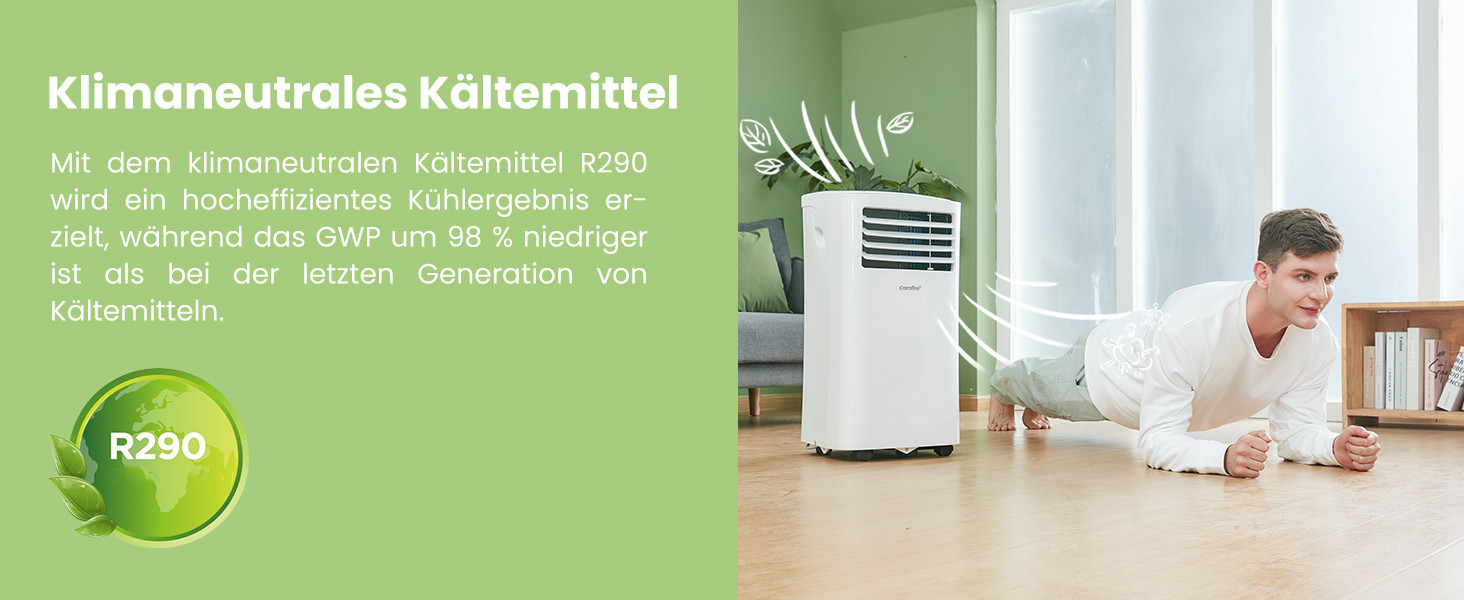
The unit uses R290, a climate-neutral refrigerant with significantly lower Global Warming Potential (GWP) compared to previous generations of refrigerants.

Image: Illustration highlighting the use of R290 climate-neutral refrigerant, with a person doing a plank exercise next to the unit.
9. Kafolat haqida ma'lumot
This product is covered by a manufacturer's warranty. Please refer to the warranty card included in your product packaging for specific terms and conditions, including warranty period and coverage details. Retain your proof of purchase for warranty claims.
10. Mijozlarni qo'llab-quvvatlash
For technical assistance, troubleshooting beyond this manual, or warranty inquiries, please contact Comfee customer support. Contact details can typically be found on the manufacturer's websayt yoki mahsulot o'ramida.
You can also visit the official Comfee store on Amazon for more information and support: Comfee Store