
Kirish
This user manual provides comprehensive instructions for the setup, operation, maintenance, and troubleshooting of your Alienware M15 Gaming Laptop. Please read this manual thoroughly to ensure optimal performance and longevity of your device. For additional support, refer to the official Alienware support resources.
Mahsulot tugadiview
Asosiy xususiyatlar
- 8th Generation Intel Core i7-8750H (6-Core, 9MB Cache, up to 4.1GHz w/ Turbo Boost)
- 15.6" FHD (1920 x 1080) 60Hz Anti-glare IPS, 300-nits 72% Color gamut, narrow-border Display
- 16GB, 2x8GB, DDR4, 2666MHz RAM
- 128GB PCIe M.2 SSD + 1TB (+8GB SSHD) Hybrid Drive
- Nvidia GeForce GTX 1060 with 6GB GDDR5 Graphics Card
- Windows 10 Home operatsion tizimi
Jismoniy komponentlar

1-rasm: Old view of the Alienware M15 laptop, showcasing the display with the Alienware logo.

2-rasm: Tepadan pastga view of the open Alienware M15 laptop, highlighting the keyboard layout and touchpad.

3-rasm: Chap tomon view of the Alienware M15 laptop, showing various ports such as USB 3.0.
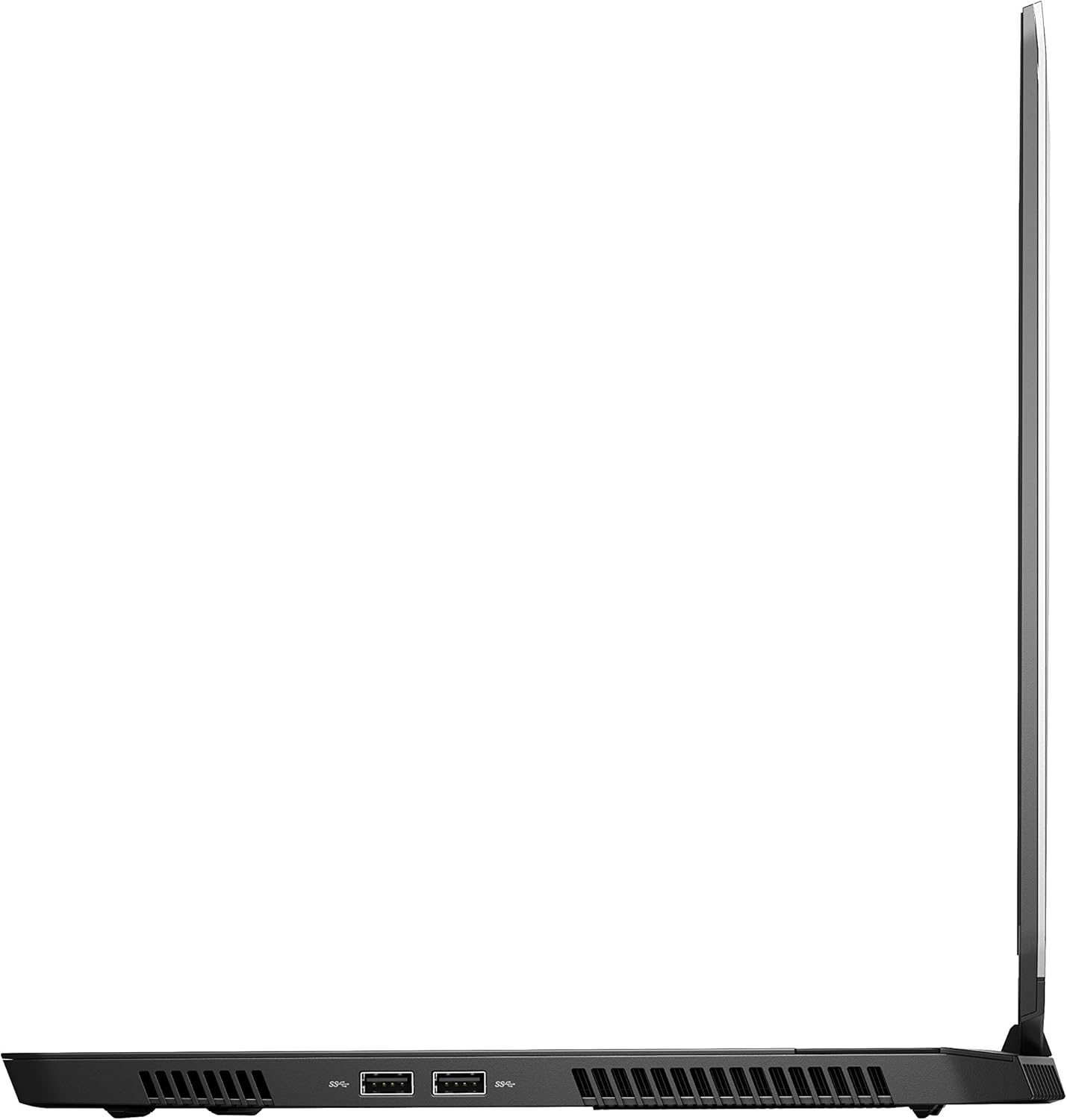
4-rasm: O'ng tomon view of the Alienware M15 laptop, displaying additional ports and ventilation.

5-rasm: Portlagan view illustrating the internal cooling system of the Alienware M15 laptop, including fans and heat sinks.
Sozlash; o'rnatish
Paketdan yechish
Paketdagi barcha komponentlarni ehtiyotkorlik bilan olib tashlang. Quyidagi elementlar mavjudligiga ishonch hosil qiling:
- Alienware M15 Gaming Laptop
- Quvvat kabeli
- 180W quvvat adapteri
Dastlabki yoqish
- Quvvat adapterini noutbukning quvvat kiritish portiga ulang.
- Elektr simini rozetkaga ulang.
- Open the laptop lid and press the power button, typically located on the top right of the keyboard deck or a dedicated button on the chassis.
- Windows 10 Home o'rnatish jarayonini yakunlash uchun ekrandagi ko'rsatmalarga amal qiling, jumladan, tilni tanlash, tarmoqqa ulanish va foydalanuvchi hisobini yaratish.
Foydalanish bo'yicha ko'rsatmalar
Asosiy operatsiya
Your Alienware M15 laptop runs on Windows 10 Home. Familiarize yourself with the operating system's interface. The keyboard features customizable backlighting via Alienware's software. The touchpad supports multi-touch gestures for navigation.
Oʻyin samaradorligi
The Alienware M15 is designed for high-performance gaming. For optimal gaming experience, ensure the laptop is connected to the power adapter. This allows the system to utilize its full power capabilities for the CPU and GPU. While gaming, the laptop may generate significant heat; this is normal for high-performance hardware. Consider using a cooling pad for extended gaming sessions to enhance thermal management.
Xizmat
Tozalash
- Ekran: Bir oz yumshoq, tuklarsiz matodan foydalaning dampsuv yoki ekran tozalagich bilan yakunlanadi. Qattiq kimyoviy moddalardan saqlaning.
- Klaviatura va shassi: Use a soft brush or compressed air to remove dust from keys and vents. Wipe surfaces with a microfiber cloth.
- Portlar: Use compressed air to clear dust from USB, HDMI, and other ports.
Dasturiy ta'minot yangilanishlari
Regularly update your Windows operating system, graphics drivers (NVIDIA GeForce), and Alienware software. Updates often include performance improvements, security patches, and bug fixes. Access Windows updates through Settings > Update & Security. Graphics drivers can be updated via the NVIDIA GeForce Experience application.
Batareya parvarishi
To maximize battery lifespan, avoid consistently discharging the battery completely. For prolonged use while plugged in, consider using battery management features (if available in Alienware Command Center) to limit charging to 80-90% capacity.
Muammolarni bartaraf qilish; nosozliklarni TUZATISH
This section addresses common issues you might encounter with your Alienware M15 laptop.
| Muammo | Mumkin sabab / yechim |
|---|---|
| Laptop gets excessively hot during use. | High-performance components generate heat. Ensure ventilation vents are clear. Use a cooling pad. Update graphics drivers. |
| "No media present" error or SSD/HDD not detected. | This can sometimes be a temporary software glitch. Try restarting the laptop. If persistent, ensure the power cable is securely connected and try a hard reboot (unplug power, hold power button for 15 seconds, then reconnect and power on). If the issue persists, contact support. |
| Wi-Fi ulanishi tez-tez uzilib qoladi. | Ensure Wi-Fi drivers are up to date. Check for interference from other devices. Restart your router and the laptop. If the issue persists, consider reinstalling Wi-Fi drivers or contacting support. |
| System performance is slow or lagging. | Ensure the laptop is plugged into power for full performance. Close unnecessary background applications. Check for malware. Ensure sufficient free space on the SSD/HDD. |
Texnik xususiyatlari
Detailed technical specifications for the Alienware M15 Gaming Laptop (Model: AWM15-7830SLV-PUS).
| Xususiyat | Tafsilot |
|---|---|
| Doimiy ekranning o'lchami | 15.6 dyuym |
| Ekran ravshanligi | 1920 x 1080 piksel |
| Maksimal ekran o'lchamlari | 1920x1080 piksel |
| Protsessor | 4.1 GHz core_i7_8750h |
| Ram | 16 GB DDR4 |
| Xotira tezligi | 2666 MGts |
| Qattiq disk | 1000 GB 128GB PCIe M.2 SSD + 1TB (+8GB SSHD) Hybrid Drive |
| Grafik protsessor | NVIDIA GeForce GTX 1060 |
| Chipset markasi | NVIDIA |
| Karta tavsifi | bag'ishlangan |
| Grafik karta RAM hajmi | 6 GB |
| Simsiz turi | 802.11a/b/g/n |
| USB 3.0 portlari soni | 3 |
| Brend | Alienware |
| Seriya | AWm15-7830SLV-PUS |
| Element model raqami | AWM15-7830SLV-PUS |
| Operatsion tizim | Windows 10 Bosh sahifa |
| Element og'irligi | 4.8 funt |
| Mahsulot o'lchamlari | 10.8 x 14.3 x 0.8 dyuym |
| Rang | Qora |
| Protsessor brendi | Intel |
| Protsessorlar soni | 6 |
| Kompyuter xotirasi turi | DDR4 SDRAM |
| Flash xotira hajmi | 16 |
| Qattiq disk interfeysi | Qattiq holat |
| Qattiq diskning aylanish tezligi | 5400 aylanish tezligi |
| Optik haydovchi turi | Optik disk yo'q |
| jildtage | 240 volt |
| Batareyalar | 1 ta lityum metall batareya kerak. (shu jumladan) |
| Birinchi mavjud sana | 5 yil 2019 yanvar |
| Model nomi | AWm15-7830SLV-PUS |
| Ekran o'lchami | 15.6 dyuym |
| Qattiq disk hajmi | 1000 GB |
| CPU modeli | Core i7 8750H |
| O'rnatilgan operativ xotira hajmi | 16 GB |
| Maxsus xususiyat | Yorqinlikka qarshi qoplama |
Kafolat va qo'llab-quvvatlash
For detailed warranty information, please refer to the documentation included with your purchase or visit the official Alienware support website. For technical assistance, driver downloads, and further resources, please visit the Alienware support portal.
Rasmiy foydalanuvchi qo'llanmasi (PDF) ham yuklab olish mumkin: Foydalanuvchi qo'llanmasini PDF formatida yuklab oling