
1. Kirish
Welcome to the user manual for your Genius Manticore Gaming Keyboard. This guide provides essential information for setting up, operating, maintaining, and troubleshooting your new gaming keyboard. Please read these instructions carefully to ensure optimal performance and longevity of your device.
2. Mahsulot tugadiview
The Genius Manticore Gaming Keyboard is designed for an enhanced gaming experience, featuring a durable build and responsive keys. It connects via USB and is compatible with a wide range of devices. The keyboard includes 104 keys with a standard QWERTY layout, complemented by additional gaming-specific features.
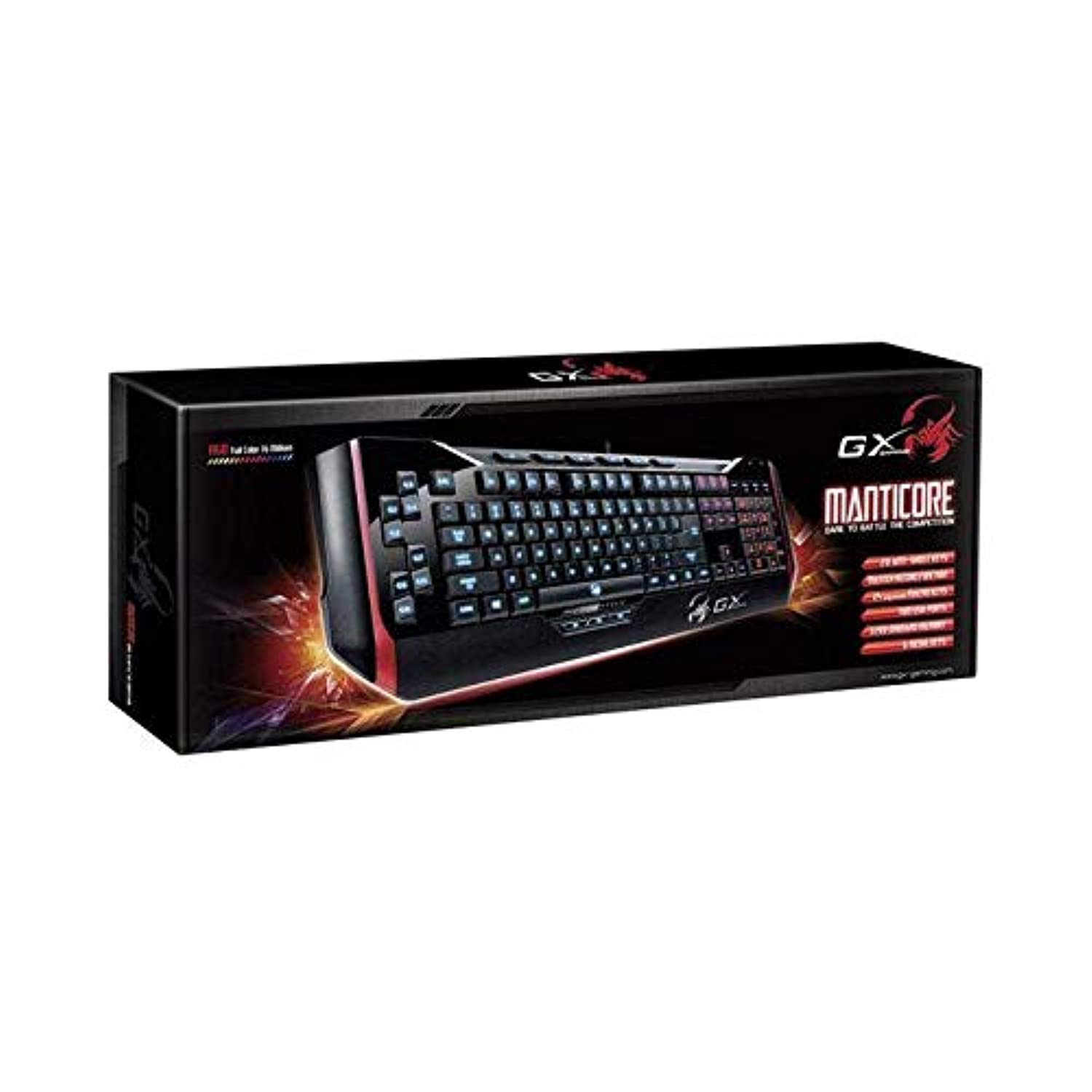
1-rasm: Genius Manticore Gaming Keyboard. This image displays the Genius Manticore Gaming Keyboard, featuring a black body with red accents on the sides. The keys are illuminated, indicating its gaming functionality. The keyboard has a standard QWERTY layout with additional keys on the left side, likely for macros, and a numeric keypad on the right.
3. Sozlash
- Klaviaturani o'ramdan chiqarib oling: Carefully remove the Genius Manticore Gaming Keyboard from its packaging. Ensure all components are present.
- Qurilmangizga ulaning: Locate an available USB port on your computer or compatible device. Insert the USB connector of the keyboard firmly into the USB port.
- Haydovchilarni o'rnatish (agar kerak bo'lsa): For most modern operating systems, the keyboard will be recognized automatically, and standard drivers will be installed. If prompted, follow the on-screen instructions to complete any driver installation.
- Sinov funktsiyasi: Open a text editor or a web browser and test the keys to ensure they are responding correctly.
4. Foydalanish bo'yicha ko'rsatmalar
The Genius Manticore Gaming Keyboard offers a standard QWERTY layout for general typing and dedicated features for gaming.
- Standard Key Functions: All standard alphanumeric, symbol, and function keys operate as expected on a typical QWERTY keyboard.
- O'yin xususiyatlari: The keyboard is designed for gaming. Specific gaming features, such as customizable backlighting or programmable macro keys (if available on your model), can typically be configured through dedicated software provided by Genius or through specific key combinations. Refer to the Genius website for any available software downloads or advanced feature guides.
- Quvvat manbai: The keyboard is powered directly via the USB connection to your device. No external power supply or batteries are required.
5. Xizmat ko'rsatish
To'g'ri parvarish qilish klaviaturangizning uzoq umr ko'rishini va ishlashini ta'minlaydi.
- Tozalash: Use a soft, dry cloth to wipe down the keyboard surface. For dust and debris between keys, use compressed air. Avoid using harsh chemicals or abrasive materials.
- Suyuqlik ta'siri: This keyboard is suvga chidamli emas. Avoid spilling liquids on the keyboard, as this can cause permanent damage. If liquid exposure occurs, immediately disconnect the keyboard from your device and allow it to dry completely before attempting to use it again.
- Saqlash: When not in use, store the keyboard in a clean, dry environment away from extreme temperatures and direct sunlight.
6. Muammolarni bartaraf qilish; nosozliklarni TUZATISH
Agar klaviaturangiz bilan bog'liq muammolarga duch kelsangiz, quyidagi yechimlarni sinab ko'ring:
- Klaviatura javob bermayapti:
- USB kabeli klaviatura va kompyuterga mahkam ulanganligiga ishonch hosil qiling.
- Klaviaturani kompyuteringizdagi boshqa USB portiga ulab ko'ring.
- Muammo klaviaturada yoki asl kompyuterda ekanligini aniqlash uchun klaviaturani boshqa kompyuterda sinab ko'ring.
- Kompyuteringizni qayta ishga tushiring.
- Muayyan tugmalar ishlamayapti:
- Check for any physical obstructions under the non-functional keys.
- Clean the keyboard as described in the Maintenance section.
- Ensure no software conflicts are present (e.g., macro software interfering with standard key functions).
- Backlighting Issues:
- If your model features adjustable backlighting, ensure it is not turned off or set to the lowest brightness level. Consult the Genius website for specific key combinations to control backlighting.
If these steps do not resolve the issue, please contact Genius customer support for further assistance.
7. Texnik shartlar
| Xususiyat | Tafsilot |
|---|---|
| Brend nomi | Daho |
| Model raqami | GE31310058108 |
| Mos qurilmalar | Hammasi |
| Ulanish texnologiyasi | USB |
| Klaviatura tavsifi | Oʻyin |
| Maxsus xususiyatlar | Oʻyin |
| Rang | Multi-color (Black and Red) |
| Uslub | Zamonaviy |
| Material | Bir nechta materiallar |
| Mavzu | O'yinlar |
| Quvvat manbai | USB quvvat |
| Tugmalar soni | 104 |
| Klaviatura tartibi | QWERTY klaviaturasi |
| Qo'lni yo'naltirish | Ikki tomonlama |
| Tugma miqdori | 104 |
| Suvga chidamlilik darajasi | Suvga chidamli emas |
| Ishlab chiqaruvchi | Daho |
| ASIN | B07MQMXJS9 |
8. Kafolat va qo'llab-quvvatlash
Your Genius Manticore Gaming Keyboard is covered by a standard manufacturer's warranty. For detailed information regarding warranty terms, registration, or to access technical support, please visit the official Genius websaytga yoki mijozlarga xizmat ko'rsatish bo'limiga murojaat qiling. Xarid kvitansiyasini xaridni tasdiqlovchi hujjat sifatida saqlang.
Qo'shimcha yordam uchun siz tashrif buyurishingiz mumkin Genius Official Websayt.