
1. Kirish
The Autel MaxiLink ML519 is an advanced OBDII/EOBD scanner designed to assist in diagnosing vehicle issues. This tool provides comprehensive diagnostic functions, including reading and clearing trouble codes, viewing live data, performing I/M readiness tests, and more. It is compatible with most OBDII-compliant vehicles manufactured from 1996 onwards in the US, and from 2000 for EU-based and Asian cars.
2. Mahsulot tugadiview
2.1 Asosiy xususiyatlar
- Reads and clears generic (P0, P2, P3, U0) and manufacturer-specific (P1, P3, U1) codes, and pending codes.
- Check Engine chiroqchasini (MIL) o'chiradi, kodlarni tozalaydi va monitorlarni qayta o'rnatadi.
- Patented One-Click I/M Readiness Status Key for quick emissions readiness check.
- Views freeze frame data.
- Displays live PCM data stream in text and graphing formats.
- Performs O2 Monitor Test, On-Board Monitor Test (Mode 6), and Component Test.
- Retrieves vehicle identification information (VIN, CALID, and CVN).
- Built-in DTC lookup library for code definitions.
- Memory backup for off-vehicle data review va tahlil.
- Internet updatable for software and language.
- Prints data via Windows-based PC.
2.2 Paket tarkibi
The Autel MaxiLink ML519 package typically includes the following items:
- MaxiLink ML519 Unit
- OBD II Connector Cable
- USB Data Line
- Tez qo'llanma
- Saqlash sumkasi

Image: Contents of the Autel MaxiLink ML519 package, including the scanner unit, cables, quick guide, and storage bag.
3. Sozlash
3.1 Connecting the Scanner to the Vehicle
- Turn the vehicle's ignition off.
- Locate the vehicle's 16-pin Data Link Connector (DLC). The DLC is usually located under the dashboard on the driver's side.
- Connect the OBD II connector cable from the ML519 scanner to the vehicle's DLC. Ensure a secure connection.
- Turn the vehicle's ignition to the ON position (engine off). The scanner will automatically power on.
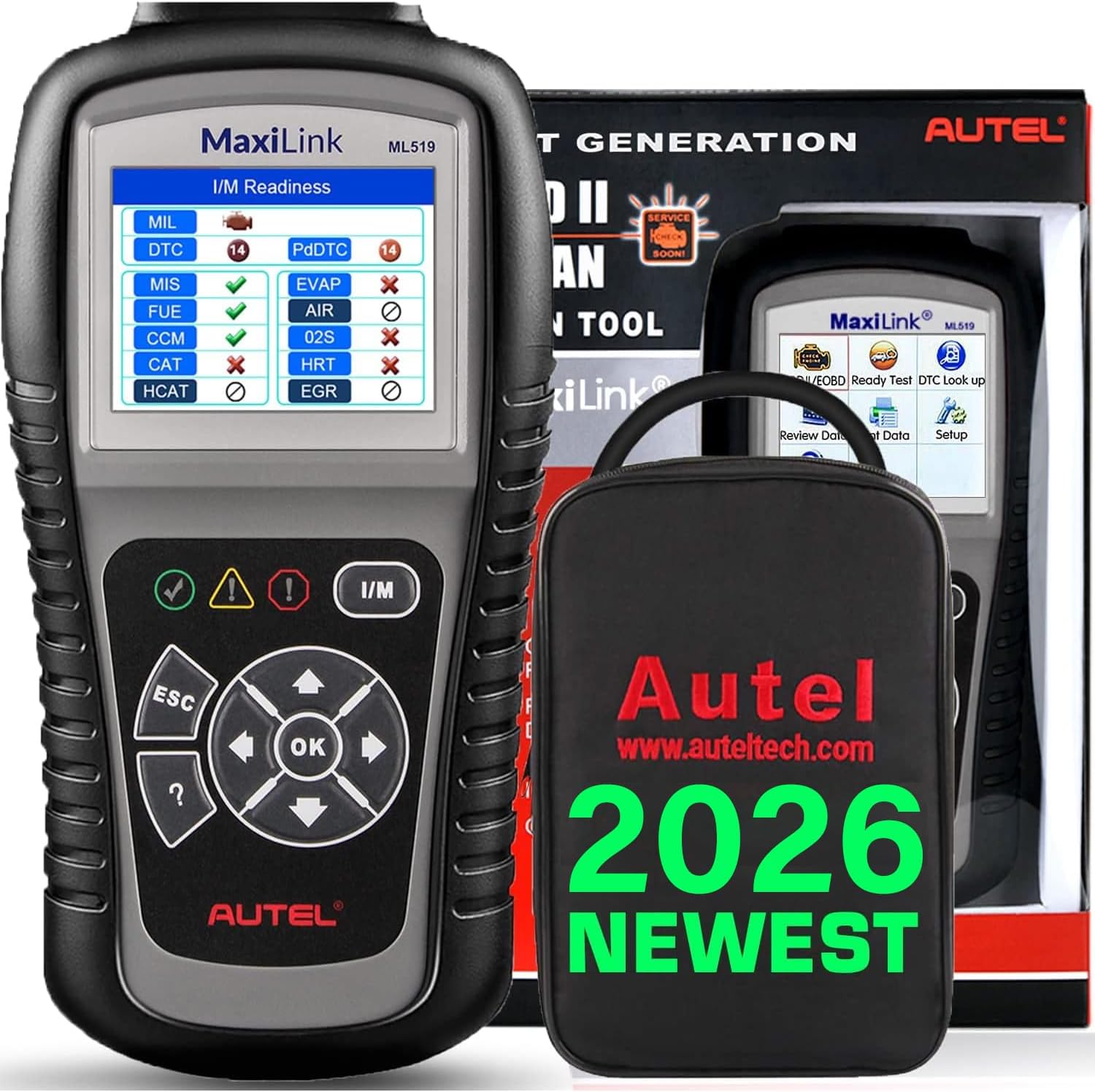
Image: The Autel MaxiLink ML519 scanner connected to a vehicle's OBD-II port, displaying its main menu.
4. Foydalanish bo'yicha ko'rsatmalar
4.1 Full OBDII Scan Tool Functions
The ML519 supports all 10 modes of OBD II operation, providing comprehensive diagnostic capabilities.

Tasvir: Bittaview of the Autel MaxiLink ML519's full OBDII scan tool functions, including erase codes, DTC definition, live data, and more.
4.2 Reading and Clearing Diagnostic Trouble Codes (DTCs)
To read DTCs:
- Asosiy menyudan tanlang 'Read Codes'.
- The scanner will display any stored or pending DTCs.
To clear DTCs:
- Asosiy menyudan tanlang 'Erase Codes'.
- Confirm the action when prompted. This will turn off the Check Engine Light (MIL) and reset monitors.
4.3 One-Click I/M Readiness (Ready Test)
This function allows you to quickly check the readiness status of the vehicle's emission system, which is crucial for annual emission tests. The ML519 provides visual and audible indications.
- Maxsus tugmani bosing I/M tayyorligi button on the scanner.
- The screen will display the status of various monitors (e.g., Misfire, Fuel System, O2 Sensors, EVAP). A green checkmark indicates readiness, while an 'X' indicates not ready.

Image: The Autel MaxiLink ML519 displaying the I/M Readiness screen, showing the status of various emission monitors with checkmarks and 'X' symbols.
4.4 Viewing Live Data
The ML519 can display real-time sensor data from the vehicle's Powertrain Control Module (PCM) in both text and graphical formats. This allows for detailed analysis of vehicle performance.
- Asosiy menyudan tanlang 'Live Data'.
- Choose between 'View Data' (text list) or 'Graph Data' (graphical representation).
- Use the navigation buttons to scroll through parameters or zoom in/out on graphs.

Image: The Autel MaxiLink ML519 displaying live data, showing RPM in a graphical format and a list of data parameters.
4.5 DTC Lookup Function
The built-in DTC lookup library provides detailed definitions for generic and manufacturer-specific trouble codes, helping you understand the cause of a fault.
- Asosiy menyudan tanlang 'DTC Lookup'.
- Enter the DTC code using the scanner's buttons.
- The scanner will display the definition of the entered code.

Image: The Autel MaxiLink ML519 displaying the DTC Lookup function, showing how to input a code and view uning ta'rifi.
4.6 Other Diagnostic Tests
- O2 monitor sinovi: Avtomobilning bort kompyuteridan eng so'nggi yakunlangan sinovlar uchun O2 sensori monitorining sinov natijalarini oladi.
- On-Board Monitor Test (Mode 6): Doimiy ravishda kuzatilmaydigan emissiya bilan bog'liq quvvat bloki komponentlari va tizimlari uchun sinov natijalarini oladi.
- Komponent testi: Avtomobilning EVAP tizimi uchun oqish sinovini boshlash imkonini beradi.
- Retrieve Vehicle Information: Displays the Vehicle Identification Number (VIN), Calibration ID (CALID), and Calibration Verification Number (CVN).
4.7 Ma'lumotlarni chop etish
The ML519 allows you to print diagnostic data via a Windows-based PC. Connect the scanner to your PC using the provided USB cable and use the Autel PC Suite software (available for download from the Autel website) to manage and print data.
5. Xizmat ko'rsatish
5.1 Umumiy parvarish
- Keep the scanner dry and clean. Avoid exposure to moisture or extreme temperatures.
- Do not use abrasive cleaners or solvents on the unit. Use a soft, damp tozalash uchun mato.
- Store the scanner in its protective storage bag when not in use to prevent damage.
6. Muammolarni bartaraf qilish; nosozliklarni TUZATISH
6.1 Umumiy muammolar va yechimlar
- Skaner yoqilmaydi: Ensure the OBD II cable is securely connected to the vehicle's DLC and the vehicle's ignition is in the ON position. Check the vehicle's battery voltage (must be 8.0 to 18.0 V).
- Link error: Verify the vehicle is OBDII compliant. Check the connection of the OBD II cable. Turn the ignition off, wait 10 seconds, then turn it back on.
- Avtomobil bilan aloqa yo'q: Confirm the vehicle supports OBDII protocols. Try connecting to a different OBDII-compliant vehicle to rule out scanner issues.
- Screen freezes: Disconnect the scanner from the vehicle, then reconnect. If the issue persists, perform a software update.
7. Texnik shartlar
| Spetsifikatsiya | Qiymat |
|---|---|
| Displey | TFT rangli displey (320 x 240 dpi) |
| Ishlash harorati | 0°C dan 60°C gacha (32°F dan 140°F gacha) |
| Saqlash harorati | -20°C dan 70°C gacha (-4°F dan 158°F gacha) |
| Tashqi quvvat | 8.0 to 18.0 V via vehicle battery |
| Ekran o'lchami | 3.5 dyuym |
| Operatsion tizim (kompyuterga ulanish uchun) | Windows XP (or later for updates) |
| Element og'irligi | 300 gramm |
8. Dasturiy ta'minotni yangilash
The Autel MaxiLink ML519 comes with lifetime free software updates. Regular updates ensure compatibility with newer vehicle models and provide enhanced features. To update the software:
- Download the Autel PC Suite software from the official Autel websayt.
- Dasturni Windows asosidagi kompyuterga o'rnating.
- Connect the ML519 scanner to your PC using the provided USB cable.
- Follow the on-screen instructions in the PC Suite to download and install the latest software updates to your device.
9. Kafolat va qo'llab-quvvatlash
9.1 Kafolat haqida ma'lumot
The Autel MaxiLink ML519 is backed by a 12-month warranty against defects in materials and workmanship from the date of purchase. This warranty covers repair or replacement of the product under normal use conditions.
9.2 Mijozlarni qo‘llab-quvvatlash
For any questions, technical assistance, or warranty claims, please contact Autel customer service. Refer to the official Autel website for the most current contact information or use the email provided in your product documentation.