
Kirish
The Bietrun UMKF01 is a versatile USB condenser microphone designed for clear audio capture across various applications, including gaming, streaming, podcasting, and studio recording. Its plug-and-play functionality ensures easy setup, while features like noise cancellation, a cardioid pickup pattern, and integrated controls enhance the user experience. This manual provides detailed instructions for setting up, operating, and maintaining your microphone.
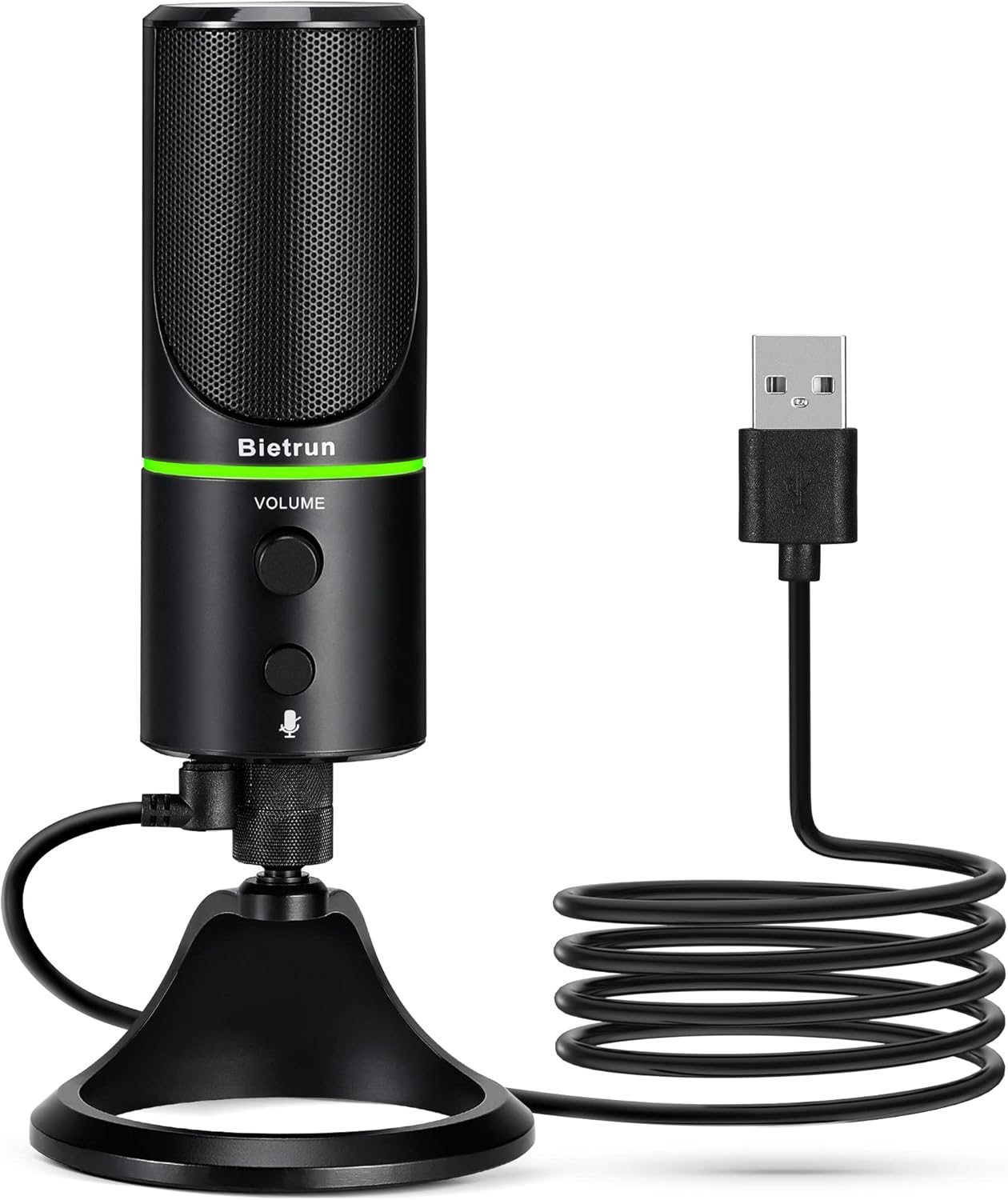
Figure 1: Bietrun UMKF01 USB Condenser Microphone
Paket tarkibi
Paketingizda barcha narsalar mavjudligini tekshiring:
- USB mikrofon
- USB kabeli
- Kafolat kartasi

2-rasm: Paket tarkibi
Mahsulot xususiyatlari
- Plug and Play USB Microphone: Comes with a 59-inch (1.5m) USB cable, requiring no additional driver or software. Ideal for gaming, streaming, podcasting, recording, and online meetings.
- Shovqinni kamaytirish: Effectively reduces background noises such as typing, clicking, and ambient sounds, ensuring clear and crisp audio.
- Kardioid qabul qilish namunasi: Features a cardioid pickup pattern and a 16mm condenser capsule, providing focused vocal sound and minimizing off-axis noise.
- Headphone Jack & Mute Button: Allows for real-time voice monitoring via a headphone jack with adjustable volume. A dedicated button toggles between normal (green), noise-canceling (yellow), and mute (red) modes, indicated by an LED.
- Adjustable Heavy-Duty Stand: Ensures microphone stability and offers flexible angle adjustment. The microphone can also be detached and mounted on a boom arm with a 3/8" thread.
Sozlash; o'rnatish
- Attach the Microphone to the Stand: Screw the microphone onto the included desktop stand. Ensure it is securely fastened. The stand allows for 360° rotation for optimal positioning.
- USB kabelini ulang: Plug the micro-USB end of the provided cable into the port at the bottom of the microphone.
- Qurilmaga ulanish: Plug the USB-A end of the cable into an available USB port on your computer (Desktop/Laptop), PS4, or PS5. The microphone is plug-and-play and should be recognized automatically by your operating system.
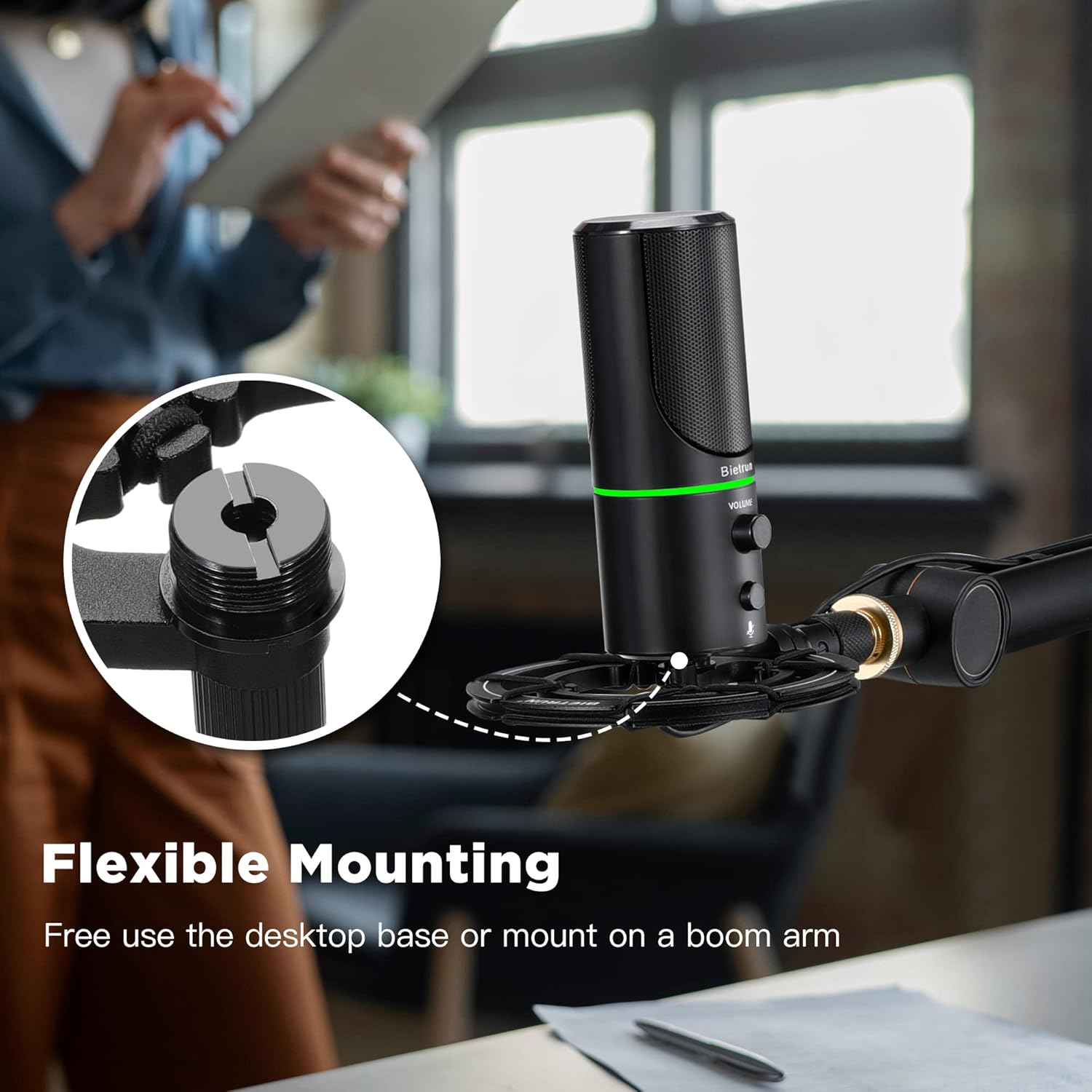
Figure 3: Flexible Mounting Options

Figure 4: Plug & Play Multi-system Compatibility
Foydalanish bo'yicha ko'rsatmalar
- Quvvatni yoqish/o'chirish va rejimni tanlash: The microphone features an LED indicator that shows its status. Press the mute button (microphone icon) to cycle through modes:
- Yashil LED: Oddiy ish rejimi.
- Sariq LED: Noise-canceling mode.
- Qizil LED: Muted mode.
- Ovozni boshqarish: Rotate the 'VOLUME' knob on the microphone to adjust the output volume of your headphones connected to the microphone.
- Eshitish vositasi monitoringi: Plug your headphones into the 3.5mm audio jack located at the bottom of the microphone to monitor your audio in real-time.

Figure 5: Microphone Controls and LED Indicators

Figure 6: Headphone Monitoring Jack
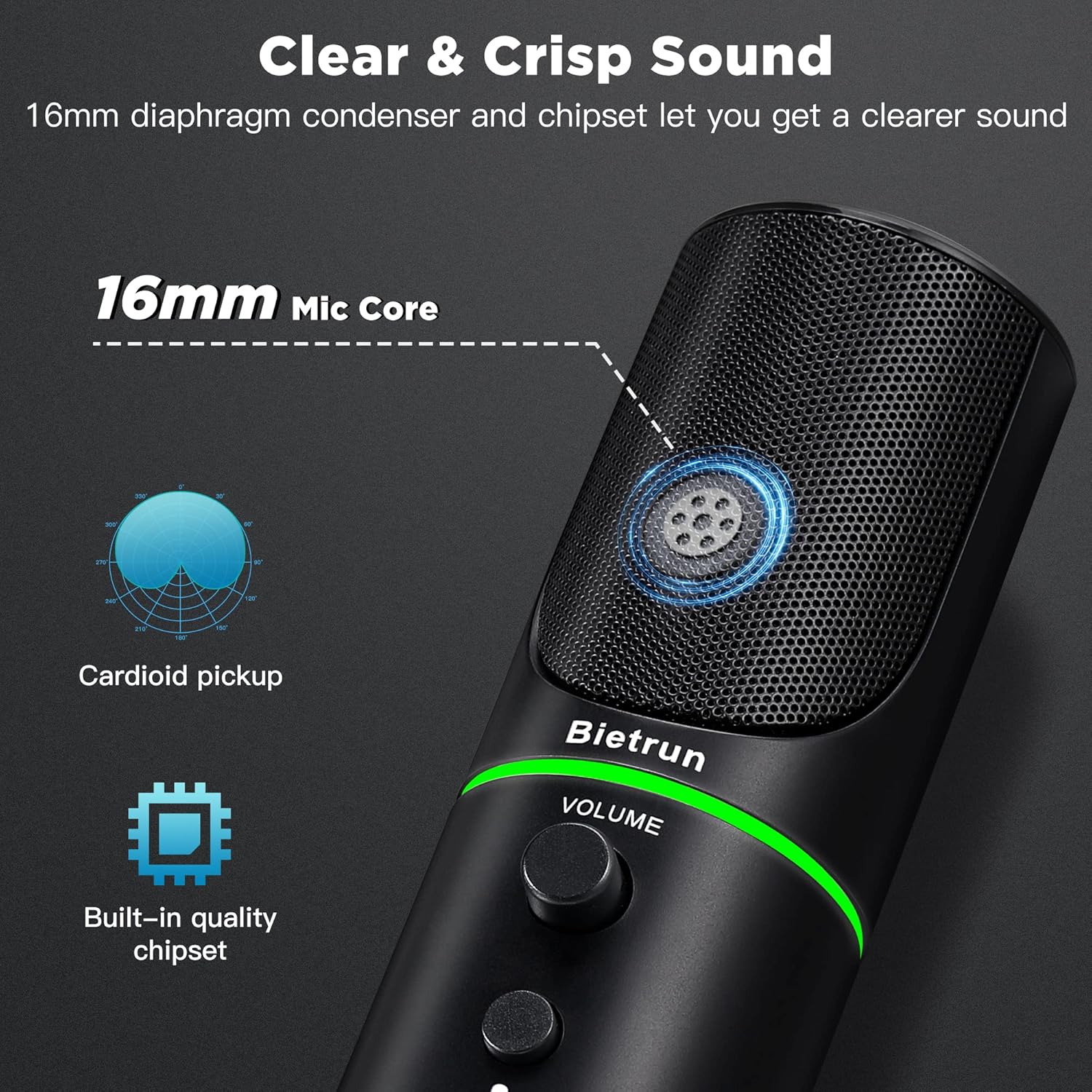
Figure 7: Cardioid Pickup Pattern for Clear Audio
Video 1: Demonstration of Noise Cancelling Feature
This video demonstrates the noise-canceling capabilities of the Bietrun UMKF01 USB Microphone, highlighting its effectiveness in reducing ambient sounds for clearer recordings and communication.
Xizmat
- Tozalash: Use a soft, dry cloth to wipe the microphone's surface. Avoid using liquid cleaners or abrasive materials.
- Saqlash: Store the microphone in a cool, dry place away from direct sunlight and extreme temperatures when not in use.
- Kabelni parvarish qilish: Shikastlanishning oldini olish uchun USB kabelida keskin burilishlar yoki egilishlardan saqlaning.
Muammolarni bartaraf qilish; nosozliklarni TUZATISH
| Muammo | Mumkin yechim |
|---|---|
| Mikrofon qurilma tomonidan tan olinmadi | Ensure the USB cable is securely connected to both the microphone and your device. Try a different USB port. Check your device's sound settings to ensure 'Bietrun UMKF01' is selected as the input device. |
| Ovoz yo'q yoki past ovoz | Check if the microphone is muted (red LED). Adjust the volume knob on the microphone. Verify input levels in your device's sound settings. Ensure headphones are properly connected if monitoring. |
| Poor sound quality or background noise | Ensure the microphone is in noise-canceling mode (yellow LED). Position the microphone closer to your mouth. Minimize ambient noise in your environment. |
Texnik xususiyatlari
| Xususiyat | Tafsilot |
|---|---|
| Model nomi | UMKF01 |
| Ulanish texnologiyasi | USB |
| Ulagich turi | USB turi-A |
| Polar naqsh | Bir tomonlama (kardioid) |
| Mikrofon forma faktori | Jadval massivi |
| Ovoz sezgirligi | 110 desibel |
| Signaldan shovqin nisbati | 49 dB |
| Chastotaga javob | 48 KHz |
| Mos qurilmalar | Laptop, PS4/5, Personal Computer |
| Maxsus xususiyatlar | Mute Function, Volume Control, Noise Cancellation |
| Rang | Qora |
| Material | Akrilonitril butadien stirol, metall |
| Element og'irligi | 10.9 untsiya (310 gramm) |
| Mahsulot o'lchamlari (U x G x Y) | 3.54 x 3.54 x 7.68 dyuym |

Figure 8: Microphone Dimensions
Kafolat va qo'llab-quvvatlash
Your Bietrun UMKF01 USB Condenser Microphone comes with a warranty. Please refer to the included Warranty Card for specific terms and conditions. For technical support, troubleshooting assistance, or any inquiries regarding your product, please contact Bietrun customer service through their official channels.