
Kirish
This manual provides detailed instructions for the installation, operation, and maintenance of your BINIZE Double Din Car Stereo. Please read this manual thoroughly before using the product to ensure proper functionality and to prevent damage. Keep this manual for future reference.
Mahsulot tugadiview
The BINIZE Double Din Car Stereo is a 10.1-inch multimedia player running on an Android 13 system. It offers a range of features designed to enhance your in-car entertainment and navigation experience.
Asosiy xususiyatlar:
- 10.1-inch capacitive touch screen with 1024x600 resolution.
- Android 13 Operating System with Quad-core Coretex-A7 processor (up to 1.3GHz).
- 2 GB operativ xotira + 32 GB ichki xotira.
- Simsiz CarPlay va Android Auto qo'llab-quvvatlashi.
- Wired MirrorLink for Android and iOS devices.
- O'rnatilgan Bluetooth qo'ng'iroqlar va audio oqimlari uchun.
- Integrated GPS receiver for online and offline navigation.
- FM Radio tuner.
- Support for AUX, front, and rear camera inputs.
- Steering Wheel Control compatibility (manual learning required).
- Built-in Wi-Fi receiver and support for 4G communication (via external dongle, not included).
- Expandable options for OBD and tire pressure monitoring (accessories sold separately).

Figure 1: BINIZE Double Din Car Stereo Front View asosiy xususiyatlari ta'kidlangan holda.
O'rnatish va o'rnatish
Proper installation is crucial for the optimal performance of your car stereo. If you are unfamiliar with car audio wiring and installation, professional assistance is recommended.
Jismoniy o'lchamlar:
The unit measures approximately 251mm (width) x 146mm (height) x 56mm (depth). Ensure your vehicle's dashboard opening is compatible with these dimensions.
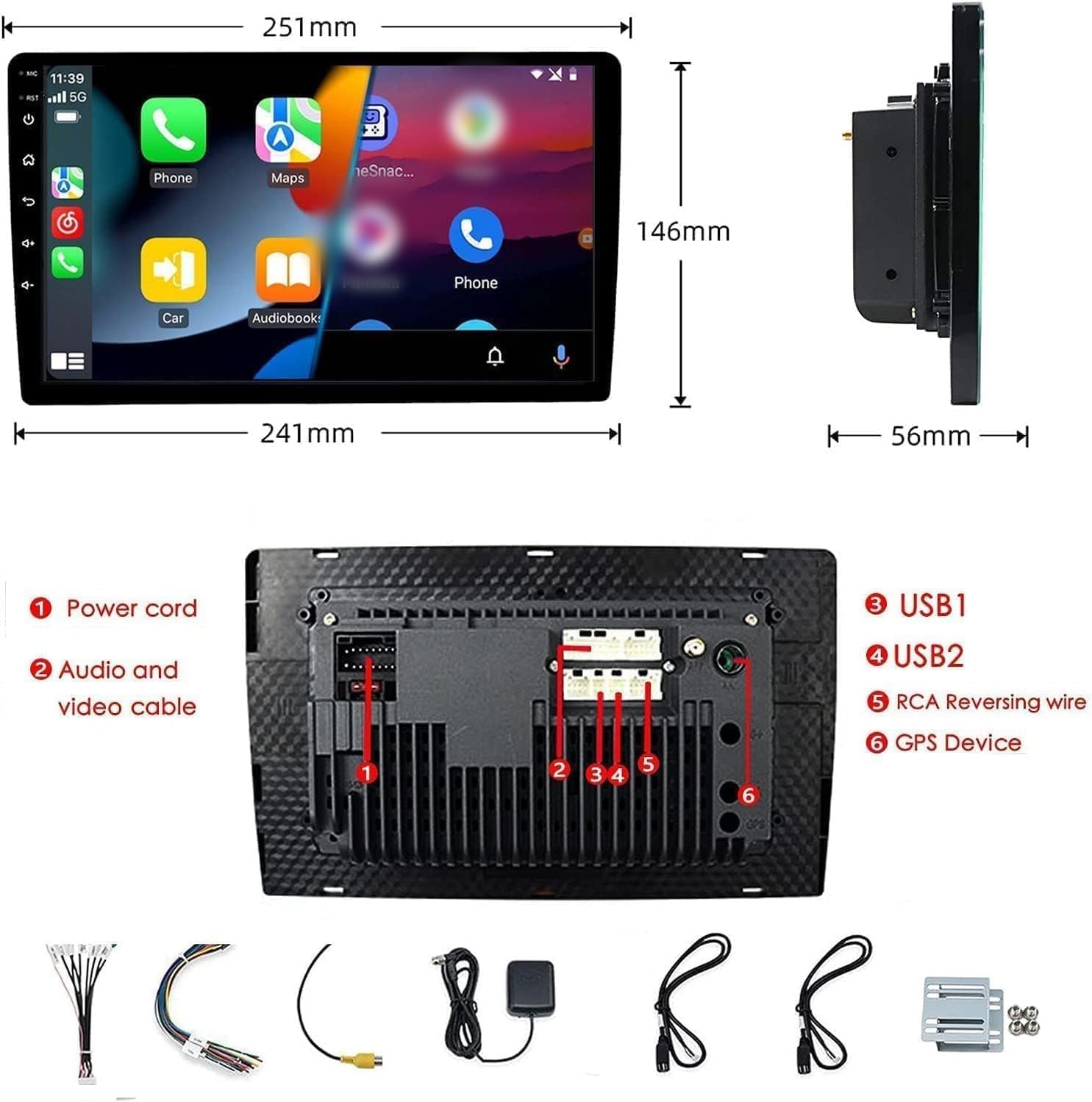
Figure 2: Unit dimensions and rear panel connection points.
Simli ulanishlar:
Muayyan ulanishlar uchun qo'shilgan simlar sxemasiga qarang. Asosiy ulanishlar quyidagilarni o'z ichiga oladi:
- Quvvat shnuri: Connect to vehicle's power supply (constant 12V, accessory 12V, ground).
- Audio and Video Cable: For external audio/video devices.
- USB portlari (USB1, USB2): For media playback, phone charging, and wired CarPlay/Android Auto.
- RCA Reversing Wire: Connect to the backup camera trigger wire.
- GPS Device: Connect the external GPS antenna for navigation functionality.
- Steering Wheel Control Wires (Key/SW): For integrating with vehicle's steering wheel controls.
Qisqa tutashuvlarni oldini olish uchun barcha ulanishlar xavfsiz va to'g'ri izolyatsiya qilinganligiga ishonch hosil qiling.
Foydalanish bo'yicha ko'rsatmalar
Quvvatni yoqish/oʻchirish:
The unit will power on automatically when the vehicle's ignition is turned on. To manually power off or restart, use the power button on the front panel.
Sensorli ekranning ishlashi:
Navigate the interface by tapping, swiping, and pinching on the 10.1-inch capacitive touch screen, similar to a smartphone or tablet.
FM radiosi:
Access the FM Radio application from the main menu. You can scan for stations, save presets, and adjust volume. The unit supports standard FM frequencies.

3-rasm: FM radio interfeysi.
Bluetooth ulanishi:
- Mobil telefoningizda Bluetooth yoqilganligiga ishonch hosil qiling.
- On the car stereo, open the Bluetooth application.
- Ni qidirish available devices on your phone and select "BINIZE" or a similar device name.
- Agar so'ralsa, ikkala qurilmada ham ulanish kodini tasdiqlang.
- Ulangandan so'ng, ovozsiz qo'ng'iroqlarni amalga oshirishingiz va audio oqimini uzatishingiz mumkin.
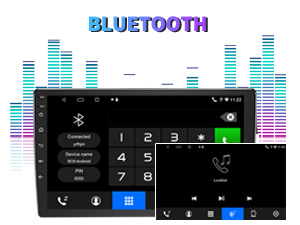
Figure 4: Bluetooth pairing screen.
Rulni boshqarish:
To use your vehicle's steering wheel controls, manual learning is required. Access the Steering Wheel Control settings in the system menu and follow the on-screen instructions to map your vehicle's buttons to the stereo functions.
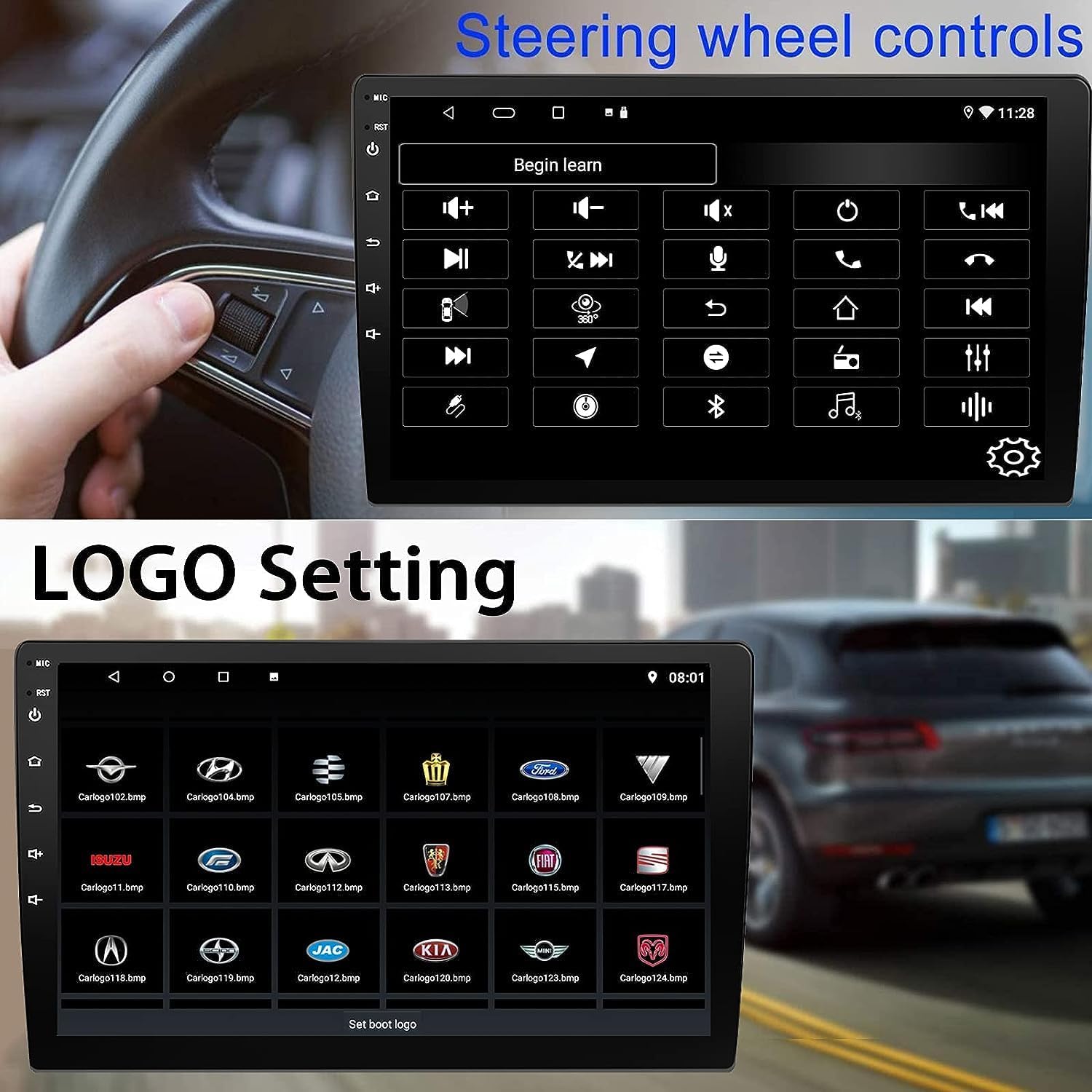
Figure 5: Steering Wheel Control setup screen.
Connectivity: CarPlay, Android Auto, and MirrorLink
Simsiz CarPlay:
Connect your iPhone wirelessly to access CarPlay features such as navigation, music, messages, and calls directly on the stereo display. Ensure Wi-Fi and Bluetooth are enabled on your iPhone.
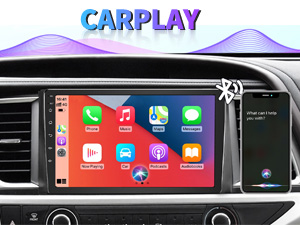
Figure 6: Wireless CarPlay interface.
Simsiz Android Auto:
Connect your Android phone wirelessly to use Android Auto for navigation, communication, and entertainment apps. Ensure Wi-Fi and Bluetooth are enabled on your Android device.

Figure 7: Wireless Android Auto interface.
MirrorLink:
MirrorLink allows you to display your smartphone's screen directly onto the car stereo. This feature works with both Android and iOS devices via a wired connection. Note that CarPlay/Android Auto and MirrorLink cannot be used simultaneously.

Figure 8: MirrorLink feature displaying a phone screen on the stereo.
Navigatsiya
The car stereo features an integrated GPS receiver, supporting both online and offline navigation. Connect to Wi-Fi or a mobile hotspot to use online navigation apps. For offline navigation, you may need to download map data.

Figure 9: GPS navigation map display.
Kamera kiritish
Zaxira kamerasi:
The unit supports backup camera input. When properly connected, the display will automatically switch to the rear view when the vehicle is put into reverse, providing parking assistance with guidelines.
Old View Kamera:
The stereo also supports front view camera input, allowing for enhanced visibility when maneuvering in tight spaces.

Figure 10: Backup camera and front view camera displays.
Xizmat
To ensure the longevity and optimal performance of your BINIZE car stereo, follow these maintenance guidelines:
- Ekranni tozalash: Sensorli ekranni yumshoq, tuksiz mato bilan muloyimlik bilan arting. Qattiq dog'lar uchun ozgina arting.amplattaga suv yoki ekran uchun xavfsiz tozalagich soling. Qattiq kimyoviy yoki abraziv materiallardan saqlaning.
- Umumiy tozalash: Keep the unit and surrounding areas free from dust and debris. Use a soft brush or compressed air to clean vents and button areas.
- Dasturiy ta'minot yangilanishlari: Periodically check for available software updates through the system settings to ensure you have the latest features and performance improvements.
- Haddan tashqari haroratdan saqlaning: Do not expose the unit to extreme heat or cold for extended periods, as this can affect its electronic components.
Muammolarni bartaraf qilish; nosozliklarni TUZATISH
If you encounter issues with your car stereo, refer to the following common problems and solutions:
| Muammo | Mumkin sabab | Yechim |
|---|---|---|
| Qurilma yoqilmaydi. | Incorrect wiring; Blown fuse; Vehicle power issue. | Check power connections and vehicle fuses. Ensure constant 12V and accessory 12V are correctly wired. |
| Ovoz yo'q. | Volume too low; Mute activated; Speaker wiring issue. | Increase volume. Check if mute is active. Verify speaker connections. |
| CarPlay/Android Auto simsiz ulanmayapti. | Bluetooth/Wi-Fi off on phone; Pairing issue; Software glitch. | Ensure phone's Bluetooth and Wi-Fi are on. Try re-pairing the device. Restart both phone and stereo. Some users reported needing to open phone's Bluetooth settings each time. |
| Screen too bright/dim at night. | Display settings not optimized. | Adjust brightness settings in the display menu. Consider using a screen dimming app if available. |
| Zaxira kamerasi ko'rsatilmayapti. | Camera not connected; RCA reversing wire not connected or faulty. | Check camera and RCA reversing wire connections. Ensure the camera is powered. |
Texnik xususiyatlari
| Xususiyat | Tafsilot |
|---|---|
| Brend | BINIZE |
| Model raqami | Binize |
| Operatsion tizim | Android 13 |
| Ekran o'lchami | 10.1 dyuym (26 sm ko'rinadigan diagonal) |
| Rezolyutsiya | 1024x600 |
| Protsessor | Quad-core Coretex-A7, 1.3GHz |
| Xotira (RAM) | 2 GB |
| Saqlash (ROM) | 32 GB |
| Ulanish | Bluetooth, Wi-Fi, USB, Auxiliary |
| Maxsus xususiyatlar | Wireless CarPlay, Wireless Android Auto, MirrorLink, GPS Navigation, Touchscreen, Built-In Bluetooth |
| Audio chiqish rejimi | Stereo (2.0 Surround Ovoz Kanali Konfiguratsiyasi) |
| Element og'irligi | 2.94 funt |
| Rang | Qora |
Kafolat va qo'llab-quvvatlash
Kafolat haqida ma'lumot:
The BINIZE Double Din Car Stereo comes with a 1 yillik bepul kafolat sotib olingan kundan boshlab. Ushbu kafolat ishlab chiqarish nuqsonlari va normal foydalanishdagi nosozliklarni qoplaydi. Iltimos, kafolat da'volari uchun sotib olinganligingizni tasdiqlovchi hujjatingizni saqlab qo'ying.
Texnik yordam:
For any technical assistance, questions, or issues not covered in this manual, please contact our professional technical support team. You can reach us via Amazon email for 24/7 online technical support. Our team is available to assist with system upgrades and parts replacement.
We are committed to providing enthusiastic customer service and ensuring your satisfaction with the BINIZE product.