
Kirish
This manual provides detailed instructions for setting up, operating, maintaining, and troubleshooting your HP 230 Wireless Keyboard and Mouse Combo. Please read this manual thoroughly before using the product to ensure optimal performance and longevity.
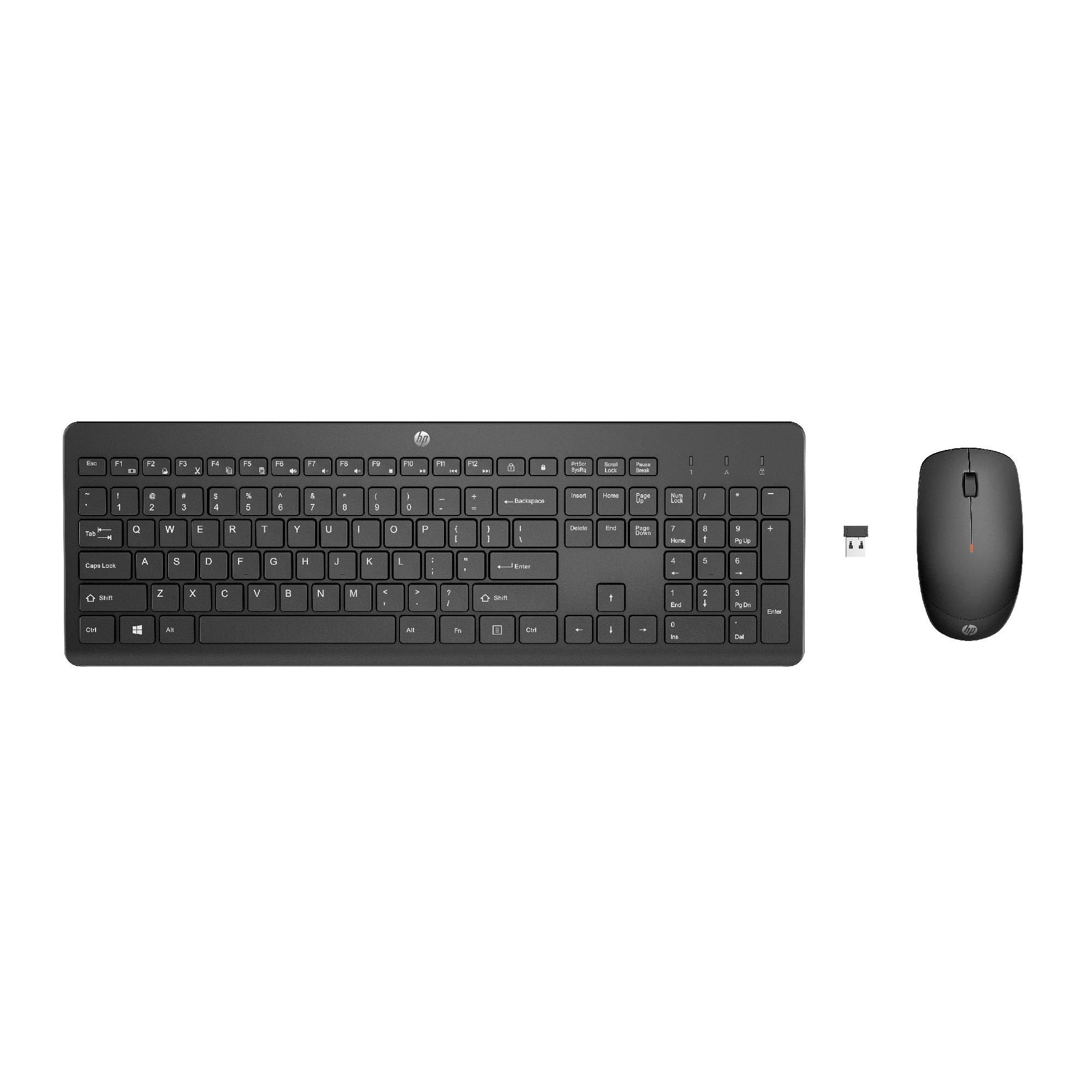
Image: The HP 230 Wireless Keyboard and Mouse Combo, showing both devices in black.
Paket tarkibi
Paketda barcha narsalar mavjudligiga ishonch hosil qiling:
- HP 230 simsiz klaviatura
- HP 230 simsiz sichqoncha
- USB-A Wireless Dongle (2.4 GHz)
- 2 AAA Batteries (for keyboard)
- 1 AA Battery (for mouse)
- Product Information and Warranty Card
O'rnatish bo'yicha ko'rsatmalar
1. Batareyalarni o'rnating
- Klaviatura uchun: Locate the battery compartment on the underside of the keyboard. Insert two AAA batteries, ensuring correct polarity (+/-).
- Sichqoncha uchun: Locate the battery compartment on the underside of the mouse. Insert one AA battery, ensuring correct polarity (+/-).
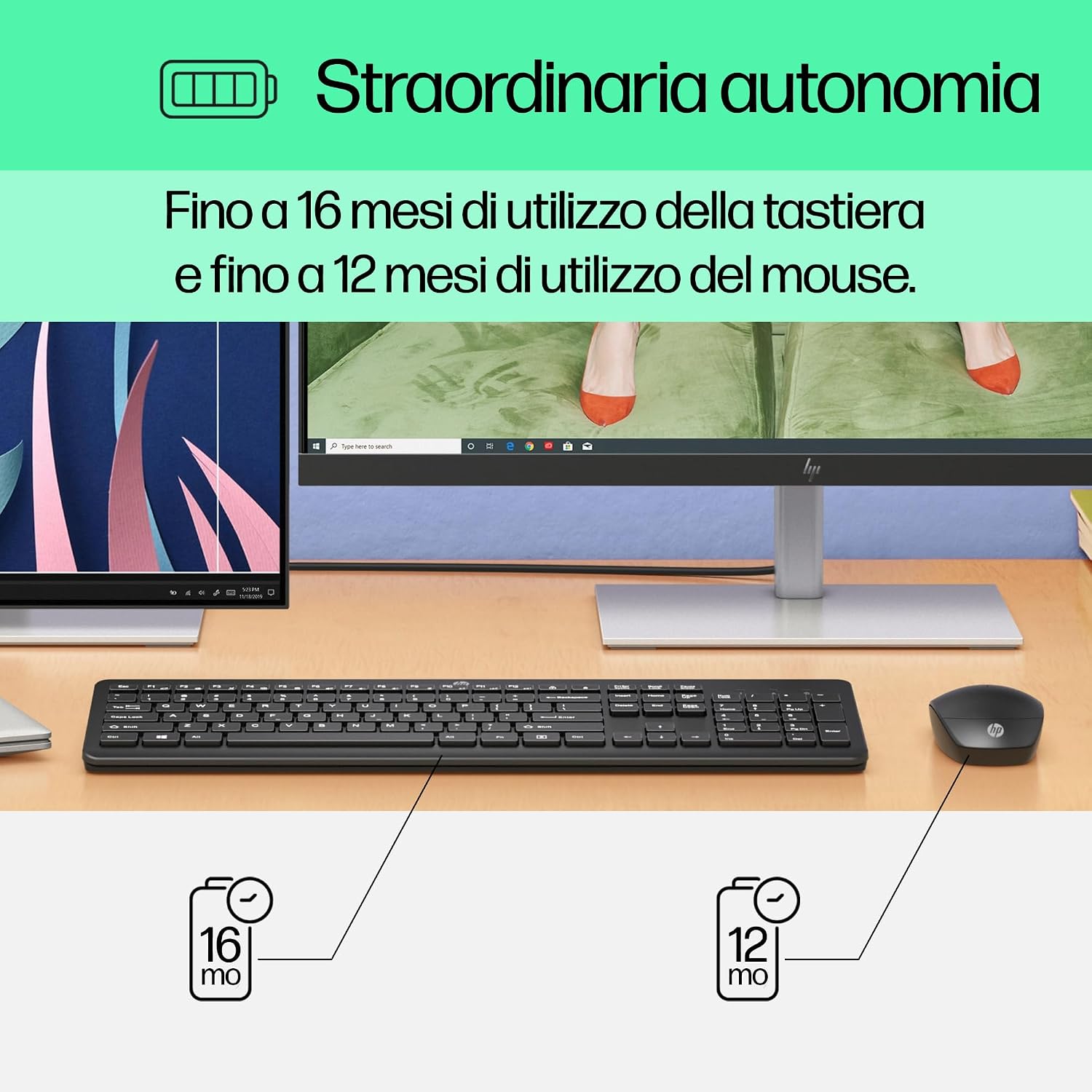
Image: Diagram illustrating battery life for the keyboard (16 months with 2 AAA) and mouse (12 months with 1 AA).
2. Connect the USB-A Wireless Dongle
- Locate the USB-A wireless dongle, typically stored in the mouse's battery compartment or included separately in the packaging.
- Insert the USB-A dongle into an available USB Type-A port on your computer (desktop, laptop, tablet, or All-in-One PC).
- Your computer should automatically detect and install the necessary drivers. This is a Plug and Play device, requiring no manual driver installation.

Image: The HP 230 wireless keyboard and mouse positioned next to a laptop, illustrating wireless connectivity.
The keyboard and mouse are pre-paired with the dongle and should be ready for use immediately after connection.
Operatsiya
Klaviatura funksiyalari
The HP 230 Wireless Keyboard features a full-size layout with a numeric keypad and silent chicklet keys for comfortable and quiet typing.
- Ovozsiz yozish: The keyboard is designed for reduced noise during typing, making it suitable for quiet environments.
- Fn Key Shortcuts: dan foydalaning Fn key in combination with the F1-F12 function keys for quick access to various functions such as volume control, home page, bookmarks, and email.
- Raqamli klaviatura: A dedicated numeric keypad is included for efficient data entry.

Rasm: batafsil view of the HP 230 keyboard layout, highlighting function keys and silent chicklet keys, with dimensions.

Image: A close-up of the HP 230 keyboard showing the Fn keys and their associated shortcut icons, emphasizing productivity.
Sichqoncha vazifalari
The HP 230 Wireless Mouse is designed for precise navigation and comfortable use.
- Aniqlikni kuzatish: The mouse features a 1600 DPI optical sensor for accurate and smooth cursor movement.
- O'tkazish g'ildiragi: Use the scroll wheel for easy vertical navigation through documents and web sahifalar.
- Left and Right Buttons: Standard left and right-click functionality for interaction with your computer.
- Ikki tomonlama dizayn: Suitable for both left-handed and right-handed users.

Rasm: yuqoridan pastga view of the HP 230 mouse, showing its ergonomic design, scroll wheel, and 1600 DPI specification, with dimensions.

Image: Graphic illustrating the precise movement of the HP 230 mouse with up to 1600 DPI tracking.
Xizmat
Proper maintenance ensures the longevity and performance of your HP 230 combo.
- Tozalash:
- Bir oz yumshoq, tuklarsiz matodan foydalaning dampened with water or a mild cleaning solution to clean the surfaces of the keyboard and mouse.
- Qattiq kimyoviy moddalar, abraziv moddalar yoki erituvchilardan foydalanishdan saqlaning.
- Klaviatura uchun tugmalar orasidagi chang va axlatni tozalash uchun siqilgan havodan foydalaning.
- Batareyani almashtirish:
- Replace batteries when performance degrades or the low battery indicator (if present) illuminates.
- Always use new, high-quality batteries of the specified type (AAA for keyboard, AA for mouse).
- Eski batareyalarni mahalliy qoidalarga muvofiq utilizatsiya qiling.
- Saqlash: Uzoq vaqt davomida ishlatilmaganda, oqishning oldini olish uchun batareyalarni chiqarib oling. Qurilmalarni salqin va quruq joyda saqlang.
Muammolarni bartaraf qilish; nosozliklarni TUZATISH
If you encounter issues with your HP 230 Wireless Keyboard and Mouse Combo, try the following solutions:
| Muammo | Yechim |
|---|---|
| Klaviatura yoki sichqoncha javob bermayapti |
|
| Kechikish yoki uzilishli ulanish |
|
| Sichqoncha kursori tartibsiz yoki silliq harakatlanmaydi |
|
Texnik xususiyatlari
| Xususiyat | Tafsilot |
|---|---|
| Brend | HP |
| Model raqami | HP 230 |
| Rang | Qora |
| Ulanish texnologiyasi | 2.4 GHz Radiofrequency (Wireless USB-A Dongle) |
| Klaviatura tartibi | QWERTY |
| Number of Keys (Keyboard) | 104 |
| Special Keyboard Feature | Silent Typing, Fn-key shortcuts |
| Sichqoncha DPI | 1600 dpi |
| Sichqoncha dizayni | Ikki tomonlama |
| Mos keladigan operatsion tizimlar | Windows 10, Windows 11 (also Windows 7, Windows 8) |
| Minimum OS Requirement | Windows 10 |
| Klaviatura batareyasi turi | 2 x AAA batareyalar |
| Sichqoncha batareyasi turi | 1 x AA batareya |
| Estimated Keyboard Battery Life | 16 oygacha |
| Estimated Mouse Battery Life | 12 oygacha |
| Tavsiya etilgan foydalanish | Computer typing and navigation |
Kafolat haqida ma'lumot
The HP 230 Wireless Keyboard and Mouse Combo comes with a 2 yillik mahsulot kafolati from the date of purchase. Please retain your proof of purchase for warranty claims. For detailed terms and conditions, refer to the warranty card included in your package or visit the official HP support websayt.
EU spare parts availability: 1 year.
Qo'llab-quvvatlash
For further assistance, technical support, or to access updated drivers and documentation, please visit the official HP support websayt:
You may also find helpful information and FAQs on the product's Amazon page or by contacting HP customer service directly.