
1. Kirish
The Sonos Beam (Gen 2) is a compact smart soundbar designed to enhance your entertainment experience with rich audio for TV, music, and more. It features advanced sound technology, including Dolby Atmos, and integrates seamlessly with the Sonos ecosystem for multiroom listening and expandable surround sound.
This manual provides essential information for setting up, operating, and maintaining your Sonos Beam (Gen 2).
2. Qutida nima bor
Upon unboxing your Sonos Beam (Gen 2), you should find the following items:
- Sonos Beam (Gen 2) Soundbar
- HDMI chizig'i
- Optical Adaptor
- Mains Lead (Power Cable)

3. Sozlash
Setting up your Sonos Beam (Gen 2) is designed to be straightforward. Follow these steps for initial installation:
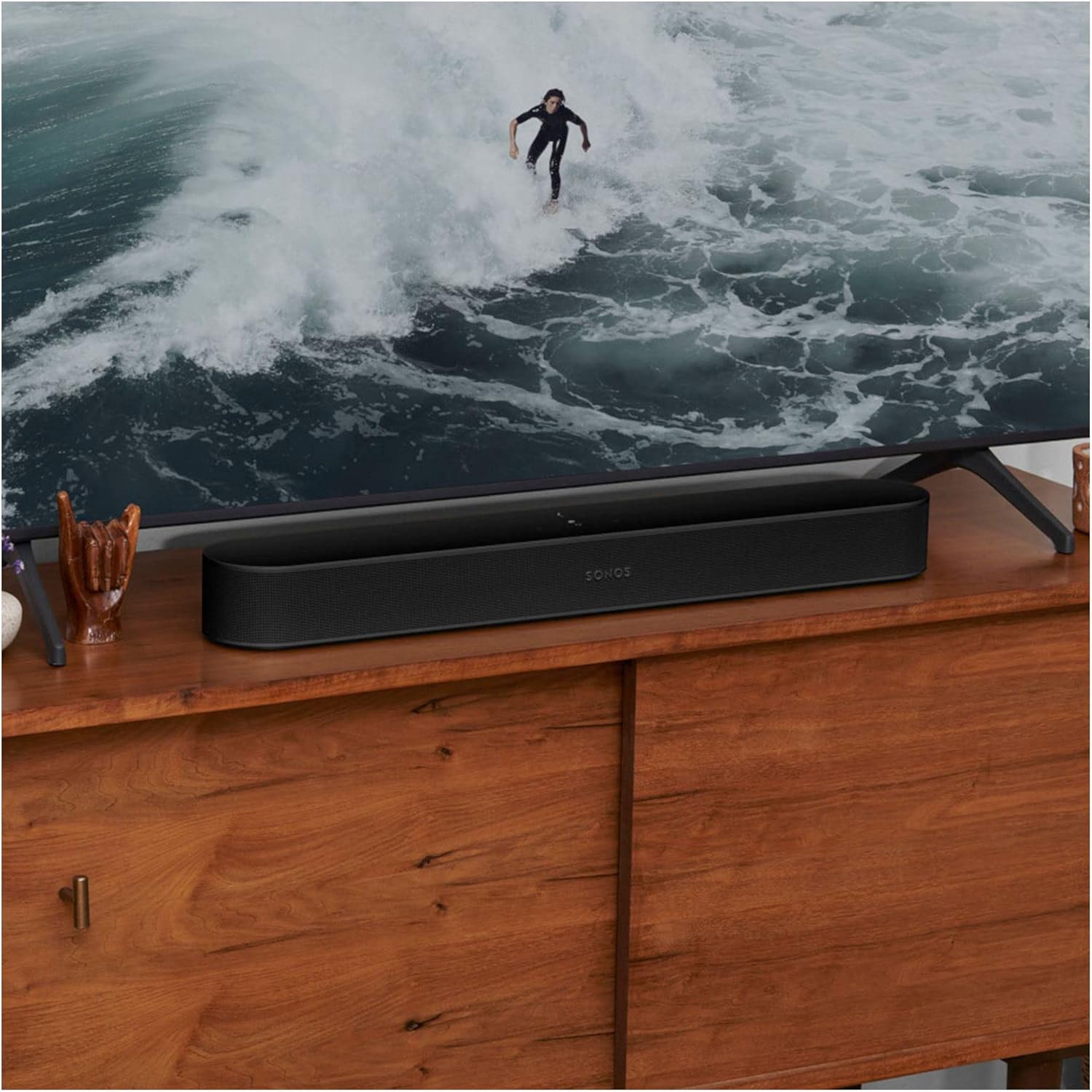
- Joylashtirish: Position the soundbar in front of your TV, ensuring it has clear line of sight and is not obstructed.
- Quvvat ulanishi: Connect the provided Mains Lead to the soundbar and then to a power outlet.
- TV Connection (HDMI eARC/ARC):
- Ensure your TV is powered ON.
- Locate your TV's HDMI eARC port (or ARC port). This is commonly found on the back or side of your TV.
- Use the included HDMI cable to connect your Sonos Beam to your TV's HDMI eARC/ARC port.
- If your TV does not have an eARC/ARC port, use the included optical audio adapter to connect to your TV's optical digital audio output.
- Sonos App Setup:
- Download the Sonos app on your smartphone or tablet.
- Open the app and follow the on-screen instructions to set up your new Sonos Beam. The app will guide you through connecting to your Wi-Fi network and configuring sound settings.
- Foydalanish Trueplay sozlash via the Sonos app (iOS devices recommended) to adapt the sound of your Beam to the unique acoustics of your room for optimal audio performance.


Video 1: A user demonstrating the Sonos Beam (Gen 2) and its features, including the touch controls and connectivity options. This video highlights the ease of setup and the soundbar's sleek design.
4. Operatsiya
The Sonos Beam (Gen 2) offers multiple ways to control your audio experience:
- Sonos ilovasi: The primary control interface. Use the app to adjust volume, group speakers, stream music, and access advanced settings like Trueplay tuning.
- Ovozli boshqaruv: With built-in Alexa and Google Assistant compatibility, you can control your soundbar and other smart home devices using voice commands. The microphone can be toggled on/off for privacy.
- TV Remote: The Beam can be programmed to respond to your existing TV remote for basic functions like volume control.
- Sensorli boshqaruv elementlari: The top surface of the Beam features touch-sensitive controls for play/pause, volume up/down, and track skipping.
Video 2: A user demonstrating the sound quality and voice control features of the Sonos Beam (Gen 2) while playing music.
5. Asosiy xususiyatlar
- Dolby Atmos: Experience immersive 3D surround sound effects.
- Trueplay sozlash: Adapts the sound to the unique acoustics of your room for optimal audio.
- Ovozli boshqaruv: Integrated with Amazon Alexa and Google Assistant for hands-free control.
- Apple AirPlay 2: Stream audio directly from your Apple devices.
- Wi-Fi ulanishi: Stream music, radio, podcasts, and audiobooks over Wi-Fi.
- Kengaytiriladigan tizim: Easily expand your Sonos system over time with additional Sonos speakers for true surround sound and multiroom listening.
- TV audio almashinuvi: Instantly swap TV audio from Sonos Beam to Sonos Ace Headphones (sold separately) for private listening.

6. Xizmat ko'rsatish
To ensure the longevity and optimal performance of your Sonos Beam (Gen 2), follow these general maintenance guidelines:
- Tozalash: Use a soft, dry cloth to gently wipe the surface of the soundbar. Avoid using harsh chemicals or abrasive cleaners.
- Joylashtirish: Keep the soundbar away from direct sunlight, heat sources, and moisture. Ensure adequate ventilation around the device.
- Dasturiy ta'minot yangilanishlari: Regularly check for and install software updates via the Sonos app to ensure your device has the latest features and performance enhancements.
7. Muammolarni bartaraf qilish; nosozliklarni TUZATISH
If you encounter issues with your Sonos Beam (Gen 2), consider the following common solutions:
- Ovoz yo'q: Check all cable connections (power, HDMI). Ensure the correct input is selected on your TV. Verify volume levels on both the soundbar and TV.
- Ilova ulanishi muammolari: Ensure your smartphone/tablet and Sonos Beam are connected to the same Wi-Fi network. Restart your router, then the Sonos Beam, and finally the Sonos app.
- Ovozli yordamchi javob bermayapti: Check if the microphone is enabled on the soundbar (indicated by a light). Ensure your voice assistant account is correctly linked in the Sonos app.
- Yomon ovoz sifati: Run Trueplay tuning again through the Sonos app. Check for any obstructions around the soundbar.
For more detailed troubleshooting or persistent issues, refer to the Sonos support websayt yoki mijozlarga xizmat ko'rsatish bilan bog'laning.
8. Texnik shartlar
| Xususiyat | Tafsilot |
|---|---|
| Brend | Sonos |
| Model nomi | Sonos Beam (Gen 2) |
| Model raqami | BEAM2UK1BLK |
| Rang | Qora |
| Ulanish texnologiyasi | HDMI, Wi-Fi |
| Audio chiqish rejimi | Atrofni o'rab olish |
| Karnay turi | 3D, Soundbar, Surround Sound |
| Maxsus xususiyatlar | Dolby Atmos, Alexa/Google Voice Control, Trueplay Tuning, Apple AirPlay 2 |
| Nazorat usuli | App, Voice, TV Remote, Touch Controls |
| Buyum oʻlchamlari (D x G x Y) | 2.72"D x 25.63"W x 3.94"Y |
| Element og'irligi | 2 kilogramm |
| Quvvat manbai | Simli elektr |
| Material | Plastik |
9. Kafolat va qo'llab-quvvatlash
This product is an International Version and comes with Kafolat yo'q as specified in the product details. For support, troubleshooting, and additional resources, please visit the official Sonos websayti yoki bevosita mijozlarga xizmat ko'rsatish bilan bog'laning.
Qo'shimcha ma'lumot va qo'llab-quvvatlash sahifasida topishingiz mumkin Sonos Store on Amazon.