
1. Kirish
This manual provides essential information for setting up, operating, and maintaining your TECLAST T60Pro 12-inch 2K Tablet. The T60Pro features a 12-inch 2K IPS display, powered by a MediaTek Helio G99 Octa-Core processor, running Android 15. It includes 20GB RAM (8GB physical + 12GB virtual expansion) and 128GB internal storage, expandable up to 1TB via Micro SD. The tablet is equipped with four stereo speakers, a 13MP rear camera, an 8MP front camera, and an 8000mAh battery with 18W fast charging.

The TECLAST T60Pro features a slim 7.9mm metal body, weighing 553g, designed for portability and comfortable handling.
2. Qutida nima bor
Paketda barcha elementlar mavjudligiga ishonch hosil qiling:
- TECLAST T60Pro Tablet (x1)
- Zaryadlovchi (x1)
- USB-C kabeli (x1)
- SIM Ejector Tool (x1)
- Foydalanuvchi qo'llanmasi (x1)
This video demonstrates the unboxing process of the TECLAST T60Pro tablet and its included accessories.
3. Sozlash
3.1 Qurilmaning joylashuvi
The image displays the side profile of the tablet, highlighting the SIM/TF Card slot, speaker grilles, and the Type-C port for charging and data transfer.
3.2 Planshetni zaryadlash
Before first use, fully charge the tablet using the provided USB-C cable and charger. Connect the USB-C cable to the tablet's Type-C port and the charger to a power outlet. The battery indicator on the screen will show charging status.
3.3 Quvvatni yoqish/o‘chirish
- To power on: Press and hold the Power button until the TECLAST logo appears.
- O'chirish uchun: Quvvat tugmasini bosib ushlab turing, so'ngra ekrandagi variantlardan "Quvvatni o'chirish" ni tanlang.
- Qayta ishga tushirish uchun: Quvvat tugmasini bosib ushlab turing, so'ngra variantlardan "Qayta ishga tushirish" -ni tanlang.
3.4 SIM/TF kartani o'rnatish
To install a SIM card for cellular connectivity or a TF (Micro SD) card for expanded storage:
- Planshetning yon tomonidagi SIM/TF karta tepsisini toping.
- Berilgan SIM karta chiqarish vositasini laganda yonidagi kichik teshikka joylashtiring va laganda chiqib ketguncha sekin bosing.
- Place your Nano-SIM card(s) and/or Micro SD card into the designated slots on the tray, ensuring correct orientation.
- Ehtiyotkorlik bilan tovoqni planshetga orqaga suring, u chertib o'tirmaguncha.

The tablet supports up to 1TB Micro SD card expansion for additional storage.
3.5 Androidni dastlabki sozlash
Upon first power-on, follow the on-screen prompts to complete the initial setup, which includes selecting your language, connecting to Wi-Fi, setting up your Google account, and configuring security options.
4. Foydalanish bo'yicha ko'rsatmalar
4.1 Displey va ingl
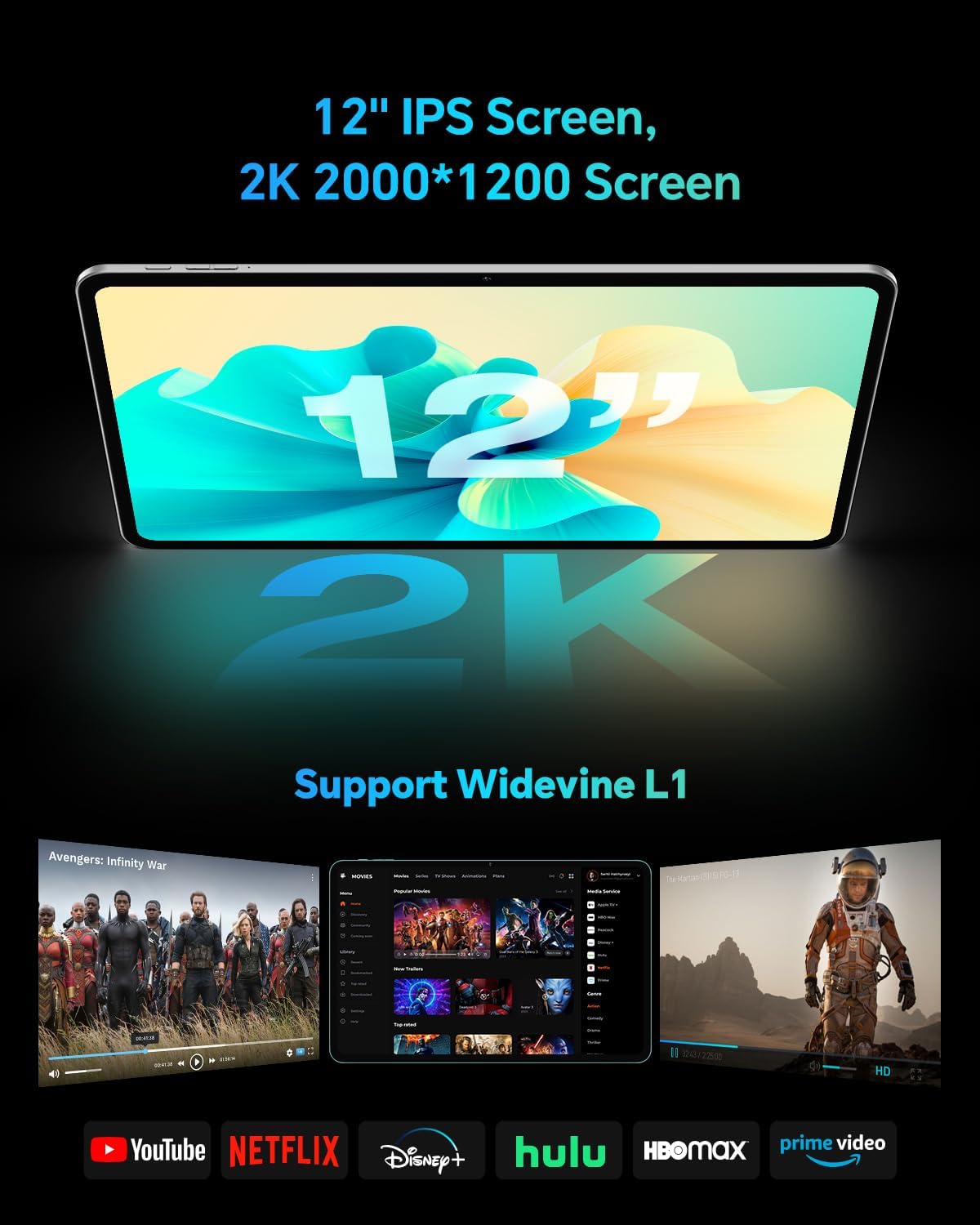
The TECLAST T60Pro features a 12-inch 2K (2000x1200) IPS TDDI full-lamination screen. It includes built-in blue light filtering for eye protection. The display supports Widevine L1 for high-definition streaming content.

Experience crisp visuals and support for HD streaming with the 12-inch 2K IPS display and Widevine L1 certification.
4.2 audio
The tablet is equipped with four high-fidelity stereo speakers, providing an immersive audio experience for media consumption and video calls.
4.3 Kamera funksiyalari
The T60Pro includes a 13MP rear camera and an 8MP front camera. The rear camera is designed for clear shooting, even in low-light conditions. Utilize the camera for photos, videos, and video calls.

The tablet features a 13MP rear camera and an 8MP front camera, supporting features like Google Lens and Face Recognition.
4.4 Ulanish
- Wi-fi: Supports 2.4/5GHz dual-band Wi-Fi (802.11a/b/g/n/ac) for stable internet connection.
- Bluetooth: Features Bluetooth 5.2 for connecting wireless accessories.
- Uyali: Supports 4G cellular connectivity with a compatible SIM card.
- GPS: Integrated A-GPS/GPS/BeiDou/GLONASS/Galileo multi-navigation system for accurate location services.

The tablet includes built-in GPS with support for multiple satellite positioning systems for reliable navigation.
4.5 Saqlashni boshqarish
The tablet comes with 128GB of internal storage. This can be expanded up to 1TB using a Micro SD card (sold separately).
4.6 Yuzni tanish
For convenient and secure unlocking, the tablet supports face recognition. Simply hold your face in front of the front camera. If face recognition fails, use your registered password or adjust ambient lighting for better recognition.

Unlock your tablet quickly and securely using the face recognition feature.
4.7 Simsiz proyeksiya
Mirror your tablet's display to a larger screen, such as a TV, for an enhanced viewing experience. Refer to your TV's manual for specific wireless projection setup instructions.
4.8 Parental Controls and Kids Mode
The Android 15 system includes built-in parental controls to manage screen time and app access for children. Utilize these features to create a safe and controlled environment for younger users.
5. Xizmat ko'rsatish
5.1 Qurilmani tozalash
Use a soft, lint-free cloth to clean the tablet's screen and body. Avoid using harsh chemicals or abrasive materials that could damage the surfaces.
5.2 Batareyani parvarish qilish
Batareyaning ishlash muddatini uzaytirish uchun:
- Haddan tashqari haroratdan saqlaning.
- Tez-tez batareyaning to'liq o'chib ketishiga yo'l qo'ymang.
- Optimal zaryadlash uchun taqdim etilgan zaryadlovchidan foydalaning.
5.3 Dasturiy ta'minotni yangilash
Regularly check for and install system updates to ensure optimal performance, security, and access to the latest features. Navigate to Sozlamalar > Tizim > Tizim yangilanishi mavjud yangilanishlarni tekshirish uchun.
5.4 Ekran himoyasi
The tablet comes with a pre-applied tempered glass screen protector. A protective film for shipping is also applied, which should be removed after opening the package.

The tablet includes a pre-applied screen protector for immediate use and protection.
6. Muammolarni bartaraf qilish; nosozliklarni TUZATISH
6.1 Qurilma yoqilmaydi
- Batareya zaryadlanganligiga ishonch hosil qiling. Planshetni yoqishdan oldin kamida 30 daqiqa davomida zaryadlovchiga ulang.
- Majburiy qayta ishga tushirishni amalga oshirish uchun Quvvat tugmasini 10-15 soniya bosib turing.
6.2 Ulanish muammolari (Wi-Fi/Bluetooth)
- Toggle Wi-Fi or Bluetooth off and on in the Settings menu.
- Restart your router or Bluetooth device.
- Tarmoqni/qurilmani unuting va qayta ulaning.
6.3 Low Audio Volume
- Adjust the volume using the physical Volume buttons on the tablet.
- Check media volume settings in Sozlamalar > Ovoz va tebranish.
- Ensure no external audio devices are connected via Bluetooth or Type-C that might be overriding the internal speakers.
6.4 Ilovalar ishlamay qolmoqda yoki muzlayapti
- Ilovani yoping va qayta oching.
- Ilova keshini va ichidagi ma'lumotlarni tozalang Sozlamalar > Ilovalar > [Ilova nomi] > Xotira > Keshni tozalash/Maʼlumotlarni tozalash.
- Ilova Google Play do'konidan so'nggi versiyasiga yangilanganligiga ishonch hosil qiling.
7. Texnik shartlar
| Xususiyat | Spetsifikatsiya |
|---|---|
| Brend | TECLAST |
| Model nomi | T60pro |
| Operatsion tizim | Android 15 |
| Ekran o'lchami | 12 dyuym |
| Displey ravshanligi | 2000x1200 piksel (2K) |
| Protsessor | MediaTek Helio G99 sakkiz yadroli (2.2 gigagertsli) |
| RAM xotirasi | 20 GB (8 GB jismoniy + 12 GB virtual) |
| Saqlash hajmi | 128 GB |
| Kengaytiriladigan xotira | 1 TB gacha (Micro SD) |
| Grafik protsessor | Mali-G57 MC2 |
| Batareya quvvati | 8000 mA/soat |
| Zaryadlanmoqda | 18W USB-PD Fast Charging |
| Orqa kamera | 13 MP |
| Old kamera | 8 MP |
| Simsiz texnologiya | Wi-Fi (2.4/5GHz), Bluetooth 5.2, 4G Cellular |
| GPS funksiyasi | GPS/BEIDOU/GLONASS/GALILEO |
| Naushniklar Jek | C turi |
| Olchamlari (U x G x T) | 10.97" x 6.85" x 0.31" |
| Rang | Toʻq kulrang |
8. Kafolat va qo'llab-quvvatlash
8.1 Ishlab chiqaruvchining kafolati
The TECLAST T60Pro tablet comes with a 1 yillik ishlab chiqaruvchi kafolati. Ushbu kafolat odatdagi foydalanish sharoitida materiallar va mahoratdagi nuqsonlarni qoplaydi. Iltimos, kafolat da'volari uchun sotib olinganligingizni tasdiqlovchi hujjatingizni saqlab qo'ying.
8.2 Mijozlarni qo‘llab-quvvatlash
For technical assistance, troubleshooting, or warranty inquiries, please contact TECLAST customer support. Most questions are answered within 24 hours. Refer to the official TECLAST website or your purchase platform for specific contact details.
Online resources and FAQs may also be available on the TECLAST support page.


