
1. Xavfsizlik bo'yicha muhim ma'lumotlar
Please read all safety and operating instructions carefully before using this television. Keep this manual for future reference. Always follow basic safety precautions to reduce the risk of fire, electric shock, and injury.
- Ushbu jihozni yomg'ir yoki namlik ta'sirida qoldirmang.
- Hech qanday shamollatish teshiklarini to'sib qo'ymang. Ishlab chiqaruvchining ko'rsatmalariga muvofiq o'rnating.
- Radiatorlar, issiqlik moslamalari, pechkalar yoki boshqa qurilmalar (shu jumladan,) kabi issiqlik manbalari yaqiniga o'rnatmang. ampissiqlik hosil qiluvchi ko'targichlar).
- Elektr shnurini yurishdan yoki siqib qo'yishdan, ayniqsa, vilkalar, qulay joylar va jihozdan chiqadigan joydan saqlang.
- Faqat ishlab chiqaruvchi tomonidan belgilangan qo'shimchalar/aksessuarlar foydalaning.
- Barcha xizmatlarni malakali xizmat ko'rsatuvchi xodimlarga topshiring. Har qanday uskuna shikastlanganda xizmat ko'rsatish talab qilinadi.
2. Qutida nima bor
Carefully unpack your new Sansui TV and ensure all items listed below are present.
- 1 x Sansui 4K Ultra HD Android LED TV (JSW50ASUHD)
- 2 ta stol tagligi
- 1 x Wall Mounting Set
- 4 x Screws for stand/mount
- 1 x foydalanuvchi qo'llanmasi
- 1 x Kafolat kartasi
- 1 x masofadan boshqarish pulti
- 2 x AAA Batteries (for remote)
- 1 x quvvat kabeli
- 1 x Mini AV kabeli
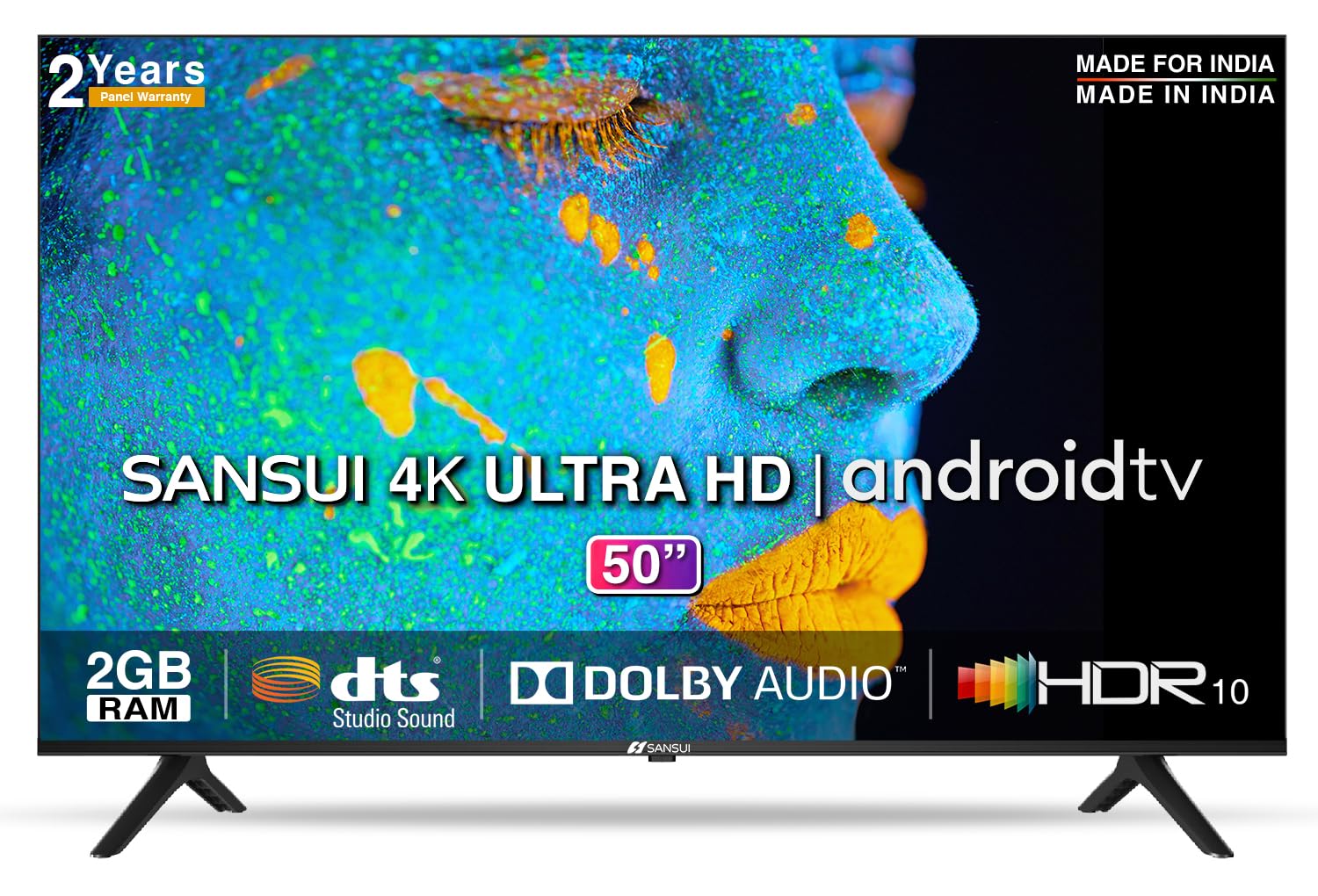
Image: Sansui 50-inch 4K Ultra HD Android LED TV with its table stand.
3. Mahsulot tugadiview
3.1. Asosiy xususiyatlar
- Displey: 4K Ultra HD (3840x2160) resolution, 60Hz refresh rate, Wide Viewing Angle, A+ Grade Panel, Wide Colour Gamut, HDR 10, Crystal Clear Display, High Brightness, Bezel-less Design.
- Audio: Dolby Audio, DTS Studio Sound, 20 Watts Audio Output.
- Smart TV xususiyatlari: Android 10.0 (Certified by Google), Google Assistant, Alexa Enabled Support, Built-in Chromecast, CA53 Quad Core Processor, 2GB RAM, 8GB ROM.
- Qo'llab-quvvatlanadigan ilovalar: Prime Video, Netflix, Disney + Hotstar, YouTube, Google Play.
- Ulanish: 3 HDMI ports, 2 USB ports, 3.5mm audio jack, Bluetooth, Wi-Fi, RJ45 (Ethernet), Antenna.

Image: Visual representation of the TV's main features and capabilities.
3.2. Olchamlari
The TV features a 50-inch screen (127 cm diagonal) with a bezel-less design for an immersive viewtajribasi.

Image: Detailed dimensions of the Sansui 50-inch TV, including width, height, and depth with and without the stand.
4. Sozlash
4.1. Stol tagligini o'rnatish
- Televizor ekranini shikastlamaslik uchun uni yumshoq va tekis yuzaga qo'ying.
- Align the table stand bases with the corresponding slots at the bottom of the TV.
- Secure the bases using the provided screws. Ensure they are tightened firmly.
4.2. Devorga o'rnatish (ixtiyoriy)
If you choose to wall mount your TV, please use the provided wall mounting set and screws. The VESA mount standard is 800 x 400 mm. It is recommended to seek professional assistance for wall mounting to ensure proper and safe installation.
4.3. Qurilmalarni ulash
The TV offers various connectivity options for your external devices.
- Quvvat: Elektr shnurini televizorning quvvat manbaiga, keyin esa devordagi rozetkaga ulang.
- HDMI: Use HDMI cables to connect devices like set-top boxes, gaming consoles, or Blu-ray players to the 3 HDMI ports.
- USB: Connect USB drives or other USB devices to the 2 USB ports for media playback.
- Ovoz chiqishi: Use the 3.5mm jack to connect headphones or external audio systems.
- Ethernet (RJ45): For a stable internet connection, connect an Ethernet cable from your router to the RJ45 port.
- Antenna: Connect your antenna cable to the RF input for terrestrial broadcasting.
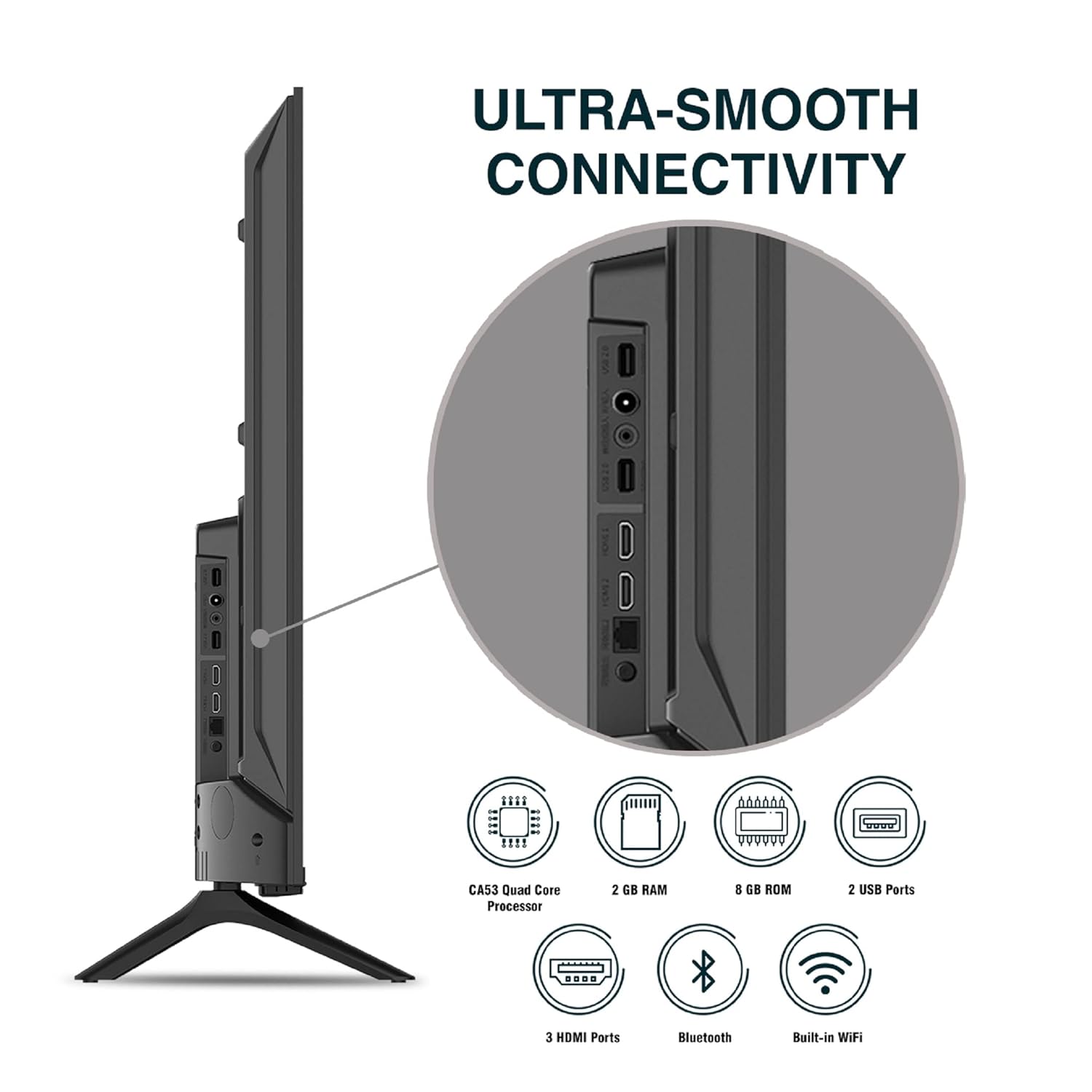
Rasm: batafsil view televizorning ulanish portlari.
5. Foydalanish bo'yicha ko'rsatmalar
5.1. Asosiy operatsiya
- Quvvatni yoqish/oʻchirish: Uni yoqish yoki o'chirish uchun masofadan boshqarish pultidagi yoki televizordagi quvvat tugmasini bosing.
- Dastlabki sozlash: Upon first power-on, follow the on-screen instructions to set up language, network connection, and Google account.
- Kirish manbai: Press the 'Input' button on the remote to select between HDMI, AV, TV, or other connected sources.
- Ovozni boshqarish: Masofadan boshqarish pultidagi Ovozni oshirish/pasaytirish tugmalaridan foydalaning.
5.2. Aqlli masofadan boshqarish pultidan foydalanish
The included remote control features voice control and dedicated hotkeys for quick access to popular streaming services.
- Ovozli boshqaruv: Press the Google Assistant button (microphone icon) and speak your commands to search for content, control smart home devices, or ask questions.
- Tezkor tugmalar: Directly launch Netflix, Prime Video, YouTube, and Google Play with a single press.
- Navigatsiya: Use the directional pad and 'OK' button to navigate the Android TV interface.

Image: Sansui Smart Remote Control with voice control and app hotkeys.
5.3. Android TV Interface and Smart Features
Your Sansui TV runs on Android 10.0, providing access to a wide range of apps and smart functionalities.
- Bosh ekran: The home screen displays your favorite apps, recommended content, and input sources.
- Google Play Store: Download and install additional apps, games, and content from the Google Play Store.
- O'rnatilgan Chromecast: Cast content (videos, photos, music) from your smartphone, tablet, or computer directly to the TV.
- Google Assistant/Alexa: Use voice commands via the remote or a compatible Alexa device to control your TV and other smart home devices.

Image: Android TV home screen showing available applications.
6. Xizmat ko'rsatish
To'g'ri parvarish va texnik xizmat ko'rsatish televizoringizning ishlash muddatini uzaytiradi.
- Ekranni tozalash: Ekranni yumshoq, tuksiz mato bilan muloyimlik bilan arting. Qattiq dog'lar uchun televizorlar uchun maxsus ishlab chiqilgan, to'g'ridan-to'g'ri ekranga emas, balki matoga surtilgan ekran tozalagichdan foydalaning.
- Shkafni tozalash: Televizor korpusini artish uchun yumshoq, quruq matodan foydalaning. Abraziv tozalagichlar yoki erituvchilardan foydalanmang.
- Ventilyatsiya: Haddan tashqari issiqlikning oldini olish uchun shamollatish teshiklari chang va qoldiqlardan tozalanganligiga ishonch hosil qiling.
- Quvvat shnuri: Regularly check the power cord for any damage. If damaged, replace it with an authorized part.
7. Muammolarni bartaraf qilish; nosozliklarni TUZATISH
Agar biron bir muammoga duch kelsangiz, quyidagi keng tarqalgan muammolar va yechimlarga murojaat qiling.
| Muammo | Mumkin sabab | Yechim |
|---|---|---|
| Quvvat yo'q | Elektr kabeli uzilib qoldi; Elektr rozetkasida muammo bor | Elektr simining ulanishini tekshiring; Rozetkani boshqa qurilma bilan tekshiring. |
| No Picture, Only Sound | Incorrect input source; External device issue | Select correct input source; Check external device connection and power. |
| No Sound, Only Picture | Volume muted/low; External audio system issue | Unmute or increase volume; Check external audio system connections. |
| Masofadan boshqarish pulti ishlamayapti | Batareyalar tugagan; Pult va televizor o'rtasida tiqilib qolgan | Batareyalarni almashtiring; Har qanday to'siqlarni olib tashlang. |
| Wi-Fi ulanish muammolari | Incorrect password; Router issues; Signal interference | Re-enter password; Restart router; Move TV closer to router or use Ethernet. |
Agar ushbu echimlarni sinab ko'rganingizdan keyin muammo davom etsa, iltimos, mijozlarni qo'llab-quvvatlash xizmatiga murojaat qiling.
8. Texnik shartlar
Detailed technical specifications for the Sansui JSW50ASUHD TV.
| Xususiyat | Tavsif |
|---|---|
| Model nomi | SANSUI LED - JSW50ASUHD |
| Ekran o'lchami | 50 dyuym (127 sm) |
| Displey texnologiyasi | LED |
| Rezolyutsiya | 4K Ultra HD (3840x2160) |
| Yangilanish tezligi | 60 Gts |
| Operatsion tizim | Android 10.0 (Certified by Google) |
| Protsessor | CA53 to'rt yadroli |
| Ram | 2 GB |
| ROM (xotira) | 8 GB |
| Ovoz chiqishi | 20 vatt |
| Ovoz texnologiyasi | Dolby Audio, DTS Studio Sound |
| HDMI portlari | 3 |
| USB portlari | 2 |
| Simsiz ulanish | Wi-Fi, Bluetooth |
| Boshqa ulanish | Ethernet (RJ45), 3.5mm Audio Jack, Antenna |
| HDR qo'llab-quvvatlash | HDR10 |
| O'rnatish turi | Devorga o'rnatish va stol o'rnatish |
| VESA o'rnatish standarti | 800 x 400 mm |
| Quvvat iste'moli | 120 vatt |
| Element og'irligi | 9650 gramm |
| Rang | Mystique Black |
9. Kafolat va qo'llab-quvvatlash
Your Sansui TV comes with a comprehensive warranty and dedicated customer support.
- Kafolat: 1 year comprehensive warranty and 1 year additional on panel from the date of purchase.
- Kafolat yordami: For warranty-related queries, please contact Sansui Toll Free No.: 1800-419-3777.
- Import qiluvchi bilan bog'lanish: Jaina India Pvt Ltd., D170, Okhla Industrial Area, Phase-1, New Delhi-110020 INDIA | Email: sansuicare@jainaindia.com.
Kafolat da'volari uchun xarid kvitansiyasini saqlab qo'ying.