
Intel BX8071512100
Intel Core i3-12100 Alder Lake CPU User Manual
Brand: Intel | Model: BX8071512100
1. Kirish va yanaview
This manual provides essential information for the installation, operation, and maintenance of your Intel Core i3-12100 Alder Lake Desktop Processor. Please read this guide thoroughly before proceeding with installation to ensure proper functionality and longevity of your product.
Mahsulot tavsifi
The Intel Core i3-12100 is a high-quality desktop processor designed for various computing needs. It is part of the 12th Generation Alder Lake series, offering reliable performance for everyday tasks, gaming, and multimedia. For detailed care instructions, always refer to the manufacturer's product information sheet or packaging.
Asosiy xususiyatlar
- Core Configuration: 4 yadro, 8 ta ip
- Asosiy chastota: 3.3 gigagertsli
- Max Turbo Frequency: 4.3 gigagertsgacha
- Kesh: 12 MB Smart kesh
- Soket turi: LGA 1700
- Issiqlik dizayn quvvati (TDP): 60 Vt
- Integratsiyalashgan grafika: Intel UHD Graphics 730 (where applicable, check specific model)

1.1-rasm: Old view of the Intel Core i3-12100 processor packaging.
2. O'rnatish bo'yicha qo'llanma
Proper installation is crucial for the performance and stability of your system. Please follow these steps carefully.
Boshlashdan oldin
- Ensure your motherboard supports the LGA 1700 socket and is compatible with 12th Generation Intel processors.
- Kerakli vositalarni to'plang: Phillips boshli tornavida, termal pasta (agar sovutgichga oldindan surtilmagan bo'lsa) va antistatik bilak tasmasi.
- Toza, yaxshi yoritilgan va statik elektr tokidan xoli muhitda ishlang.
- Unplug your computer from the power outlet and discharge any residual power.
O'rnatish bosqichlari
- Anakartni tayyorlash: Open the CPU socket retention lever on your motherboard. Lift the load plate.
- Protsessorni o'rnatish: Carefully align the triangular arrow on the corner of the processor with the corresponding arrow on the CPU socket. Gently place the processor into the socket. Do not force it.
- Protsessorni xavfsiz qiling: Lower the load plate and then push down the retention lever until it clicks into place.
- Termal pastani qo'llang (agar kerak bo'lsa): If your CPU cooler does not have pre-applied thermal paste, apply a small pea-sized amount to the center of the CPU's integrated heat spreader (IHS).
- CPU sovutgichini o'rnating: Align the cooler with the mounting holes around the CPU socket. Gently press down and secure the cooler according to its specific mounting mechanism (e.g., push pins, screws, or backplate).
- Connect Cooler Fan: Connect the CPU cooler's fan cable to the 'CPU_FAN' header on your motherboard.
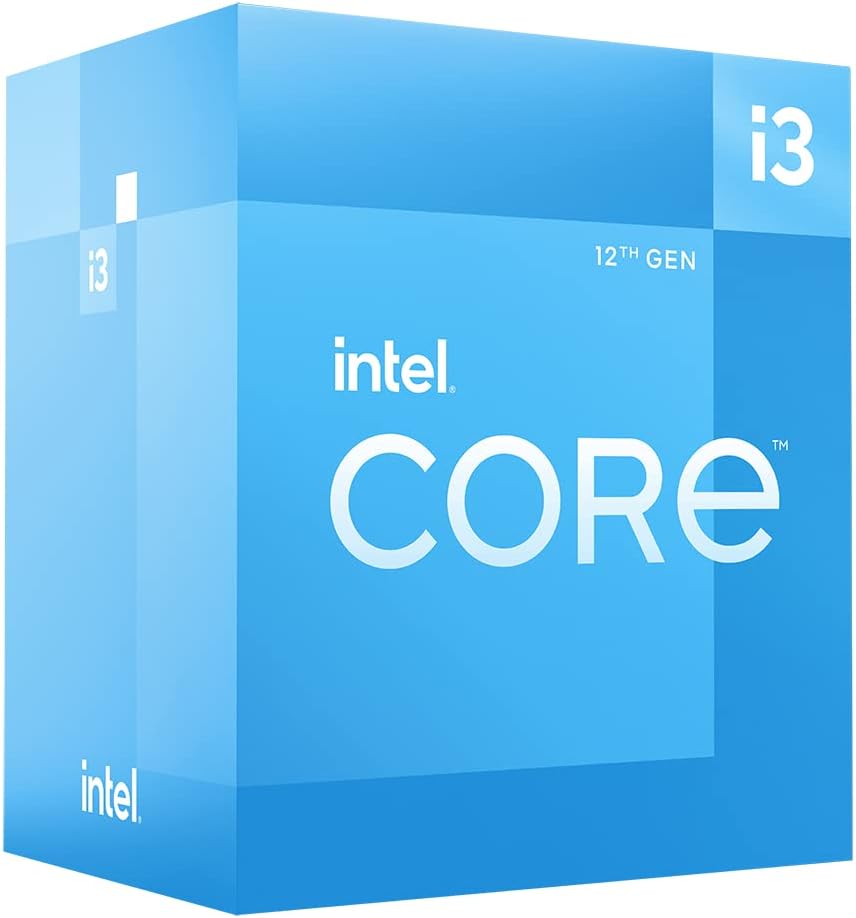
2.1-rasm: Burchakli view of the Intel Core i3-12100 processor packaging.

2.2-rasm: yon view of the Intel Core i3-12100 processor packaging.
3. Protsessoringizni boshqarish
Once installed, your Intel Core i3-12100 processor will operate automatically within your system. Here are some general considerations for optimal performance.
Issiqlik boshqaruvi
Maintaining proper cooling is essential for processor longevity and stable performance. Ensure your CPU cooler is functioning correctly and that your PC case has adequate airflow. High temperatures can lead to performance throttling or system instability.
Ishlash bo'yicha mulohazalar
The Intel Core i3-12100 is designed to dynamically adjust its clock speed based on workload and thermal conditions. This technology, known as Intel Turbo Boost Technology, allows the processor to reach higher frequencies (up to 4.3 GHz) when needed, providing a responsive computing experience.

Figure 3.1: The processor box in a typical desktop computing environment.

Figure 3.2: Visual representation of the processor's performance capabilities in a gaming scenario.

Figure 3.3: Illustrative image demonstrating the processor's architecture and platform compatibility.

Figure 3.4: Marketing image highlighting the processor's role in enhancing gaming performance.
4. Xizmat ko'rsatish
Minimal maintenance is required for your processor itself, but ensuring its operating environment is clean and cool will prolong its lifespan.
Changni tozalash
- Regularly clean dust from your CPU cooler's heatsink and fan using compressed air.
- Ensure your PC case filters are clean to prevent dust buildup inside the system.
Thermal Paste Reapplication
Over time, thermal paste can dry out and become less effective. If you notice consistently high temperatures, consider reapplying fresh thermal paste to the CPU's IHS. This typically involves removing the CPU cooler, cleaning off old paste, and applying new paste before reattaching the cooler.
5. Muammolarni bartaraf qilish; nosozliklarni TUZATISH
If you encounter issues with your system after installing the processor, refer to the common problems and solutions below.
| Muammo | Mumkin sabab | Yechim |
|---|---|---|
| System does not boot / No display | CPU not seated correctly, CPU power cable disconnected, incompatible motherboard BIOS. | Re-seat the CPU, ensure all power cables are connected, update motherboard BIOS (if possible, using a compatible CPU). |
| System boots but shuts down quickly | Overheating due to improper cooler installation or insufficient thermal paste. | Check CPU cooler mounting pressure, reapply thermal paste, ensure CPU fan is connected and spinning. |
| Poor performance / Throttling | High temperatures, power limits, background processes. | Monitor CPU temperatures, ensure adequate cooling, check power settings in BIOS/OS, close unnecessary applications. |
| System instability / Crashes | Overheating, faulty RAM, unstable power supply, driver issues. | Verify CPU temperatures, test RAM, check power supply, update chipset and graphics drivers. |
6. Texnik spetsifikatsiyalar
Detailed specifications for the Intel Core i3-12100 processor.
| Xususiyat | Tafsilot |
|---|---|
| Brend | Intel |
| Seriya | I3 1200 |
| Model raqami | BX8071512100 |
| Protsessor brendi | Intel |
| CPU modeli | Core i3 |
| CPU tezligi | 3.3 gigagertsli |
| Protsessorlar soni | 4 |
| CPU soket | LGA 1700 |
| Element og'irligi | 10.6 untsiya |
| Mahsulot o'lchamlari | 1.18 x 0.79 x 0.04 dyuym |
| Rang | black / black |
| Kompyuter xotirasi turi | GDDR4 |
| jildtage | 1 volt |
| Til | Ingliz |
| Birinchi mavjud sana | 11 yil 2022 may |
7. Kafolat va qo'llab-quvvatlash
Intel provides a standard warranty for its processors. Please retain your proof of purchase for warranty claims.
Kafolat haqida ma'lumot
The Intel Core i3-12100 processor is manufactured by Intel. For specific warranty terms and conditions, please refer to the official Intel warranty documentation included with your product or visit the official Intel support websayt. Kafolat qoplamasi odatda normal foydalanish sharoitida materiallar va mahoratdagi nuqsonlarni o'z ichiga oladi.
Qo'shimcha himoya rejalari
Optional protection plans may be available for purchase from retailers. For example, a 4-Year Protection Plan or a Complete Protect plan may be offered. These plans are separate from the manufacturer's warranty and provide extended coverage or additional benefits.
Texnik yordam
For technical assistance, troubleshooting beyond this manual, or warranty inquiries, please contact Intel's official customer support. You can typically find contact information on the Intel websaytida yoki mahsulot qadoqlarida.
Onlayn manbalar: Visit the official Intel website for drivers, software, and additional support documentation.
Ask a question about this manual
Ask about setup, troubleshooting, compatibility, parts, safety, or missing instructions. Manuals+ will review the question and use this page’s manual context to help answer it.