
Kirish
This manual provides detailed instructions for the safe and effective use of your pxton PX-8S-01 two-way radio. Please read this manual thoroughly before operating the device to ensure optimal performance and longevity.
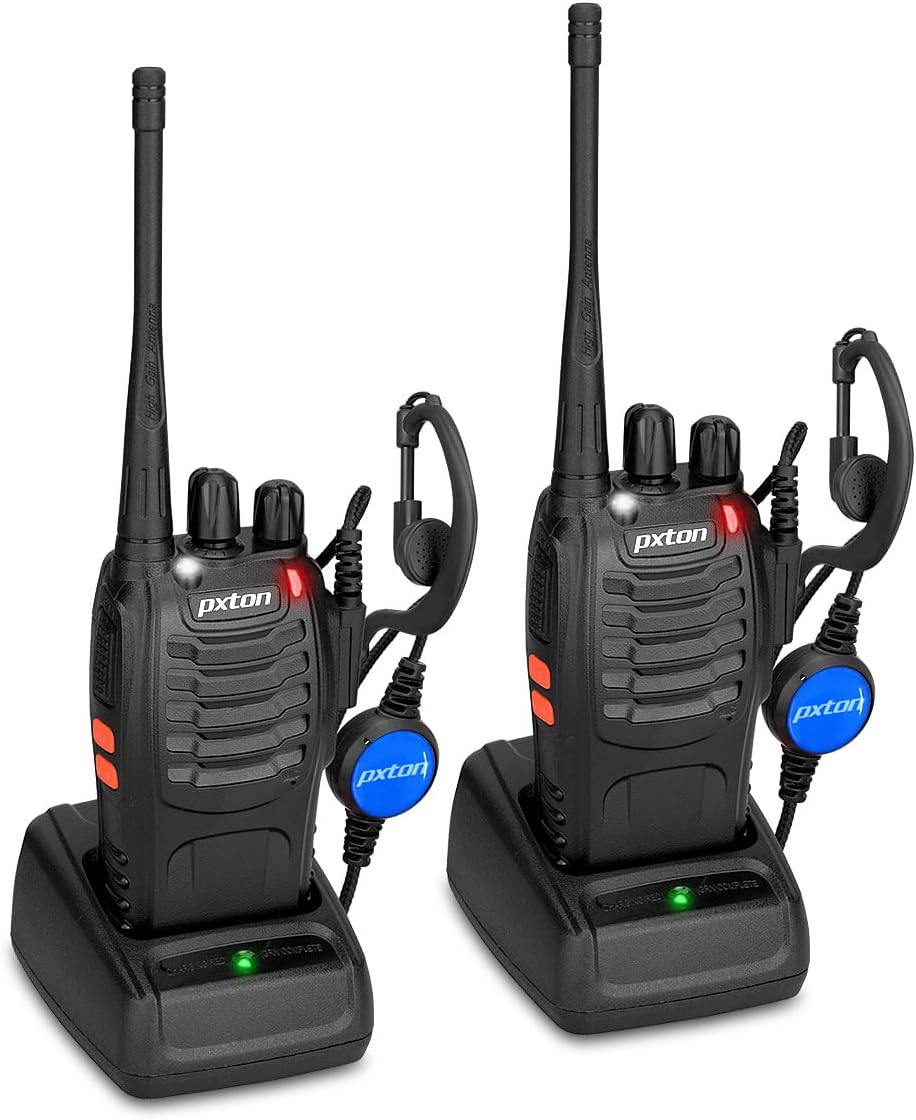
Image: Two pxton PX-8S-01 two-way radios with charging bases and earpieces.
Paket tarkibi
Paketingizda barcha narsalar mavjudligini tekshiring:
- pxton PX-8S-01 Two-Way Radio (2 units)
- Lithium-Ion Battery (2 units)
- USB Charger (2 units)
- Upgraded Earpiece (2 units)
- Kamar qisqichi (2 dona)
- Wrist Strap (2 units)
- Antenna (2 units)
- Foydalanuvchi qo'llanmasi (1 birlik)

Image: Contents of the pxton PX-8S-01 package.
Mahsulot tugadiview
Familiarize yourself with the components of your pxton PX-8S-01 two-way radio:

Image: Labeled diagram of the pxton PX-8S-01 two-way radio components.
- Integrated Sensitive Antenna: Signallarni uzatish va qabul qilish uchun.
- Kanalni almashtirish: Rotary knob to select one of the 16 available channels.
- Quvvat tugmasi/ovoz balandligini boshqarish: Rotary knob to turn the radio on/off and adjust the volume.
- Chiroq: Yoritish uchun o'rnatilgan LED chiroq.
- LED ko'rsatkichi: Radio holatini ko'rsatadi (masalan, uzatish, qabul qilish, zaryadlash).
- PTT tugmasi (Push-to-Gap): O'tkazish uchun bosing va ushlab turing, qabul qilish uchun qo'yib yuboring.
- MONI Button (Monitor): Press to temporarily disable squelch and listen for weak signals.
- Chiroq tugmasi: O'rnatilgan chiroqni yoqadi.
- SP/MIC Jacks: Ports for connecting external audio accessories like earpieces or speaker microphones.
- Clear Speaker: Chiqishlar qabul qilingan audio.
- O'rnatilgan mikrofon: Ovozingizni uzatish uchun yozib oladi.
Sozlash; o'rnatish
1. Batareyani o'rnatish
- Radio o'chirilganligiga ishonch hosil qiling.
- Batareya to'plamini radioning orqa qismidagi oluklar bilan tekislang.
- Batareya to'plamini joyiga o'raguncha yuqoriga suring.
- Batareyani olib tashlash uchun, agar mavjud bo'lsa, ochish mandalini bosing va batareyani pastga siljiting.
2. Batareyani zaryadlash
- USB zaryadlovchini quvvat manbaiga ulang.
- Place the radio with the battery installed into the charging cradle.
- The LED indicator on the charger will show the charging status (e.g., red for charging, green for fully charged).
- A full charge from 0 capacity typically takes 3-4 hours.
3. Aksessuarlar ulash
- Antenna: Screw the antenna clockwise onto the connector on top of the radio until it is finger-tight. Do not overtighten.
- Kamar klipi: Attach the belt clip to the designated slot on the back of the radio using the provided screws.
- Eshitish vositasi: Insert the earpiece plug into the SP/MIC jacks on the side of the radio. Ensure it is fully inserted for proper connection.
Foydalanish bo'yicha ko'rsatmalar
1. Quvvatni yoqish/o‘chirish va ovoz balandligini sozlash
- To power on the radio, rotate the Power Switch/Volume Control knob clockwise. You will hear a "click" and a voice prompt indicating the current channel.
- Ovoz balandligini oshirish uchun tugmani soat yo'nalishi bo'yicha va pasaytirish uchun soat miliga teskari yo'nalishda aylantirishda davom eting.
- To power off, rotate the knob counter-clockwise until you hear a "click."
2. Kanal tanlash
- Rotate the Channel Switch knob to select one of the 16 available channels.
- The radio will announce the selected channel number.
- Guruhingizdagi barcha radiolar aloqa uchun bir xil kanalga o'rnatilganligiga ishonch hosil qiling.
3. Qabul qilish va uzatish
- O'tkazish uchun tugmasini bosing va ushlab turing PTT (Push-to-Talk) button. Speak clearly into the microphone. The LED indicator will illuminate red.
- Release the PTT button to stop transmitting and return to receive mode. The LED indicator will turn green when receiving a signal.
4. VOX (Voice Operated Exchange) Function
The VOX function allows hands-free operation. When activated, the radio will automatically transmit when it detects your voice, without needing to press the PTT button.
- VOX settings are typically programmed via software. Refer to advanced programming instructions if available.
- When using VOX, ensure the microphone is positioned correctly to pick up your voice effectively.
Image: VOX/Handfree function icon.
5. Chiroq funktsiyasi
- Maxsus tugmani bosing Chiroq tugmasi to turn the built-in LED flashlight on or off.
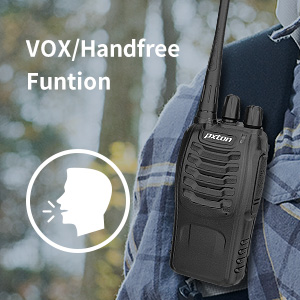
Image: Flashlight function icon.
6. Skanerlash funktsiyasi
The scan function allows the radio to automatically scan through channels to find active transmissions.
- To activate the scan function, typically this is done via a programmed side key or by selecting a specific channel. Refer to your radio's programming guide for details.
- When scanning, the radio will stop on an active channel until the transmission ends, then resume scanning.
7. Favqulodda signal
The radio features an emergency alarm function for critical situations.
- To activate the emergency alarm, press the designated Emergency Alarm button (if programmed) or a specific key combination. This will typically emit a loud siren sound and/or transmit an alert signal.

Image: Emergency Alarm function icon.
8. Squelch Adjustment
Squelch suppresses background noise when no signal is being received. The PX-8S-01 has an adjustable squelch feature.
- Squelch levels are typically set via programming software. A higher squelch level requires a stronger signal to open the receiver, reducing static but potentially missing weak signals.
- The MONI button can be used to temporarily override the squelch and listen to all signals, including weak ones or background noise.
Image: Squelch adjustment icon.
9. Maxfiylik kodlari (CTCSS/DCS)
The radio supports 165 privacy codes (50 CTCSS / 210 DCS) per programmable channel to help filter out unwanted conversations.
- When a CTCSS/DCS code is set, you will only hear transmissions from other radios using the same channel and the same CTCSS/DCS code.
- Similarly, other radios will only hear your transmissions if they are on the same channel and using the same code.
- These codes are typically programmed using specialized software.
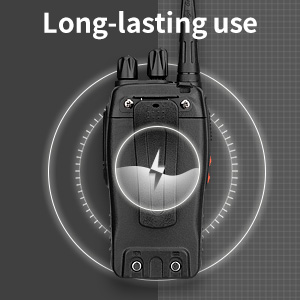
Image: CTCSS/DCS privacy codes icon.
Xizmat
- Tozalash: Yumshoqdan foydalaning, damp Radioning tashqi qismini tozalash uchun matodan foydalaning. Agressiv kimyoviy moddalar yoki erituvchilardan foydalanmang.
- Batareya parvarishi:
- Batareyani haddan tashqari zaryad qilish yoki to'liq zaryadsizlantirishdan saqlaning.
- Ishlatilmayotganda batareyalarni salqin va quruq joyda saqlang.
- Agar radio uzoq vaqt ishlatilmasa, batareyani chiqarib oling.
- Saqlash: Radioni quruq, changsiz muhitda, haddan tashqari haroratdan uzoqda saqlang.
- Antenna: Antennani egmang yoki o'zgartirmang, chunki bu uning ishlashiga ta'sir qilishi mumkin.
Muammolarni bartaraf qilish; nosozliklarni TUZATISH
| Muammo | Mumkin sabab | Yechim |
|---|---|---|
| Radio yoqilmaydi. | Batareya quvvati tugagan yoki to'g'ri o'rnatilmagan. | Batareyani zaryadlang. Batareya mahkam o'rnatilganligiga ishonch hosil qiling. |
| Yuborish yoki qabul qilish mumkin emas. | Incorrect channel selected. Battery low. Radio out of range. | Verify both radios are on the same channel. Charge battery. Move closer to the other radio. |
| Ovoz sifati past yoki statik. | Weak signal. Squelch level too low/high. Interference. | Move to an area with fewer obstructions. Adjust squelch level (if programmable). Check for sources of interference. |
| Short communication range. | To'siqlar (binolar, erlar). Kam batareya. | Ochiq joyga o'ting. Batareya to'liq zaryadlanganligiga ishonch hosil qiling. |
| Eshitish vositasi ishlamayapti. | Earpiece not fully inserted. Faulty earpiece. | Ensure earpiece plug is fully inserted into the SP/MIC jack. Try a different earpiece if available. |
Texnik xususiyatlari
- Model: PX-8S-01
- FCC identifikatori: 2AX68PX-888S
- Kanallar soni: 16
- Chastota diapazoni: UHF
- Maksimal suhbat diapazoni: Up to 5 miles (unobstructed)
- Maxfiylik kodlari: 165 (50 CTCSS / 210 DCS)
- Batareya turi: Lityum-ion (shu jumladan)
- Batareya hajmitage: 3.7 volt (DC)
- Batareya muddati: 8-96 hours standby, 8-12 hours continuous use (actual time varies with usage)
- Zaryadlash vaqti: 3-4 hours (from 0 capacity)
- Suvga chidamlilik darajasi: Suvga chidamli
- Mahsulot o'lchamlari: 1.1"D x 1.89"W x 8.34"Y
- Mahsulot og'irligi: 1.34 pounds (for the pair)
- Maxsus xususiyatlar: Rechargeable, VOX, TOT, Emergency Alarm, Battery Low Alert, Flashlight, Scan Function

Image: Size comparison of the pxton PX-8S-01 radio.
Xavfsizlik ma'lumotlari
Your pxton PX-8S-01 walkie-talkie has been granted FCC transmission and reception certification and authorization (FCC ID: 2AX68PX-888S). This device is intended for use only within the frequency points authorized by the FCC certification range.
Iltimos, quyidagi xavfsizlik qoidalariga rioya qiling:
- Radioni portlovchi atmosferada (masalan, yonuvchan gazlar, chang zarralari, metall kukunlari) ishlatmang.
- Do not modify the radio or its accessories. Unauthorized modifications can void your warranty and violate FCC regulations.
- Keep the radio and its accessories out of reach of children.
- Use only pxton-approved batteries and chargers. Using unapproved accessories can cause damage or injury.
- Avoid exposing the radio to extreme temperatures, direct sunlight, or moisture for prolonged periods.
- If the radio emits smoke or an unusual odor, immediately turn off the power and remove the battery. Contact customer support.
Kafolat va qo'llab-quvvatlash
pxton provides lifetime customer service for its walkie-talkies. If you encounter any questions or issues with your PX-8S-01 radio, please contact pxton customer support through the platform where you purchased the product. Our professional team is available to assist you with troubleshooting and support.
For further assistance, please refer to the official pxton websayti yoki bevosita mijozlarga xizmat ko'rsatish bilan bog'laning.