
1. Kirish
This manual provides instructions for the PUSOKEI 1600DPI 2.4G Ergonomic Wireless Optical Mouse. This device is designed for comfortable use with computers and laptops, featuring a 2.4Ghz wireless connection and adjustable optical resolution.
Asosiy xususiyatlarga quyidagilar kiradi:
- Qulay ishlov berish uchun ergonomik dizayn.
- 2.4Ghz wireless connectivity for a stable connection up to 10 meters.
- Adjustable optical resolution: 800, 1200, and 1600 DPI.
- Four buttons for versatile control.
- Intelligent circuit management for power efficiency.

Figure 1: PUSOKEI 2.4G Ergonomic Wireless Optical Mouse on a desk setup.

2-rasm: yon view of the mouse, showcasing uning ergonomik dizayni.
2. Paket tarkibi
Paketda quyidagi elementlar mavjudligini tekshiring:
- 1 x PUSOKEI Wireless Mouse
- 1 x USB qabul qilgich
Note: 2 x AAA batteries are required and are not included in the package.
3. O'rnatish bo'yicha qo'llanma
3.1 Batareyalarni o'rnatish
- Sichqonchaning pastki qismida batareya bo'linmasi qopqog'ini toping.
- Bo'limni ochish uchun qopqoqni sekin suring yoki ko'taring.
- Bo'lim ichida ko'rsatilganidek, to'g'ri qutblanishni (+/-) ta'minlab, ikkita (2) AAA batareyani joylashtiring.
- Batareya bo'linmasi qopqog'ini joyiga mahkam o'rnashguncha qayta joyiga qo'ying.

3-rasm: qopqog'i olib tashlangan batareya bo'limi.
3.2 USB qabul qilgichni ulash
- Locate the USB receiver, typically stored within the mouse's battery compartment or packaged separately.
- USB qabul qilgichni kompyuteringiz yoki noutbukingizdagi mavjud USB portiga ulang.
- Your operating system should automatically detect and install the necessary drivers. This may take a few moments.
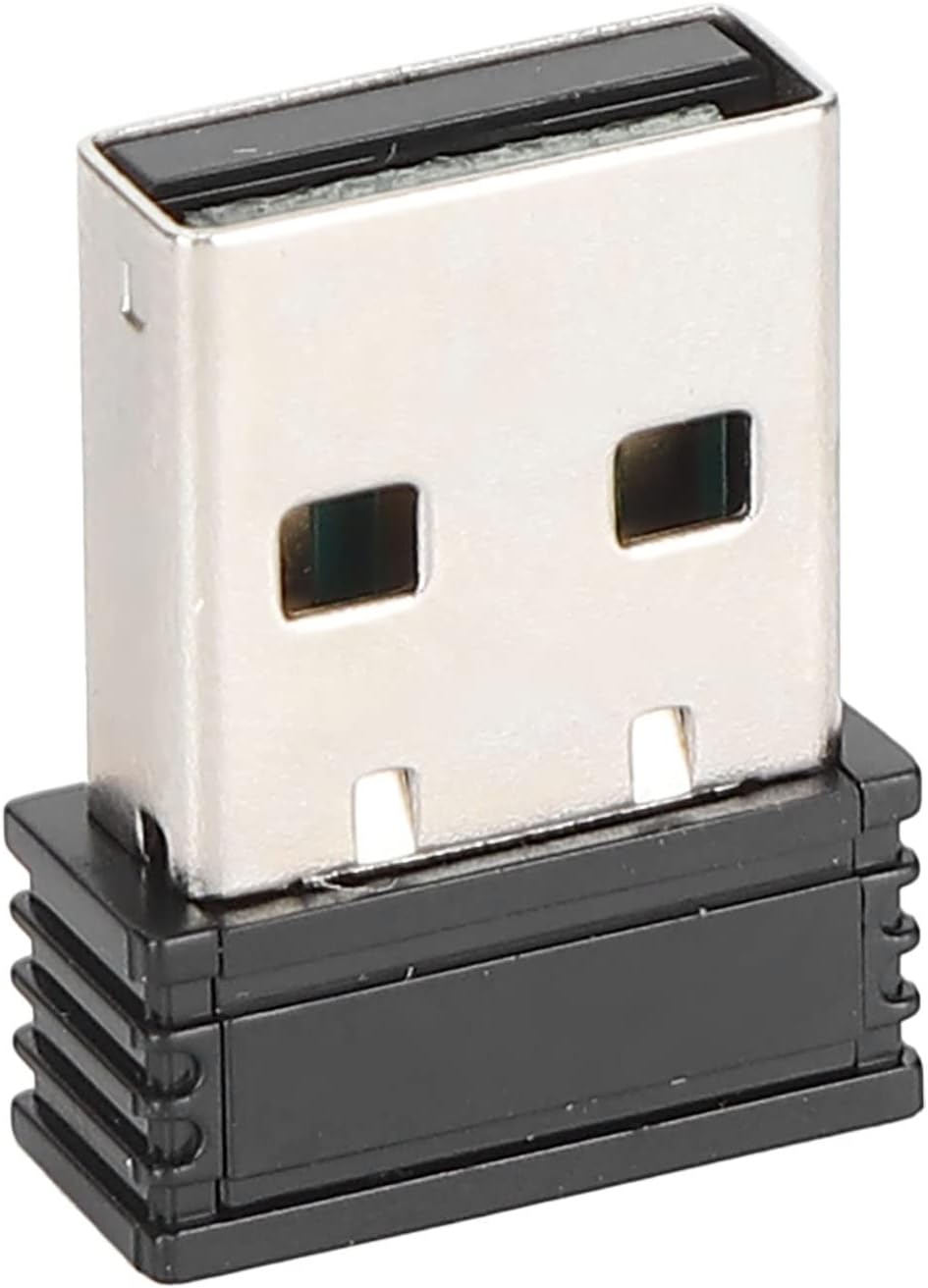
Figure 4: The compact USB receiver.
3.3 Powering On the Mouse
After installing the batteries and connecting the USB receiver:
- Locate the ON/OFF switch on the underside of the mouse.
- Slide the switch to the "ON" position.
- The mouse should now be ready for use. Move the mouse to test its functionality.

Figure 5: Underside of the mouse with the ON/OFF switch.
4. Foydalanish bo'yicha ko'rsatmalar
4.1 Asosiy funksiyalar
- Chap tugmasini bosing: Asosiy tanlash va faollashtirish.
- O'ng tugmasini bosing: Accesses context menus.
- O'tkazish g'ildiragi: Hujjatlarni varaqlaydi va web sahifalar. Shuningdek, o'rta tugmani bosish funksiyasi uchun bosish mumkin.
4.2 DPI (sezuvchanlik) ni sozlash
The mouse features an adjustable DPI setting, allowing you to change the cursor sensitivity to suit your preference or task. The available DPI settings are 800, 1200, and 1600 DPI.
- Locate the DPI button, usually positioned below the scroll wheel on the top of the mouse.
- Press the DPI button to cycle through the available sensitivity settings. Each press will switch to the next DPI level.
- Observe the cursor movement on your screen to determine the desired sensitivity.

Figure 6: DPI button for sensitivity adjustment.
4.3 Simsiz aloqa diapazoni
The mouse operates wirelessly up to a distance of approximately 10 meters (393.7 inches) from the USB receiver. Performance may vary depending on environmental factors and obstacles.
Video 1: tugadiview of the PUSOKEI 1600DPI 2.4G Ergonomic USB Mouse. This short video demonstrates the mouse's design and highlights its wireless functionality.
5. Xizmat ko'rsatish
5.1 Batareyani almashtirish
When the mouse performance degrades or it stops responding, it is likely time to replace the batteries. Follow the steps in Section 3.1 to replace the two (2) AAA batteries.
5.2 Sichqonchani tozalash
Optimal ishlash va gigienani saqlash uchun:
- Sichqonchaning tashqi qismini artish uchun yumshoq, quruq matodan foydalaning.
- O'jar axloqsizlik uchun, bir oz dampen the cloth with water or a mild cleaning solution, then wipe dry immediately.
- Avoid using harsh chemicals, abrasive cleaners, or submerging the mouse in liquid.
- Periodically clean the optical sensor area on the underside of the mouse with a cotton swab to ensure accurate tracking.
6. Muammolarni bartaraf qilish; nosozliklarni TUZATISH
If you encounter issues with your PUSOKEI Wireless Mouse, please refer to the following common solutions:
| Muammo | Mumkin sabab | Yechim |
|---|---|---|
| Mouse not responding or intermittent connection | Low batteries, mouse is off, USB receiver disconnected, interference. | 1. Replace AAA batteries. 2. Ensure the ON/OFF switch is in the 'ON' position. 3. Re-insert the USB receiver into a different USB port. 4. Move the mouse closer to the receiver or away from other wireless devices. |
| Cursor movement is erratic or inaccurate | Dirty optical sensor, unsuitable surface, low DPI setting. | 1. Clean the optical sensor on the underside of the mouse. 2. Use the mouse on a clean, non-reflective surface or a mouse pad. 3. Press the DPI button to increase sensitivity. |
| USB receiver not recognized by computer | Driver issue, faulty USB port. | 1. Try plugging the USB receiver into a different USB port. 2. Restart your computer. 3. Ensure your operating system is up to date. |
7. Texnik shartlar
| Xususiyat | Tafsilot |
|---|---|
| Brend | PUSOKEI |
| Model raqami | PUSOKEIgmh839iocb1355-11 |
| Ulanish texnologiyasi | USB, Wireless (2.4Ghz) |
| Harakatni aniqlash texnologiyasi | Optik |
| Optik o'lchamlari | 800-1200-1600 DPI |
| Tugmalar soni | 4 |
| Simsiz masofa | Approx. 10m / 393.7in |
| Quvvat manbai | Batareya bilan ishlaydi (2 x AAA, qo'shilmagan) |
| Mos qurilmalar | Noutbuk, shaxsiy kompyuter |
| Operatsion tizim | Windows (Minimum Windows 7) |
| Material | ABS |
| Qo'lni yo'naltirish | Ikki tomonlama |
8. Kafolat va qo'llab-quvvatlash
Specific warranty information for this product is not provided in the available documentation. For warranty claims, technical support, or further assistance, please contact the retailer or manufacturer directly through their official support channels.