
1. Mahsulot tugadiview
The Prolink DL-7203E is a portable LTE Mobile Wi-Fi device designed to provide high-speed wireless connectivity on the go. It functions as a 4G router, allowing multiple devices to connect to the internet via a SIM card. Additionally, it features a built-in power bank function for charging other devices.
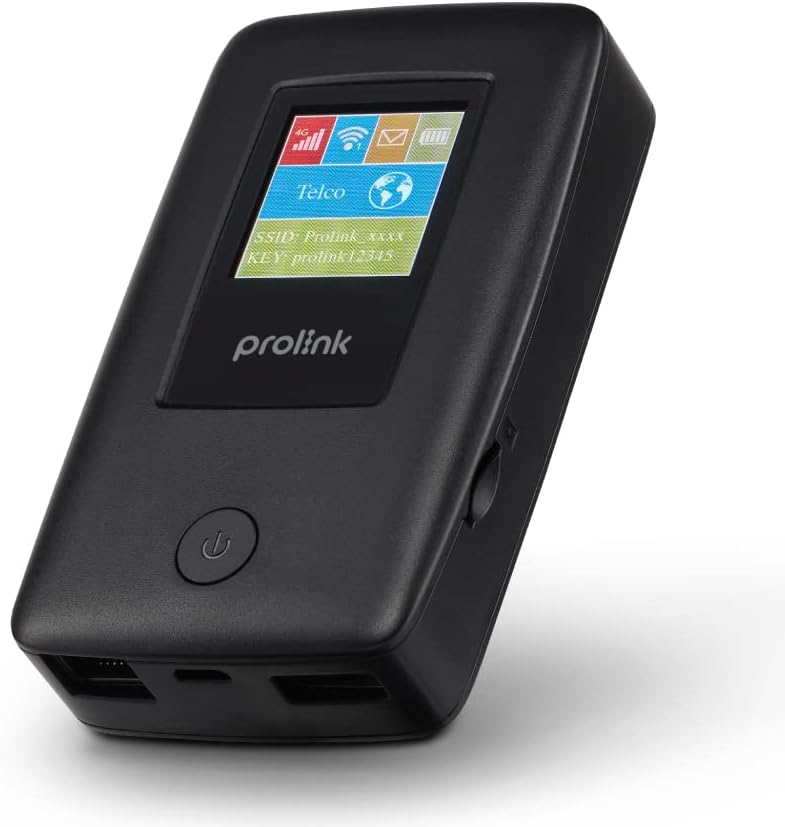
Figure 1.1: Prolink DL-7203E LTE Mobile Wi-Fi device.

Figure 1.2: Key features and capabilities of the Prolink DL-7203E.
Paket tarkibi
- Prolink DL-7203E LTE Mobile Wi-Fi Device
- USB zaryadlovchi kabeli
- Tez boshlash qo'llanmasi (ushbu qo'llanmaga kiritilmagan)
2. Qurilma tartibi
Familiarize yourself with the various components and ports of your DL-7203E device.

2.1-rasm: old va yon view of the Prolink DL-7203E with labeled components.
- LCD Screen Indicator: Displays signal strength, battery level, Wi-Fi status, and network information.
- SIM karta uyasi: Insert your Nano SIM card here.
- RJ45 LAN/WAN Port: For wired Ethernet connection to devices or an existing network.
- Zaryadlash porti (USB-C): Connect the provided USB cable for charging the device.
- USB Type-A Port (Output): Used for the power bank function to charge other devices.
- Quvvat tugmasi: Qurilmani yoqish/o‘chirish uchun bosing va ushlab turing.
3. O'rnatish bo'yicha qo'llanma
3.1 SIM kartani joylashtirish
- Qurilma o'chirilganligiga ishonch hosil qiling.
- SIM karta uyasini qurilmaning yon tomoniga joylashtiring.
- Carefully insert your Nano SIM card into the slot until it clicks into place. Ensure the correct orientation as indicated on the device.
- Close the SIM card slot cover if applicable.
3.2 Qurilmani zaryadlash
- Connect the provided USB charging cable to the USB-C charging port on the DL-7203E.
- Kabelning ikkinchi uchini USB quvvat adapteriga (qo'shilmagan) yoki kompyuterning USB portiga ulang.
- The battery indicator on the LCD screen will show charging status. A full charge provides up to 25 hours of connectivity.
3.3 Quvvatni yoqish/o‘chirish
- Yoqish uchun: LCD displey yonmaguncha Quvvat tugmasini bosing va ushlab turing.
- O'chirish uchun: Qurilma o'chguncha Quvvat tugmasini bosib ushlab turing.

Figure 3.1: The Auto APN feature enables plug-and-play functionality in over 185 countries.
4. Operatsiya
4.1 Qurilmalarni Wi-Fi orqali ulash
- Ensure the DL-7203E is powered on and has an active internet connection (indicated by the signal icon on the LCD).
- On your Wi-Fi enabled device (smartphone, laptop, tablet), search for available Wi-Fi networks.
- Select the SSID (network name) displayed on the DL-7203E's LCD screen.
- Enter the Wi-Fi Key (password) also displayed on the LCD screen.
- Your device should now be connected to the internet. The DL-7203E supports up to 16 Wi-Fi devices simultaneously.

Figure 4.1: Share internet connection with up to 16 devices simultaneously.
4.2 Power Bank sifatida foydalanish
The DL-7203E can double as a portable power bank to charge your mobile devices.
- Connect your mobile device's charging cable to the USB Type-A output port on the DL-7203E.
- The DL-7203E will begin charging your device.

Figure 4.2: The DL-7203E can charge your devices on the go.
4.3 Connecting via LAN/WAN Port
The RJ45 port allows for wired connectivity.
- LAN rejimi: Connect a device (e.g., laptop, desktop) to the DL-7203E via an Ethernet cable for a wired internet connection.
- WAN rejimi: Connect the DL-7203E to an existing wired network (e.g., hotel Ethernet) to share that internet connection wirelessly.
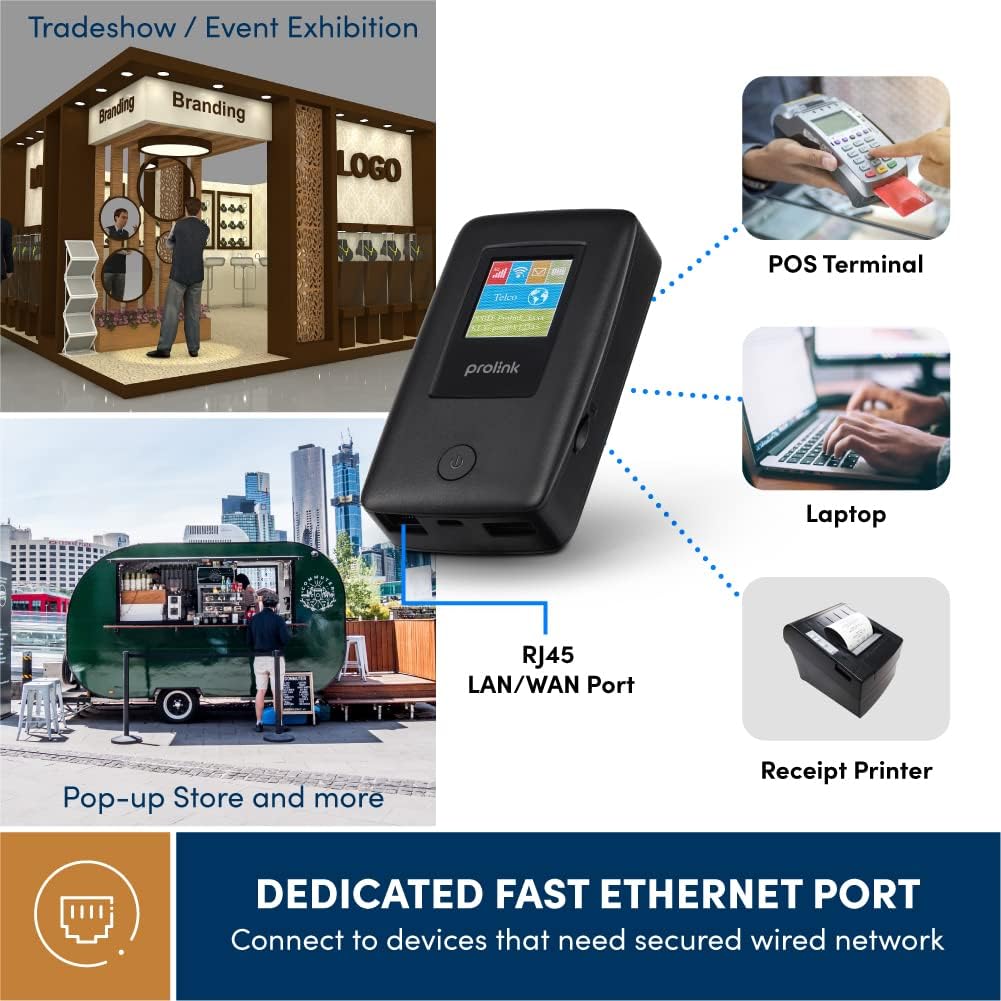
Figure 4.3: Utilize the dedicated Ethernet port for secured wired network connections.
4.4 File Sharing via MicroSD Card
The built-in microSD card slot supports up to 64GB, allowing for easy file almashish.
- Belgilangan uyaga microSD kartani joylashtiring.
- Access the shared content wirelessly from connected devices through the device's web interface or the mProMifi App.

Figure 4.4: Share media content wirelessly across your network via a microSD card.
4.5 Using the mProMifi App
For enhanced control and monitoring, download the mProMifi App (available for devices with P/N: LTE-DL7203E-E, S/N starting from "265201" or later). The app allows you to manage settings, view connected devices, and monitor data usage.
5. Asosiy xususiyatlar
- Fast Connection: Enjoy high-speed connectivity of up to 150Mbps via LTE and up to 300Mbps via Wi-Fi hotspot.
- Batareya muddati uzaytirildi: Equipped with a 5200mAh (or 6000mAh for updated models) battery, providing up to 25 hours of continuous connectivity.
- Ko'p foydalanuvchili kirish: Share your internet connection with up to 16 Wi-Fi enabled devices simultaneously.
- Sayohat uchun qulay: Supports automatic APN configuration for over 185 countries, making it ideal for international travel.
- Quvvat banki funktsiyasi: Charge your smartphones and other USB-powered devices on the go.
- Ethernet porti: Provides a reliable wired connection for devices without wireless capabilities or for sharing an existing wired network.
- MicroSD karta uyasi: Supports up to 64GB for convenient wireless file almashish.

Figure 5.1: Enjoy extended connectivity with up to 25 hours of battery life.

Figure 5.2: The compact design allows you to stay connected wherever you are.
6. Xizmat ko'rsatish
- Tozalash: Qurilmani tozalash uchun yumshoq, quruq matodan foydalaning. Suyuq tozalagichlar yoki aerozollardan saqlaning.
- Batareya parvarishi: To prolong battery life, avoid exposing the device to extreme temperatures. If storing for a long period, charge the battery to about 50% before storage.
- Saqlash: Qurilmani quruq, salqin joyda, to'g'ridan-to'g'ri quyosh nuri va namlikdan uzoqroq joyda saqlang.
7. Muammolarni bartaraf qilish; nosozliklarni TUZATISH
Umumiy muammolar va yechimlar
| Muammo | Mumkin sabab | Yechim |
|---|---|---|
| Internetga ulanmagan | No SIM card inserted, SIM card not activated, poor signal, incorrect APN settings. | Ensure SIM is correctly inserted and active. Move to an area with better signal. The device has Auto APN, but if issues persist, check network provider settings. |
| Wi-Fi tarmog‘iga ulanib bo‘lmadi | Incorrect Wi-Fi password, device too far from router, Wi-Fi disabled. | Verify Wi-Fi password. Move closer to the DL-7203E. Ensure Wi-Fi is enabled on the device. |
| Battery Not Charging / Draining Quickly | Faulty cable/adapter, high usage, old battery. | Try a different USB cable and power adapter. Reduce the number of connected devices or usage time. Contact support if battery life significantly degrades. |
| Device Freezes / Unresponsive | Dasturiy ta'minot xatosi. | Perform a soft reset by holding the power button until the device restarts. If persistent, a factory reset might be needed (refer to advanced settings via web interfeysi). |
8. Texnik shartlar
| Xususiyat | Tafsilot |
|---|---|
| Model nomi | DL-7203E (LTE-DL7203E) |
| Brend | Prolink |
| Simsiz aloqa | 4G LTE, Wi-Fi (802.11ac) |
| Wi-Fi tezligi | 300 Mbit / s gacha |
| LTE tezligi | 150 Mbit / s gacha |
| Batareya quvvati | 5200mAh (updated models 6000mAh) |
| Batareya muddati | 25 soatgacha |
| Maksimal Wi-Fi foydalanuvchilari | 16 |
| SIM karta turi | Nano SIM |
| Portlar | RJ45 LAN/WAN, USB-C Charging, USB Type-A Output |
| MicroSD qo'llab-quvvatlash | 64 GB gacha |
| Olchamlari (U x G x Y) | 15.4 x 9.2 x 4.4 sm |
| Og'irligi | 161 gr |
| Rang | Qora |
9. Kafolat va qo'llab-quvvatlash
Prolink products come with a local warranty and technical support. For any inquiries or assistance, please contact Prolink support.

Figure 9.1: Prolink Official Store support information.
- Elektron pochta orqali yordam: support@prolink2u.com
- Telefon qo'llab-quvvatlash: (65) 6357 0666
- For the most up-to-date support information, please visit the official Prolink website or your regional Prolink support page.