
Singation SPKA24
Singsation Karaoke Machine User Manual
Model: SPKA24
Kirish
Sotib olganingiz uchun tashakkurasing the Singsation Karaoke Machine. This portable speaker system is designed to provide dynamic sound and an engaging karaoke experience with its built-in light show, Bluetooth connectivity, and multiple audio input options. This manual will guide you through the setup, operation, and maintenance of your device to ensure optimal performance and enjoyment.
Xavfsizlik ma'lumotlari
Qurilmadan foydalanishdan oldin barcha xavfsizlik ko'rsatmalarini diqqat bilan o'qib chiqing. Ushbu qo'llanmani kelajakda foydalanish uchun saqlang.
- Yong'in yoki elektr toki urishining oldini olish uchun jihozni yomg'ir yoki namlikda qoldirmang.
- Shamollatish teshiklarini to'sib qo'ymang. Jihoz atrofida havo oqimining to'g'riligiga ishonch hosil qiling.
- Faqat ishlab chiqaruvchi tomonidan belgilangan qo'shimchalar/aksessuarlar foydalaning.
- Chaqmoqli bo'ron paytida yoki uzoq vaqt foydalanilmaganda jihozni elektr tarmog'idan uzing.
- Jihozni o'zingiz ta'mirlashga urinmang. Barcha xizmat ko'rsatish ishlarini malakali xizmat ko'rsatish xodimlariga topshiring.
- Jihozni radiatorlar, isitish moslamalari, pechkalar yoki boshqa issiqlik chiqaradigan qurilmalar kabi issiqlik manbalaridan uzoqroq tuting.
Paket tarkibi
Carefully unpack your Singsation Karaoke Machine and ensure all items are present:
- Singsation Karaoke Speaker
- Simli mikrofon
- Masofadan boshqarish
- USB zaryadlovchi kabeli
- Tashish tasma

Image: Included accessories: wired microphone, remote control, and USB charging cable.
Mahsulot tugadiview
The Singsation Karaoke Machine features an intuitive control panel and various ports for versatile use.

Rasm: old view of the Singsation Karaoke Machine.
Boshqaruv panelining xususiyatlari:
- LED displeyi: Joriy rejim, trek raqami yoki FM chastotasini ko'rsatadi.
- Mikrofon tovushini boshqarish: Mikrofon kiritish darajasini sozlaydi.
- Echo nazorati: Mikrofon ovoziga aks-sado effekti qo'shadi.
- Ovoz balandligini boshqarish: Umumiy ovoz chiqishini sozlaydi.
- Rejim tugmasi: Switches between Bluetooth, AUX, USB, Micro SD, and FM Radio modes.
- Oʻynatish/Toʻxtatib turish tugmasi: Media ijro etilishini nazorat qiladi.
- Oldingi/Keyingi trek tugmalari: Navigates through tracks or FM stations.
- USB port: For playing music from USB drives.
- TF Card Slot (Micro SD): For playing music from Micro SD cards.
- AUX kirish: Tashqi audio qurilmalarni 3.5 mm kabel orqali ulash uchun.
- Mikrofon kiritish: Simli mikrofonni ulash uchun.
- Quvvat tugmasi: Jihozni yoqadi/o'chiradi.

Image: The built-in handle allows for easy portability.
Sozlash; o'rnatish
Jihozni zaryadlash:
Before first use, fully charge the karaoke machine. Connect the provided USB charging cable to the unit's charging port and the other end to a USB power adapter (not included) or a computer USB port. The charging indicator light will show the charging status.

Image: The unit provides up to 4 hours of playtime on a single charge.
Yoqish/o‘chirish:
Locate the Power switch on the unit and slide it to the 'ON' position to power on the device. Slide it to 'OFF' to power off.
Mikrofonni ulash:
Insert the plug of the wired microphone into the Microphone Input jack on the control panel.
Foydalanish bo'yicha ko'rsatmalar
Bluetooth ulanishi:
- Turn on the Singsation Karaoke Machine. It will automatically enter Bluetooth pairing mode, indicated by a flashing Bluetooth icon on the LED display.
- Smartfon, planshet yoki boshqa Bluetooth-ni yoqadigan qurilmangizda Bluetooth-ni yoqing.
- Ni qidirish "Singsation" or the specific model name (e.g., "SPKA24") in your device's Bluetooth list.
- Select the device to pair. Once connected, the Bluetooth icon on the display will stop flashing.
- You can now stream audio wirelessly from your device to the karaoke machine.
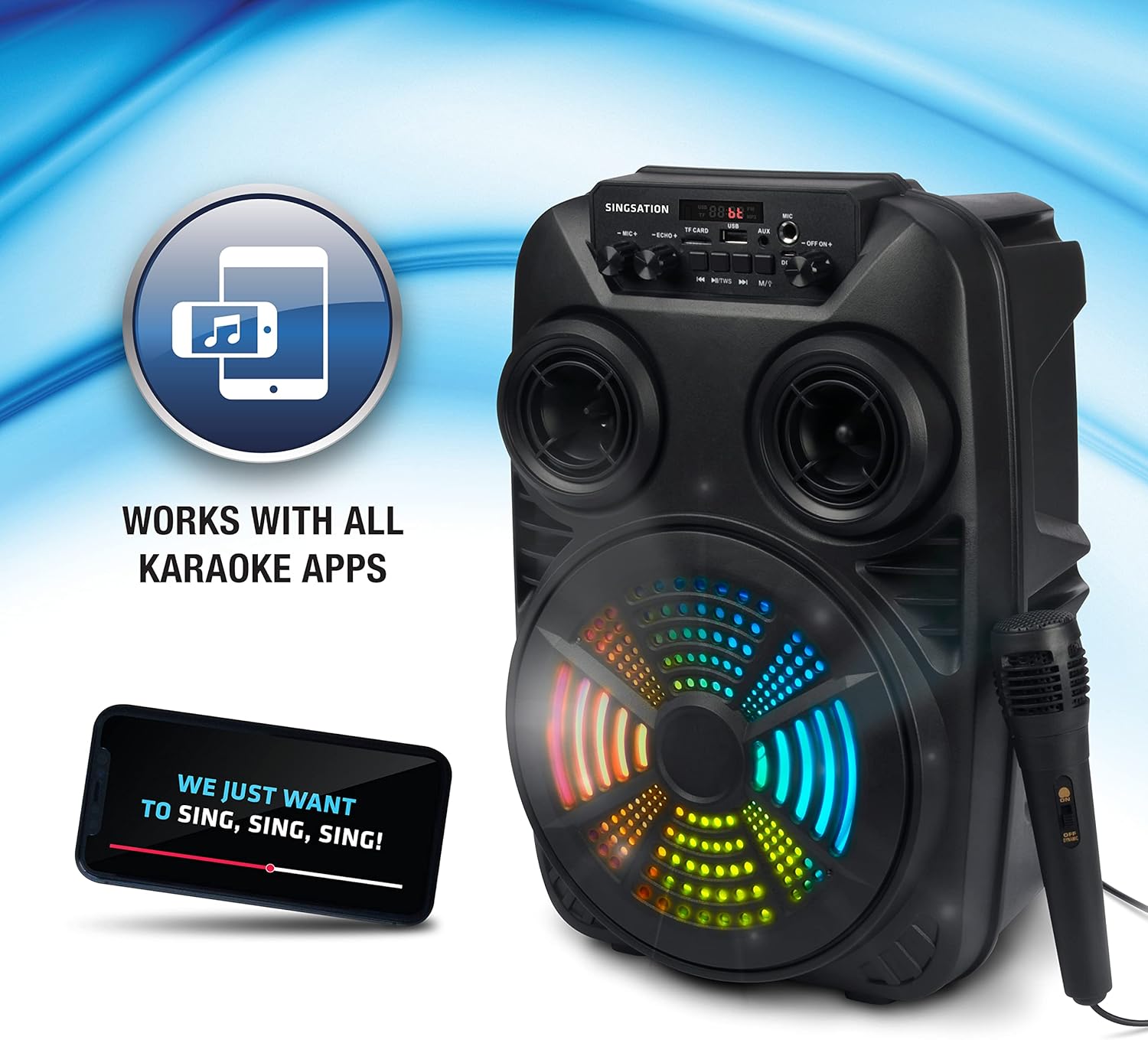
Image: The Singsation Karaoke Machine works seamlessly with all karaoke applications.
Using Other Audio Inputs (AUX, USB, Micro SD, FM Radio):
Press the 'Mode' button repeatedly to cycle through the available input modes: Bluetooth, AUX, USB, Micro SD, and FM Radio.
- AUX rejimi: Connect an external audio device (e.g., MP3 player, computer) to the AUX input using a 3.5mm audio cable.
- USB/Micro SD rejimi: Insert a USB drive or Micro SD card (TF card) containing MP3 audio files into the respective port/slot. The unit will automatically begin playing music.
- FM radio rejimi: In FM mode, press the Play/Pause button to auto-scan and save available radio stations. Use the Previous/Next Track buttons to navigate between saved stations.

Image: Multiple connectivity options for enjoying your music.
Mikrofondan foydalanish:
Once the microphone is connected, adjust the 'MIC VOL' knob to control the microphone's volume. Use the 'ECHO' knob to add an echo effect for a more professional vocal sound.
Light Show Features:
The Singsation Karaoke Machine features multi-color LED lights that synchronize with the music, creating a dynamic light show. These lights automatically activate when the unit is powered on.

Image: Features include vibrant color-changing lights and an adjustable echo effect.
Masofadan boshqarish funksiyalari:
The included remote control allows you to manage playback, volume, and other settings from a distance.
- Quvvat tugmasi: Jihozni yoqadi/o'chiradi.
- Rejim tugmasi: Kirish rejimlari orqali sikllar.
- Tovush +/-: Asosiy ovoz balandligini sozlaydi.
- EQ tugmasi: Ekvalayzer sozlamalari bo'ylab o'tadi.
- Play/Pause, Previous/Next: Media ijro etilishini nazorat qiladi.
- Raqamli tugmalar: For direct track selection in USB/Micro SD mode or FM station selection.
Bassni kuchaytirish:
The unit is designed with an 8-inch dynamic driver and a rear heavy bass guide tube to deliver impressive bass tones and strong stereo sound. No specific button for bass boost, it's an inherent feature of the speaker design.

Image: Enjoy singing along with your favorite tunes.
Xizmat
- Tozalash: Jihozning tashqi qismini tozalash uchun yumshoq, quruq matodan foydalaning. Abraziv tozalash vositalarini yoki erituvchilarni ishlatmang.
- Saqlash: Ishlatilmayotganda jihozni to'g'ridan-to'g'ri quyosh nuri va haddan tashqari haroratdan uzoqda, salqin va quruq joyda saqlang.
- Batareya parvarishi: To prolong battery life, avoid fully discharging the battery frequently. Charge the unit regularly, even if not in use for extended periods.
Muammolarni bartaraf qilish; nosozliklarni TUZATISH
If you encounter issues with your Singsation Karaoke Machine, refer to the table below for common problems and solutions.
| Muammo | Mumkin sabab | Yechim |
|---|---|---|
| Quvvat yo'q | Batareya quvvati tugagan; Quvvat tugmasi O'CHIQ. | Charge the unit; Ensure the power switch is in the 'ON' position. |
| Ovoz yo'q | Ovoz balandligi juda past; Noto'g'ri kiritish rejimi tanlangan; Qurilma ulanmagan (Bluetooth). | Increase master volume; Press 'Mode' button to select correct input; Re-pair Bluetooth device. |
| Mikrofon ishlamayapti | Microphone not properly connected; Microphone volume too low. | Ensure microphone is fully plugged into the input jack; Increase 'MIC VOL' knob. |
| Bluetooth ulanishi barqaror emas | Device is too far from the unit; Interference from other devices. | Move the Bluetooth device closer to the karaoke machine; Turn off other Bluetooth devices nearby. |
| Charging port feels loose/damaged | Physical damage to the port. | Handle charging cable with care. If damaged, contact customer support for repair options. |
Texnik xususiyatlari
| Xususiyat | Tafsilot |
|---|---|
| Model raqami | SPKA24 |
| Karnay hajmi | 8-inch Dynamic Driver |
| Ulanish | Bluetooth 5.0, AUX, USB, Micro SD, FM Radio |
| Quvvat manbai | Zaryadlanuvchi batareya |
| O'yin vaqti | 4 soatgacha (bir zaryadda) |
| Olchamlari (taxminan) | 16.6 x 10.2 x 8.1 dyuym |
| Og'irligi (taxminan) | 4.14 funt |
| Kiritilgan komponentlar | Karaoke Machine, Microphone, Remote Control, USB Charging Cable, Carrying Strap |
Kafolat va qo'llab-quvvatlash
Singsation products are manufactured with high-quality standards. For warranty information, technical support, or service inquiries, please refer to the warranty card included with your product or visit the official Singsation websayt. Xarid kvitansiyasini xaridni tasdiqlovchi hujjat sifatida saqlang.
Ask a question about this manual
Ask about setup, troubleshooting, compatibility, parts, safety, or missing instructions. Manuals+ will review the question and use this page’s manual context to help answer it.