
1. Kirish
Thank you for choosing the Speaka Professional SP-TMS-200 Monitor Stand. This manual provides essential information for the safe and efficient installation, operation, and maintenance of your monitor stand. Please read these instructions carefully before assembly and retain them for future reference.
Xavfsizlik ma'lumotlari
- O'rnatishdan oldin barcha komponentlar mavjudligiga va buzilmaganligiga ishonch hosil qiling.
- Do not exceed the maximum weight capacity or screen size specified for this stand.
- Always use appropriate tools and follow assembly steps precisely.
- Yig'ish paytida bolalar va uy hayvonlarini uzoqroq tuting.
- If you encounter any difficulties, consult a qualified professional.
2. Mahsulot xususiyatlari
The Speaka Professional SP-TMS-200 Monitor Stand offers enhanced ergonomics and organization for your workspace. Key features include:
- 10 Height Adjustments: Achieve optimal viewing height for improved comfort.
- 360° Rotatable VESA Plate: Allows for flexible screen orientation (landscape or portrait).
- Tool-Free Adjustment: Easily modify settings without additional tools.
- Anti-Slip Silicone Pads: Provides enhanced stability and protects your desk surface.
- Kabel qisqichi: Organizes cables for a tidy and professional appearance.
3. Paket tarkibi
Please verify that all parts are included in your package. Refer to the product packaging for a detailed list of components and hardware.

1-rasm: Old view of the Speaka Professional SP-TMS-200 Monitor Stand, showing the base, adjustable pole, and VESA mounting plate.
4. O'rnatish bo'yicha ko'rsatmalar
Follow these general steps to assemble your monitor stand. Specific hardware and detailed steps may vary; always refer to the included assembly guide for precise instructions.
- Komponentlarni o'rash: Paketdagi barcha qismlarni ehtiyotkorlik bilan olib tashlang va ularni toza, tekis yuzaga qo'ying.
- Baza biriktirish: Secure the vertical pole to the base using the provided screws and tools. Ensure it is firmly tightened.
- Mount VESA Plate: Attach the VESA mounting plate to the back of your monitor using the appropriate screws for your display. Ensure the screws are not overtightened.
- Install Monitor: Carefully slide the monitor (with the attached VESA plate) onto the top of the vertical pole. Secure it in place according to the stand's design, typically with a locking screw or mechanism.
- Kabelni boshqarish: Route your monitor cables through the integrated cable clip on the stand's pole for a neat setup.

Rasm 2: Burchakli view of the monitor stand, highlighting the height adjustment markings on the vertical pole.
5. Foydalanish bo'yicha ko'rsatmalar
Once assembled, the monitor stand allows for various adjustments to optimize your viewtajribasi.
Balandlikni sozlash
The stand features 10 height settings. To adjust the height, loosen the locking mechanism on the vertical pole, slide the monitor to your desired height, and then securely tighten the locking mechanism. Ensure the monitor is stable after adjustment.
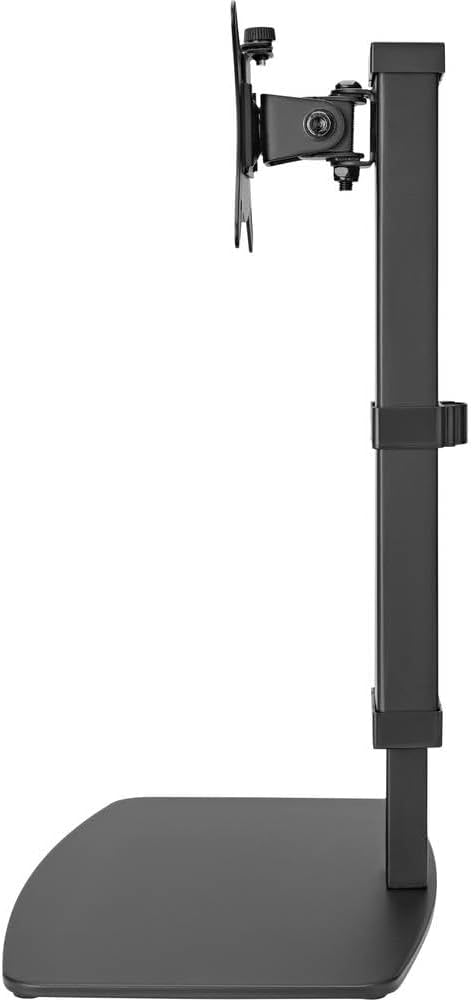
Rasm 3: Yon view of the monitor stand, illustrating the range of height adjustment possible with the vertical pole.
Tilt and Swivel Adjustment
The VESA plate allows for tilting and swiveling your monitor. Gently adjust the monitor to your preferred angle. The 360° rotation feature enables easy switching between landscape and portrait orientations.
Kabel boshqaruvi
Utilize the integrated cable clip on the rear of the stand's pole to route and secure your monitor and power cables. This helps maintain a clean and organized workspace.
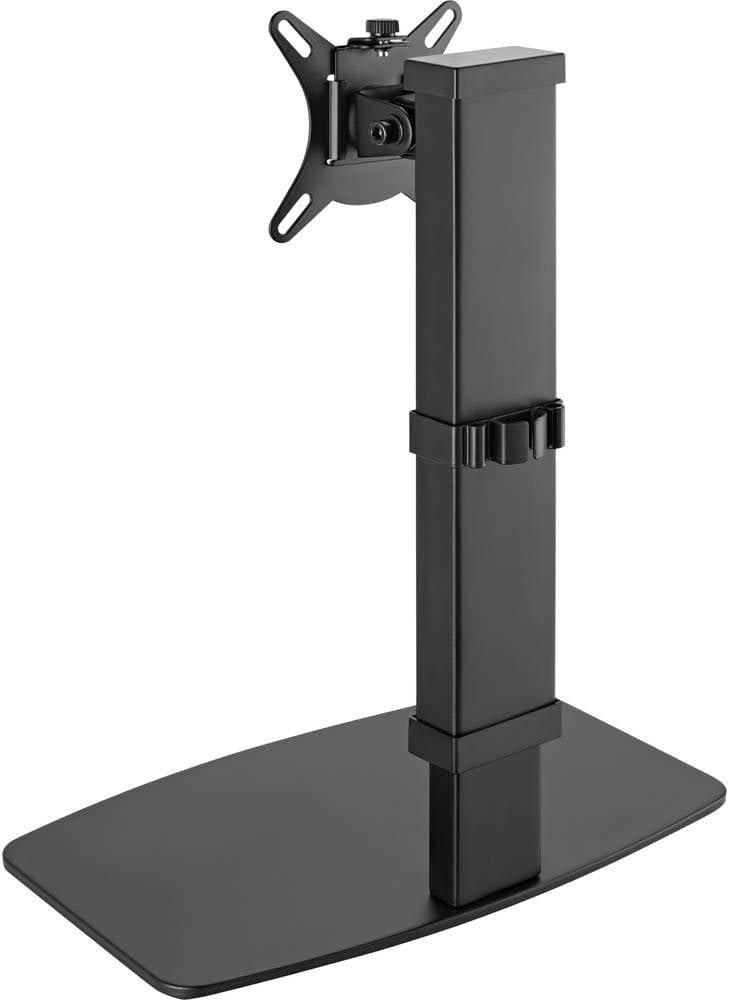
4-rasm: orqa view of the monitor stand, showing the cable management clip on the vertical pole.
6. Xizmat ko'rsatish
Regular maintenance ensures the longevity and optimal performance of your monitor stand.
- Tozalash: Stendni yumshoq, quruq mato bilan artib oling. O'jar belgilar uchun bir oz damp cloth with mild soap can be used, followed by drying. Avoid abrasive cleaners or solvents.
- Tekshiruvlar: Vaqti-vaqti bilan barcha vintlardek va ulanishlarni tekshirib turing, ular mahkam turishiga ishonch hosil qiling. Agar kerak bo'lsa, qayta torting.
- Harakat: Ensure the height adjustment mechanism moves smoothly. Do not force any adjustments.
7. Muammolarni bartaraf qilish; nosozliklarni TUZATISH
If you encounter issues with your monitor stand, consider the following common solutions:
- Stend beqaror: Ensure all assembly screws are securely tightened. Verify the monitor's weight and size are within the stand's specifications. Check that the anti-slip pads on the base are intact and making full contact with the surface.
- Balandlikni sozlashdagi qiyinchilik: Ensure the height locking mechanism is fully disengaged before attempting to adjust. Do not apply excessive force. Check for any obstructions.
- Monitor not level: Check that the VESA plate is securely attached to both the monitor and the stand. Adjust the tilt mechanism if necessary.
Muammo davom etsa, mijozlarni qo‘llab-quvvatlash xizmatiga murojaat qiling.
8. Texnik shartlar
| Brend | Speaka Professional |
| Model raqami | SP-10092880 |
| Mos qurilmalar | Monitors (17" to 32") |
| Balandlikni sozlash | 10 sozlash |
| VESA Plate Rotation | 360° |
| Rang | Various (typically black) |
9. Kafolat va qo'llab-quvvatlash
This Speaka Professional product comes with a 1 yillik kafolat for spare parts, as per the manufacturer's terms.
For technical support, warranty claims, or further assistance, please refer to the contact information provided with your purchase or visit the official Speaka Professional websayt.