
1. Kirish
Sotib olganingiz uchun tashakkurasing the LEVOIT LTF-F361-WEU Tower Fan. This manual provides important information regarding the safe operation, maintenance, and troubleshooting of your new fan. Please read this manual thoroughly before use and retain it for future reference.
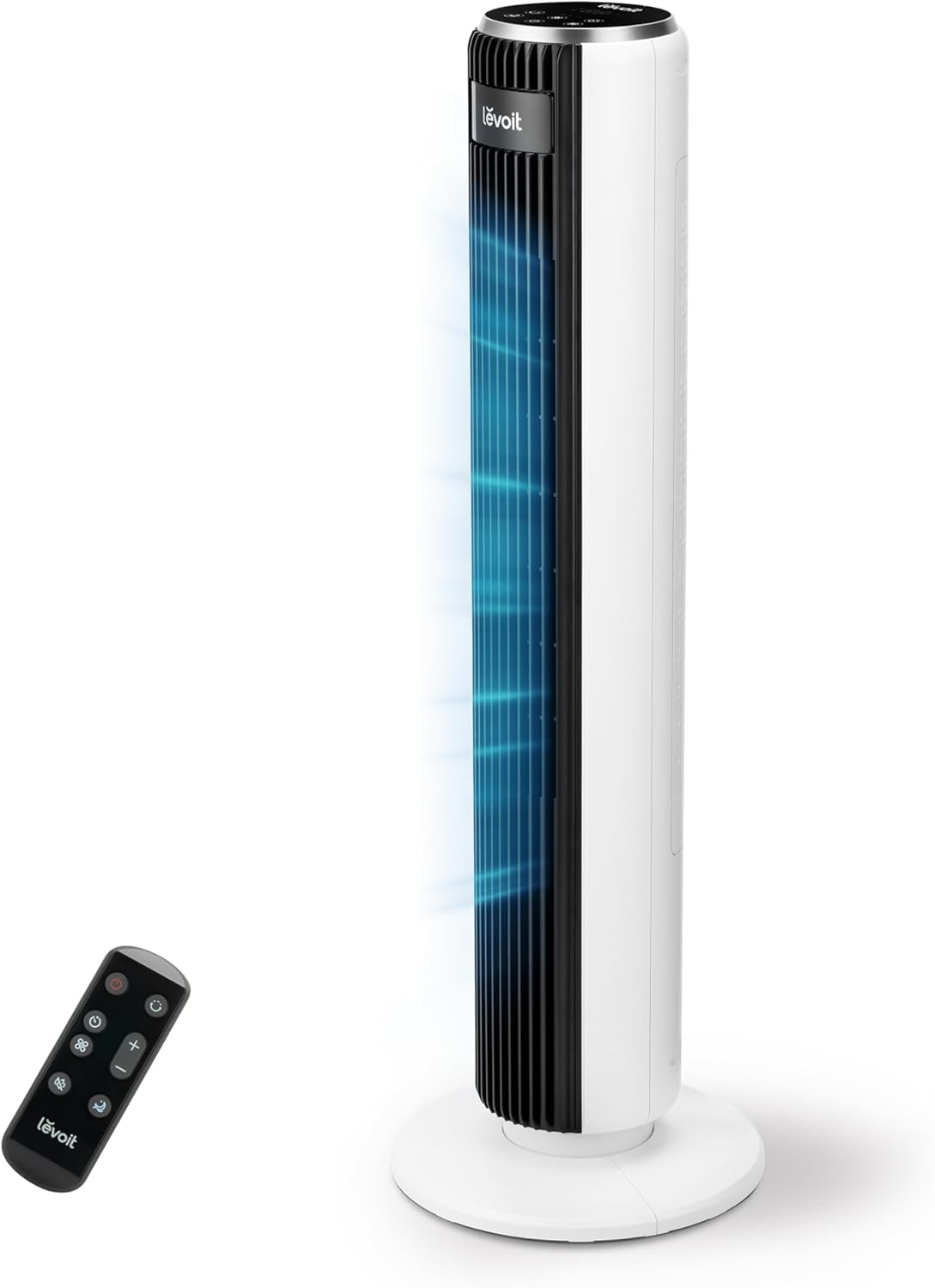
Image 1.1: The LEVOIT LTF-F361-WEU Tower Fan, a sleek and modern cooling device.
2. Xavfsizlik bo'yicha muhim ko'rsatmalar
To reduce the risk of fire, electric shock, or injury, please read and follow all instructions and warnings in this manual.
- Always place the fan on a stable, level surface.
- Fanni nam yoki d holda ishlatmangamp joylar, masalan, hammom.
- Ventilyatorni suv va boshqa suyuqliklardan uzoqroq tuting.
- Fan ishlayotgan vaqtda panjara ichiga barmoqlar yoki begona narsalarni kiritmang.
- Unplug the fan from the power outlet when not in use, when moving it, or before cleaning.
- Ventilyatorni shikastlangan sim yoki vilka bilan ishlatmang.
- Elektr simini isitiladigan yuzalardan uzoqroq tuting.
- Ushbu jihoz jismoniy, hissiy yoki aqliy qobiliyatlari cheklangan yoki tajribasi va bilimi kam bo'lgan shaxslar (jumladan, bolalar) tomonidan foydalanish uchun mo'ljallanmagan, agar ular xavfsizligi uchun mas'ul shaxs tomonidan nazorat qilinmagan yoki jihozdan foydalanish bo'yicha ko'rsatma berilmagan bo'lsa.
3. Paket tarkibi
Please check the package contents upon receipt. If any items are missing or damaged, contact customer support.
- LEVOIT LTF-F361-WEU Tower Fan
- Masofadan boshqarish
- Foydalanuvchi uchun qo'llanma
4. O'rnatish va yig'ish
The LEVOIT LTF-F361-WEU Tower Fan is designed for easy assembly. Follow these steps to set up your fan:
- Ventilyatorni o'ramidan chiqarib oling: Paketdagi barcha komponentlarni ehtiyotkorlik bilan olib tashlang.
- Baza yig'ish: The base is designed for straightforward attachment. Align the fan body with the base and secure it according to the instructions provided in the quick start guide (if applicable).
- Quvvatni ulash: Elektr simini mos keladigan elektr rozetkaga ulang.
The rear grille is detachable for easy cleaning, secured by a single nut.

4.1-rasm: tugadiview of the fan's control panel, remote control storage, and the detachable rear cover for maintenance.
5. Foydalanish bo'yicha ko'rsatmalar
Your LEVOIT Tower Fan offers multiple settings for personalized comfort. You can control the fan using the touch control panel on top or the included remote control.
5.1 Quvvatni yoqish/o‘chirish
Fanni yoqish yoki o'chirish uchun boshqaruv panelidagi yoki pultdagi quvvat tugmasini bosing.
5.2 fan tezligi
The fan features 5 adjustable speeds. Use the speed buttons on the control panel or remote to cycle through the speed settings (1-5).
5.3 Shamol rejimi
Select from 4 distinct wind modes to suit your preference:
- Oddiy rejim: Provides a constant airflow at your selected speed.
- Avtomatik rejim: Adjusts fan speed automatically based on ambient temperature, ensuring optimal comfort and energy efficiency.
- Kutish rejimi: Operates at a very low noise level (as low as 23 dB) with automatic display dimming for an undisturbed night's sleep.
- Turbo rejimi: Delivers the highest fan speed for rapid cooling.

Image 5.1: Illustration of the fan's Auto Mode, demonstrating how it adjusts speed based on room temperature for optimal comfort.

Image 5.2: The fan operating in Advanced Sleep Mode, providing quiet airflow (23 dB) for a comfortable night's rest.
5.4 Tebranish
Activate the 90° oscillation feature to distribute airflow across a wider area. This ensures comprehensive room coverage with a maximum range of 7 meters.

Image 5.3: The fan's 90-degree oscillation feature, illustrating how it provides wide-ranging cool air.
5.5 Taymer funksiyasi
Set the fan to automatically turn off after a specified period, up to 12 hours. Use the timer button on the control panel or remote to adjust the duration.
5.6 masofadan boshqarish pulti
The included remote control allows convenient operation from a distance. Ensure the remote has working batteries and is pointed towards the fan's receiver.
Video 5.4: Qisqacha oldindanview demonstrating the LEVOIT Tower Fan's oscillation feature and quiet operation. This video highlights the fan's movement and low noise level.
5.5-video: Rasmiy mahsulot videosiasing the various features and modes of the LEVOIT Tower Fan, including its quiet operation, multiple speeds, and oscillation.
6. Xizmat va tozalash
Regular cleaning helps maintain the performance and longevity of your fan.
6.1 Tashqi tozalash
- Tozalashdan oldin har doim fanni elektr tarmog'idan uzing.
- Tashqi yuzalarni yumshoq mato bilan artib oling, damp mato. Abraziv tozalash vositalarini yoki erituvchilarni ishlatmang.
- Ventilyatorni qayta ulashdan oldin uning to'liq quruqligiga ishonch hosil qiling.
6.2 Internal Cleaning (Detachable Rear Cover)
The rear cover is detachable for easy access to the internal components for cleaning.
- Fanni elektrdan uzing.
- Locate the single nut securing the rear cover and unscrew it.
- Carefully remove the rear cover.
- Use a soft brush or vacuum cleaner to remove dust and debris from the fan blades and internal components.
- The rear cover can be washed with water. Ensure it is completely dry before reattaching.
- Reattach the rear cover and secure it with the nut.

Image 6.1: Illustration of the detachable rear cover and internal fan components, highlighting the ease of cleaning.
7. Muammolarni bartaraf qilish; nosozliklarni TUZATISH
Agar fanatingiz bilan bog‘liq muammolarga duch kelsangiz, quyidagi umumiy muammolar va yechimlarga murojaat qiling:
| Muammo | Mumkin sabab | Yechim |
|---|---|---|
| Fan yoqilmaydi. | Elektr ta'minoti yo'q. | Elektr shnuri ishlaydigan rozetkaga mahkam ulanganligiga ishonch hosil qiling. O'chirish to'xtatuvchisini tekshiring. |
| Zaif havo oqimi. | Air inlet/outlet blocked or dirty. | Clean the air inlet and outlet grilles. Ensure there are no obstructions around the fan. |
| Fan noodatiy shovqin chiqaradi. | Foreign object inside or fan not on a level surface. | Unplug the fan and check for any foreign objects. Place the fan on a stable, level surface. |
| Masofadan boshqarish pulti ishlamayapti. | Batareyalar o'lik yoki noto'g'ri o'rnatilgan. | Replace the batteries with new ones, ensuring correct polarity. Point the remote directly at the fan. |
If the problem persists after trying these solutions, please contact LEVOIT customer support.
8. Texnik shartlar
| Xususiyat | Tafsilot |
|---|---|
| Model raqami | LTF-F361-WEU |
| Olchamlari (U x G x Y) | 16.51 x 16.51 x 91.95 sm |
| Og'irligi | 3.6 kilogramm |
| Quvvat | 39 vatt |
| jildtage | 220.0 V |
| Shovqin darajasi | 23 dB (lowest) - 28 dB (typical) |
| Shamol tezligi | 7 m/s gacha |
| Tebranish | 90 daraja |
| Taymer | 12 soat |
| Maxsus xususiyatlar | Portable, Automatic Shut-off Function, Remote Control |
9. Kafolat va mijozlarni qo'llab-quvvatlash
9.1 Kafolat haqida ma'lumot
LEVOIT taqdim etadi 2 yillik kafolat for this tower fan. This warranty covers defects in materials and workmanship under normal use. Please retain your proof of purchase for warranty claims.
9.2 Mijozlarni qo‘llab-quvvatlash
If you have any questions about your product, warranty, or need technical assistance, please contact LEVOIT customer support. Our professional team is ready to assist you.
For more information, visit the official LEVOIT websaytga kiring yoki mahalliy distribyutoringizga murojaat qiling.