
Angetube 913AI
Angetube 4K AI Webcam foydalanuvchi uchun qo'llanma
Model: 913AI
Brend: Angetube
Kirish
This manual provides detailed instructions for the Angetube 4K AI Webcam (Model 913AI). It covers product features, setup, operation, maintenance, troubleshooting, and technical specifications to ensure optimal performance and user experience.
Qutida nima bor
- Webkamera
- Masofadan boshqarish pulti
- USB 3.0 ulanish kabeli
- USB-C - USB-A adapteri
Mahsulot tugadiview va asosiy xususiyatlar

The Angetube 4K AI Webcam, shown with its remote control, USB 3.0 cable, and USB-C to USB-A adapter.
4K Sony CMOS Sensor
The webcam features a high-quality Sony CMOS sensor, delivering 3840x2160 UHD resolution at 30 fps or 1080p at 60fps. This sensor ensures vivid imagery with exceptional clarity, vibrant colors, and sharp details, even in low-light conditions due to its super high SNR (Signal-to-Noise Ratio) capability.
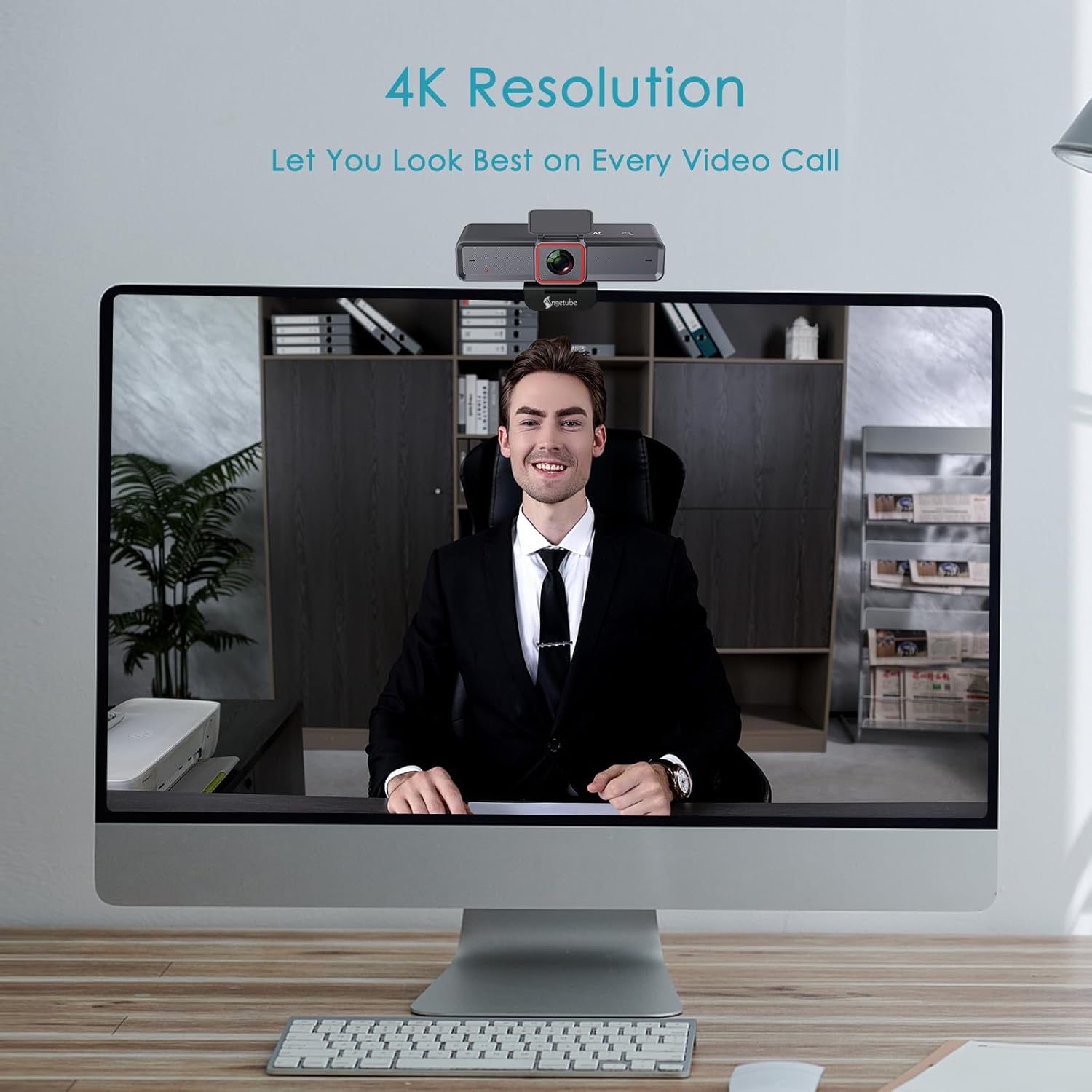
The webcam provides clear 4K resolution for video calls, ensuring high visual quality.
AI-Tracking with Auto-Framing
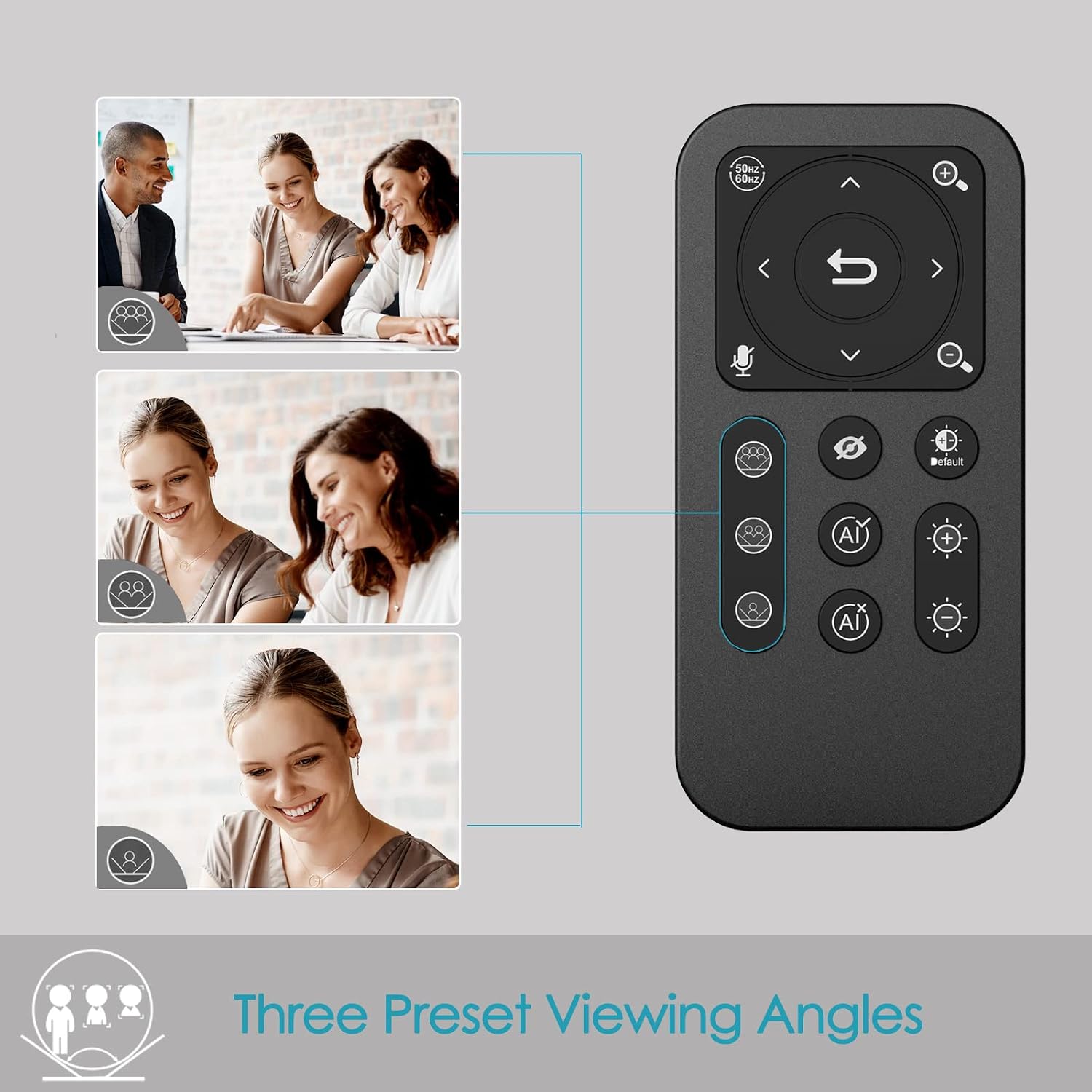
Advanced face detection AI automatically frames the video based on the number of participants, keeping the focus centralized. The presenter tracking feature intelligently follows the presenter as they move. AI functions can be activated via the remote control or touch switch.

The AI-tracking feature keeps the subject in frame, even when moving.
Demonstration of the 4K AI webcam's features, including 3DNR and true color reproduction, and remote control functionality.
Remote Control and 10X Digital Zoom
The included remote control allows for convenient operation away from the desk. Functions include activating/deactivating AI, 10X digital zoom, disabling video, muting the microphone, and flipping the image. Brightness can also be adjusted without software. Eslatma: To manually zoom, first turn off AI.

The webcam offers up to 10X digital zoom, controllable via the remote or touch controls.

The remote control provides access to various webcam functions, including AI mode, zoom, and privacy settings.
High-Speed USB 3.0 Connectivity
The webcam connects via a lightning-fast USB 3.0 port, providing a 5Gbps camera signal for maximum video performance without compression. It features a plug-and-play USB-C connector, requiring no driver installation.

The USB 3.0 interface ensures fast data transfer for smooth, high-quality video.
Clear Voice Pickup with Dual AI Noise-Cancelling Microphones
Built-in dual AI noise-cancelling microphones remove ambient sounds, ensuring clear voice pickup up to 5m/16ft. This feature enhances audio clarity for all participants.
HDR-Enabled
Activate HDR at 30FPS to enhance your stream with a full spectrum of vibrant colors. HDR improves the video's dynamic range and corrects over and underexposed areas, providing a more balanced image.
HDR mode provides perfect lighting and color balance in various environments.
O'rnatish uchun qo'llanma
1. Connecting the Webkamera
The Angetube 4K AI Webcam is designed for plug-and-play functionality. Simply connect the provided USB 3.0 cable from the webcam to an available USB 3.0 port on your computer. If your computer only has USB-C ports, use the included USB-C to USB-A adapter.
2. O'rnatish Webkamera
The webcam features an integrated mounting clip that can be securely placed on top of your monitor or laptop screen. Ensure the clip is stable and the webcam is level. Alternatively, the webcam is compatible with standard tripods for flexible placement.

The webcam can be mounted on a monitor or used with a tripod for versatile setup.
3. Initial Software Recognition
Upon connecting, your operating system should automatically recognize the webcam. No additional drivers are typically required. You can then select the Angetube 4K AI Webcam as your video and audio input device within your preferred video conferencing or streaming application.
Foydalanish bo'yicha ko'rsatmalar
Masofadan boshqarish pultidan foydalanish
The remote control provides comprehensive control over the webcam's features:
- AI Function On/Off: Toggle AI-tracking and auto-framing.
- Raqamli kattalashtirish: Use the zoom buttons to magnify the image up to 10X. Remember to turn off AI before manual zooming.
- Video Disable: Turn off the video feed for privacy.
- Mikrofon ovozini o'chirish: Mute the built-in microphones.
- Rasmni almashtirish: Adjust image orientation.
- Yorqinlikni sozlash: Control exposure for optimal lighting.
- ning maydoni View (FOV) Adjustment: Use arrow buttons to pan/tilt the view.
- Qayta tiklash tugmasi: Return FOV and zoom to default settings.
Touch Controls on Webkamera
The webcam also features touch-sensitive controls for quick adjustments:
- AI Touch On/Off: Activate or deactivate AI features by touching the designated area on the webkam
- Zoom Touch Adjustment: Fine-tune zoom levels directly from the webkam
Maxfiylik xususiyatlari
For enhanced privacy, the webcam includes a physical privacy cover that can be closed over the lens when not in use. Additionally, the remote control offers a one-touch button to disable the video feed.
Enhanced Control with Angetube Webkamera dasturiy ta'minot
For advanced settings and fine-tuning, Angetube provides dedicated webcam software. This software allows you to customize various parameters to ensure your webcam performs optimally for your specific needs.
Please visit the official Angetube website for software download and installation instructions. The software provides controls for brightness, contrast, saturation, white balance, and other image properties.
Moslik
The Angetube 4K AI Webcam is widely compatible with various operating systems and popular video conferencing platforms:
Operatsion tizimlar:
- Windows 7, 8, 10, 11
- Mac OS 10.6 yoki undan yuqori
- Linux
- Chrome OS
- Ubuntu
- Android V5.0 yoki undan yuqori
Video Calling Software:
- Kattalashtirish
- Skype
- FaceTime
- Microsoft jamoalari
- YouTube
- Hangouts
- LifeSize
- OBS
- Mikser
Xizmat
To ensure the longevity and optimal performance of your Angetube 4K AI Webkamera, quyidagi texnik ko'rsatmalarga amal qiling:
- Tozalash: Tozalash uchun yumshoq, quruq matodan foydalaning webkamera linzalari va korpusi. Sirtlarga zarar yetkazishi mumkin bo'lgan abraziv tozalagichlar yoki erituvchilardan saqlaning.
- Saqlash: Ishlatilmaganda, uni saqlang webcam in a cool, dry place, away from direct sunlight and extreme temperatures.
- Kabelni parvarish qilish: Handle the USB cable carefully. Avoid sharp bends or excessive pulling that could damage the cable or connectors.
- Dasturiy ta'minotni yangilash: Periodically check the Angetube official webmavjud bo'lgan har qanday dasturiy ta'minot yangilanishlari uchun sayt. Dasturiy ta'minotni yangilab turish unumdorlikni oshirishi va yangi funksiyalar qo'shishi mumkin.
Muammolarni bartaraf qilish; nosozliklarni TUZATISH
If you encounter issues with your Angetube 4K AI Webcam, refer to the following common troubleshooting steps:
- Rasm/video yo'q:
USB kabeli ikkalasiga ham mahkam ulanganligiga ishonch hosil qiling webcam and your computer. Try a different USB port or a different computer to rule out port or system issues.
ekanligini tasdiqlang webcam is selected as the primary video device in your application's settings (e.g., Zoom, Teams).
Jismoniy maxfiylik qopqog'i ochiq yoki yo'qligini tekshiring.
- Ovoz yo'q/Ovoz sifati yomon:
ni tasdiqlang webcam's microphone is selected as the audio input device in your application's settings.
Mikrofonning masofadan boshqarish pulti yoki dasturiy ta'minot orqali ovozi o'chirilmaganligiga ishonch hosil qiling.
Check your computer's sound settings to ensure the microphone input level is adequate.
- AI-Tracking Not Working:
Ensure the AI function is enabled via the remote control or the touch switch on the webkam
Make sure there is sufficient lighting and clear visibility of the subject for the AI to function correctly.
- Image Quality Issues (Blurry, Grainy, Incorrect Colors):
Check lighting conditions. Ensure adequate and balanced lighting in your environment.
Adjust brightness and HDR settings using the remote control or Angetube software.
ni tozalang webkam linzasini yumshoq, quruq mato bilan arting.
Ensure you are using a USB 3.0 port for optimal performance.
- Masofadan boshqarish pulti javob bermayapti:
Check the battery in the remote control and replace if necessary (CR2 battery).
Masofadan boshqarish pulti va pult o'rtasida hech qanday to'siqlar yo'qligiga ishonch hosil qiling webkam
- Haddan tashqari qizib ketish:
While some warmth is normal during operation, excessive heat could indicate an issue. Ensure the webcam has adequate ventilation and is not covered.
Haddan tashqari qizib ketish davom etsa, foydalanishni to'xtating va mijozlarni qo'llab-quvvatlash xizmatiga murojaat qiling.
If these steps do not resolve your issue, please refer to the "Warranty and Support" section for further assistance.
Texnik xususiyatlari
| Xususiyat | Tafsilot |
|---|---|
| Brend | Angetube |
| Model raqami | 913AI |
| Maksimal ekran o'lchamlari | 4K UHD (3840x2160) at 30fps, 1080p at 60fps |
| Fotosensor texnologiyasi | Sony CMOS |
| Ulanish texnologiyasi | USB 3.0 (USB-C plug) |
| Mikrofonlar | Dual AI Noise-Cancelling Microphones (up to 5m/16ft pickup) |
| Raqamli kattalashtirish | 10X |
| AI xususiyatlari | AI-Tracking, Auto-Framing, Presenter Tracking |
| HDR qo'llab-quvvatlash | Ha |
| Operatsion tizimning muvofiqligi | Windows 7/8/10/11, Mac OS X, Linux, Chrome OS, Ubuntu |
| Element og'irligi | 13.2 untsiya |
| Mahsulot o'lchamlari (LxWxH) | 5.14 x 1.93 x 2.74 dyuym |
| Batareyalar (masofaviy) | 1 ta CR2 batareyasi (qo'shilgan) |
Kafolat va qo'llab-quvvatlash
Angetube offers comprehensive customer support for its products. For warranty information, technical assistance, or further inquiries, please visit the official Angetube websayt yoki mijozlarga xizmat ko'rsatish guruhiga murojaat qiling.
Quick response within 24 hours.
Almashtirish yoki pulni qaytarish uchun 30 kun ichida qaytaring.
Mijozlarga umrbod texnik yordam.
Batafsil ma'lumot va aloqa ma'lumotlarini sahifada topishingiz mumkin Angetube Store on Amazon.
Ask a question about this manual
Ask about setup, troubleshooting, compatibility, parts, safety, or missing instructions. Manuals+ will review the question and use this page’s manual context to help answer it.