
1. Kirish
The Phanteks D30-120 is a high-performance 120mm case fan designed for optimal cooling and aesthetic appeal in modern computer systems. It features integrated D-RGB lighting visible from all sides, a unique fan linking system to reduce cable clutter, and a robust 30mm thick frame with aerodynamic blades for superior airflow and pressure. This manual provides essential information for the proper installation, operation, and maintenance of your Phanteks D30-120 fans.
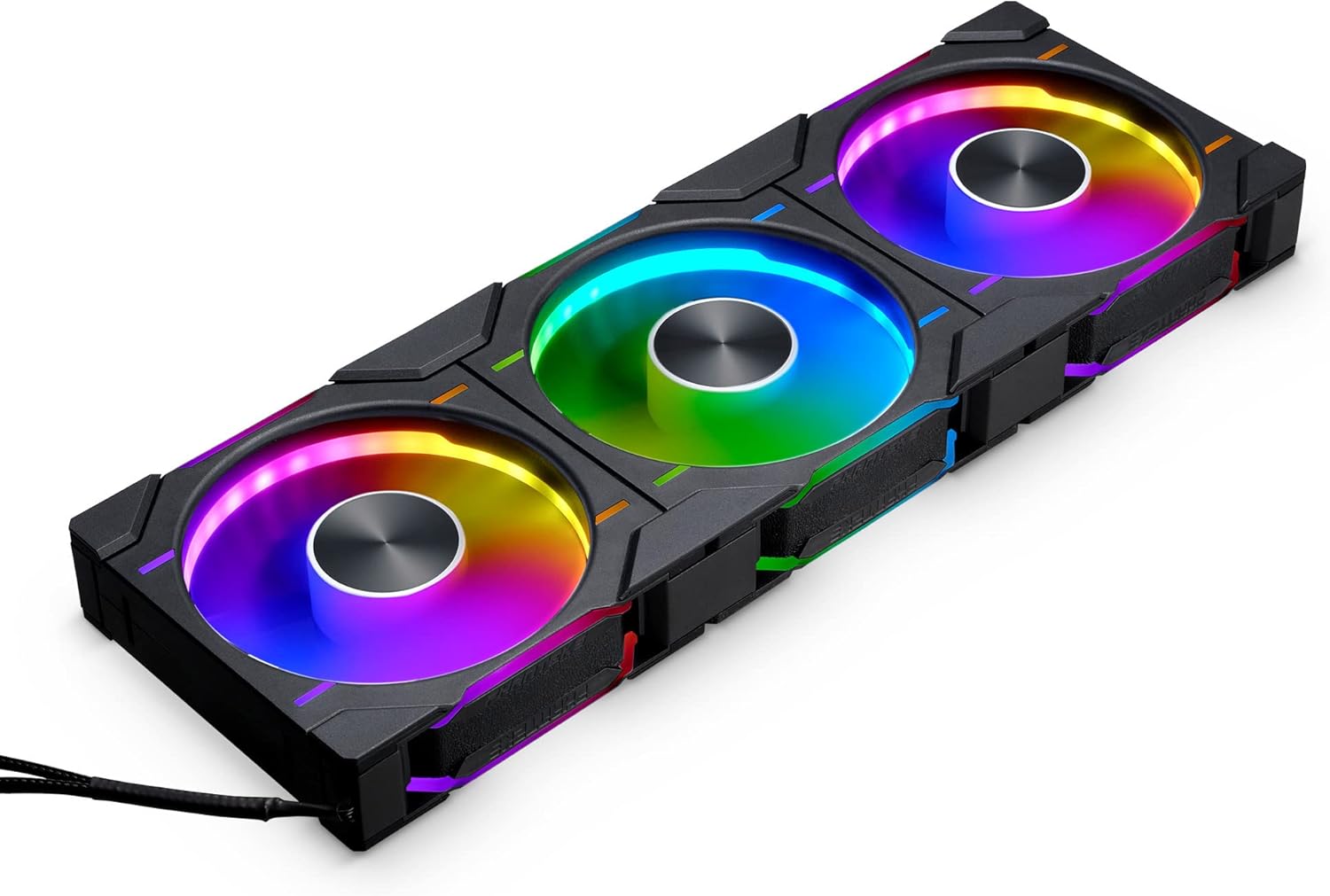
Image: A set of three Phanteks D30-120 fans showcasing their integrated D-RGB lighting and linked design.
2. Asosiy xususiyatlar
- Integrated D-RGB Lighting: Equipped with D-RGB lighting throughout its frame and blades on all sides, offering vibrant illumination. Compatible with Digital-RGB equipped motherboards and Phanteks Digital-RGB products.
- Easy and Clean Fan Linking System: Multiple D30-120 fan frames can be linked together as one unit using bridge connectors and screw cover plates, significantly reducing cable clutter for a cleaner build.
- Optimallashtirilgan ishlash: Features a 30mm thick frame and aerodynamic fan blades, inspired by the T30 fan, to provide excellent air pressure and airflow (up to 64.3 CFM) even through restrictive meshes or radiators.
- Versatile Airflow Models: Available in both regular and reversed airflow models, allowing for flexible fan configurations to suit any system layout without compromising the lighting effect.
- Fluid Dynamic Bearing (FDB): Ensures quiet operation and extended lifespan (MTBF of 50,000 hours at 40°C).
3. Paket tarkibi
Before installation, please verify that all components are present in your package:
- Phanteks D30-120 D-RGB PWM Fan(s)
- O'rnatish vintlari
- Bridge Connectors
- Screw Cover Plates
- PWM Fan Cable (4-Pin)
- D-RGB Cable (3-Pin JST Daisy-chain)
- Qo'llanma

Image: Contents of the Phanteks D30-120 fan package, showing three fans, various cables, mounting screws, and linking accessories.
4. O'rnatish va o'rnatish
Follow these steps for proper installation of your Phanteks D30-120 fans:
- Plan Fan Placement: Determine the optimal placement for your fans within your PC case. Consider airflow direction (intake or exhaust) and choose between regular or reversed airflow models accordingly.
- Link Multiple Fans (Optional): If installing multiple fans together, align them and use the provided bridge connectors to physically link them. This creates a single, cohesive unit and simplifies cable management. Secure the screw cover plates over the bridge connectors for a clean look.

Image: Multiple Phanteks D30-120 fans connected using the easy linking system, minimizing visible cables.
- Mount the Fans: Secure the fan(s) to your PC case or radiator using the provided mounting screws. Ensure the fans are oriented correctly for your desired airflow.
- Connect Power (PWM): Connect the 4-Pin PWM fan cable from the fan unit (or the last fan in a linked series) to an available 4-Pin fan header on your motherboard. This allows for speed control.
- Connect D-RGB Lighting: Connect the 3-Pin JST D-RGB daisy-chain cable from the fan unit to a compatible 3-Pin Digital-RGB header on your motherboard or a Phanteks D-RGB controller.

Image: The D-RGB and PWM cables of the Phanteks D30-120, illustrating compatibility with Digital-RGB motherboards and Phanteks D-RGB products.
- Kabelni boshqarish: Route all cables neatly to ensure optimal airflow and a clean build aesthetic.

Rasm: sobiqample of a perfectly set up PC with Phanteks D30-120 fans, demonstrating their aesthetic integration and D-RGB effects.
5. Foydalanish bo'yicha ko'rsatmalar
Once installed, the Phanteks D30-120 fans operate as follows:
- Fan tezligini nazorat qilish: The 4-Pin PWM connection allows your motherboard or fan controller to dynamically adjust the fan speed (250-2000 RPM) based on system temperature, optimizing cooling performance and noise levels.
- D-RGB Lighting Control: The D-RGB lighting can be controlled via your motherboard's RGB software (e.g., ASUS Aura Sync, MSI Mystic Light, Gigabyte RGB Fusion, ASRock Polychrome Sync) or a dedicated Phanteks D-RGB controller. This allows for customization of colors, effects, and synchronization with other D-RGB components.

Rasm: batafsil view of the D-RGB lighting on the Phanteks D30-120 fan, highlighting its visibility from all angles.
- Havo oqimi yo'nalishi: Ensure the fans are pushing air in the intended direction for your cooling setup. Regular models typically push air from the front (logo side) to the back, while reversed models push air from the back to the front.
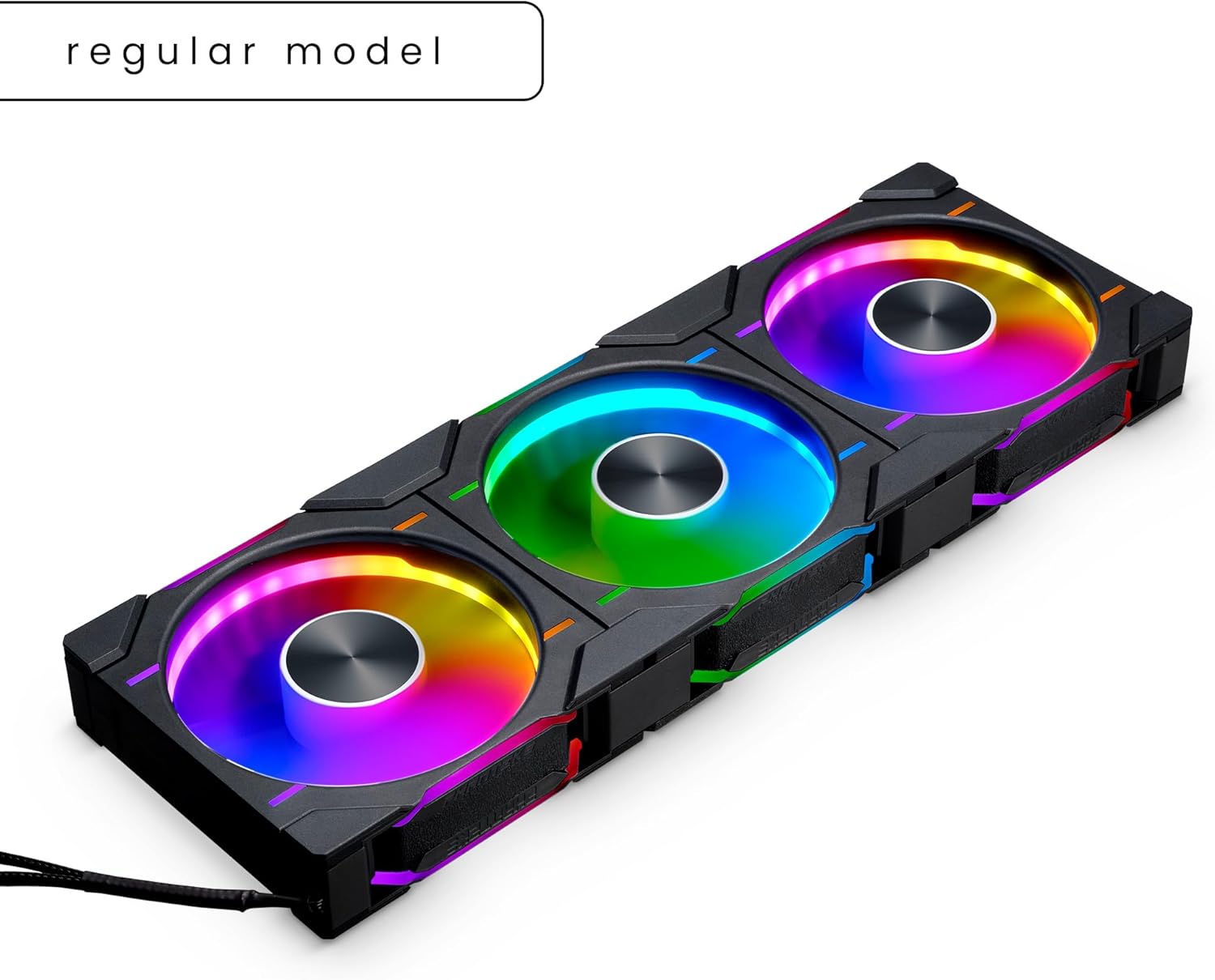
Image: A regular model of the Phanteks D30-120 fan, illustrating its standard airflow direction.
6. Xizmat ko'rsatish
To ensure optimal performance and longevity of your Phanteks D30-120 fans, periodic maintenance is recommended:
- Changni tozalash: Regularly inspect the fan blades and frame for dust accumulation. Use compressed air or a soft brush to gently remove dust. Ensure the fan is powered off before cleaning.
- Kabelni tekshirish: Periodically check all cable connections (PWM and D-RGB) to ensure they are securely seated.
- Bearing Noise: While Fluid Dynamic Bearings are designed for quiet operation, listen for any unusual noises. Excessive noise might indicate an issue requiring further inspection.
7. Muammolarni bartaraf qilish; nosozliklarni TUZATISH
If you encounter issues with your Phanteks D30-120 fans, refer to the following common troubleshooting steps:
- Ventilyator aylanmayapti:
- Ensure the 4-Pin PWM cable is securely connected to the motherboard fan header.
- Check your motherboard's BIOS/UEFI settings or fan control software to ensure the fan header is enabled and configured correctly.
- Verify that your power supply is providing adequate power to the system.
- D-RGB Lighting Not Working/Incorrect Colors:
- Ensure the 3-Pin JST D-RGB cable is correctly connected to a compatible Digital-RGB header (5V, not 12V RGB).
- Check your motherboard's RGB software or Phanteks D-RGB controller settings.
- If multiple fans are linked, ensure all bridge connectors are properly seated.
- Haddan tashqari shovqin:
- Check for any obstructions (cables, dust) interfering with the fan blades.
- Ventilyatorning mahkam o'rnatilganligiga va korpusga tebranmasligiga ishonch hosil qiling.
- Adjust fan speed settings in your motherboard's BIOS/UEFI or fan control software.
8. Texnik shartlar
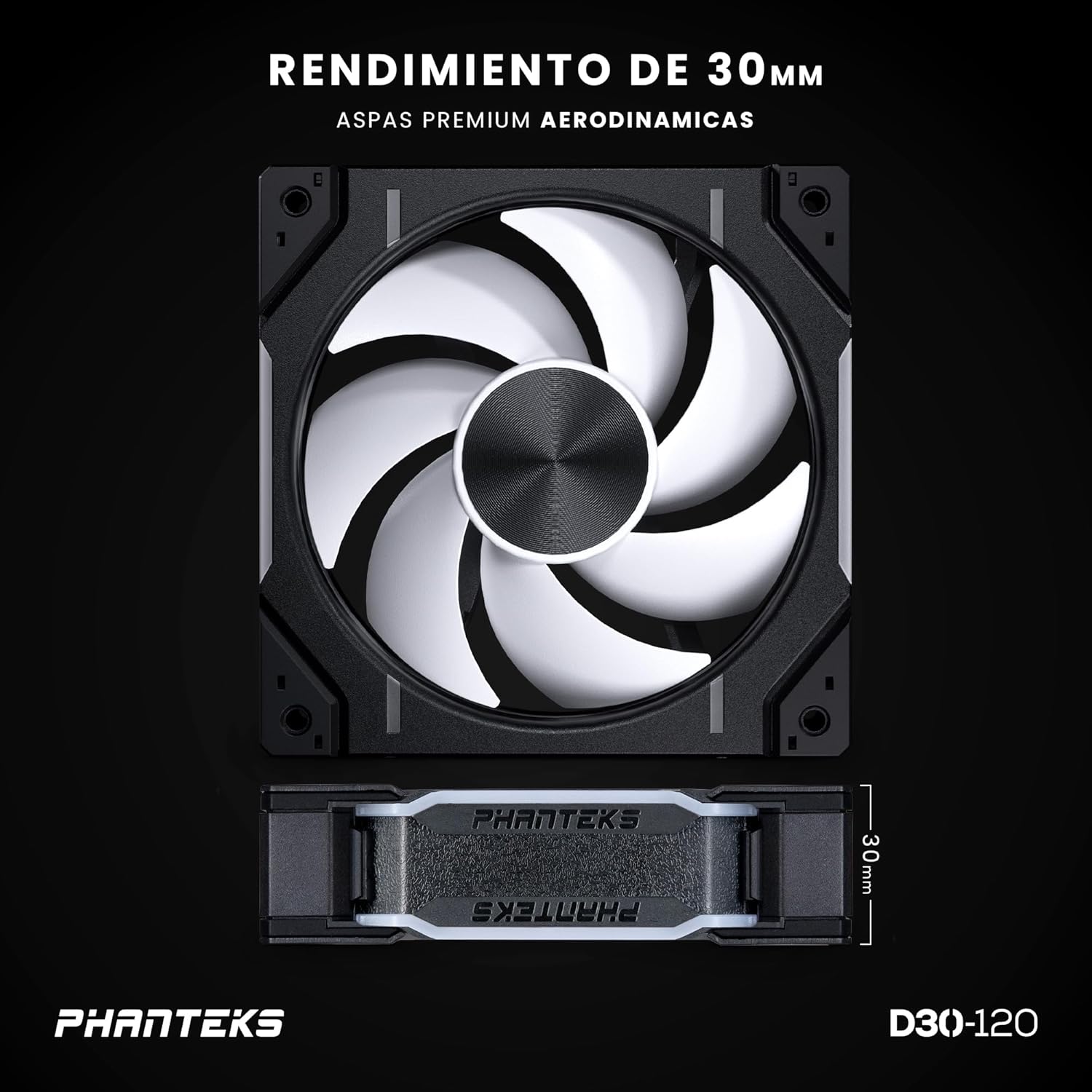
Image: The Phanteks D30-120 fan, highlighting its 30mm thickness and aerodynamic blades for enhanced performance.
| Xususiyat | Spetsifikatsiya |
|---|---|
| Model raqami | PH-F120D30_DRGB_PWM_BK01_3P |
| Turi | Case fanati |
| Fan hajmi | 120 x 120 x 30 mm |
| Rulman turi | FDB (Suyuqlikning dinamik rulmanlari) |
| Baholangan jildtage (fan) | 12V |
| Baholangan jildtage (LED) | 5V |
| Operatsion jildtage diapazoni | 5 ~ 13.2 V |
| PWM nazorati | Ha |
| Nominal oqim (fan) | 0.15A |
| Rated Current (LED Max) | 0.45A |
| Quvvat iste'moli | ≤ 1.8 Vt |
| Tezlik | 250-2000 ± 10% aylanish tezligi |
| Maks. Havo oqimi | 64.3 CFM |
| Maks. Havo bosimi | 3.01 mm H2O |
| Shovqin darajasi | 30.2 dB(A) |
| Fan ulagichi | 4-PIN-PWM |
| Fan kabelining uzunligi | 700 mm / 27.56 dyuym |
| D-RGB Connector | 3-Pin JST Daisy-chain |
| D-RGB Cable Length | 600+100 mm / 23.62+3.94 in |
| LED raqami | 32 (D-RGB) |
| MTBF (Life Expectancy) | 50,000 hrs at 40°C |
| Materiallar | PBT (Polybutylene terephthalate), Copper |
| Rang | Black (Fan Frame), White Matte (Blade) |
9. Kafolat va qo'llab-quvvatlash
Phanteks products are manufactured to the highest quality standards. This product is covered by a manufacturer's warranty against defects in materials and workmanship. For specific warranty terms and conditions, please refer to the official Phanteks websayti yoki mijozlarni qo'llab-quvvatlash xizmatiga murojaat qiling.
For technical assistance, troubleshooting, or warranty claims, please visit the official Phanteks support page or contact their customer service department. Keep your proof of purchase for warranty validation.
- Phanteks Official Websayt: www.phanteks.com
- Qo'llab-quvvatlash bilan bog'lanish: Rasmiy veb-saytdagi qo'llab-quvvatlash bo'limiga qarang webaloqa ma'lumotlari uchun sayt.