
Kirish
This manual provides essential information for the safe and effective use of your Paladone Green Xbox Icons Light. Please read these instructions carefully before use and retain them for future reference.

The Paladone Green Xbox Icons Light, featuring the iconic Xbox logo and sphere, illuminated in a vibrant green hue.
Xavfsizlik ma'lumotlari
- Bolalar qo'li etmaydigan joyda saqlang: Ushbu mahsulot o'yinchoq emas.
- Faqat bino ichida foydalanish: Yomg'ir yoki namlikka ta'sir qilmang.
- Quvvat manbai: Use only the provided USB cable or 3x AAA batteries. Do not mix old and new batteries, or different types of batteries.
- Haddan tashqari haroratdan saqlaning: Do not operate in excessively hot or cold environments.
- Tozalash: Disconnect from power before cleaning. Use a soft, dry cloth. Do not use liquid cleaners.
- Utilizatsiya qilish: Dispose of batteries and the product responsibly according to local regulations.
Paket tarkibi
Qutini ehtiyotkorlik bilan oching va barcha narsalar mavjudligiga ishonch hosil qiling:
- 1 x Paladone Green Xbox Icons Light Unit
- 1 x USB quvvat kabeli

The product packaging, indicating the Xbox Icons Light and its features.
Sozlash; o'rnatish
Your Xbox Icons Light can be powered by either the included USB cable or 3x AAA batteries (not included).
Powering via USB:
- Insert the small end of the USB cable into the USB port on the back of the light unit.
- Insert the large end of the USB cable into a powered USB port (e.g., computer, USB wall adapter, game console).
Powering via Batteries:
- Locate the battery compartment on the underside of the light unit.
- Batareya bo'limi qopqog'ini oching.
- To'g'ri kutupluluğa (+/-) ishonch hosil qilib, 3 ta AAA batareyasini joylashtiring.
- Batareya bo'limi qopqog'ini mahkam yoping.

The Xbox Icons Light can be powered using the included USB cable or 3x AAA batteries (not included).
Foydalanish bo'yicha ko'rsatmalar
The Xbox Icons Light features a power button, typically located on the base or side of the unit. Press this button to cycle through the available lighting modes.
Yoqish/o'chirish uchun:
- Chiroqni yoqish uchun quvvat tugmasini bir marta bosing.
- Continue pressing the power button to cycle through the lighting modes.
- Press the power button after the last lighting mode to turn the light off.

The Xbox Icons Light offers dynamic phasing and pulsing light modes for varied visual effects.
Yoritish rejimlari
The Paladone Green Xbox Icons Light offers three distinct lighting modes:
- Standart rejim: The light remains steadily illuminated.
- Shifting Mode: The light transitions between different brightness levels or sections.
- Pulsatsiya rejimi: The light gently pulses, creating a dynamic effect.
Press the power button repeatedly to switch between these modes.
Xizmat
Tozalash:
- Ensure the light is turned off and disconnected from any power source before cleaning.
- Sirtni yumshoq, quruq, tuklarsiz mato bilan artib oling.
- Do not use abrasive cleaners, solvents, or harsh chemicals, as these may damage the finish.
Batareyani almashtirish:
- If using batteries, replace all three AAA batteries when the light dims or stops functioning.
- Follow the instructions in the 'Powering via Batteries' section under 'Setup' for safe battery replacement.
- Always dispose of used batteries according to local environmental guidelines.
Muammolarni bartaraf qilish; nosozliklarni TUZATISH
| Muammo | Mumkin sabab | Yechim |
|---|---|---|
| Chiroq yoqilmaydi. | No power supply or depleted batteries. | Check USB cable connection or replace AAA batteries. |
| Yorug'lik xira yoki miltillaydi. | Kam batareya quvvati. | Replace AAA batteries or use USB power. |
| Cannot change lighting modes. | Power issue or button malfunction. | Barqaror quvvatni ta'minlang. Agar muammo davom etsa, qo'llab-quvvatlash xizmatiga murojaat qiling. |
Texnik xususiyatlari
| Xususiyat | Tafsilot |
|---|---|
| Model raqami | PP8961XB |
| Olchamlari (U x G x Y) | 12.45 x 4.92 x 2.91 dyuym (31.8 sm x 12.5 sm x 7.4 sm) |
| Element og'irligi | 16 untsiya (taxminan 453 gramm) |
| Material | Plastik |
| Quvvat manbai | USB Cable (included) or 3x AAA Batteries (not included) |
| Lampochka turi | LED |
| Chiroqlar soni | 1 |
| jildtage | Operates on low voltage DC (5V via USB, 4.5V via AAA batteries). Listed specification: 230 Volts (AC) for power adapter compatibility (adapter not included). |
| Maxsus xususiyatlar | Dynamic Phasing and Pulsing Light Modes |
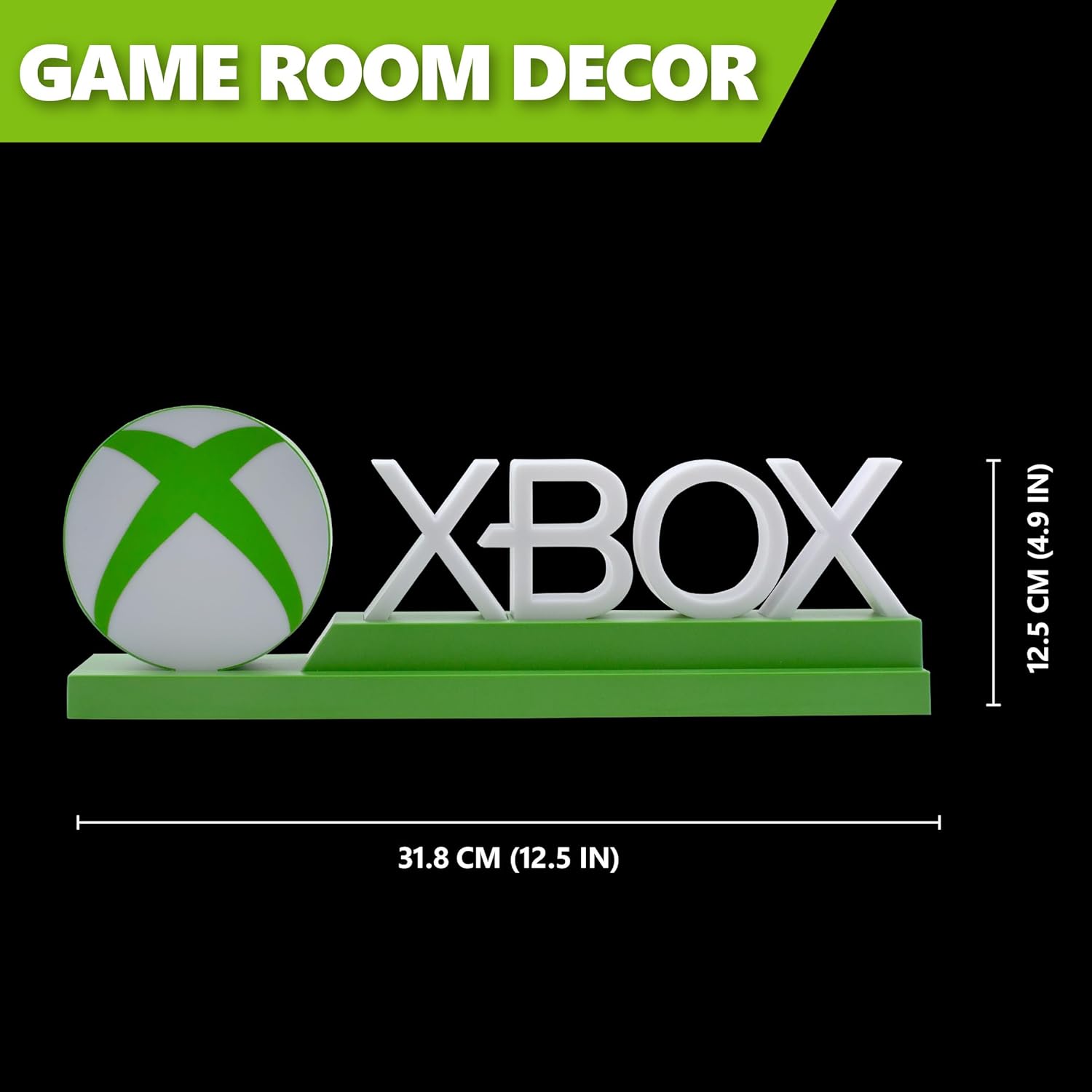
Detailed dimensions of the Xbox Icons Light, measuring 31.8 cm (12.5 inches) in width and 12.5 cm (4.9 inches) in height.
Kafolat va qo'llab-quvvatlash
For warranty information, product support, or to inquire about replacement parts, please refer to the retailer where the product was purchased or visit the official Paladone websayt. Kafolat da'volari uchun xaridingizni tasdiqlovchi hujjatingizni saqlang.
Paladone Official Websayt: www.paladone.com