
1. Kirish
This manual provides essential information for the safe and efficient use of your Skyworth 75SUE9350F 75-inch 4K UHD Google TV. Please read it thoroughly before operating the device and retain it for future reference.
The Skyworth 75SUE9350F is a 75-inch 4K UHD Smart LED TV designed to deliver an immersive viewing experience. It features a Chameleon Extreme 2.0 processor for exceptional clarity and detail, complemented by MEMC technology for smooth motion handling. The television supports Dolby Vision IQ, which intelligently optimizes picture quality based on the content and ambient light conditions. Powered by Google TV, it offers access to a vast library of streaming content, including movies, TV shows, music, and games. The integrated Google Assistant allows for convenient voice control, while built-in Chromecast enables seamless content casting from your mobile devices. Additional features include a dedicated Game Mode for enhanced gaming performance, a Health Platform for fitness and wellness content, and a built-in web browser for internet access.
2. Xavfsizlik ma'lumotlari
Always follow these basic safety precautions when using your television:
- Quvvat manbai: Televizor belgilangan quvvat manbaiga ulanganligiga ishonch hosil qilingtage range (100-240V AC, 50/60Hz).
- Ventilyatsiya: Shamollatish teshiklarini to'sib qo'ymang. Haddan tashqari qizib ketishining oldini olish uchun televizor atrofida havo oqimini to'g'ri ta'minlash uchun yetarli joy qoldiring.
- Suv va namlik: Do not expose the TV to rain, moisture, or excessive humidity. Keep liquids away from the device.
- Tozalash: Tozalashdan oldin televizorni elektrdan uzing. Yumshoq, quruq matodan foydalaning. Suyuq tozalagichlar yoki aerozol spreylaridan saqlaning.
- Joylashtirish: Place the TV on a stable, level surface or mount it securely to a wall using a VESA-compliant bracket (800 x 400 mm). Ensure children cannot climb on or pull down the TV.
- Chaqmoq: Chaqmoqli bo'ron paytida yoki uzoq vaqt foydalanilmaganda televizorni elektr tarmog'idan uzing.
- Xizmat ko'rsatish: Televizorga o'zingiz xizmat ko'rsatishga urinmang. Barcha xizmat ko'rsatish ishlarini malakali xizmat ko'rsatish xodimlariga topshiring.
3. Qutida nima bor
Carefully unpack your television and check that all the following items are included:
- Skyworth 75SUE9350F 75-inch 4K UHD Google TV
- Remote Control (requires AAA batteries)
- Quvvat kabeli
- Base Stand (2 pieces)
- Foydalanuvchi uchun qo'llanma (ushbu hujjat)
- Screws for Base Stand
4. Sozlash
4.1 Attaching the Base Stand
If you are not wall-mounting the TV, attach the included base stand:
- Place the TV screen-down on a soft, clean surface to prevent damage.
- Har bir stend qismini televizorning pastki qismidagi mos keladigan uyalar bilan tekislang.
- Har bir tayanch qismini berilgan vintlar bilan mahkamlang. Ularning mahkam tortilganligiga ishonch hosil qiling.
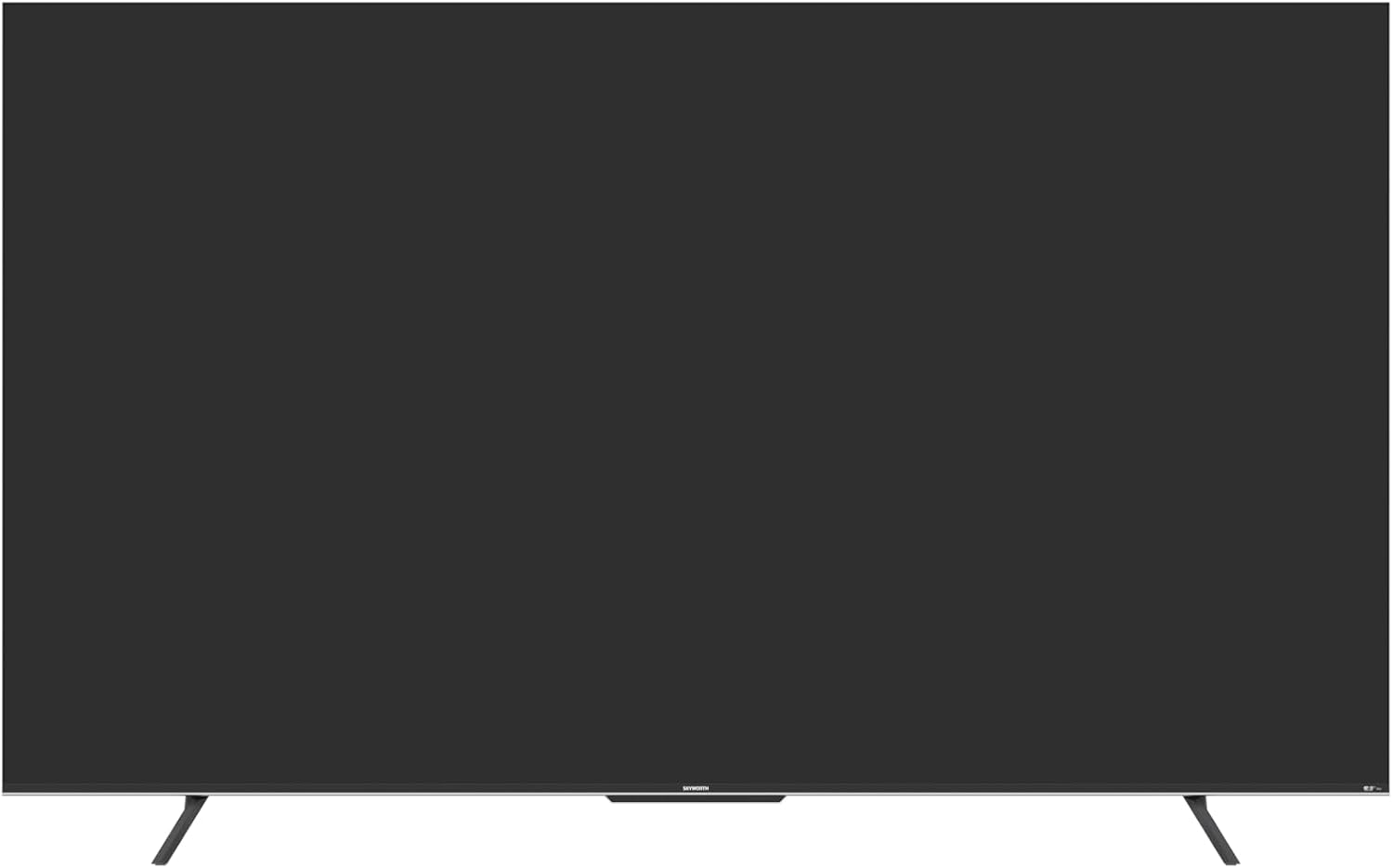
4.1-rasm: Old view of the Skyworth 75SUE9350F TV with the base stand attached.
4.2 Devorga o'rnatish (ixtiyoriy)
If you choose to wall-mount your TV, ensure you use a VESA-compliant wall mount (800 x 400 mm) and follow the instructions provided with your wall mount. Remove the base stand before wall mounting.

Figure 4.2: Dimensional diagram of the Skyworth 75SUE9350F TV, useful for planning wall mount placement.
4.3 Qurilmalarni ulash
Connect your external devices (e.g., Blu-ray player, game console, soundbar) to the TV's ports. Refer to the side view port joylashuvi uchun rasm.

4.3-rasm: yon view of the Skyworth 75SUE9350F TV, highlighting the various connectivity ports including HDMI, USB, and Ethernet.
- HDMI portlari: Connect high-definition devices like game consoles or streaming boxes. This TV features multiple HDMI ports.
- USB portlari: Connect USB storage devices for media playback. This TV has 2 USB ports.
- Ethernet porti: Simli internet ulanishi uchun.
- Optik audio chiqishi: Soundbar yoki audio qabul qilgichga ulanish uchun.
4.4 Dastlabki yoqish va Google TV sozlamalari
- Quvvat simini televizorga, keyin esa rozetkaga ulang.
- Masofadan boshqarish pultidagi yoki televizorning o'zida quvvat tugmasini bosing.
- Follow the on-screen instructions to complete the initial setup, including language selection, network connection (Wi-Fi or Ethernet), and Google account sign-in for Google TV features.
5. Televizoringizni boshqarish
5.1 Masofadan boshqarish funksiyalari
The included Bluetooth remote control allows you to navigate the Google TV interface and control your television. Insert two AAA batteries into the remote control.
- Quvvat tugmasi: Televizorni yoqadi yoki o'chiradi.
- Google Assistant tugmasi: Activates voice control. Press and hold to speak commands.
- Navigatsiya paneli: Use up, down, left, right to move through menus. Press the center button to select.
- Orqaga tugmasi: Oldingi ekranga qaytadi.
- Uy tugmasi: Google TV bosh ekraniga qaytadi.
- Tovush +/-: Ovoz balandligini sozlaydi.
- Kanal +/-: Telekanallarni o'zgartiradi.
- Ilova yorliqlari: Dedicated buttons for popular streaming services like Netflix, Prime Video, Disney+, and YouTube.
5.2 Google TV interfeysi
Google TV organizes your favorite content from various streaming services into one personalized home screen. You can browse recommendations, search for titles, and access your installed apps.
5.3 Rasm va ovoz sozlamalari
O'zingizni sozlash uchun sozlamalar menyusiga kiring viewtinglash va tinglash tajribasi:
- Rasm rejimlari: Select from various preset modes (e.g., Standard, Vivid, Movie, Game) or customize settings like brightness, contrast, and color.
- Dolby Vision IQ: This feature automatically adjusts picture settings based on ambient light and content type for optimal viewing.
- Ovoz rejimlari: Oldindan o'rnatilgan ovoz pro-dan tanlangfiles (e.g., Standard, Music, Movie) or adjust equalizer settings. The TV supports Dolby Vision and DTS Virtual X for enhanced audio.
- MEMC (Harakatni baholash, Harakatni kompensatsiya qilish): Improves motion clarity in fast-moving scenes.
5.4 Chromecast o'rnatilgan
Cast content directly from your compatible smartphone, tablet, or computer to your TV. Look for the Cast icon within supported apps.
5.5 O'yin rejimi
Activate Game Mode for reduced input lag and optimized picture settings when playing video games.
6. Xizmat ko'rsatish
Proper care ensures the longevity of your TV:
- Ekranni tozalash: Ekranni yumshoq, tuklarsiz mato bilan sekin artib oling. O'jar belgilar uchun biroz damplattaga suv yoki maxsus ekran tozalash vositasi (hech qachon to'g'ridan-to'g'ri ekranga sepmang).
- Shkafni tozalash: Televizor shkafini yumshoq, quruq mato bilan artib oling.
- Changni tozalash: Regularly dust the ventilation openings to prevent dust buildup.
- Qattiq kimyoviy moddalardan saqlaning: Do not use abrasive cleaners, waxes, or solvents as they can damage the TV's finish.
7. Muammolarni bartaraf qilish; nosozliklarni TUZATISH
Before contacting support, try these common troubleshooting steps:
| Muammo | Mumkin sabab / yechim |
|---|---|
| Quvvat yo'q | Check if the power cable is securely connected to the TV and the power outlet. Ensure the outlet is working. Try a different power outlet. |
| Rasm yo'q, lekin ovoz mavjud | Ensure the correct input source is selected. Check HDMI/AV cable connections. Try a different HDMI port or cable. |
| Ovoz yo'q, lekin rasm mavjud | Check the volume level and ensure the TV is not muted. Verify audio cable connections. If using external speakers, check their power and connections. |
| Masofadan boshqarish pulti ishlamayapti | Replace the AAA batteries in the remote. Ensure there are no obstructions between the remote and the TV. Re-pair the Bluetooth remote if necessary (refer to TV settings). |
| Wi-Fi tarmog‘iga ulanib bo‘lmadi | Check your router and modem. Ensure the Wi-Fi password is correct. Try restarting your router. Move the TV closer to the router or use a wired Ethernet connection. |
| Picture is distorted or blurry | Check the resolution settings of your connected device. Ensure the input source is providing a high-quality signal. Adjust picture settings on the TV. |
8. Texnik shartlar
Below are the technical specifications for the Skyworth 75SUE9350F TV:
| Model nomi | 75SUE9350F |
| Brend | Skyworth |
| Ekran o'lchami | 75 dyuym |
| Displey texnologiyasi | LED |
| Rezolyutsiya | 4K UHD (3840 x 2160) |
| Yangilanish tezligi | 60 Gts |
| Operatsion tizim | Google TV |
| Protsessor | Chameleon Extreme 2.0 |
| Tasvirni yaxshilash | Dolby Vision IQ, MEMC |
| HDR qo'llab-quvvatlash | Dolby Vision, HDR10 |
| Ovoz chiqishi | 2.0 Channel, 16W per channel |
| Audio texnologiyasi | Dolby Vision, DTS Virtual X |
| Ulanish | HDMI (multiple ports), USB (2 ports), Ethernet, Bluetooth |
| Simsiz ulanish | Wi-Fi, Bluetooth |
| Xotirani saqlash | 16 GB |
| Quvvatlantirish manbai | AC 100-240V, 50/60Hz |
| Mahsulot o'lchamlari (stend bilan) | 166.7 sm (W) x 96.4 sm (Y) x 36.31 sm (D) |
| Mahsulot o'lchamlari (stendsiz) | 166.7 sm (W) x 96.4 sm (Y) x 8.3 sm (D) |
| Og'irligi (stend bilan) | 29.4 kg |
| Og'irligi (stendsiz) | 28.8 kg |
| VESA o'rnatish standarti | 800 x 400 mm |
| Maxsus xususiyatlar | Parental Control, Wide Viewing Angle, Chromecast Built-in, Built-in Speaker, Google Assistant, Game Mode, Health Platform, Web Brauzer |
Eslatma: Texnik xususiyatlar mahsulotni yaxshilash uchun ogohlantirilmasdan o'zgartirilishi mumkin.
9. Kafolat va qo'llab-quvvatlash
Your Skyworth 75SUE9350F TV comes with a 2 yillik ishlab chiqaruvchi kafolati. Iltimos, kafolat da'volari uchun sotib olinganligingizni tasdiqlovchi hujjatingizni saqlab qo'ying.
For technical support, service, or warranty inquiries, please contact Skyworth customer service through their official website or the contact information provided with your purchase documentation. Do not attempt to repair the TV yourself, as this may void your warranty.