
Kinganda Q71
Kinganda Bluetooth Headphones User Manual
Model: 71-savol
Brend: Kinganda
Kirish
Thank you for choosing Kinganda Bluetooth Headphones. This user manual provides detailed instructions on how to set up, operate, and maintain your new headphones. Please read this manual thoroughly before use to ensure optimal performance and longevity of your device.
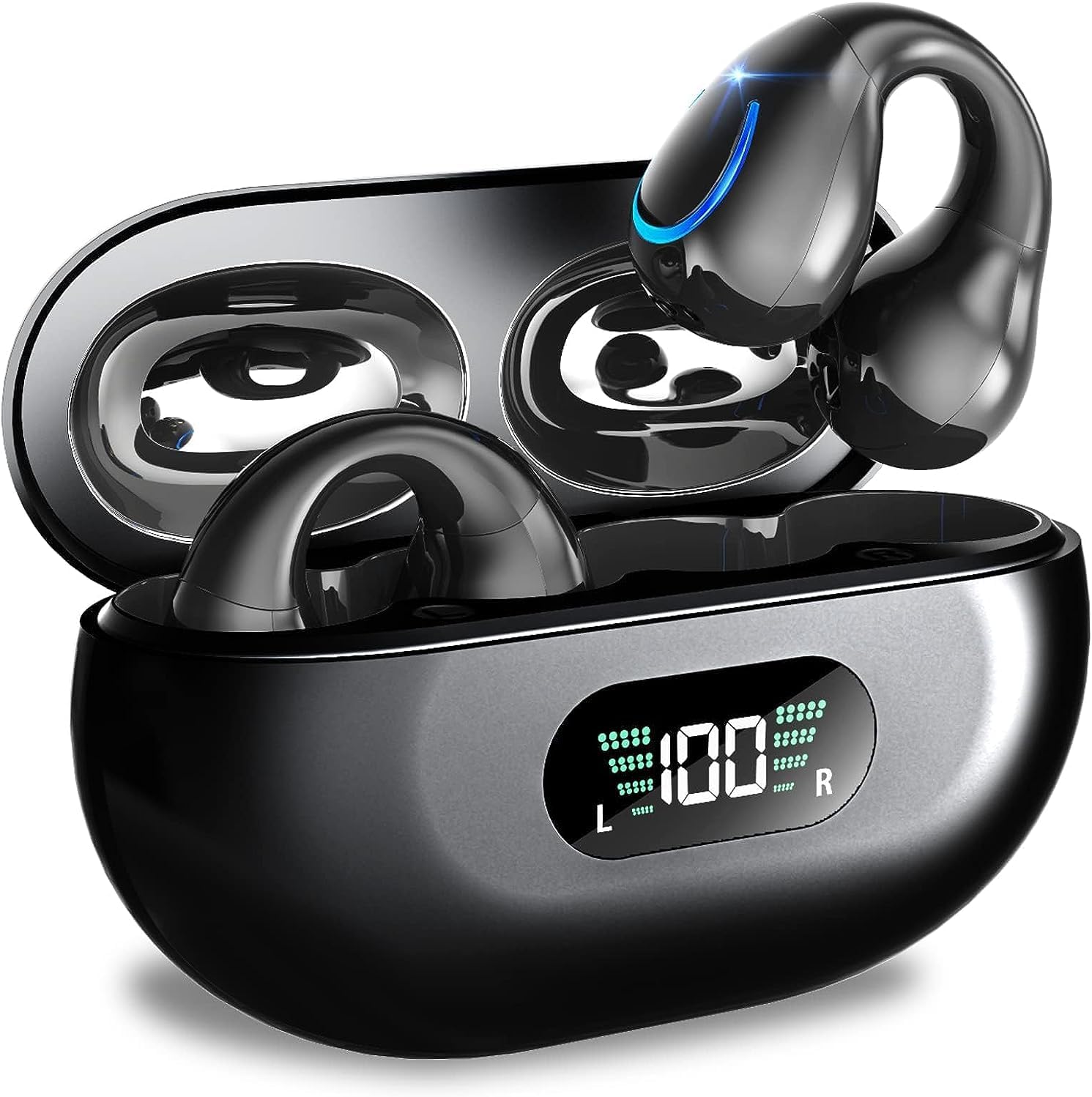
Image: Kinganda Bluetooth Headphones (Model Q71) in their charging case, showcasing the sleek design and LED display.
Qutida nima bor
Iltimos, barcha narsalar mavjudligiga ishonch hosil qilish uchun paket tarkibini tekshiring:
- Wireless Headphones (Left and Right)
- Simsiz zaryadlash qutisi
- USB-C zaryadlovchi kabeli
- Foydalanuvchi uchun qo'llanma

Image: An illustration showing the Kinganda headphones, charging case, USB-C cable, and user manual, representing the package contents.
Xavfsizlik ma'lumotlari
To ensure safe operation and prevent damage to your headphones, please observe the following safety guidelines:
- Do not swim underwater or take hot baths with the headphones. Exposure to high temperatures or prolonged submersion can cause damage to the internal components.
- Keep the headphones and charging case away from extreme temperatures, direct sunlight, and high humidity.
- Qurilmani yiqilib tushmaslik yoki kuchli zarbalarga duchor qilishdan saqlaning.
- Do not attempt to disassemble, repair, or modify the headphones yourself. Contact qualified service personnel for any repairs.
- Bolalar va uy hayvonlari qo'li etmaydigan joyda saqlang.
Mahsulot tugadiview va Xususiyatlar
The Kinganda Q71 headphones are designed for comfort and high-quality audio, featuring advanced technology for an enhanced listening experience.
Asosiy xususiyatlar:
- Kengaytirilgan Bluetooth 5.3 texnologiyasi: Ensures a stable, low-latency connection with lower power consumption and faster transmission.
- Comfortable Open Ear Clip Design: Ergonomically designed to fit the contours of the ear, providing a secure and comfortable fit without entering the ear canal. This design allows you to remain aware of your surroundings.
- 36 soatlik o'yin vaqti: Enjoy up to 6 hours of continuous playback on a single charge, with an additional 30 hours provided by the compact magnetic charging case.
- LED raqamli displey: The charging case features an LED screen that clearly shows the remaining power of both the headphones and the charging case.
- IPX7 suv o'tkazmaydigan reytingi: Designed to withstand sweat and light rain, making them suitable for various activities.
- 10 mm drayverlar: Deliver deep bass and stereo sound for a rich audio experience.
- Built-in ENC Mic: Enhanced Noise Cancellation microphone for clear calls.
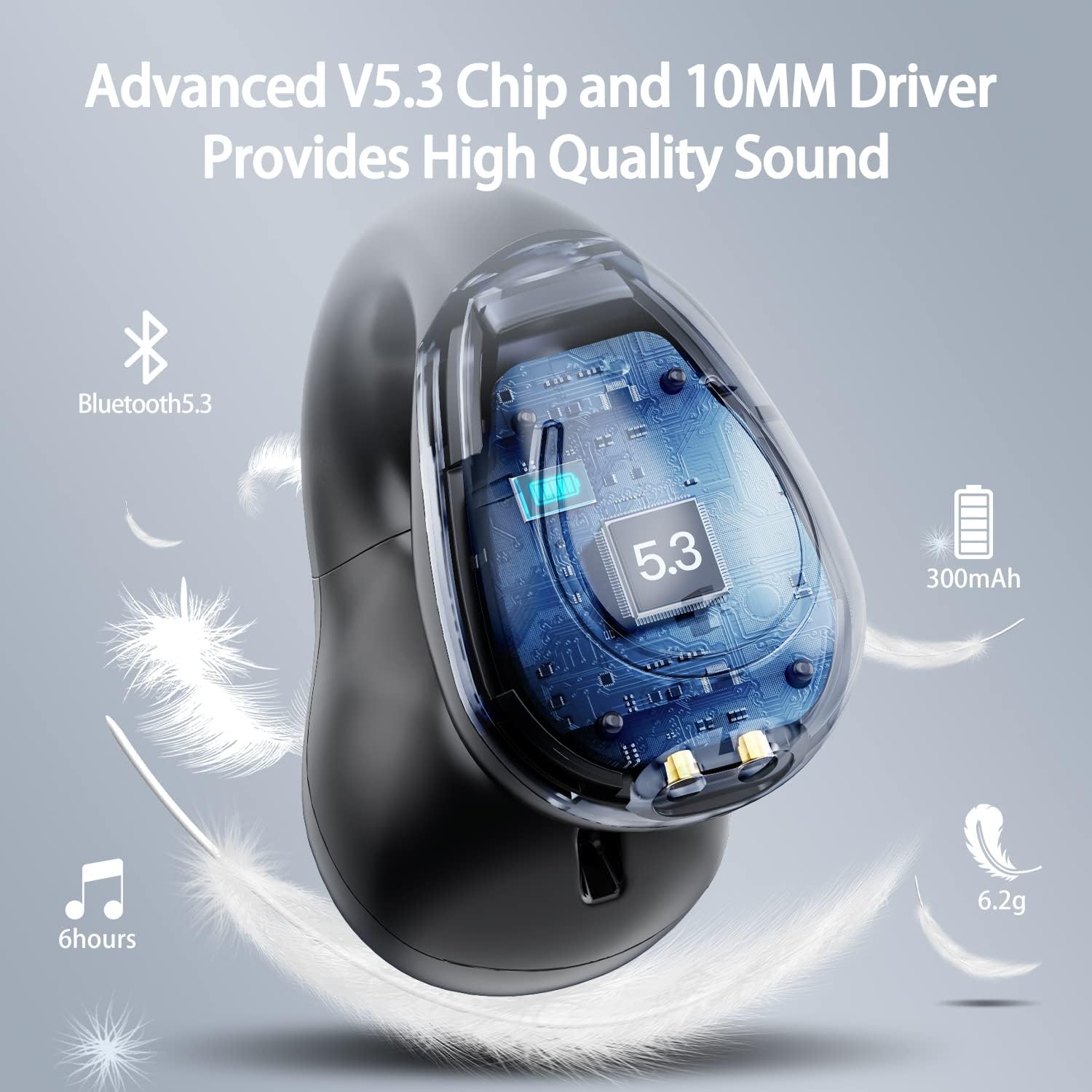
Rasm: kesma view of the Kinganda earbud, highlighting the advanced V5.3 chip and 10mm driver for high-quality sound.

Image: A person wearing the Kinganda Q71 headphones, demonstrating the comfortable and secure open-ear clip design.
Sozlash; o'rnatish
Pairing Your Headphones:
- Eshitish vositalarini zaryadlang: Before first use, ensure both the headphones and the charging case are fully charged. Place the earbuds into the charging case and connect the USB-C cable to a power source. The LED display on the case will indicate charging status.
- Yoqilgan: Zaryadlash qutisini oching. Quloqchinlar avtomatik ravishda yoqiladi va juftlashtirish rejimiga o'tadi.
- Bluetooth-ni yoqing: On your device (smartphone, tablet, laptop, etc.), go to the Bluetooth settings and turn on Bluetooth.
- Qurilmani tanlang: In the list of available Bluetooth devices, look for "YYK-Q71" and select it to connect.
- Tasdiqlash: Once connected, you will hear an audio prompt from the headphones, and the device will show "YYK-Q71" as connected.
The headphones are widely compatible with iOS, Android, and Windows devices.

Image: An illustration demonstrating the simple one-step pairing process and wide compatibility of the Kinganda Q71 headphones with various devices.
Foydalanish bo'yicha ko'rsatmalar
Charging the Headphones and Case:
- Quloqliklarni zaryadlash: Place the earbuds back into the charging case. They will automatically begin charging. The LED display on the case will show the charging status of each earbud.
- Ishni zaryadlash: Connect the provided USB-C cable to the charging port on the case and the other end to a USB power adapter (not included). The LED display will show the battery percentage of the case.
- A full charge of the earbuds provides approximately 6 hours of playtime. The charging case provides an additional 30 hours of battery life, allowing for multiple recharges on the go.
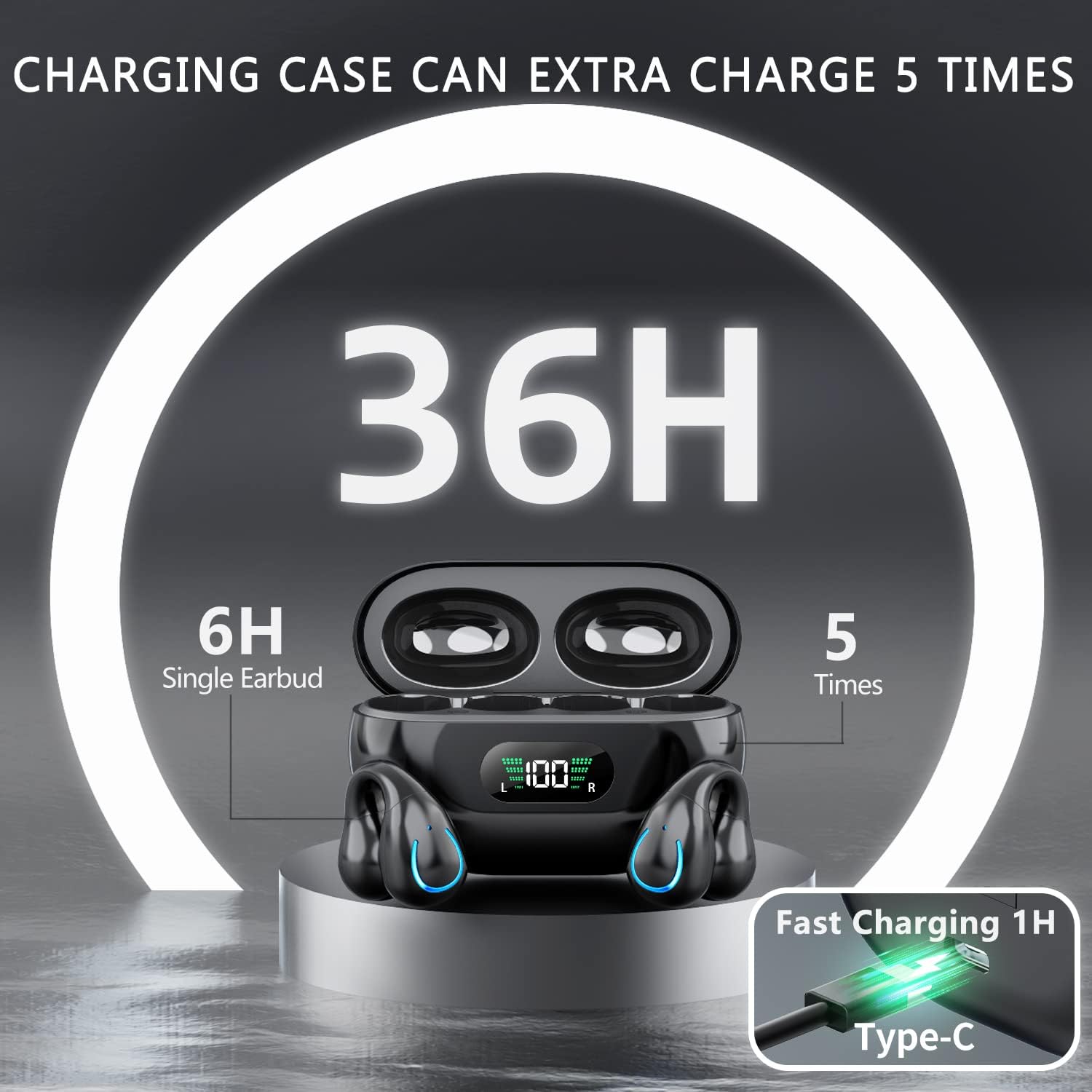
Image: The Kinganda charging case displaying "36H" total playtime, indicating 6 hours from a single earbud charge and 5 additional charges from the case.
Sensorli boshqaruv elementlari:
The Kinganda Q71 headphones feature physical buttons for precise control, preventing accidental touches.
| Harakat | Nazorat |
|---|---|
| Quvvatni yoqish/o‘chirish | Automatically On/Off when taken out/put into case. |
| Qo'ng'iroqqa javob berish/tugatish | Click 1 time (either earbud) |
| Qo'ng'iroqni rad qilish | Press and hold (either earbud) |
| Musiqani o‘ynatish/to‘xtatib turish | Click 1 time (either earbud) |
| Keyingi trek | Click Right earbud 2 times |
| Oldingi trek | Click Left earbud 2 times |
| Ovozli yordamchini yoqish (Siri, Google Assistant) | Click 3 times (either earbud) |

Image: Diagram illustrating the one-button physical controls for the Kinganda headphones, including call management, music playback, and voice assistant activation.
Xizmat
Proper maintenance will extend the life of your Kinganda headphones:
- Tozalash: Naushniklar va zaryadlash qutisini tozalash uchun yumshoq, quruq, tuklarsiz matodan foydalaning. Qattiq kimyoviy moddalar, tozalovchi erituvchilar yoki kuchli yuvish vositalaridan foydalanmang.
- Saqlash: When not in use, store the headphones in their charging case to protect them from dust and damage. Store in a cool, dry place.
- Suvga chidamliligi: While the headphones are IPX7 waterproof (resistant to sweat and light rain), they are not designed for swimming or submersion in water. Avoid exposure to hot water or steam.
- Batareya parvarishi: To preserve battery life, charge the headphones regularly, even if not used for extended periods. Avoid fully draining the battery frequently.
Muammolarni bartaraf qilish; nosozliklarni TUZATISH
Agar minigarniturangiz bilan bog'liq biron bir muammoga duch kelsangiz, iltimos, quyidagi keng tarqalgan muammolar va yechimlarga murojaat qiling:
Naushniklar ulanmagan:
- Ikkala quloqchin ham toʻliq zaryadlanganligiga ishonch hosil qiling.
- Qurilmangizda Bluetooth yoqilganligiga ishonch hosil qiling.
- Place the earbuds back into the charging case, close the lid, wait a few seconds, then open the lid again to re-enter pairing mode.
- Forget "YYK-Q71" from your device's Bluetooth list and try pairing again.
- Ensure the headphones are within the effective Bluetooth range (typically 10 meters/33 feet) of your device.
Only one earbud is working:
- Ikkala quloqlikni ham zaryadlash qutisiga qaytarib joylashtiring va ularning to'g'ri zaryadlanayotganiga ishonch hosil qiling.
- Take both earbuds out simultaneously. They should automatically connect to each other.
- If the issue persists, try resetting the headphones (refer to the manufacturer's website or contact support for specific reset instructions if not detailed here).
Ovoz sifati pastligi yoki uzilishlar:
- Ensure there are no obstructions between your device and the headphones.
- Interferentsiyani kamaytirish uchun qurilmangizga yaqinlashing.
- Naushniklar toza va axlatdan xoli ekanligini tekshiring.
- Boshqa manbadan yoki dasturdan audio ijro etishga harakat qilib ko'ring.
Quloqchinlar zaryadlanmayapti:
- Ensure the USB-C charging cable is securely connected to both the case and the power source.
- Boshqa USB-C kabeli yoki quvvat adapteridan foydalaning.
- Quloqlikdagi va zaryadlash qutisi ichidagi zaryadlash kontaktlarini quruq paxta bilan tozalang.
Texnik xususiyatlari
| Xususiyat | Tafsilot |
|---|---|
| Model raqami | Q71 (YYK-Q71) |
| Brend | Kinganda |
| Ulanish texnologiyasi | Simsiz (Bluetooth 5.3) |
| Quloqlarni joylashtirish | Ochiq quloq |
| Form faktor | Klip yoqilgan |
| Shovqin nazorati | Sound Isolation (via ENC Mic) |
| Mahsulot o'lchamlari | 3 x 3 x 3 cm; 6.2 g (per earbud) |
| Batareyalar | 2 dona lityum polimer batareyalar (shu jumladan) |
| Kiritilgan komponentlar | Wireless Headphones, User Manual, USB-C Charging Cable, Wireless Charging Case |
| Rang | Qora |
| Ishlab chiqaruvchi | Kinganda |
Kafolat va qo'llab-quvvatlash
Kinganda products are manufactured to the highest quality standards. For any warranty claims or technical support, please contact your original retailer or the manufacturer directly. Please retain your proof of purchase for warranty service.
For further assistance, please refer to the contact information provided with your purchase or visit the official Kinganda websayt.
Ask a question about this manual
Ask about setup, troubleshooting, compatibility, parts, safety, or missing instructions. Manuals+ will review the question and use this page’s manual context to help answer it.