
Kirish
Sotib olganingiz uchun tashakkurasing the Volkano Cosmic Series Bluetooth Headphones VK-2013-BK. These headphones are designed to provide a comfortable and immersive audio experience with wireless convenience. Featuring a folding design, soft ear cushions, and a padded headband, they offer versatility for various uses. This manual provides essential information for setting up, operating, and maintaining your headphones.
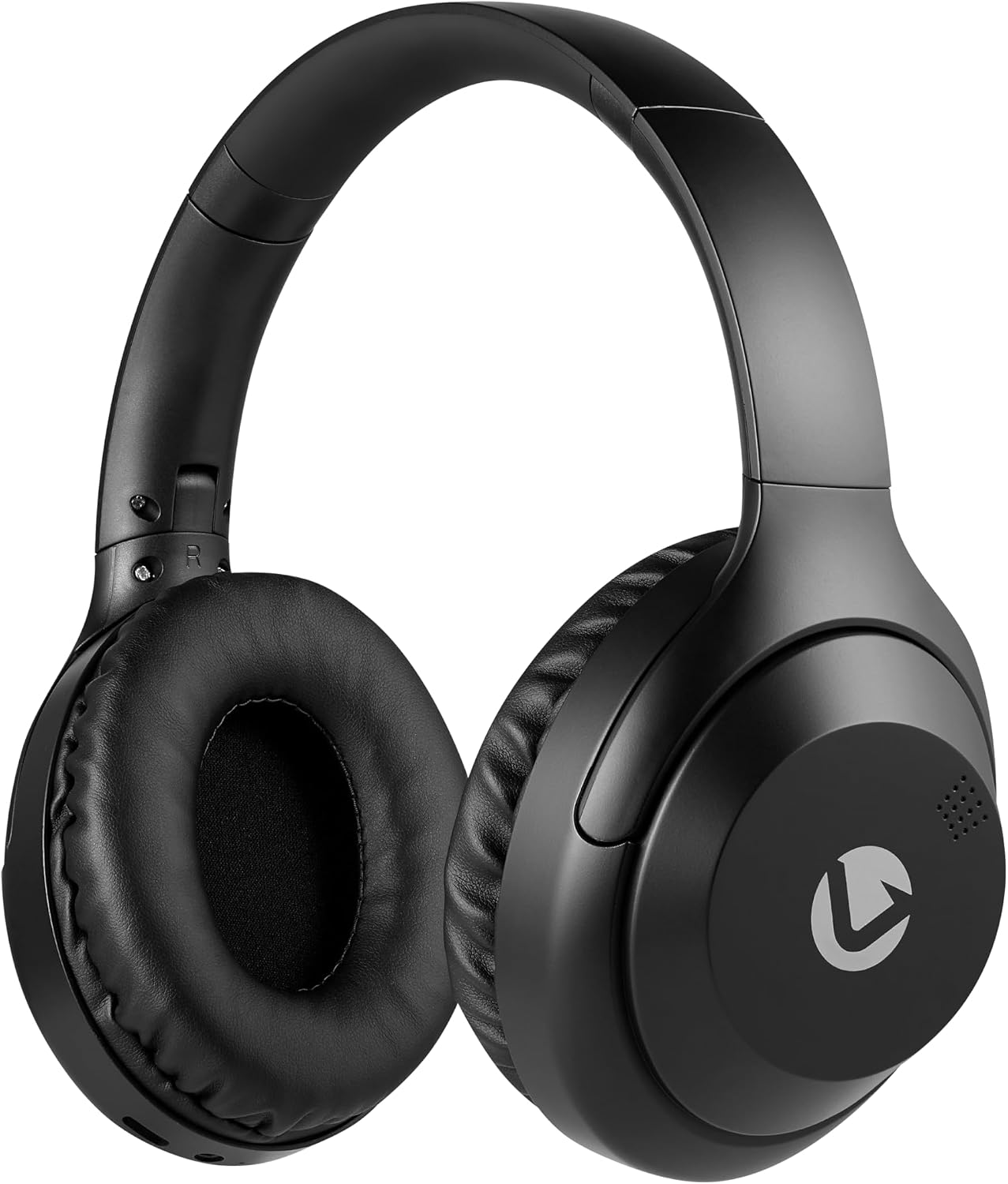
Old view of the Volkano Cosmic Series Bluetooth Headphones.
Paket tarkibi
Paketingizda barcha narsalar mavjudligiga ishonch hosil qiling:
- Volkano Cosmic Series Bluetooth Headphones
- USB zaryadlovchi kabeli
- 3.5 mm AUX kabeli
- Qo'llanma

Image showing the folding headphones and the included USB charging cable and AUX cable.
Mahsulot tugadiview
Familiarize yourself with the various parts and controls of your headphones:

Yon view of the headphones, highlighting the control panel.
- Power / Multi-function Button: Used for powering on/off, play/pause, answering/ending calls.
- Ovoz balandligi / Keyingi trek tugmasi: Ovoz balandligini oshirish uchun qisqa bosing, keyingi trek uchun esa uzoq bosing.
- Ovozni pasaytirish / Oldingi trek tugmasi: Ovozni pasaytirish uchun qisqa bosing, oldingi trek uchun esa uzoq bosing.
- Rejim tugmasi: Switches between Bluetooth, FM Radio, and Micro SD card modes.
- Micro USB zaryadlash porti: Eshitish vositalarini zaryad qilish uchun.
- 3.5 mm AUX kirish: Audio qurilmalarga simli ulanish uchun.
- Micro SD karta uyasi: For playing audio directly from a Micro SD card.
- Mikrofon: Qo'ng'iroqlarsiz qo'ng'iroq qilish uchun.
- LED ko'rsatkichi: Quvvat, zaryadlash va Bluetooth holatini ko'rsatadi.

tugadiview of key features including Bluetooth, FM Radio, SD Card, Aux Input, and Hands-free calling.
Sozlash; o'rnatish
Eshitish vositalarini zaryadlash
- Connect the small end of the USB charging cable to the Micro USB port on the headphones.
- USB zaryadlash kabelining kattaroq uchini USB quvvat manbaiga (masalan, kompyuterning USB porti, USB devor adapteri) ulang.
- The LED indicator will illuminate red during charging.
- Once fully charged, the LED indicator will turn off or change color (refer to specific product behavior if different).
Quvvatni yoqish/o‘chirish
- Yoqish uchun: Press and hold the Power / Multi-function Button for approximately 3 seconds until the LED indicator flashes blue.
- O'chirish uchun: Press and hold the Power / Multi-function Button for approximately 3 seconds until the LED indicator turns off.
Bluetooth ulanishi
- Eshitish vositalari o'chirilganligiga ishonch hosil qiling.
- Press and hold the Power / Multi-function Button for approximately 5-7 seconds until the LED indicator flashes blue and red alternately. This indicates pairing mode.
- Enable Bluetooth on your audio device (smartphone, tablet, computer).
- Ni qidirish mavjud Bluetooth qurilmalari.
- Select "Volkano Cosmic" or similar name from the list of devices.
- Ulangandan so'ng, LED indikatori sekin ko'k rangda yonib-o'chib turadi.
Foydalanish bo'yicha ko'rsatmalar
Musiqa tinglash (Bluetooth rejimi)
- Oʻynatish/toʻxtatib turish: Short press the Power / Multi-function Button.
- Keyingi trek: Long press the Volume Up / Next Track Button.
- Oldingi trek: Long press the Volume Down / Previous Track Button.
- Ovoz balandligi: Short press the Volume Up / Next Track Button.
- Ovozni kamaytirish: Short press the Volume Down / Previous Track Button.
Chaqiruv funksiyalari
- Qo'ng'iroqqa javob berish/tugatish: Short press the Power / Multi-function Button.
- Qo'ng'iroqni rad etish: Long press the Power / Multi-function Button.
- Oxirgi raqamni qayta terish: Double-press the Power / Multi-function Button.
FM radio rejimi
- FM Radio rejimiga o'tish uchun Mode tugmasini bosing.
- Long press the Power / Multi-function Button to automatically scan and save available FM stations.
- Short press the Volume Up / Next Track Button or Volume Down / Previous Track Button to switch between saved stations.
AUX Mode (Wired Connection)
- Connect one end of the 3.5mm AUX cable to the AUX input port on the headphones.
- Connect the other end of the 3.5mm AUX cable to the audio output jack of your device.
- Eshitish vositasi avtomatik ravishda AUX rejimiga o'tadi.
- Control playback and volume directly from your connected audio device.

Connecting the headphones via the 3.5mm AUX cable for a wired audio experience.
Micro SD karta rejimi
- Insert a Micro SD card (with audio files) into the Micro SD card slot on the headphones.
- Press the Mode Button to switch to Micro SD card mode.
- The headphones will automatically begin playing audio filekartadan.
- Use the Play/Pause, Next Track, Previous Track, and Volume buttons as in Bluetooth mode.
Xizmat
Tozalash
- Eshitish vositalarini yumshoq, quruq mato bilan artib oling.
- Abraziv tozalash vositalari, spirtli ichimliklar yoki kimyoviy erituvchilardan foydalanmang.
- Keep the charging port and other openings free from dust and debris.
Saqlash
- Eshitish vositalarini quruq, salqin joyda, to'g'ridan-to'g'ri quyosh nuri va haddan tashqari haroratdan uzoqroq joyda saqlang.
- When not in use for extended periods, charge the headphones at least once every three months to maintain battery health.
- The folding design allows for compact storage.
Muammolarni bartaraf qilish; nosozliklarni TUZATISH
| Muammo | Mumkin sabab | Yechim |
|---|---|---|
| Eshitish vositalari yoqilmaydi. | Kam batareya. | Eshitish vositalarini to'liq zaryadlang. |
| Bluetooth orqali ulanib bo'lmadi. | Naushniklar ulanish rejimida emas; Qurilmada Bluetooth o'chirilgan; qurilma juda uzoqda. | Ensure headphones are in pairing mode (flashing blue/red). Turn on Bluetooth on your device. Move device closer to headphones (within 10 meters). |
| Ovoz yo'q. | Volume too low; incorrect mode; device not connected. | Increase headphone and device volume. Ensure correct mode (Bluetooth, AUX, SD). Verify successful Bluetooth connection or AUX cable insertion. |
| FM radio qabul qilish yomon. | Zaif signal; atrof-muhit aralashuvi. | Move to an open area. Re-scan for stations. |
Texnik xususiyatlari
| Xususiyat | Tafsilot |
|---|---|
| Brend | Volkan |
| Model raqami | VK-2013-BK |
| Model nomi | Cosmic 2.0 Series |
| Ulanish texnologiyasi | Wireless (Bluetooth) / Wired (3.5 mm Jack) |
| Simsiz texnologiya | Bluetooth |
| Quloqlarni joylashtirish | Quloq ustida |
| Form faktor | Quloq ustida |
| Empedans | 32 Ohm |
| Chastotaga javob | 20 KHz |
| Sezuvchanlik | 95 dB |
| Shovqin nazorati | Yo'q |
| Qoplama materiali | Poliuretan (PU) |
| Mahsulot uchun maxsus foydalanish | O'yin-kulgi |
| Eshitish vositasini yig'ish xususiyatlari | Buklanadigan |
| O'rnatilgan media | FM Radio, Micro SD Card Slot |
| Ishlab chiqaruvchi | SMD Technologies LLC |
Kafolat va qo'llab-quvvatlash
Kafolat haqida ma'lumot
Volkano products are backed by a 1 yillik cheklangan kafolat. This warranty reflects our commitment to quality and dependable performance. For additional coverage, you may be eligible to register your product for an extended 12-month warranty, totaling 24 months of coverage.
Mijozlarni qo‘llab-quvvatlash
Should you have any questions or require assistance with your Volkano Cosmic Series Bluetooth Headphones, please contact Volkano customer support. Your satisfaction is important to us.
For more information or to register your product, please visit the official Volkano page or contact their support channels as indicated on their websayt yoki mahsulot qadoqlash.