
1. Kirish
Sotib olganingiz uchun tashakkurasing the CLAYMORE Heady3 CLC-500 Headlight. This versatile headlight is designed for various outdoor activities, offering multiple lighting modes, a motion sensor, and flexible mounting options. Please read this manual carefully before use to ensure proper operation and maintenance.
2. Xavfsizlik ma'lumotlari
- Ko'zni shikastlamaslik uchun yorug'lik nuriga to'g'ridan-to'g'ri qaramang.
- Keep the device away from water and moisture unless specifically designed for waterproof use (check specifications).
- Do not attempt to disassemble or modify the headlight. This may void the warranty and pose safety risks.
- Faqat belgilangan zaryadlash hajmidan foydalaningtage (USB 5V 1A).
- Bolalar qo'li etmaydigan joyda saqlang.
- Haddan tashqari harorat va to'g'ridan-to'g'ri quyosh nurlaridan saqlaning.
3. Paket tarkibi
Iltimos, barcha elementlar mavjudligini tekshiring:
- CLAYMORE Heady3 CLC-500 Headlight
- USB-C zaryadlovchi kabeli
- Bosh bandi
- Foydalanuvchi uchun qo'llanma (ushbu hujjat)
4. Mahsulot tugadiview
Familiarize yourself with the components of your CLAYMORE Heady3 CLC-500 Headlight.
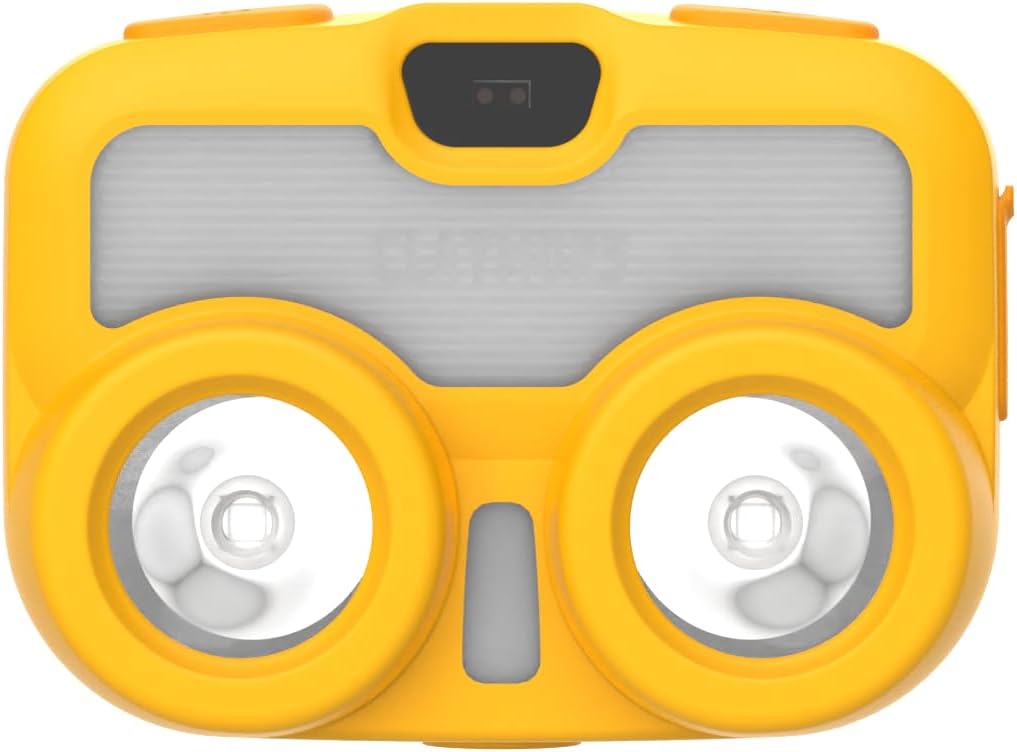
4.1-rasm: Old View. This image shows the front of the CLAYMORE Heady3 CLC-500 Headlight, highlighting the two main light sources and the central sensor area.

4.2-rasm: Yuqori View. This image displays the top side of the headlight, featuring the power button (left), the P-SENSOR label, and the mode/motion sensor button (right).

4.3-rasm: yon View. This image illustrates the side of the headlight, clearly showing the USB-C charging port with its protective cover.
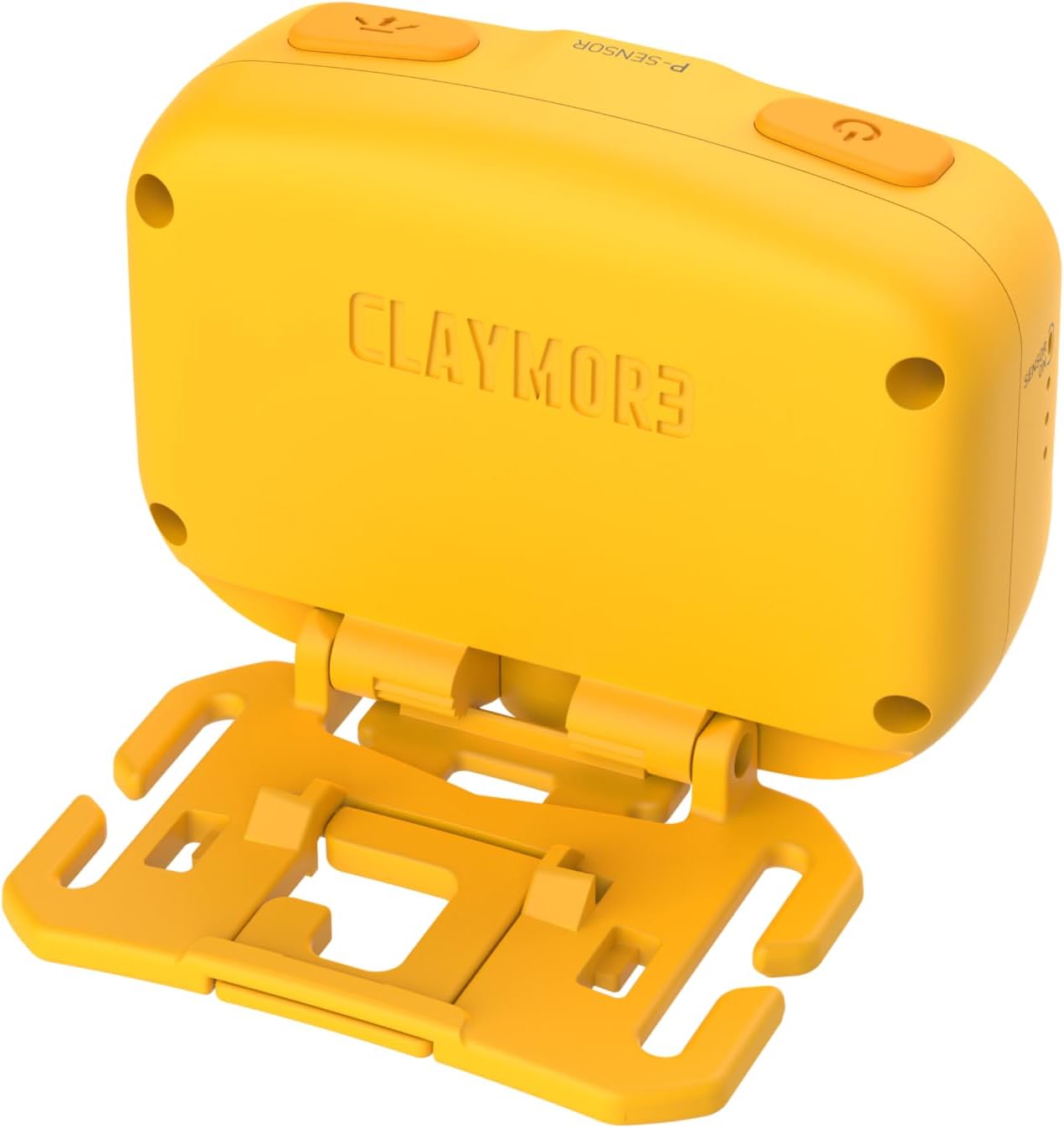
4.4-rasm: Orqaga View. This image presents the rear of the headlight, showing the CLAYMORE branding and the integrated mounting bracket for various attachments.
5. Sozlash
5.1 Charging the Headlight
- Locate the USB-C port on the side of the headlight (refer to Figure 4.3).
- Connect the provided USB-C cable to the headlight and the other end to a USB power source (e.g., wall adapter, power bank, computer USB port). Ensure the power source provides 5V 1A.
- Zaryadlash indikatori chirog'i zaryadlash holatini ko'rsatadi (masalan, zaryadlash uchun qizil, to'liq zaryadlangan uchun yashil).
- To'liq zaryadlash odatda bir necha soat davom etadi.
5.2 O'rnatish imkoniyatlari
The CLAYMORE Heady3 offers multiple ways to attach and use the light:
- Bosh bandi: Attach the headlight to the included headband for traditional headlamp foydalanish.
- Kanca: Utilize the integrated hook on the mounting bracket to hang the light from tents, branches, or other suitable fixtures.
- Alligator klipi: Attach the light to a bag, pocket, or other gear using an alligator clip (may require an additional accessory, not specified as included).
- Tripod vint teshigi: The headlight features a tripod screw hole for mounting on standard tripods or other compatible accessories, offering stable positioning.
6. Foydalanish bo'yicha ko'rsatmalar
6.1 Quvvatni yoqish/o‘chirish
- To turn on the headlight, press and hold the power button (left button on top, refer to Figure 4.2).
- To turn off the headlight, press and hold the power button again.
6.2 Yoritish rejimlarini o'zgartirish
The CLC-500 features 6 lighting modes:
- Cool White (5700K, 6500K): Bright, clear light for general illumination.
- White (4200K): Neutral white light.
- Issiq oq (3000K): Softer, warmer light for comfortable ambiance.
- Qizil chiroq: Preserves night vision and is less disruptive in dark environments.
- Diffused Light: Provides a wide, even spread of light.
- Fokuslangan yorug'lik: Concentrated beam for long-distance illumination.
To cycle through the lighting modes, short press the mode button (right button on top, refer to Figure 4.2) while the light is on.
6.3 Brightness Adjustment (Dimming)
The brightness can be adjusted from 15 lumens to 500 lumens.
- While the light is on in any mode, press and hold the mode button to continuously adjust the brightness. Release the button when the desired brightness level is reached.
6.4 Motion Sensor Function
The motion sensor allows for hands-free operation, enabling you to turn the light on/off or dim it with a wave of your hand.
- To activate the motion sensor, double-press the mode button. An indicator light (if present, not specified) may confirm activation.
- Once activated, wave your hand in front of the sensor (located centrally on the front, refer to Figure 4.1) to toggle the light on/off or to dim it, depending on the specific mode.
- To deactivate the motion sensor, double-press the mode button again.
7. Xizmat ko'rsatish
- Tozalash: Wipe the headlight with a soft, dry cloth. Do not use abrasive cleaners or solvents.
- Batareya parvarishi: To prolong battery life, charge the device regularly, even if not in frequent use. Avoid fully discharging the battery for extended periods. Store in a cool, dry place.
- Saqlash: When storing for long periods, ensure the battery is partially charged (around 50%) and recharge every 3-6 months.
8. Muammolarni bartaraf qilish; nosozliklarni TUZATISH
- Chiroq yoqilmaydi:
- Batareya zaryadlanganligiga ishonch hosil qiling. Quvvat manbaiga ulang va zaryadlash indikatorini tekshiring.
- Press and hold the power button for a few seconds to ensure it's not just a short press.
- Chiroq quvvatlanmaydi:
- Check the USB-C cable for damage and ensure it's properly connected.
- Boshqa USB quvvat manbai yoki devor adapterini sinab ko'ring.
- Motion sensor not responding:
- Ensure the motion sensor function is activated (double-press mode button).
- Clean the sensor area on the front of the headlight.
- Ensure there are no obstructions between your hand and the sensor.
9. Texnik shartlar
| Model | CLC-500 |
| Olchamlari (taxminan) | 68 x 51 x 37 mm (2.7 x 2.0 x 1.5 dyuym) |
| Og'irligi (taxminan) | 82 g (2.9 oz) |
| Yorqinlik | 15 - 500 lyumen |
| Engil rang harorati | Cool: 5700K, 6500K / White: 4200K / Warm: 3000K / Red |
| Kirish | USB 5V 1A |
| Batareya turi | Lityum polimer (1 dona) |
| Material | alyuminiy |
| Maxsus xususiyatlar | Harakat sensori |
10. Kafolat va qo'llab-quvvatlash
This product comes with a standard manufacturer's warranty. For specific warranty terms and conditions, please refer to the documentation provided at the time of purchase or contact your retailer. For technical support or service inquiries, please contact the manufacturer or your local distributor.