
FIFINE K688W
YAXSHI AmpliTank K688W Dynamic USB/XLR Microphone User Manual
Model: K688W | Brand: FIFINE
1. Kirish
Sotib olganingiz uchun tashakkurasing the FIFINE AmpliTank K688W Dynamic USB/XLR Microphone. This microphone is designed for high-quality audio capture in various applications, including gaming, streaming, podcasting, and professional recording. Please read this manual carefully to ensure proper setup and operation.

Image: The FIFINE AmpliTank K688W microphone demonstrating its sound capture capabilities with a visual representation of sound waves.
2. Paket tarkibi
Quyida sanab o'tilgan barcha narsalar paketingizga kiritilganligini tekshiring:
- YAXSHI AmpliTank K688W Microphone Body
- USB-C to USB-A Cable (2.5m)
- 3/8" to 5/8" Screw Adapter
- User Manual (Japanese)
Note: A microphone stand and XLR cable are not included and must be purchased separately.

Image: The FIFINE AmpliTank K688W microphone and its included accessories: USB cable and screw adapter, alongside the user guide.
3. Mahsulot tugadiview (Components and Controls)
Mikrofonning tarkibiy qismlari va boshqaruv elementlari bilan tanishib chiqing:

Rasm: orqa view of the FIFINE AmpliTank K688W microphone, highlighting the XLR output terminal and USB connection port.
- XLR Output Terminal: For connecting to audio interfaces, mixers, or other professional audio equipment.
- USB Connection Port (USB Type-C): For direct connection to computers or game consoles.
- 3.5 mm eshitish vositasi uyasi: Real vaqt rejimida audio monitoring uchun.
- Microphone Volume Control (Gain Knob): Adjusts the microphone's input sensitivity. (USB mode only)
- Headphone Jack Volume Control: Adjusts the monitoring volume through the 3.5mm headphone jack. (USB mode only)
- LED indikatorli ovozni o'chirish tugmasi: Toggles microphone mute. LED indicates mute status. (USB mode only)
4. Sozlash
4.1 USB ulanishi
For direct connection to a computer (Windows/Mac OS) or game console (PS4/PS5):
- Connect the USB-C end of the provided USB cable to the microphone's USB port.
- Connect the USB-A end of the cable to an available USB port on your computer or game console.
- The device will automatically recognize the microphone.
- Select "FIFINE K688W" as your input and output device in your system's sound settings or application settings.

Image: The FIFINE AmpliTank K688W microphone connected to a laptop via its USB-C port, illustrating plug-and-play functionality.
4.2 XLR Connection
For connecting to professional audio equipment (audio interfaces, mixers):
- Connect a standard XLR cable (not included) to the XLR output terminal on the microphone.
- Connect the other end of the XLR cable to an XLR input on your audio interface or mixer.
- Ensure your audio interface or mixer is properly configured to receive input from the connected XLR channel.
- Adjust gain levels on your audio interface/mixer as needed.

Rasm: batafsil view of the FIFINE AmpliTank K688W's connectivity panel, showing both USB and XLR ports for versatile audio setups.
5. Foydalanish bo'yicha ko'rsatmalar
5.1 Gain Control (USB Mode Only)
The gain knob on the microphone allows you to adjust the input sensitivity. Rotate the knob clockwise to increase gain and counter-clockwise to decrease it. Adjust this to achieve an optimal recording level without clipping or distortion.
5.2 Mute Function (USB Mode Only)
Press the touch-sensitive mute button on top of the microphone to instantly mute or unmute the audio input. The LED indicator will change color to show the microphone's status (e.g., green for active, red for muted).
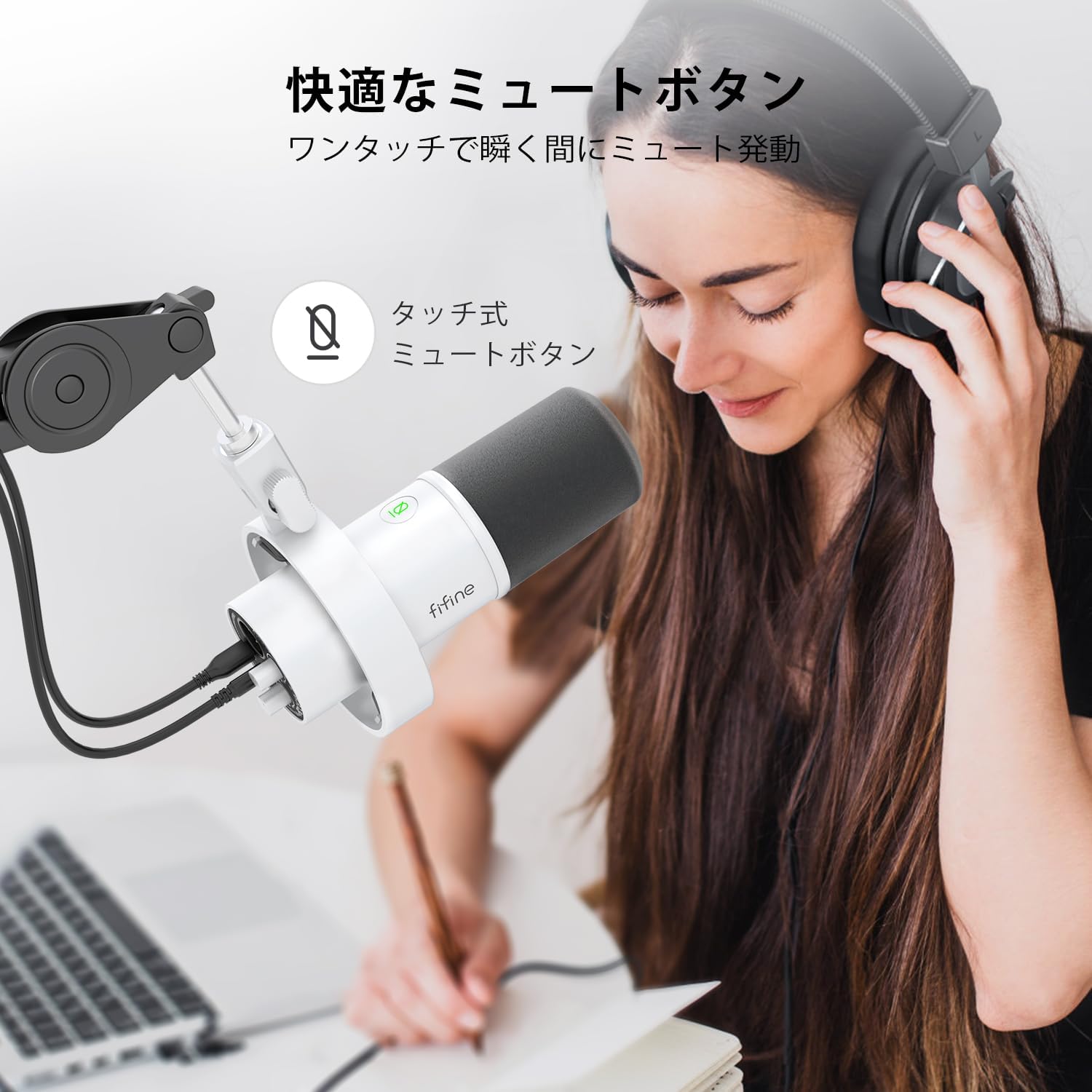
Image: A user interacting with the touch-sensitive mute button on the FIFINE AmpliTank K688W microphone, demonstrating its ease of use.
5.3 Headphone Monitoring (USB Mode Only)
Connect your headphones to the 3.5mm headphone jack on the microphone to monitor your audio in real-time with zero latency. Use the dedicated headphone volume knob to adjust the monitoring level to your preference.
6. Xizmat ko'rsatish
- Mikrofonni yumshoq, quruq mato bilan artib, toza tuting.
- Mikrofonni haddan tashqari harorat, namlik yoki to'g'ridan-to'g'ri quyosh nuri ta'siriga qo'ymang.
- Mikrofonni chang va shikastlanmaslik uchun foydalanmayotganda himoya sumkasida saqlang.
- Mikrofonni qismlarga ajratishga urinmang, chunki bu kafolatni bekor qiladi.

Image: The FIFINE AmpliTank K688W microphone mounted on a boom arm, showcasing its integrated metal body design suitable for various recording environments.
7. Muammolarni bartaraf qilish; nosozliklarni TUZATISH
| Muammo | Mumkin sabab | Yechim |
|---|---|---|
| No sound output (USB) |
|
|
| No sound output (XLR) |
|
|
| Ovoz buzilgan |
|
|
| Ortiqcha fon shovqini |
|
|
8. Texnik shartlar
| Xususiyat | Tafsilot |
|---|---|
| Model | K688W |
| Brend | YAXSHI |
| Mikrofon turi | Dinamik |
| Polar naqsh | Bir tomonlama (kardioid) |
| Ulanish | USB (Type-C), XLR |
| Chastotaga javob | 70 Gts - 15 KHz |
| Signal-shovqin nisbati (S/N) | 75 dB |
| Quvvat turi | Simli elektr (USB quvvatlanadi) |
| Mos qurilmalar | PC (Windows/Mac OS), Game Consoles (PS4/PS5), Audio Mixers, Audio Interfaces, Smartphones (with adapter, not included) |
| Maxsus xususiyatlar | Volume Control, Mute Function, Headphone Monitoring |
| Rang | Oq |
| Materiallar | Plastik, metall |
| UPC | 850052511821 |
9. Kafolat va qo'llab-quvvatlash
9.1 Kafolat haqida ma'lumot
Ushbu mahsulot bilan birga keladi 1 yillik ishlab chiqaruvchi kafolati from the date of purchase. The warranty covers defects in materials and workmanship under normal use.
Kafolat quyidagilarni qamrab olmaydi:
- Damage caused by misuse, abuse, accident, or neglect.
- Ruxsatsiz ta'mirlash yoki o'zgartirishlar natijasida etkazilgan zarar.
- Oddiy eskirish.
9.2 Mijozlarni qo‘llab-quvvatlash
If you encounter any issues with your FIFINE AmpliTank K688W microphone, such as packaging damage, color discrepancies, or product defects, please contact FIFINE Japan customer support immediately. Provide your purchase details and a description of the issue for prompt assistance.
For further support, please visit the official FIFINE websayt.

Image: Information regarding FIFINE's customer support process, including steps to contact them via Amazon and their operating hours.
Ask a question about this manual
Ask about setup, troubleshooting, compatibility, parts, safety, or missing instructions. Manuals+ will review the question and use this page’s manual context to help answer it.