
1. Kirish
This manual provides essential information for the safe and efficient use of your GOBOULT Y1 Wireless Ear Buds. Please read it thoroughly before using the product and retain it for future reference.
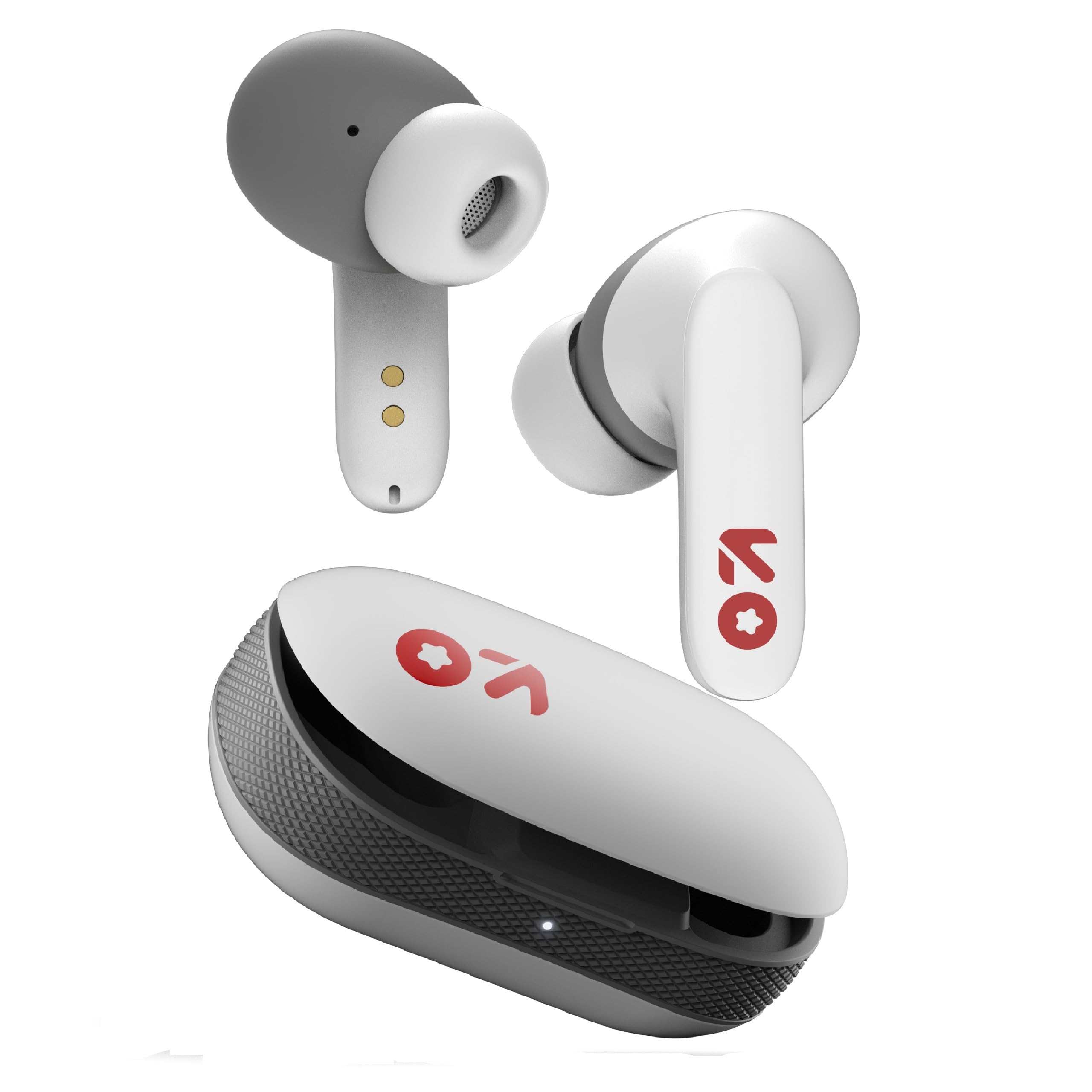
Image: GOBOULT Y1 Wireless Ear Buds and their charging case. The earbuds are white with grey tips and red GOBOULT logos, resting beside the matching white charging case.
2. Qutida nima bor
Paketda barcha narsalar mavjudligini tekshiring:
- Y1 Earphones (Left and Right)
- Y1 Charging Case
- USB toifa-C zaryadlovchi kabeli
- Additional Eartips (various sizes)
- Foydalanuvchi uchun qo'llanma (ushbu hujjat)
3. Sozlash
3.1 Dastlabki zaryadlash
Before first use, fully charge the ear buds and the charging case.
- Place the ear buds into the charging case. Ensure they are correctly seated.
- Connect the provided USB Type-C cable to the charging port on the case and to a compatible USB power source (e.g., wall adapter, computer USB port).
- The indicator light on the charging case will show charging status. A full charge typically takes approximately 90 minutes.
- A 10-minute charge provides approximately 100 minutes of playtime.

Image: GOBOULT Y1 Ear Buds and their charging case, illustrating the Type-C fast charging port and cable connection. Text indicates "10 mins = 100 mins playtime".
3.2 Bluetooth ulanishi
The GOBOULT Y1 Ear Buds feature Blink & Pair™ Bluetooth 5.3 for fast and stable connection.
- Ensure the ear buds are charged.
- Open the lid of the charging case. The ear buds will automatically enter pairing mode, indicated by flashing LED lights.
- Qurilmangizda (smartfon, planshet, noutbuk) Bluetooth-ni yoqing.
- Ni qidirish "GOBOULT Y1" in the list of available Bluetooth devices.
- Select "GOBOULT Y1" to connect. Once connected, a voice prompt will confirm successful pairing, and the LED lights on the ear buds will stop flashing.
- For subsequent use, the ear buds will automatically connect to the last paired device when removed from the case.

Image: GOBOULT Y1 Ear Buds and case with a smartphone displaying music, highlighting Bluetooth v5.3, Blink & Pair, Stable Connection, and Power efficient features.
4. Foydalanish bo'yicha ko'rsatmalar
4.1 Sensorli boshqaruv elementlari
The GOBOULT Y1 Ear Buds feature intuitive touch controls on each ear bud. The specific functions are as follows:

Image: A detailed diagram showing the touch control functions for the GOBOULT Y1 Ear Buds. It illustrates single taps, double taps, triple taps, and long presses for various actions like music playback, call management, and voice assistant activation.
- Single Tap (Left/Right Bud): Play/Pause Music, Answer Call
- Double Tap (Left Bud): Oldingi qo'shiq
- Double Tap (Right Bud): Keyingi qo'shiq
- Triple Tap (Left Bud): Ovozni pasaytirish
- Triple Tap (Right Bud): Ovozni oshirish
- Long Press (Left/Right Bud): Activate Voice Assistant (Google Assistant/Siri), Reject Call, End Call
- Four Taps (Left/Right Bud): Activate Combat Mode (Low Latency Gaming)
4.2 Ovozli yordamchi
Activate your device's voice assistant (Google Assistant or Siri) by long-pressing either ear bud.
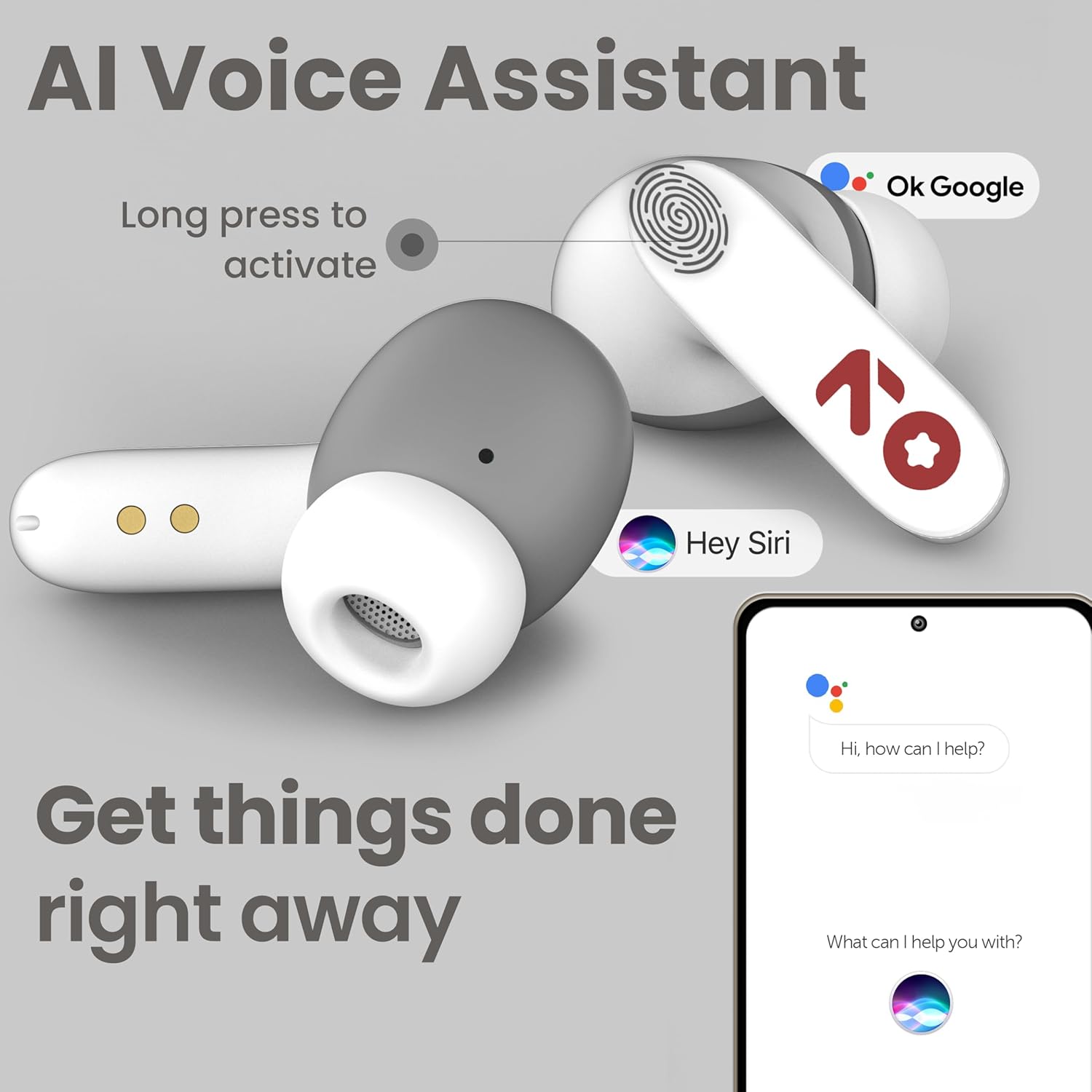
Image: GOBOULT Y1 Ear Buds with an illustration of a long press gesture activating a voice assistant like Google Assistant or Siri on a smartphone.
4.3 Calling with Zen ENC Mic
The GOBOULT Y1 Ear Buds are equipped with a Zen ENC (Environmental Noise Cancellation) microphone for clear call quality.
- Qo'ng'iroqqa javob berish: Single tap either ear bud.
- Qo'ng'iroqni rad etish: Long press either ear bud.
- Qo‘ng‘iroqni tugatish: Long press either ear bud during a call.

Image: A diagram illustrating how Environmental Noise Cancellation (ENC) works, showing a user's voice being filtered from environmental noise for clear communication. A detailed view of an earbud highlights the ENC microphone.
4.4 Kam kechikishli o'yin rejimi
Activate Combat Mode for a low-latency gaming experience, ensuring audio sync with minimal delay.
- O'yin rejimini faollashtirish: Four taps on either ear bud.
- O'yin rejimini o'chirish: Four taps on either ear bud again.
5. Xizmat ko'rsatish
5.1 Tozalash
Optimal ishlash va gigienani saqlash uchun:
- Gently wipe the ear buds and charging case with a soft, dry, lint-free cloth.
- Aşındırıcı tozalagichlar, erituvchilar yoki aerozol spreylarini ishlatmang.
- Quloq uchlarini olib tashlang va agar kerak bo'lsa, ularni yumshoq sovun va suv bilan alohida tozalang, qayta ulashdan oldin ularning to'liq quruqligiga ishonch hosil qiling.
- Clean the charging contacts on both the ear buds and the case periodically with a dry cotton swab.
5.2 Suvga chidamlilik (IPX5)
The GOBOULT Y1 Ear Buds are IPX5 water-resistant, meaning they are protected against low-pressure water jets from any direction. This makes them suitable for workouts and light rain.

Image: GOBOULT Y1 Ear Buds shown with water droplets, indicating IPX5 water resistance. Icons for sweatproof, rainproof, and splashproof are also displayed.
Muhim:
- Do not submerge the ear buds in water.
- Zaryadlash qutisi suvga chidamli emas.
- Avoid exposing the ear buds to saltwater, chlorinated water, or other chemicals.
- If the ear buds get wet, dry them thoroughly before placing them back in the charging case.
6. Muammolarni bartaraf qilish; nosozliklarni TUZATISH
| Muammo | Mumkin yechim |
|---|---|
| Ear buds not pairing |
|
| Ovoz yo'q yoki past ovoz |
|
| Ear buds not charging |
|
| Qo'ng'iroq sifati bilan bog'liq muammolar |
|
7. Texnik shartlar
| Xususiyat | Tafsilot |
|---|---|
| Brend | GOBOULT |
| Model nomi | Y1 (also referred to as Airbass) |
| Bluetooth versiyasi | 5.3 |
| Bluetooth diapazoni | 10 metrgacha (33 fut) |
| Quloqlarni joylashtirish | Quloqda |
| Audio haydovchi turi | Dynamic Driver (10mm Bass Drivers) |
| Empedans | 32 Ohm |
| Chastotaga javob | 20 Gts |
| Sezuvchanlik | 117 dB |
| Shovqin nazorati | Atrof -muhit shovqinlarini yo'q qilish (ENC) |
| Batareya muddati (jami) | 51 soatgacha (zaryadlash qutisi bilan) |
| Batareyani zaryadlash vaqti | Taxminan. 90 daqiqa |
| Zaryadlash porti | USB Type-C |
| Suvga chidamlilik | IPX5 (Ear Buds only) |
| Nazorat usuli | Teging, Ovoz |
| Mos qurilmalar | Android, Cellphones, Desktops, Laptops, Tablets |
| Material | Plastik |
| Weight (Carrying Case) | 65 gramm |
| Ishlab chiqaruvchi mamlakat; ta'minotchi mamlakat | Hindiston |
8. Kafolat va qo'llab-quvvatlash
8.1 Ishlab chiqaruvchi kafolati
The GOBOULT Y1 Wireless Ear Buds come with a 1 yillik ishlab chiqaruvchi kafolati sotib olingan kundan boshlab. Ushbu kafolat ishlab chiqarishdagi nuqsonlarni qoplaydi. Kafolat da'volari uchun sotib olishni tasdiqlovchi hujjatingizni saqlang.
For warranty service or support, please contact the manufacturer or authorized service center.
8.2 Aloqa ma'lumotlari
Ishlab chiqaruvchi: Exotic Mile Private Limited
Manzil: B-67 Wazirpur Industrial Area, New Delhi 110052, India
Import qiluvchi: Exotic Mile Pvt. Ltd.
For further assistance, please refer to the contact details provided on the product packaging or the official GOBOULT websayt.