
Kirish
Thank you for choosing the TECKNET Wireless Rechargeable Silent Mouse. This manual provides detailed instructions to help you get the most out of your new device. Please read it carefully before use and keep it for future reference.
Paket tarkibi
- TECKNET Wireless Rechargeable Silent Mouse
- USB qabul qiluvchi
- USB-C zaryadlovchi kabeli
- Foydalanuvchi uchun qo'llanma (ushbu hujjat)
Mahsulot tugadiview
Familiarize yourself with the mouse components:
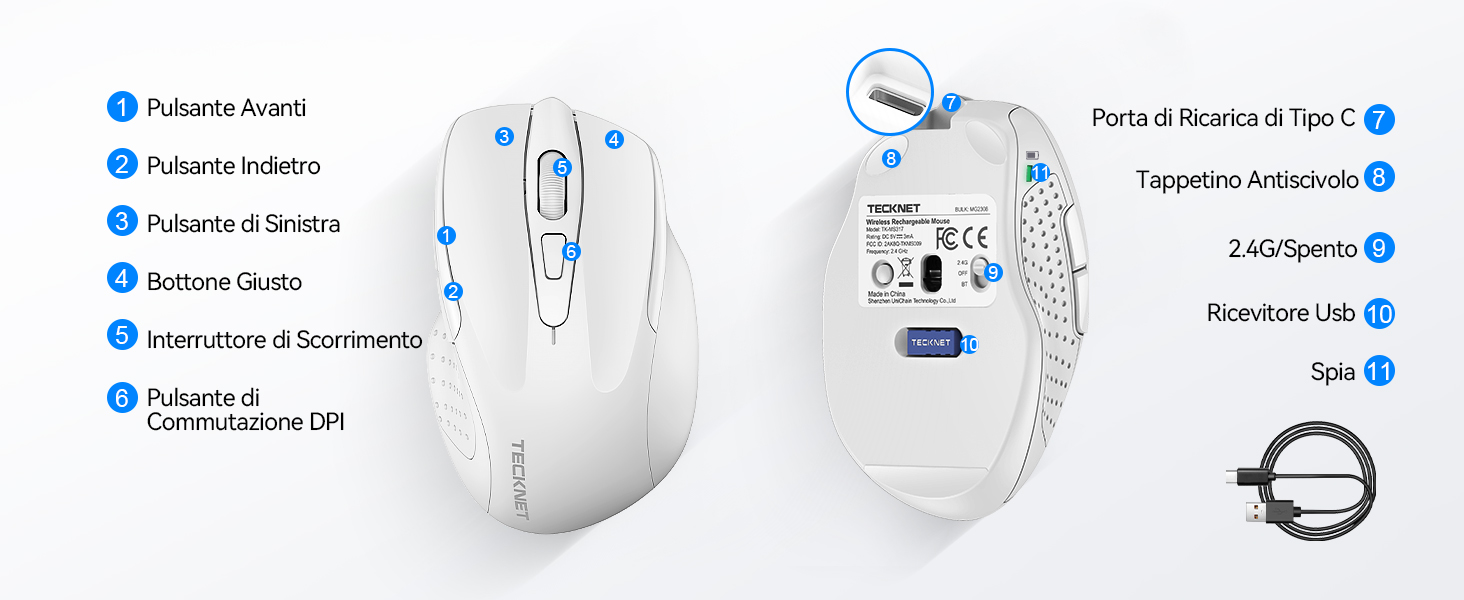
Figure 1: Mouse Components Diagram
- Oldinga yo'naltirish tugmasi
- Orqaga qaytish tugmasi
- Chap tugma
- O'ng tugma
- O'tkazish g'ildiragi
- DPI almashtirish tugmasi
- C toifa zaryadlash porti
- Siljishga qarshi yostiq
- 2.4G/Off Switch
- USB qabul qilgich xotirasi
- Ko'rsatkich chirog'i
O'rnatish bo'yicha ko'rsatmalar
1. Sichqonchani zaryadlash
Before first use, it is recommended to fully charge the mouse. Connect the provided USB-C charging cable to the mouse's Type-C charging port and the other end to a USB power source (e.g., computer USB port, USB wall adapter).

The mouse features a 700mAh built-in battery, providing extended usage on a single charge. The indicator light will show charging status.
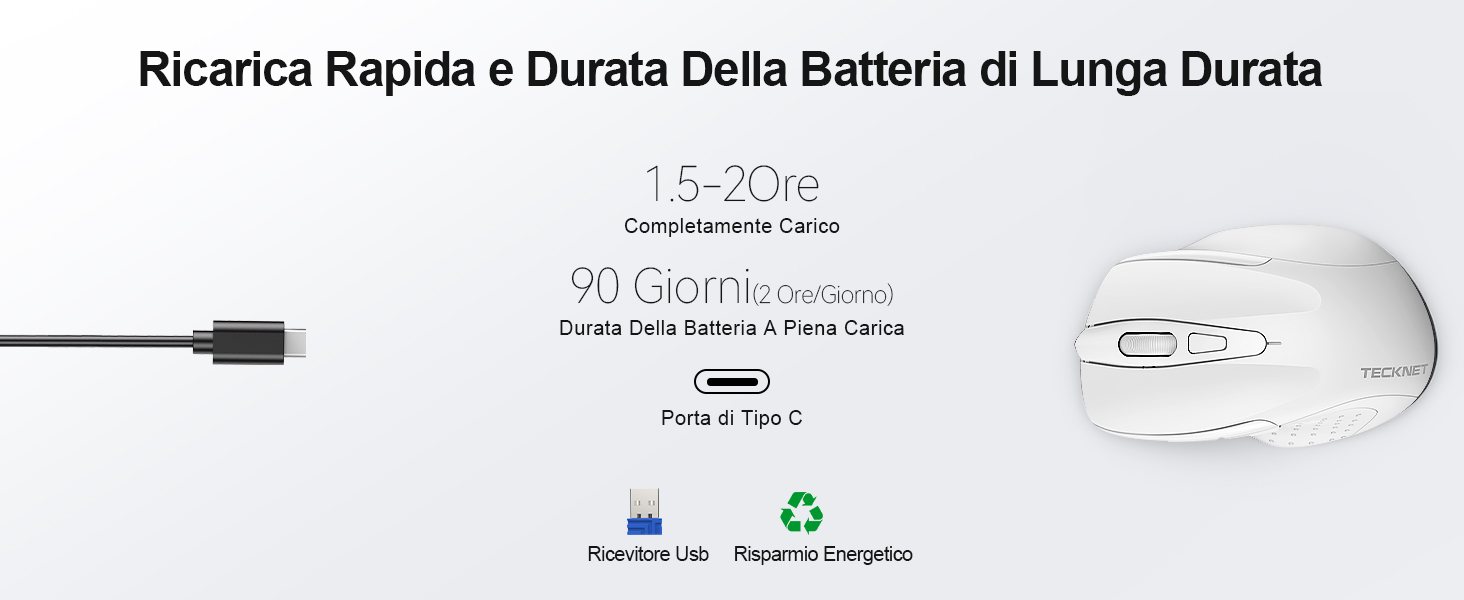
A full charge takes approximately 1.5-2 hours and can last up to 90 days (based on 2 hours/day usage).
2. USB qabul qilgichni ulash
The mouse uses a 2.4GHz wireless connection for reliable data transmission.
- Locate the USB receiver stored in the compartment on the underside of the mouse.
- Plug the USB receiver into an available USB port on your computer (PC, laptop, Chromebook, etc.).
- Turn on the mouse using the 2.4G/Off switch located on the underside.
- Your computer should automatically detect and install the necessary drivers. The mouse is plug-and-play, requiring no additional software.

The effective working distance is up to 15 meters.

Ensure the mouse is switched on after plugging in the receiver.
Foydalanish bo'yicha ko'rsatmalar
DPI sozlamalari
The mouse features 6 adjustable DPI levels (800/1200/1600/2400/3200/4800) to suit various tasks, from precise targeting to fast gaming movements. Press the DPI switch button (Component 6 in Figure 1) to cycle through the DPI settings.

Adjust DPI for optimal cursor speed and precision.
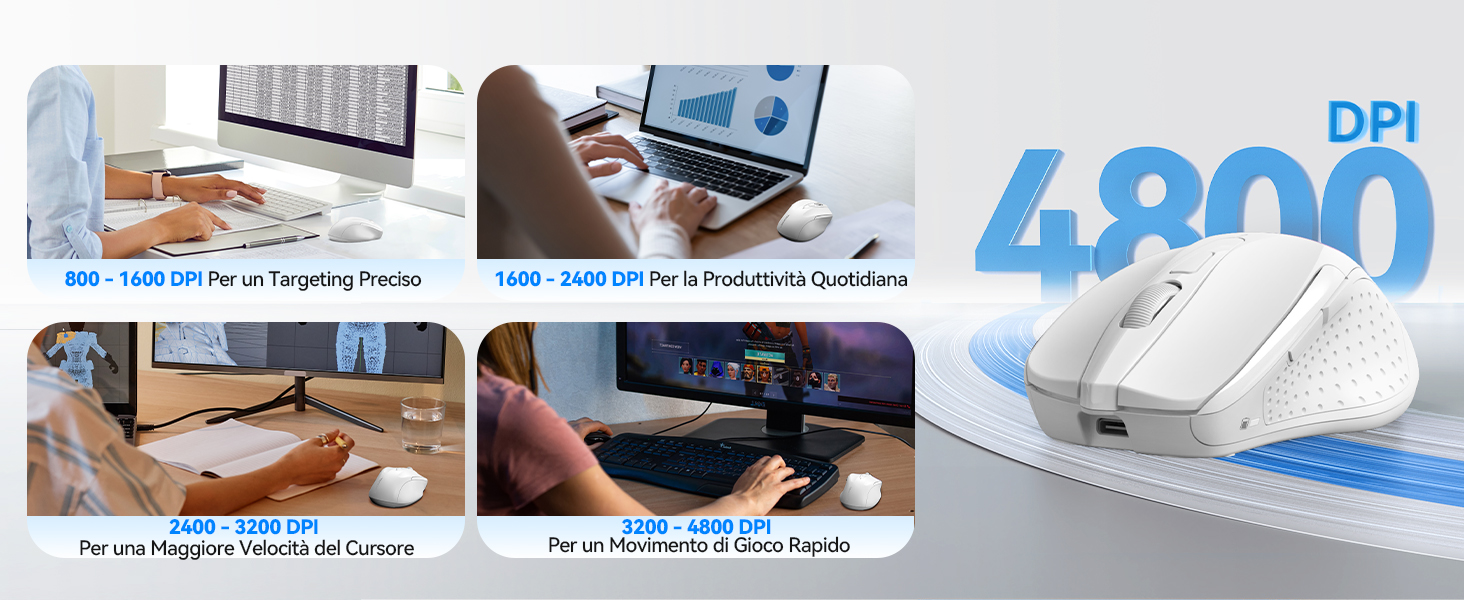
DPI settings for different usage scenarios.
Jim bosish xususiyati
The mouse is designed for silent operation, reducing click noise by up to 90%. This allows for a quiet working environment without disturbing others.

Enjoy a quiet working experience.
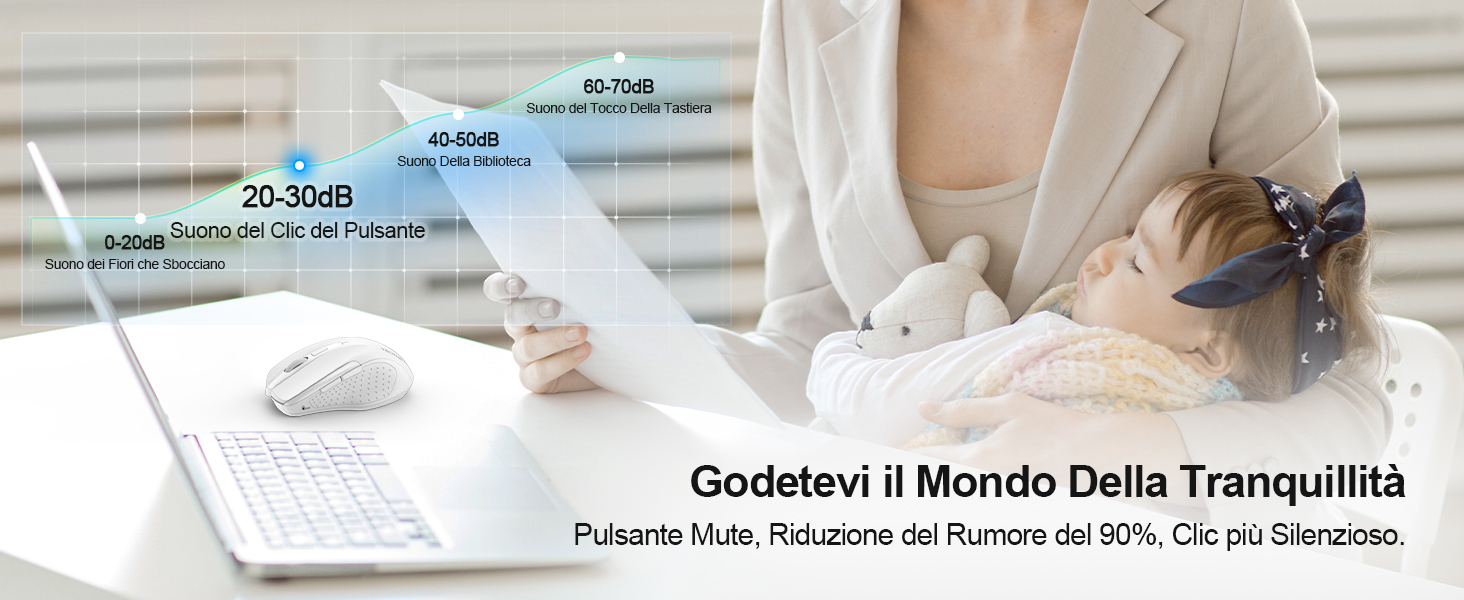
Sound level comparison demonstrating reduced click noise.
Ergonomik dizayn
The mouse is ergonomically designed to fit the natural curvature of your hand, reducing muscle pressure by up to 30% and ensuring comfortable use for extended periods. Soft natural rubber grips on the sides provide a secure and comfortable hold.

Ergonomic shape for comfortable use.
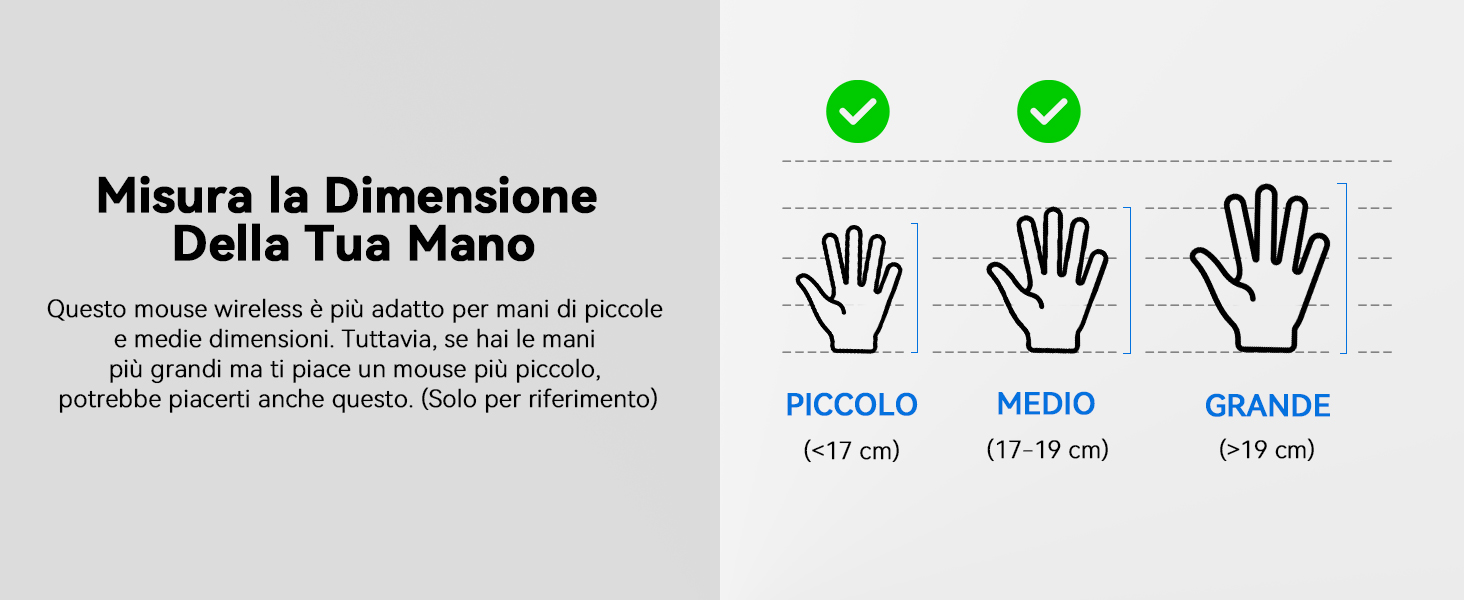
This mouse is suitable for small to medium hand sizes. Refer to the guide for reference.
Quvvatni tejash xususiyatlari
The mouse includes intelligent power-saving features:
- Avtomatik uyqu rejimi: If inactive for 10 seconds, the mouse enters standby mode. After 10 minutes of inactivity, it enters deep sleep mode to conserve battery.
- Uyg'otish funktsiyasi: Sichqonchani uyqu rejimidan uyg'otish uchun istalgan tugmani bosing.
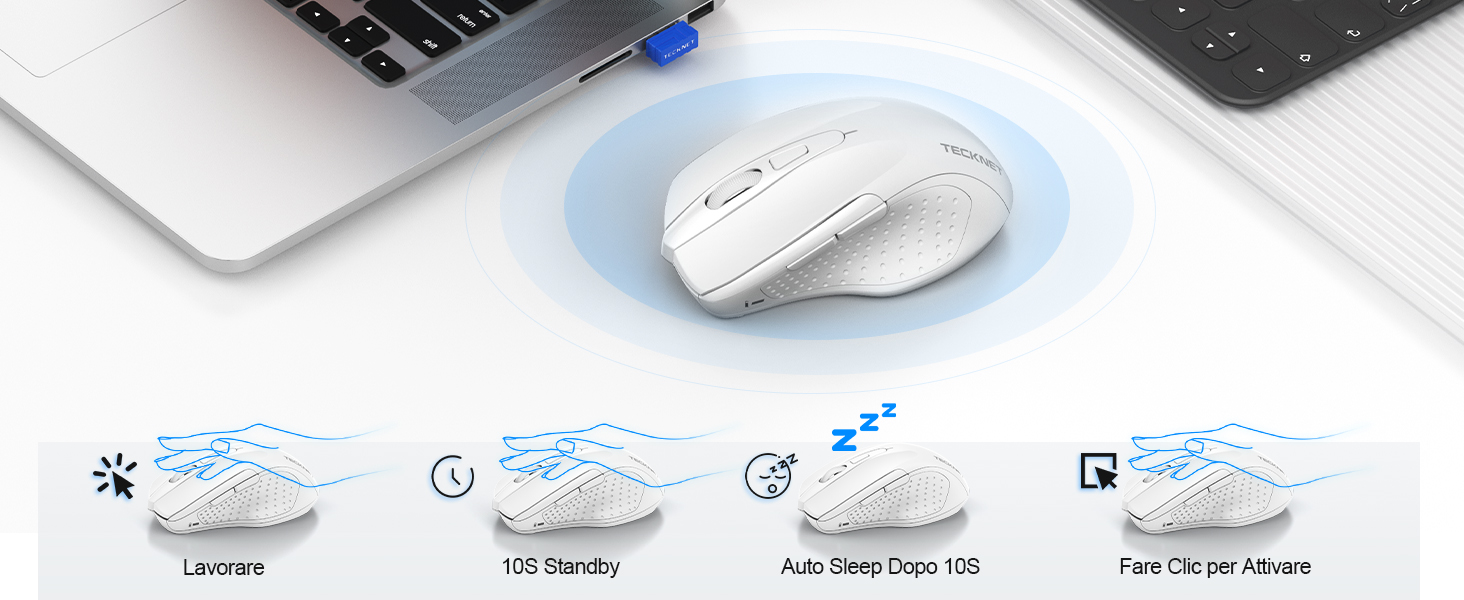
Power saving modes for extended battery life.
Xizmat
- Tozalash: Sichqonchani tozalash uchun yumshoq, quruq matodan foydalaning. O'jar axloqsizlik uchun, bir oz damp matodan foydalanish mumkin, bu esa qurilmaga namlik kirmasligini ta'minlaydi.
- Zaryadlash: Recharge the mouse when the indicator light signals low battery. Avoid completely draining the battery frequently to prolong its lifespan.
- Saqlash: When not in use for extended periods, turn off the mouse and store the USB receiver in its designated compartment.
Muammolarni bartaraf qilish; nosozliklarni TUZATISH
| Muammo | Mumkin sabab | Yechim |
|---|---|---|
| Sichqoncha javob bermayapti | Low battery; USB receiver not connected; Mouse switched off; Driver issue. | Charge the mouse; Ensure USB receiver is securely plugged in; Turn on the mouse; Try a different USB port; Restart computer. |
| Vaqti-vaqti bilan ulanish yoki kechikish | Interference from other wireless devices; Distance from receiver; Obstructions. | Move closer to the receiver; Remove obstructions; Avoid using near other 2.4GHz devices; Try a different USB port. |
| Kursor harakati tartibsiz yoki noaniq | Nopok optik sensor; Noto'g'ri sirt; Noto'g'ri DPI sozlamasi. | Clean the optical sensor; Use a mouse pad or a smooth, non-reflective surface; Adjust DPI settings. |
| Mouse does not charge | Faulty charging cable; Faulty USB port; Mouse issue. | Try a different USB-C cable; Try a different USB power source; Contact customer support if the issue persists. |
Texnik xususiyatlari
| Brend | Texnika |
| Model raqami | TK-MS009 |
| Rang | Oq |
| Ulanish texnologiyasi | 2.4 gigagertsli simsiz (USB qabul qiluvchi) |
| Maxsus xususiyatlar | Rechargeable, Long Battery Life, Silent Click, Ergonomic Design |
| Harakatni aniqlash texnologiyasi | Optik |
| Tugmalar soni | 6 |
| Qo'lni yo'naltirish | O'ng qo'l |
| Mos qurilmalar | Laptop, PC, Chromebook, Computer |
| Operatsion tizimlar | Windows 11/10/8.1/8/7/Vista/XP, Linux, Mac OS (side buttons not available on Mac OS) |
| O'rtacha batareya quvvati | 1050 Hours (approx. 1-2 months on 2-hour charge) |
| Maksimal sezuvchanlik | 4800 dpi |
| Simsiz diapazon | 15 metr |
| Olchamlari (U x W) | 10.6L x 6.8Vt sm |
| Material | Plastik |
Kafolat va qo'llab-quvvatlash
TECKNET taklif qiladi 36 oylik kafolat for registered users. If you encounter any issues during the use of your mouse, please contact our professional customer service team as soon as possible. We are committed to assisting you in resolving any problems.
Qo'llab-quvvatlash uchun rasmiy TECKNET saytiga tashrif buyuring websaytga kiring yoki mahsulotingizning qadoqlari bilan birga ko'rsatilgan aloqa ma'lumotlariga qarang.
Onlayn manbalar: