
1. Kirish
This manual provides detailed instructions for the installation, operation, and maintenance of your Chameye C420 4K 20X Optical Zoom PTZ Camera. Please read this manual thoroughly before using the product to ensure proper and safe operation. Keep this manual for future reference.
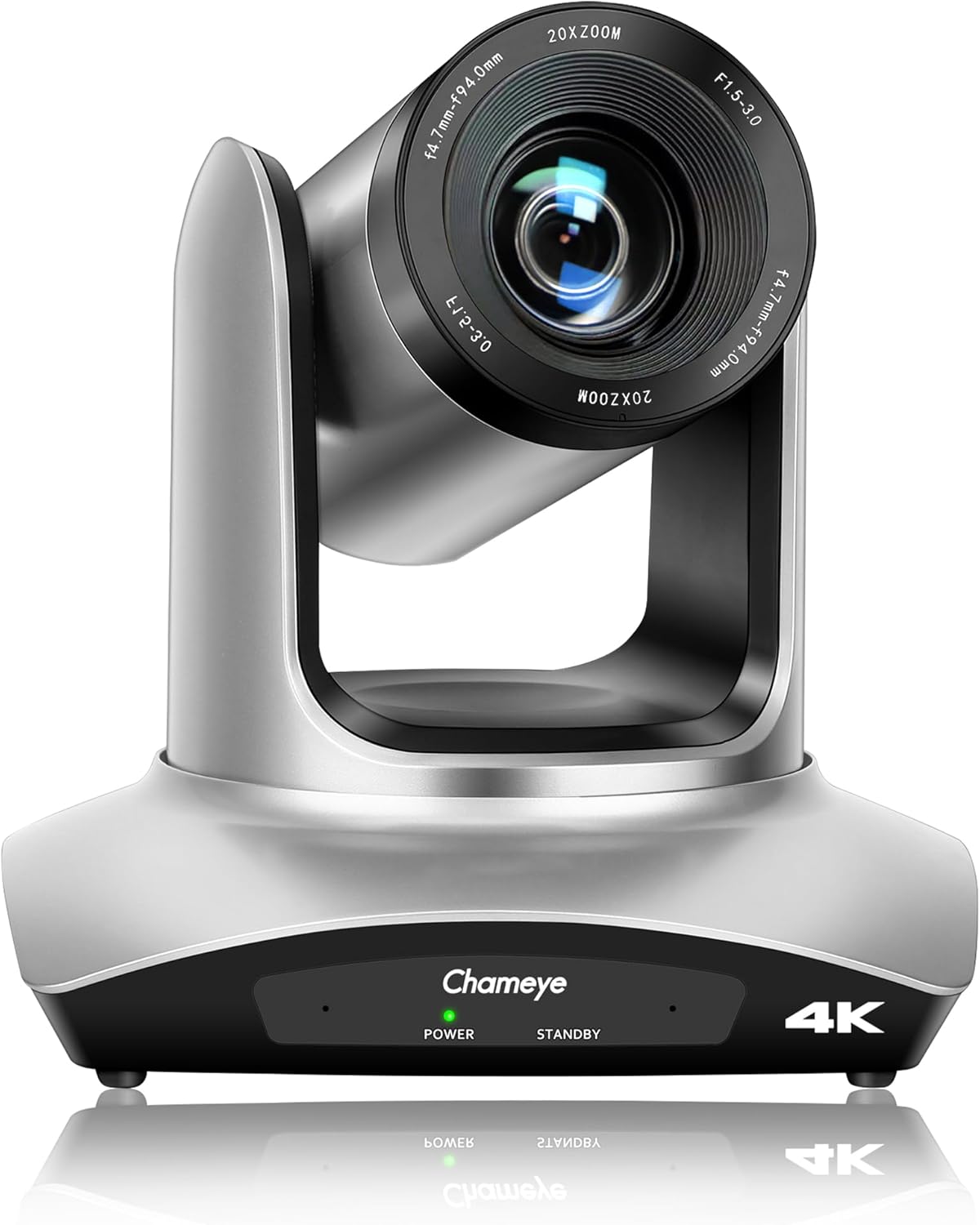
Old view of the Chameye C420 4K PTZ Camera, showcasing its lens and base with power and standby indicators.
2. Mahsulot tugadiview
2.1 Asosiy xususiyatlar
- 4K UHD ruxsati: Delivers crystal-clear video quality up to 3840x2160 at 30fps, utilizing a 1/2.8-inch CMOS sensor with 8.5MP effective pixels.
- 20x optik kattalashtirish: Provides high-quality remote capture with a 60° wide field of view, allowing for detailed imaging from a distance.
- Moslashuvchan ulanish: Supports HDMI, USB 3.0, and IP streaming (RTSP, RTMP, H.264/H.265 encoding).
- Ethernet orqali quvvat (PoE): Enables power, control, and video/audio streaming through a single network cable via the LAN port.
- Panorama/Tilt harakati: Offers 355° pan and 120° tilt ranges for precise camera positioning.
- Multiple Presets: Supports 10 preset positions via IR remote control and 255 presets with the Chameye PTZ controller E300.
- Keng muvofiqlik: Plug-and-play USB3.0 compatibility with Windows (XP to 11), Mac OS (10.4+), and major platforms like Zoom, Teams, YouTube, vMix, OBS, WebEx, and GoToMeeting.
- Advanced Image Technology: Features fast auto-focus, image flip and mirror functions, and high SNR CMOS with 2D/3D noise reduction for optimal performance in various lighting conditions.
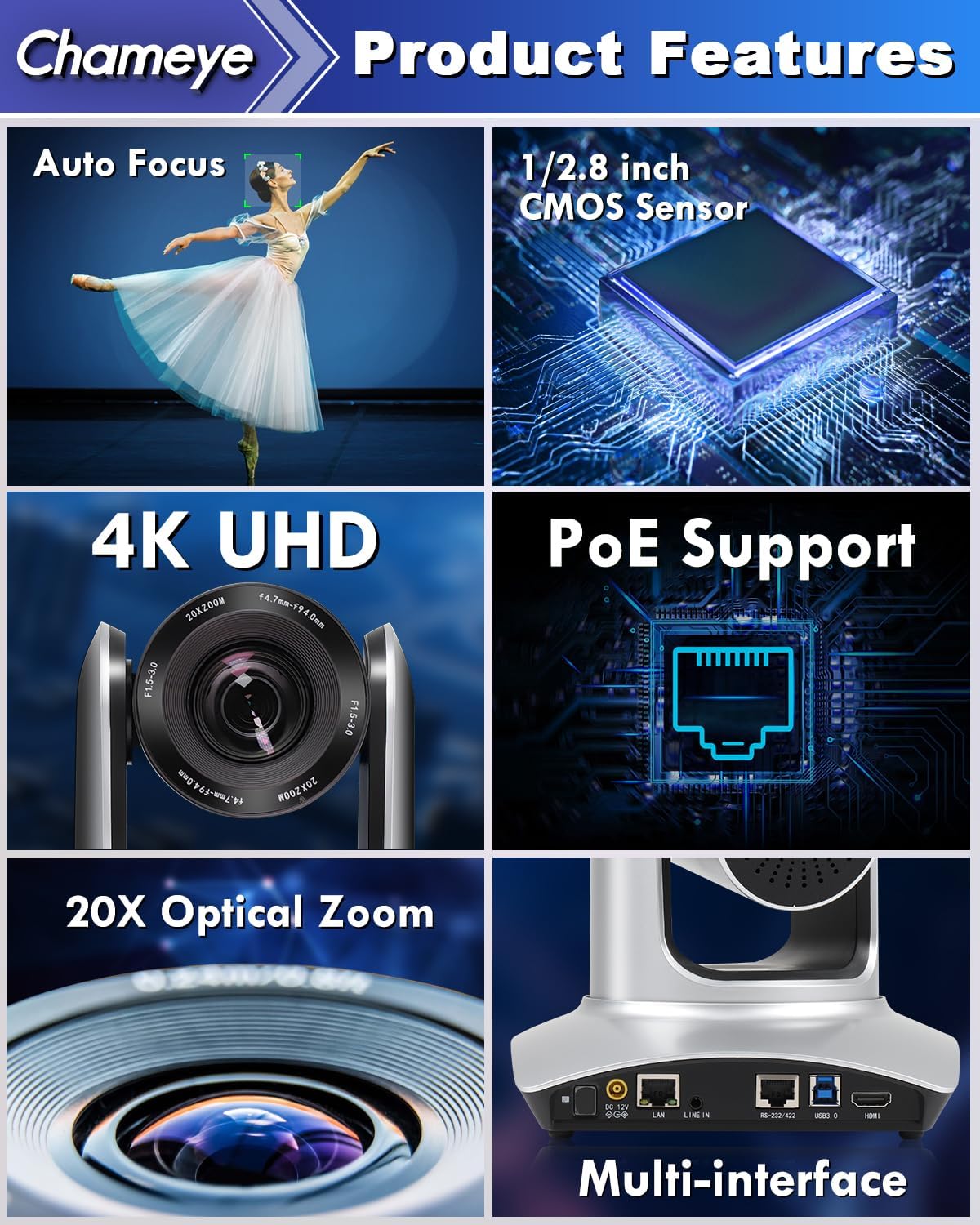
A collage highlighting the main features of the Chameye C420 PTZ Camera, including its auto-focus capability, 1/2.8-inch CMOS sensor, 4K UHD resolution, Power over Ethernet (PoE) support, 20x optical zoom, and multiple connectivity interfaces.
2.2 Paket tarkibi
Paketda barcha elementlar mavjudligiga ishonch hosil qiling:
- Chameye C420 PTZ Camera
- IR masofadan boshqarish pulti
- E300 PTZ Controller (if purchased as part of a bundle)
- HDMI kabeli
- LAN kabeli
- USB kabeli
- Quvvat adapteri
- O'rnatish uskunasi
- Foydalanuvchi uchun qo'llanma (ushbu hujjat)
3. Sozlash
3.1 Jismoniy o'rnatish
- O'rnatish: The camera can be installed on a wall, tripod, or ceiling. Ensure the mounting surface is stable and can support the camera's weight.
- Joylashtirish: Place the camera in a location that provides the desired field of view for your application (e.g., conference room, church, classroom).
3.2 Kamerani ulash
The Chameye C420 offers multiple connectivity options:
- Ethernet orqali quvvat (PoE): Connect a single LAN cable from the camera's LAN port to a PoE-enabled router or switch. This provides both power and network connectivity.
- HDMI chiqishi: Connect an HDMI cable from the camera's HDMI port to a display or video switcher for direct video output.
- USB 3.0 chiqishi: Connect a USB 3.0 cable from the camera's USB 3.0 port to a computer for video capture and control.
- RS-232/422 Control: Use the RS-232/422 port for external PTZ control systems.
- Qator: Connect an external audio source to the Line In port if needed.
- DC 12V Power: If not using PoE, connect the included power adapter to the DC 12V port and a power outlet.

The back panel of the Chameye C420 PTZ Camera, detailing its various input and output ports for power, audio, video, and control, including LAN (PoE), HDMI, USB3.0, and RS-232/422.

A two-step diagram showing how to set up the Chameye C420 PTZ Camera: Step 1 involves connecting the camera to a PoE router/switch, and Step 2 shows configuring and starting real-time streaming on a monitor.
4. Operatsiya
4.1 Quvvatni yoqish/o‘chirish
Once connected to power (either via PoE or DC 12V adapter), the camera will automatically power on. The power indicator light on the front of the camera will illuminate. To power off, disconnect the power source.
4.2 Using the IR Remote Control
The included IR remote control allows for basic camera functions:
- Panorama/Tilt: Use the directional arrows to move the camera horizontally (pan) and vertically (tilt).
- Kattalashtirish: Use the zoom in/out buttons to adjust the optical zoom.
- Fokus: Adjust focus manually or enable auto-focus.
- Dastlabki sozlamalar: Set and recall up to 10 preset positions. To set a preset, move the camera to the desired position, press the 'SET' button, then press a number (0-9). To recall, press the number.
- Menyu: Kengaytirilgan sozlamalar uchun ekrandagi displey (OSD) menyusiga kiring.
4.3 Advanced Control (E300 PTZ Controller)
For more comprehensive control, including up to 255 preset positions and multi-camera management, use the Chameye PTZ controller E300 (sold separately or as part of a bundle). Refer to the E300 controller's manual for detailed instructions.
4.4 Live Streaming and Video Conferencing
The Chameye C420 is compatible with various platforms:
- USB 3.0: Connect to a computer and select the camera as a video input device in applications like Zoom, Teams, OBS, vMix, WebEx, or GoToMeeting. No drivers are required for Windows (XP to 11) or Mac OS (10.4+).
- IP oqimi: Configure the camera's IP settings via its web interface. Use streaming software (e.g., OBS, vMix) to receive the RTSP/RTMP stream for platforms like YouTube and Facebook Live.

The Chameye C420 PTZ Camera positioned next to a monitor displaying a live streaming interface, compatible with platforms like vMix, YouTube, Facebook Live, Skype, and Twitch.
5. Xizmat ko'rsatish
- Tozalash: Use a soft, dry cloth to clean the camera body. For the lens, use a specialized lens cleaning cloth and solution. Avoid harsh chemicals.
- Atrof-muhit: Operate the camera in a clean, dry environment. Avoid extreme temperatures, humidity, and direct sunlight.
- Dasturiy ta'minotni yangilash: Vaqti-vaqti bilan ishlab chiqaruvchini tekshiring weboptimal ishlash va yangi funksiyalarga kirishni ta'minlash uchun dasturiy ta'minot yangilanishlari uchun sayt.
6. Muammolarni bartaraf qilish; nosozliklarni TUZATISH
6.1 Umumiy muammolar va yechimlar
| Muammo | Mumkin sabab | Yechim |
|---|---|---|
| Quvvat yo'q | Power cable disconnected; PoE not active. | Ensure power adapter is securely connected or PoE switch is providing power. |
| Video chiqishi yo'q | HDMI/USB cable loose; incorrect input selected on display/software. | Check cable connections; select correct input source; verify software settings. |
| Masofadan boshqarish pulti ishlamayapti | Batteries low/dead; IR sensor blocked; too far from camera. | Replace batteries; ensure clear line of sight to camera's IR sensor; operate within range. |
| Image blurry/out of focus | Manual focus engaged; auto-focus not functioning. | Adjust focus manually using the remote or enable auto-focus. |
| Network streaming issues | Incorrect IP settings; network congestion; firewall blocking. | Verify IP address and network settings; check network bandwidth; configure firewall rules. |
7. Texnik shartlar
- Model: C420
- Sensor: 1/2.8-inch CMOS, 8.5MP Effective Pixels
- Video ruxsati: 4K (3840x2160) @ 30fps; 1080P @ 60fps
- Optik kattalashtirish: 20x
- ning maydoni View: 60°
- Pan oralig'i: 355°
- Nishab oralig'i: 120°
- Ulanish: HDMI, USB 3.0, LAN (PoE), RS-232/422, Line In
- Kodlash: H.264/H.265 (IP Streaming)
- O'lchamlari: 7.28 x 7.28 x 7.09 dyuym (18.5 x 18.5 x 18 sm)
- Og'irligi: 7.13 funt (3.23 kg)
8. Kafolat va qo'llab-quvvatlash
Chameye provides the following support for the C420 PTZ Camera:
- 30 kunlik pulni qaytarish kafolati: For any reason.
- 3 yillik cheklangan kafolat: Oddiy foydalanish paytida ishlab chiqarishdagi nuqsonlar va nosozliklarni qoplaydi.
- Lifetime Online Support: Access to technical assistance for the product's lifespan.
- Mijozlarga xizmat ko'rsatish: Support team guarantees responses within 24 hours to resolve issues efficiently.
For support, please visit the official Chameye websayti yoki bevosita mijozlarga xizmat ko'rsatish bilan bog'laning.