
1. Kirish
This manual provides essential information for setting up, operating, maintaining, and troubleshooting your Acer Aspire Lite AL15-41 laptop. Please read this guide thoroughly to ensure proper use and to maximize the lifespan of your device.
2. Sozlash
2.1 Qutidan chiqarish va dastlabki tekshirish
Paketdagi barcha komponentlarni ehtiyotkorlik bilan olib tashlang. Quyida sanab o'tilgan barcha narsalar mavjudligini va buzilmaganligini tekshiring.
- Acer Aspire Lite AL15-41 Laptop
- Quvvat simi
- Adapter
- Foydalanuvchi uchun qo'llanma (ushbu hujjat)

2.1-rasm: Old view of the Acer Aspire Lite AL15-41 laptop.
2.2 Quvvat adapterini ulash
Connect the power adapter to the laptop's power input port and then plug the power cord into a wall outlet. The laptop can be used while charging.
2.3 Dastlabki yoqish va Windows-ni sozlash
Noutbukni yoqish uchun quvvat tugmasini bosing. Windows 11 Home o'rnatish jarayonini yakunlash uchun ekrandagi ko'rsatmalarga amal qiling. Bunga mintaqangiz, tilingiz, Wi-Fi tarmog'iga ulanish va foydalanuvchi hisobini yaratish kiradi.
3. Foydalanish bo'yicha ko'rsatmalar
3.1 Klaviatura va sensorli panel
The laptop features a 100-/101-/104-key keyboard with an independent numeric keypad for efficient data entry. The touchpad supports multi-touch gestures for navigation.

3.1-rasm: Batafsil view klaviatura va sensorli panelning.
3.2 Portlar va ulanish
The Acer Aspire Lite AL15-41 offers various ports for connecting external devices:
- 2 x USB 2.0 (A turi)
- 1 x USB 3.2 Gen 1 (Type A)
- 1 x USB 3.2 Gen 2 (Type C)
- 1 x HDMI port for video output
- Audio uyasi
For wireless connectivity, the laptop supports Wi-Fi 5 and Bluetooth 5.1.

3.2-rasm: yon view illustrating the available ports.
3.3 Displey xususiyatlari
The laptop features a 15.6-inch Full HD (1920 x 1080) TN display with a 16:9 aspect ratio. The ultra-slim design enhances the viewtajribasi.

3.3-rasm: 15.6 dyuymli Full HD displey.
3.4 180-Degree Hinge Mechanism
The screen can be rotated 180 degrees, facilitating collaboration and flexible viewing angles. To activate this feature, press the Function + R key combination.

Figure 3.4: Laptop demonstrating the 180-degree hinge.
3.5 Batareyani boshqarish
The laptop is equipped with a 3-cell Lithium Ion battery with 36 Watt Hours of energy content, providing up to 7 hours of battery life under normal usage conditions. For optimal battery health, avoid frequent full discharges and keep the laptop in a cool environment.
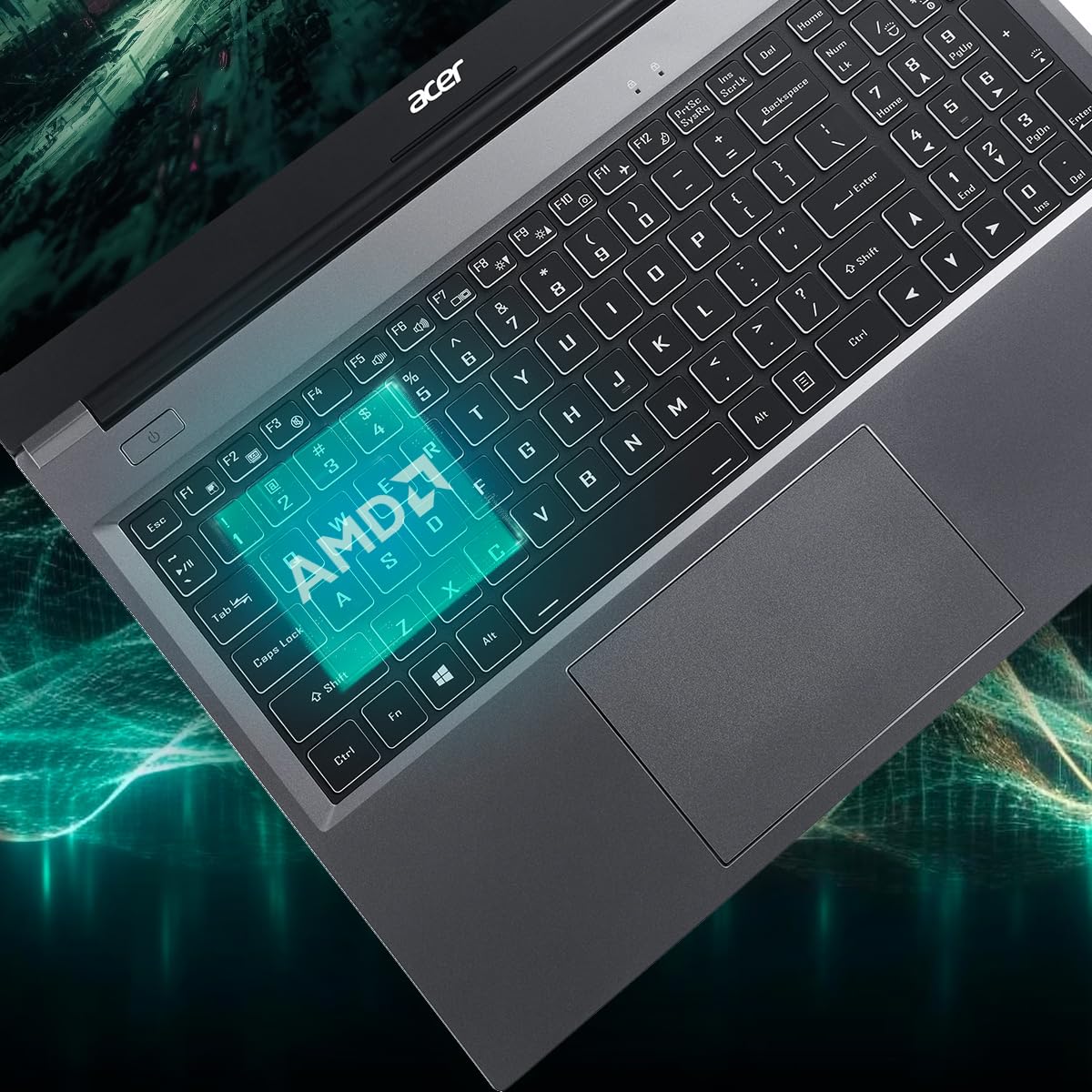
Figure 3.5: Laptop design emphasizing portability and battery life.
4. Xizmat ko'rsatish
4.1 Noutbukni tozalash
Bir oz yumshoq, tuklarsiz matodan foydalaning dampened with water or a specialized screen cleaner to clean the display. For the keyboard and chassis, use a soft brush or compressed air to remove dust. Avoid harsh chemicals or abrasive materials.
4.2 Dasturiy ta'minotni yangilash
Regularly update your operating system (Windows 11 Home) and drivers to ensure optimal performance and security. Check the Acer support website for the latest driver updates for your AL15-41 model.
4.3 Xotira va operativ xotirani yangilash
The laptop's 8 GB DDR4 RAM is upgradable up to 32GB across two SODIMM sockets. The 512 GB PCIe Gen3 NVMe SSD storage is upgradable up to 1 TB. For upgrades, it is recommended to consult a qualified technician or refer to Acer's official service guidelines to avoid voiding your warranty.
5. Muammolarni bartaraf qilish; nosozliklarni TUZATISH
Agar noutbukda muammolarga duch kelsangiz, quyidagi asosiy muammolarni bartaraf etish bosqichlarini ko'rib chiqing:
- Quvvat yo'q: Quvvat adapteri ham noutbukga, ham ishlaydigan rozetkaga mahkam ulanganligiga ishonch hosil qiling. Boshqa rozetkani sinab ko'ring.
- Displey muammolari: If the screen is blank, try connecting an external monitor to determine if the issue is with the laptop's display or graphics output.
- Sekin ishlash: Close unnecessary applications, check for malware, and ensure your operating system and drivers are up to date. Consider the recommended maintenance steps.
- Ulanish muammolari: For Wi-Fi or Bluetooth issues, try restarting your laptop and your router/Bluetooth device. Check device manager for driver status.
For more complex issues, refer to the online support resources available on the official Acer websaytiga kiring yoki Acer mijozlarni qo'llab-quvvatlash xizmatiga murojaat qiling.
6. Texnik shartlar
Detailed technical specifications for the Acer Aspire Lite AL15-41 laptop:
| Xususiyat | Spetsifikatsiya |
|---|---|
| Brend | Acer |
| Model nomi | Aspire Lite |
| Model raqami | AL15-41 |
| Protsessor | AMD Ryzen 3 7330U Processor (2.3 GHz, up to 4.3 GHz) |
| Grafika | O'rnatilgan AMD Radeon Grafikasi |
| Ram | 8 GB DDR4 (Upgradable up to 32 GB) |
| Saqlash | 512 GB NVMe SSD (Upgradable up to 1 TB) |
| Displey | 15.6 Inches Full HD (1920 x 1080) TN LCD |
| Operatsion tizim | Windows 11 Bosh sahifa |
| Rang | Chelik kulrang |
| Og'irligi | 1.6 kilogramm |
| Dimensions (L x W x Thickness) | 23.9L x 36W x 2Th Centimeters |
| USB portlari | 2 x USB 2.0 (Type A), 1 x USB 3.2 Gen 1 (Type A), 1 x USB 3.2 Gen 2 (Type C) |
| HDMI porti | 1 |
| Simsiz ulanish | Wi-Fi 5, Bluetooth 5.1 |
| Batareya muddati | 7 Hours (36 Watt Hours Lithium Ion) |
| Klaviatura | Chiclet with numeric keypad |
| Sensorli panel | Clickpad, Multi-touch |
| Webkamera | Yes (Front) |
7. Kafolat va qo'llab-quvvatlash
7.1 Kafolat haqida ma'lumot
Your Acer Aspire Lite AL15-41 laptop comes with a 1-Year Manufacturer Warranty. Please retain your proof of purchase for warranty claims. The warranty covers manufacturing defects under normal use conditions.
7.2 Manufacturer and Importer Contact
Ishlab chiqaruvchi: Acer
Import qiluvchi: ACER INDIA PRIVATE LIMITED
Embassy Heights, 6th Floor, No. 13, Magrath Road, Next to HOSMAT Hospital, Bangalore, INDIA – 560025
Paketchi: ACER INDIA PRIVATE LIMITED
RS No.38/2, Sedarpet Village, Villanur Commune, Poducherry - 605111.
7.3 Mijozlarni qo‘llab-quvvatlash
For technical assistance, driver downloads, or service requests, please visit the official Acer support website or contact their customer service directly. You can find contact details and support resources on the Acer India websayt.