
1. Mahsulot tugadiview
The Amkette Hush Pro Astra is a wireless mouse designed for comfort and efficiency. It features 2.4 GHz wireless connectivity, silent switches for quiet operation, an ergonomic design, and adjustable DPI settings for precise control. The mouse also includes an On/Off switch and a smart auto-sleep function to conserve battery life.
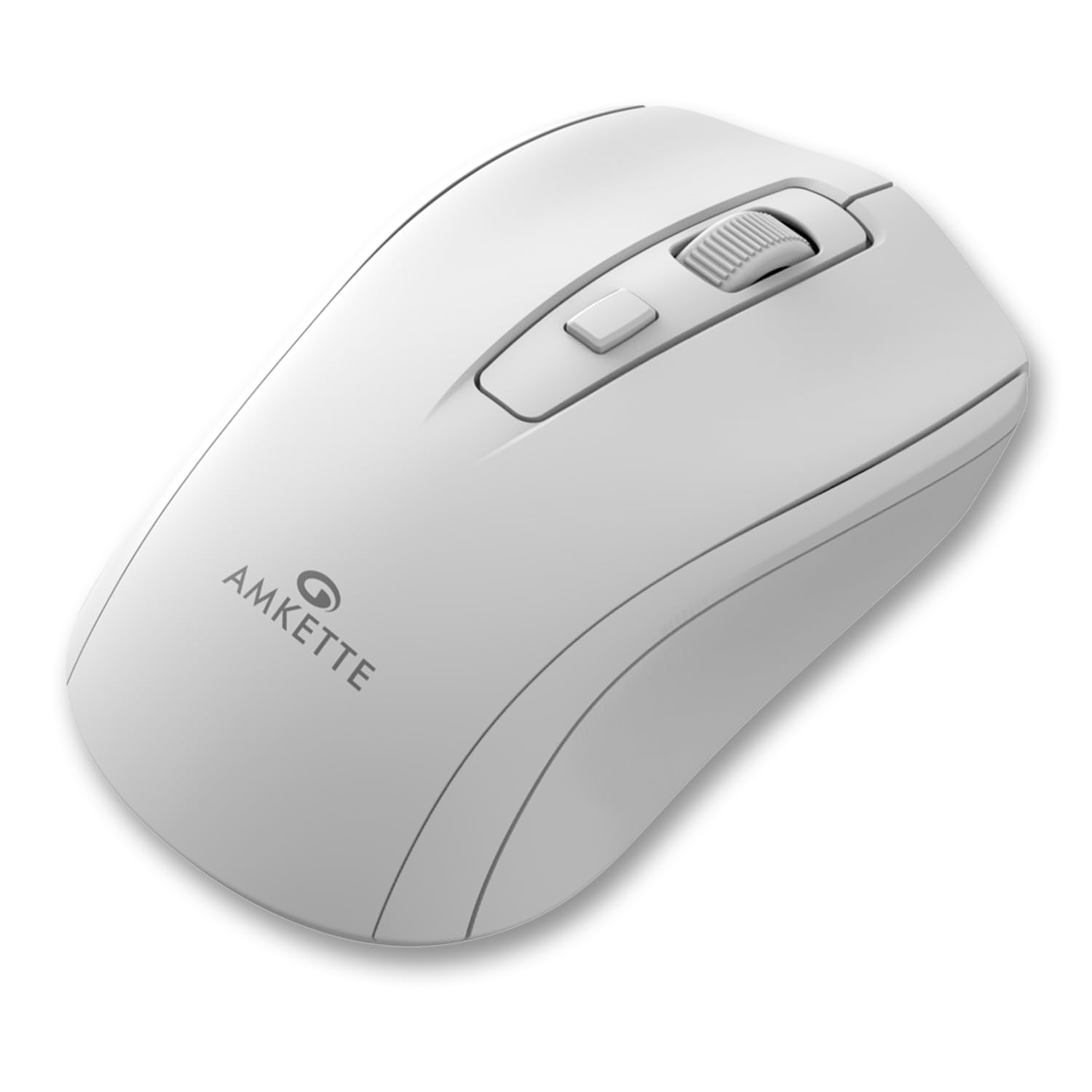
Figure 1: Amkette Hush Pro Astra Wireless Mouse (White)
Asosiy xususiyatlar:
- Advanced 2.4 GHz Wireless Connectivity: Ensures a stable, lag-free connection.
- Silent Switches: Provides noiseless clicks for an undisturbed work environment.
- Ergonomik dizayn: Shaped for comfortable long-term use.
- Sozlanishi mumkin bo'lgan DPI sozlamalari: Three levels (800-1000-1200 DPI) for customizable cursor sensitivity.
- Yoqish/o'chirish tugmasi: For manual power control.
- Smart Auto Sleep Function: Automatically conserves battery when not in use.
- Yilni va portativ: Easy to carry in a laptop bag.

Figure 2: Ergonomic grip design with matte finish for enhanced comfort.

Figure 3: Silent click switches for quiet operation.

Figure 4: Universal compatibility with Windows, Mac OS, Chrome OS, and Linux.
2. O'rnatish bo'yicha ko'rsatmalar
2.1 Paket tarkibi
Before you begin, ensure your package contains the following:
- Amkette Hush Pro Astra Wireless Mouse
- USB nano qabul qilgich
Note: 1 AA battery is required and not included in the box.
2.2 Batareyani o'rnatish
- Sichqonchaning pastki qismidagi batareya bo'linmasini toping.
- Gently slide the battery cover open.
- Musbat (+) va manfiy (-) terminallar bo'linma ichidagi belgilar bilan to'g'ri mos kelishiga ishonch hosil qilib, bitta AA batareyani joylashtiring.
- Close the battery cover until it clicks securely into place.

Figure 5: Battery compartment and On/Off switch location.
2.3 Sichqonchani ulash
- Remove the USB Nano receiver from its storage slot, usually located within the battery compartment or on the underside of the mouse.
- Plug the USB Nano receiver into an available USB port on your computer (PC, Mac, Laptop, etc.).
- Sichqonchani pastki qismida joylashgan Yoqish/O'chirish tugmasi yordamida yoqing.
- Your computer should automatically detect and install the necessary drivers. The mouse will be ready for use within a few seconds.

Figure 6: Connecting the USB Nano receiver to a laptop.
3. Foydalanish bo'yicha ko'rsatmalar
3.1 Quvvatni yoqish/o‘chirish
To turn the mouse on or off, use the slide switch located on the underside of the mouse. Slide it to the 'ON' position for use and 'OFF' to conserve battery when not in use.
3.2 DPI sozlash
The mouse features a dedicated DPI button, usually located behind the scroll wheel. Press this button to cycle through three different DPI (Dots Per Inch) settings: 800, 1000, and 1200. A higher DPI setting results in faster cursor movement, while a lower DPI setting provides more precise control.

Figure 7: DPI button and available sensitivity levels.
3.3 Jim bosish xususiyati
The Amkette Hush Pro Astra is equipped with silent switches, significantly reducing the clicking noise. This feature is ideal for quiet environments, ensuring minimal disturbance during use.
3.4 Smart Auto Sleep Function
To extend battery life, the mouse will automatically enter a sleep mode after a period of inactivity. To wake the mouse, simply move it or click any button.
4. Xizmat ko'rsatish
4.1 Tozalash
- Sichqonchaning sirtini tozalash uchun yumshoq, quruq matodan foydalaning.
- O'jar axloqsizlik uchun, bir oz dampmatoga suv yoki yumshoq tozalash eritmasi soling. Qattiq kimyoviy moddalardan saqlaning.
- Do not immerse the mouse in water or any liquid.
- Clean the optical sensor on the underside periodically with a cotton swab to ensure smooth tracking.
4.2 Saqlash
- When not in use for extended periods, turn off the mouse using the On/Off switch.
- Store the USB Nano receiver inside the mouse's designated slot to prevent loss.
- Keep the mouse in a cool, dry place away from direct sunlight and extreme temperatures.
5. Muammolarni bartaraf qilish; nosozliklarni TUZATISH
5.1 Sichqoncha javob bermayapti
- Batareyani tekshiring: AA batareyasi to'g'ri o'rnatilganligiga va yetarli zaryadga ega ekanligiga ishonch hosil qiling. Agar kerak bo'lsa, almashtiring.
- Quvvat tugmasi: Verify that the On/Off switch on the underside of the mouse is in the 'ON' position.
- Qabul qiluvchiga ulanish: Ensure the USB Nano receiver is securely plugged into a working USB port on your computer. Try a different USB port.
- Qayta ulash: In rare cases, the mouse and receiver might lose connection. Try unplugging and re-plugging the receiver, then turn the mouse off and on again.
5.2 Kursorning tartibsiz harakati
- Sensorni tozalash: Sichqonchaning pastki qismidagi optik sensorni tozalang.
- Yuzaki: Sichqonchani toza, aks ettirmaydigan va bir tekis yuzaga qo'ying. Shisha yoki yuqori darajada aks ettiruvchi sirtlardan saqlaning.
- Interferentsiya: Move the mouse closer to the USB receiver. Other wireless devices or large metal objects might cause interference.
5.3 Qisqa batareya muddati
- Foydalanilmayotganda o'chiring: Always turn off the mouse using the On/Off switch when not in use for extended periods.
- Batareya sifati: Use high-quality AA alkaline batteries.
- Avtomatik uyqu: The mouse has an auto-sleep function, but manual power-off provides maximum battery conservation.
6. Texnik shartlar
| Xususiyat | Spetsifikatsiya |
|---|---|
| Brend | Amket |
| Model raqami | 516 |
| Seriya | Hush Pro Astra |
| Ulanish texnologiyasi | 2.4 GHz Wireless (USB Nano Receiver) |
| Harakatni aniqlash texnologiyasi | Optik |
| DPI sozlamalari | 800-1000-1200 DPI (Adjustable) |
| Maxsus xususiyat | Silent Clicks, Ergonomic Design, On/Off Switch, Smart Auto Sleep Function |
| Quvvat manbai | Batareya bilan ishlaydi (1 ta AA batareya kerak, qo'shilmagan) |
| Operatsion tizimning muvofiqligi | Linux, Windows 7, Windows XP, Mac OS, Chrome OS |
| Mahsulot o'lchamlari | 11 x 6 x 0.1 sm |
| Element og'irligi | 30 gr |
| Rang | Oq |
7. Kafolat va qo'llab-quvvatlash
7.1 Kafolat haqida ma'lumot
The Amkette Hush Pro Astra Wireless Mouse comes with a hassle-free 1-year manufacturing warranty sotib olingan kundan boshlab. Ushbu kafolat normal foydalanish sharoitida ishlab chiqarishdagi nuqsonlarni qoplaydi.
7.2 Mijozlarni qo‘llab-quvvatlash
For any assistance, queries, or warranty claims, please contact our support team. You can reach them via call or WhatsApp for prompt assistance with any issues.
Please refer to the product packaging or the official Amkette webeng dolzarb aloqa ma'lumotlari uchun sayt.
8. Mahsulot videolari
Video 1: Amkette Hush Pro Astra Wireless Mouse Overview. This video highlights the ergonomic design, adjustable DPI settings, and silent click features of the mouse.
Video 2: Amkette Hush Pro Astra Wireless Mouse Features. This video demonstrates the advanced 2.4 GHz connectivity, silent operation, and portability of the mouse.


