
LEMNOI SG7
LEMNOI SG7 Educational Day/Night Alarm Clock - User Manual
Model: SG7 (Rabbit)
Kirish
Thank you for choosing the LEMNOI SG7 Educational Day/Night Alarm Clock. This device is designed to assist children in developing healthy sleep habits through visual cues, gentle alarms, and a comforting night light. Please read this manual carefully to ensure proper use and maintenance of your new alarm clock.

Rasm: old view of the LEMNOI SG7 Educational Day/Night Alarm Clock, Rabbit Model, displaying time and temperature.
Asosiy xususiyatlar
- Day/Night Educational Function: Visual cues (sun/moon icons, green/blue light) to indicate wake-up and sleep times.
- Musical Alarm: 7 musical alarm options for a gentle wake-up.
- Digital Display & Temperature Monitor: 12/24-hour format, F/C temperature conversion. Screen activates with sound or touch.
- Dual Alarm & Snooze Function: Two customizable alarms with a 9-minute snooze, repeatable up to 3 times.
- 5 rangli tungi chiroq: Functions as a wake-up light, multi-color night light, or room clock.
- USB-C qayta zaryadlanuvchi: Built-in 2000 mAh lithium battery.
Sozlash; o'rnatish
1. Dastlabki zaryadlash
Before first use, fully charge the alarm clock using the provided USB-C cable. Connect the cable to the device and a compatible USB power adapter (not included). The charging indicator will show status. A full charge typically takes approximately 3 hours.

Image: The alarm clock connected to a power source via a USB-C cable for charging.
2. Button Overview
Familiarize yourself with the buttons located on the back of the device:
- ALARM 1 / ALARM 2: Set and activate individual alarms.
- VAQT: Adjust current time and date.
- SUN/MOON: Configure day/night educational settings.
- VOLUME +/-: Adjust alarm and sound volume.
- °C/°F: Switch temperature display unit.
- SOUND & LIGHT: Select alarm sounds and light colors.
- ON/OFF/CHORIQ: Power on/off, activate/deactivate screen light.
Video: A demonstration of the buttons on the back of the LEMNOI SG7 alarm clock and their functions.
Foydalanish bo'yicha ko'rsatmalar
1. Vaqtni belgilash
- ni bosing va ushlab turing TIME button for 3 seconds. The hour display will flash.
- dan foydalaning Ovoz balandligi +/- soatni sozlash uchun tugmalar.
- bosing TIME Daqiqalarni sozlash rejimiga o'tish uchun yana foydalaning. Ovoz balandligi +/- daqiqa belgilash uchun.
- bosing TIME tasdiqlash va chiqish uchun.
2. Setting Alarms (ALARM 1 / ALARM 2)
- Birortasini bosing va ushlab turing 1-ogohlantirish or 2-ogohlantirish button for 3 seconds. The hour display will flash.
- Foydalanish Ovoz balandligi +/- kerakli signal soatini o'rnatish uchun.
- Tegishli tugmani bosing ALARM button again to switch to minute adjustment. Use Ovoz balandligi +/- daqiqa belgilash uchun.
- ni bosing ALARM button to select the alarm sound (7 options available).
- ni bosing ALARM button to select the alarm days (e.g., Mon-Fri, Sat-Sun, or all days).
- ni bosing ALARM button to confirm and activate the alarm. An alarm icon will appear on the display.
To activate the snooze function when an alarm sounds, press the TAKRORLASH button on top of the clock. The alarm will pause for 9 minutes and sound again. This can be repeated up to 3 times.

Image: A child sleeping with the alarm clock on a bedside table, illustrating the snooze function.
3. Day/Night Educational Settings
This feature uses visual cues to help children understand when it's time to wake up or sleep.
- ni bosing va ushlab turing QUYOSH/OY button for 3 seconds. The wake-up time hour will flash.
- Foydalanish Ovoz balandligi +/- to set the desired wake-up hour.
- bosing QUYOSH/OY again to set wake-up minutes.
- bosing QUYOSH/OY again to set the sleep time hour.
- bosing QUYOSH/OY again to set sleep minutes.
- bosing QUYOSH/OY tasdiqlash uchun.
When the set wake-up time approaches, the clock will display a green light and sun icon. For sleep time, a blue light and moon icon will appear.
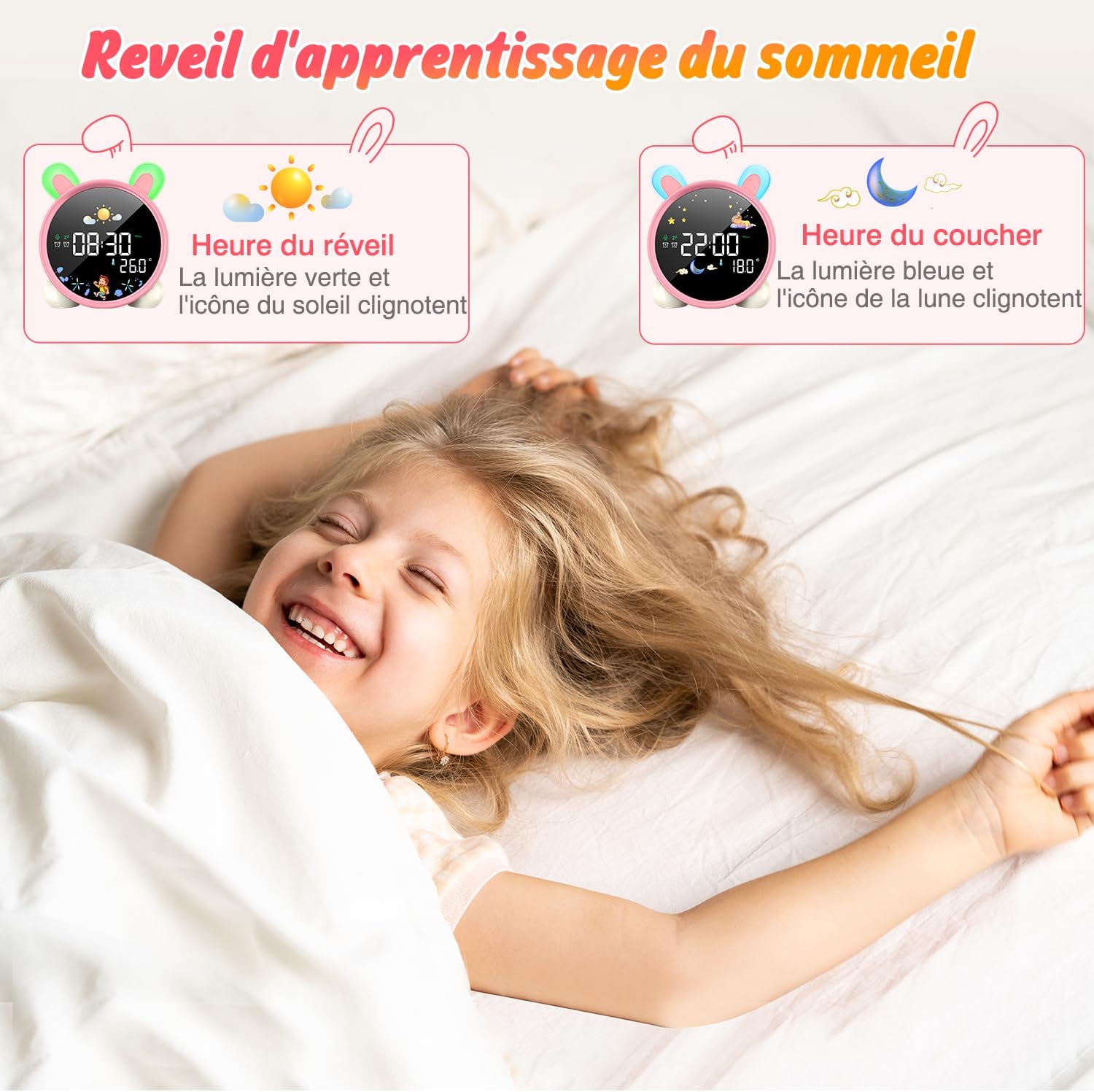
Image: The alarm clock displaying green light and sun icon for wake-up time, and blue light with moon icon for sleep time.
4. Tungi yorug'lik funktsiyasi
The alarm clock features a 5-color night light. To adjust:
- ni bosing ON/OFF/CHORIQ button to cycle through the 5 colors.
- bosing va ushlab turing ON/OFF/CHORIQ yorqinlik darajasini sozlash uchun.

Image: The alarm clock displaying various night light colors (yellow, blue, purple, white, gradient).
5. Harorat ko'rsatkichi
The clock displays ambient temperature. Press the ° C/° F Selsiy va Farengeyt o'rtasida almashish uchun tugma.
Video: A demonstration of switching between Celsius and Fahrenheit temperature display on the alarm clock.
6. Sound-Activated Screen
The screen can be activated by sound or touch. When the screen is off, a light tap or sound will illuminate it for 20 seconds.
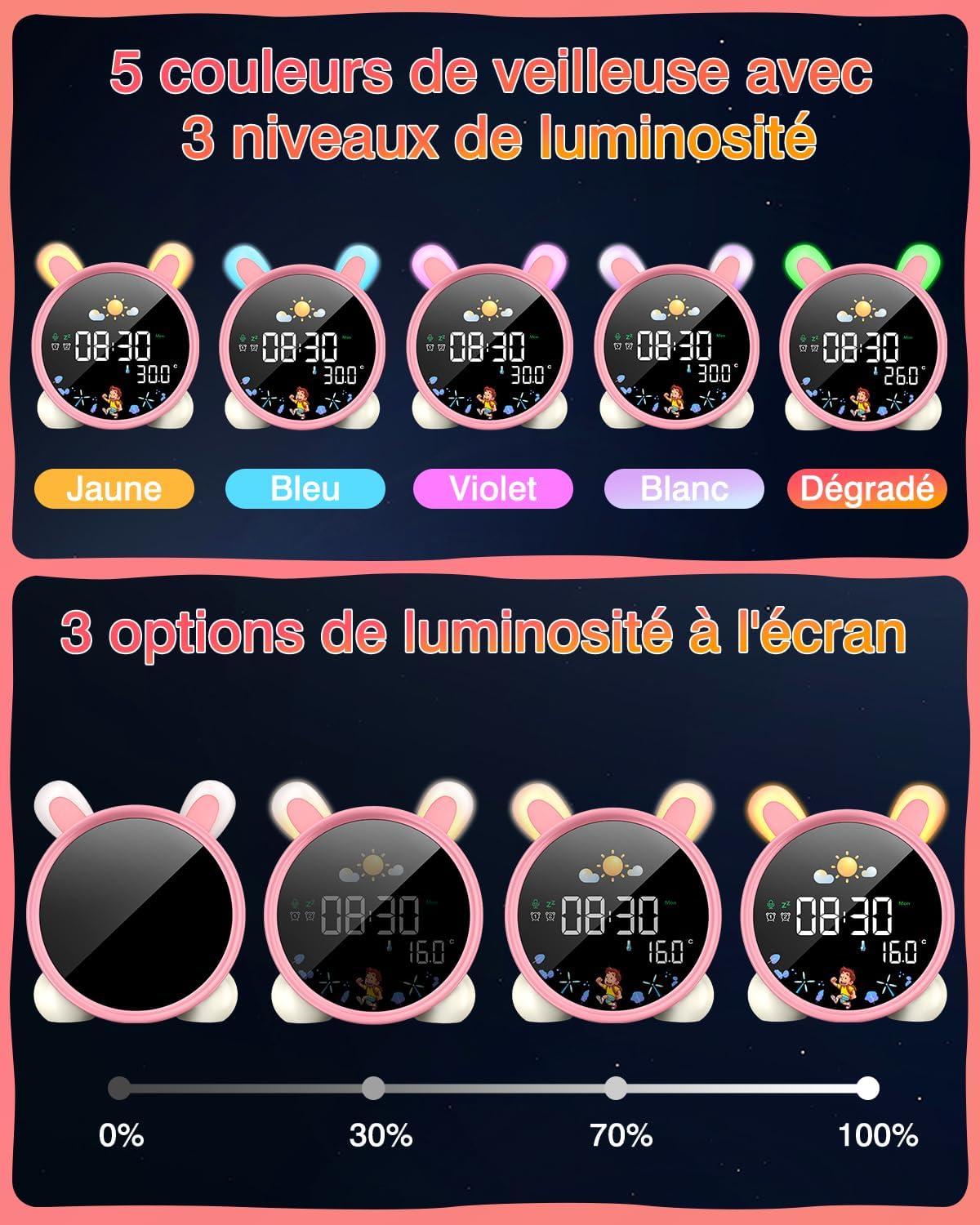
Image: A hand touching the alarm clock to activate its display.
7. Ortga hisoblash taymeri
The alarm clock includes a countdown timer for various activities.
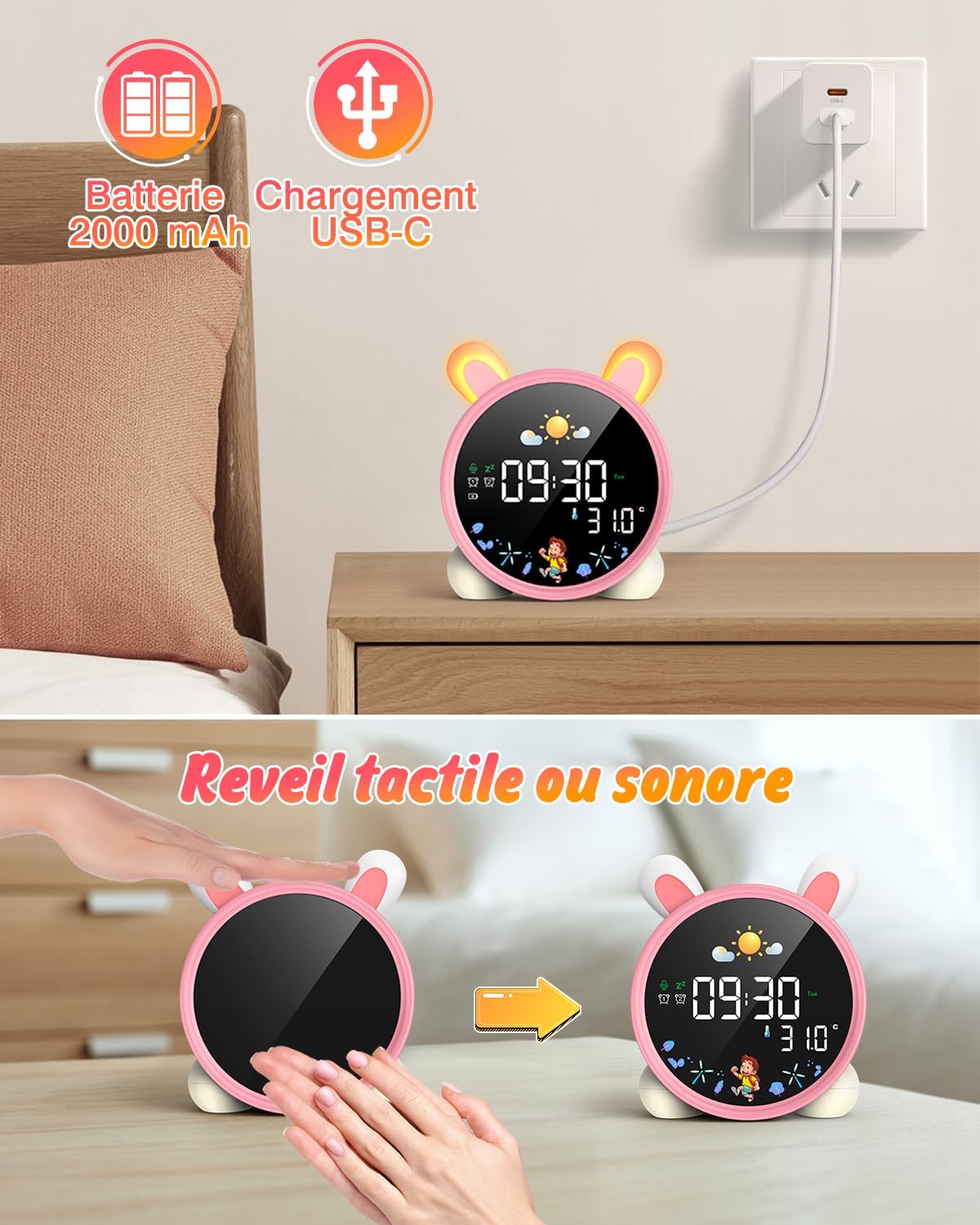
Image: The alarm clock displaying a countdown timer, useful for activities like reading or cooking.
Xizmat
- Qurilmani yumshoq, quruq mato bilan tozalang. Abraziv tozalash vositalarini yoki erituvchilarni ishlatmang.
- Keep the alarm clock away from water and excessive moisture.
- Qurilmani tashlab qo'ymang yoki kuchli zarbalarga duchor bo'lmang.
- Uzoq vaqt davomida foydalanilmaganda salqin va quruq joyda saqlang.
Muammolarni bartaraf qilish; nosozliklarni TUZATISH
| Muammo | Mumkin sabab | Yechim |
|---|---|---|
| Qurilma yoqilmagan. | Batareya kam yoki zaryadlanmagan. | Charge the device fully using the USB-C cable. |
| Signal eshitilmaydi. | Budilnik sozlanmagan yoki ovoz balandligi juda past. | Verify alarm settings and adjust volume. |
| Screen does not light up. | Screen light is off or battery is low. | Tap the device or make a sound to activate. Check battery level. |
| Day/Night function not working. | Settings not configured correctly. | Review and adjust the SUN/MOON settings. |
Texnik xususiyatlari
- Brend: LEMNOI
- Model raqami: SG7
- Rang: Pink (Rabbit)
- Olchamlari (U x G x Y): 10 x 3.81 x 10 sm
- Og'irligi: 265 gramm
- Material: Plastik
- Quvvat manbai: Battery Powered (2000 mAh Lithium Battery)
- Displey turi: Raqamli
- Maxsus xususiyatlar: Display, Alarm, Snooze, Temperature, Night Light
Kafolat haqida ma'lumot
This product comes with a standard manufacturer's warranty. Please refer to the product packaging or contact your retailer for specific warranty terms and conditions. Keep your proof of purchase for any warranty claims.
Qo'llab-quvvatlash
For further assistance, technical support, or inquiries regarding your LEMNOI SG7 Educational Day/Night Alarm Clock, please contact the seller directly through the platform where the purchase was made. You may also visit the official LEMNOI brand store for additional resources.
LEMNOI Brand Store: Do'konga tashrif buyuring
Ask a question about this manual
Ask about setup, troubleshooting, compatibility, parts, safety, or missing instructions. Manuals+ will review the question and use this page’s manual context to help answer it.