
Kirish
The NYXI Wizard Gamecube Switch Controller is designed to enhance your gaming experience on Nintendo Switch, Switch OLED, and Switch Lite consoles. It features advanced Hall Effect joysticks for precision, customizable buttons, and immersive feedback mechanisms. This manual provides detailed instructions for setup, operation, maintenance, and troubleshooting to ensure optimal performance.

Old view of the NYXI Wizard Gamecube Switch Controller.
O'rnatish bo'yicha ko'rsatmalar
Connecting to Nintendo Switch/OLED/LCD
- Nintendo Switch konsolingiz yoqilganligiga va eng so'nggi tizim dasturiga yangilanganligiga ishonch hosil qiling.
- For handheld mode, slide the left and right controller modules onto the sides of your Nintendo Switch console until they click into place. The connection is slide-in, not magnetic.
- For wireless mode, detach the controller modules from the console. On your Switch, navigate to 'Controllers' > 'Change Grip/Order'. Press and hold the pairing button on each controller module until the indicator lights begin to flash. The controllers will automatically pair via Bluetooth.
Note on Switch 2 Compatibility:
This controller connects to Switch 2 via Bluetooth only. It does NOT support Switch 2's handheld mode, mouse mode, or wake-up function. For specific Switch 2 compatibility and upgrade methods, please contact NYXI after-sales service.
Tekshirish moslamasini ishlatish
Hall Effect Joystick
The controller features Hall Effect Joysticks, which utilize magnetic sensors to detect movement. This technology provides enhanced accuracy and prevents joystick drift over time, ensuring precise control in all your games.
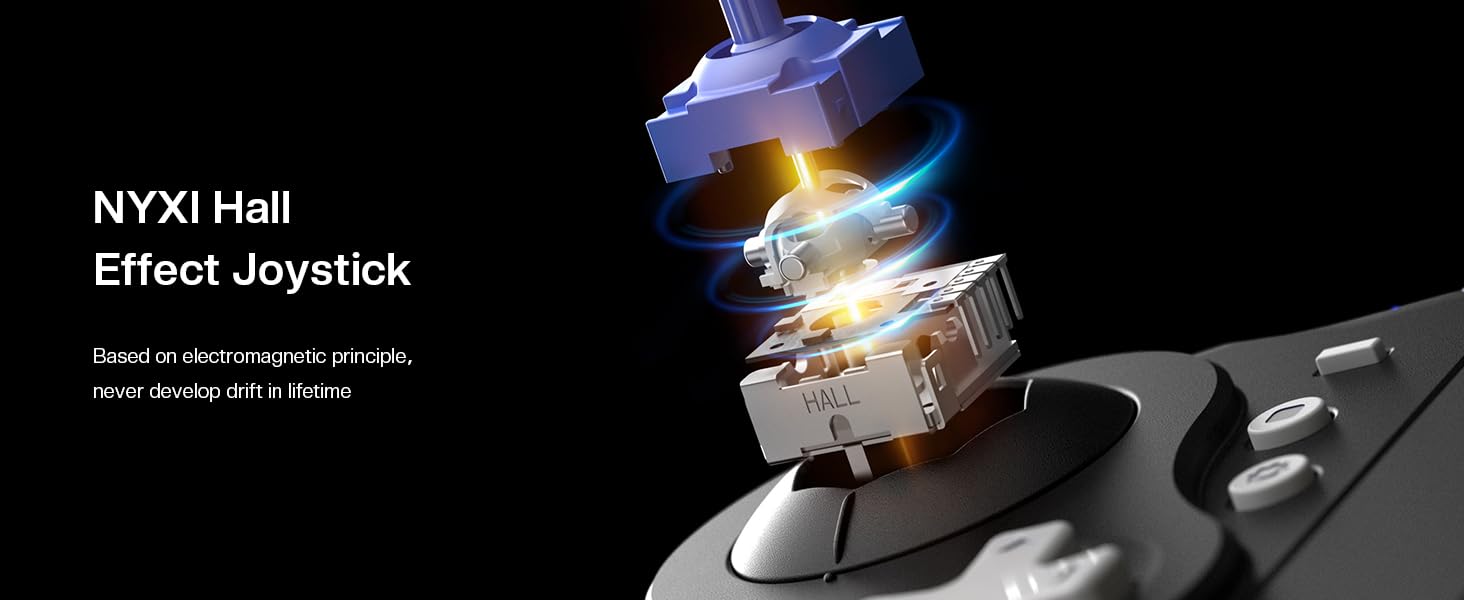
Ichki view of the Hall Effect Joystick mechanism, highlighting its magnetic sensing for precision.
Customizable Illuminated ABXY Buttons
The ABXY buttons feature customizable illumination. You can adjust the color effects to match your preference or game environment, adding a personalized touch to your controller. Refer to the included quick start guide or the NYXI app for specific customization instructions.
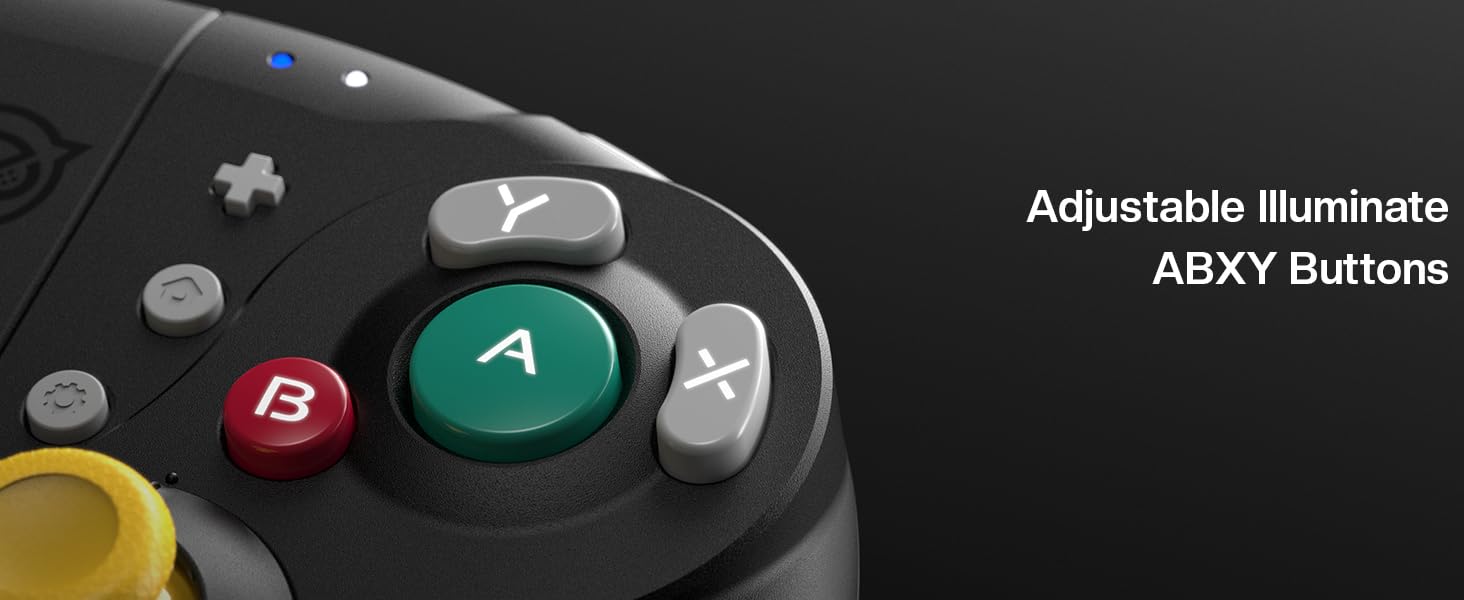
Detail of the adjustable illuminated ABXY buttons.
Dasturlashtiriladigan orqaga tugmalari
The controller includes programmable back buttons, allowing you to map complex actions or frequently used commands for quick access. This feature can significantly enhance your gameplay by providing a competitive edge and improving reaction times. Programming instructions are typically found in the controller's companion application or detailed manual.
6-Axis Gyroscope Motion Sensing
Experience immersive gameplay with the integrated 6-Axis Gyroscope Motion Sensing technology. This allows for precise motion controls, enabling you to tilt, twist, and turn the controller to interact with games that support gyroscope input, such as aiming or steering.
Adjustable Turbo & Vibration Function
The NYXI Wizard Controller offers adjustable turbo functionality for rapid button presses and customizable vibration feedback. You can fine-tune the turbo speed and vibration intensity to suit your personal preferences and the demands of different games, enhancing immersion and comfort.
Rasmiy mahsulot video showcasing the NYXI Wizard Switch Gamecube Controller's features and usage.
Official product video demonstrating the NYXI Wizard Switch Gamecube Controller's functionality for Nintendo Switch.
Xizmat
- Tozalash: Tekshirish moslamasini tozalash uchun yumshoq, quruq matodan foydalaning. O'jar axloqsizlik uchun, bir oz dampmatoga suv yoki yumshoq tozalash eritmasi soling. Qattiq kimyoviy yoki abraziv materiallardan saqlaning.
- Saqlash: Tekshirgichni to'g'ridan-to'g'ri quyosh nuri va haddan tashqari haroratdan uzoqda, salqin va quruq joyda saqlang.
- Batareya parvarishi: If the controller will not be used for an extended period, ensure it is fully charged before storage. Avoid completely draining the battery frequently to prolong its lifespan.
Muammolarni bartaraf qilish; nosozliklarni TUZATISH
- Kontroller ulanmayapti: Ensure the controller is charged. Re-attempt the pairing process as described in the 'Setup Instructions'. Verify that your Switch console's Bluetooth is enabled.
- Joystick Drift or Inaccuracy: The Hall Effect joysticks are designed to prevent drift. If you experience issues, ensure your console's software is up to date. For some games, adjusting the joystick range of motion settings to 'large' within the KeyLinker app may resolve dead zones.
- Delayed Joystick Inputs: If joystick inputs have a delayed end, ensure the controller's firmware is updated. Contact customer service if the issue persists after updating.
- Buttons/Sticks Not Working Properly: Check for any physical obstructions or debris. If the issue is persistent, especially if sticks only work without covers, contact customer support for assistance.
- Switch 2 Compatibility Issues: As noted, the controller has limited compatibility with Switch 2. For specific concerns or potential upgrade methods, contact NYXI after-sales service.
Texnik xususiyatlari
- Model raqami: Sehrgar
- Ishlab chiqaruvchi: NYXI
- Mahsulot og'irligi: 1.1 funt
- Paket o'lchamlari: 7.01 x 6.97 x 3.11 dyuym
- Batareyalar: 1 D batareya kerak (shu jumladan)
- Ulanish: Simsiz (Bluetooth)
- Maxsus xususiyatlar: Hall Effect Joystick, Programmable Back Buttons, Mechanical Trigger, 6-Axis Gyroscope, Adjustable Turbo & Vibration, Customizable Illuminated ABXY Buttons
Kafolat va qo'llab-quvvatlash
For warranty information, product support, or to inquire about Switch 2 compatibility upgrades, please refer to the official NYXI website or contact NYXI customer service directly. Protection plans are available for purchase separately to extend coverage beyond the standard manufacturer's warranty.
- Himoya rejalari: 2-Year and 3-Year Protection Plans are available.
- Ishlab chiqaruvchi: NYXI