
1. Kirish
This manual provides detailed instructions for the safe and efficient operation of your VGKE Mini Projector, model TS-6. Please read this manual thoroughly before using the projector and retain it for future reference.
The VGKE Mini Projector TS-6 is a portable Full HD projector designed for home entertainment, offering versatile connectivity options including WiFi and Bluetooth for seamless integration with various devices.
2. Mahsulot tugadiview
2.1 Asosiy xususiyatlar
- Full HD 1080p Native Resolution (Supports 4K Sources)
- Built-in WiFi 6 for fast wireless connectivity
- Bluetooth 5.2 for external audio devices
- Portable design with a retractable stand
- 90-degree flip adjustment for ceiling projection
- Electric Focus and Keystone Correction (Auto Keystone 15° Vertical Only, 4-Direction, 4-Point Correction)
- 60-100% Zoom function
- Wide compatibility with Android, iOS, Laptops, TV Sticks, HDMI, and USB devices

Figure 1: VGKE Mini Projector TS-6. This image displays the compact and portable design of the projector.

Figure 2: Key features of the VGKE Mini Projector, including high brightness, Full HD resolution, 4K source support, and a retractable stand.
2.2 Paket tarkibi
Paketda quyidagi elementlar mavjudligini tekshiring:
- VGKE Mini Projector TS-6
- Quvvat adapteri
- Masofadan boshqarish
- Foydalanuvchi uchun qo'llanma
- HDMI kabeli (mintaqaga/paketga qarab farq qilishi mumkin)
3. Sozlash
3.1 Joylashtirish
Position the projector on a stable, flat surface. Ensure adequate ventilation around the device. The projector features a 90-degree flip adjustment, allowing for flexible placement, including ceiling projection.

Figure 3: Projector demonstrating 90-degree flip adjustment for versatile projection angles, including ceiling projection.
3.2 Quvvatga ulanish
- Quvvat adapterini proyektorning quvvat kiritish portiga ulang.
- Quvvat adapterini rozetkaga ulang.
- Qurilmani yoqish uchun proyektor yoki masofadan boshqarish pultidagi quvvat tugmasini bosing.
3.3 Dastlabki fokus va asosiy toshni sozlash
Upon initial power-on, adjust the focus and keystone to achieve a clear, rectangular image.
- Elektr fokus: Use the remote control to adjust the focus until the image is sharp.
- Asosiy toshni tuzatish: The projector supports auto 15° vertical keystone correction. Manual 4-direction and 4-point correction are also available via the settings menu for precise image alignment.

Figure 4: Illustration of the Electric Focus and various Keystone Correction options available on the projector.
4. Foydalanish bo'yicha ko'rsatmalar
4.1 Qurilmalarni ulash
Proyektor bir nechta ulanish imkoniyatlarini taklif qiladi:
- HDMI: Connect laptops, TV sticks, gaming consoles (Switch/PS5), or TV boxes via the HDMI ports.
- USB: Insert USB sticks or external storage devices into the USB ports for media playback.
- Audio port: Eshitish vositalarini yoki tashqi karnaylarni ulang.
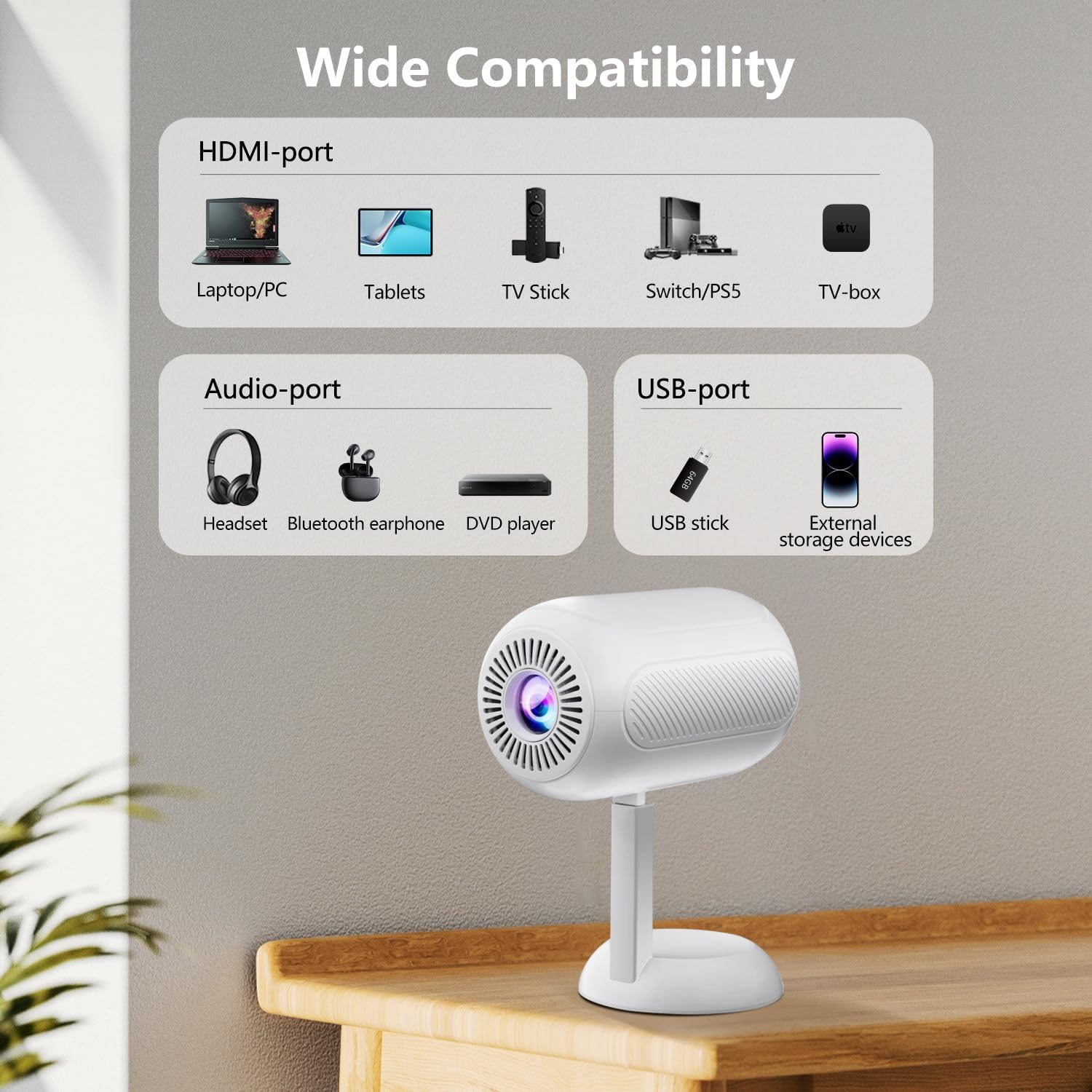
5 -rasm: tugadiview of the projector's connectivity ports, including HDMI, USB, and Audio ports.
4.2 Wireless Connectivity (WiFi & Bluetooth)
The projector supports WiFi 6 and Bluetooth 5.2 for wireless connections.
- Wi -Fi ulanishi:
- Navigate to the projector's settings menu.
- Select "Network" or "WiFi Settings".
- Choose your desired WiFi network and enter the password.
- Once connected, you can use screen mirroring features.
- Bluetooth ulanishi:
- Go to the projector's settings menu.
- Select "Bluetooth Settings".
- Bluetooth-ni yoqing va mavjud qurilmalarni qidiring.
- Select your Bluetooth speaker or headphones to pair.

Figure 6: The projector connected wirelessly via WiFi and Bluetooth, demonstrating compatibility with iOS, Android, and Windows devices.
4.3 Ekranni aks ettirish
The projector supports screen mirroring from Android, iOS, and Windows devices. Ensure your device and the projector are connected to the same WiFi network.
- IOS qurilmalari uchun:
- On the projector, select the "iOS Cast" or "Screen Mirroring" option.
- On your iOS device, open Control Center and tap "Screen Mirroring".
- Mavjud qurilmalar ro'yxatidan proyektorni tanlang.
- Android qurilmalari uchun:
- On the projector, select the "Android Cast" or "Screen Mirroring" option.
- On your Android device, enable "Wireless Display," "Smart View," or "Cast" (names may vary by device).
- Mavjud qurilmalar ro'yxatidan proyektorni tanlang.
Eslatma: Due to HDCP copyright protocols, certain streaming services (e.g., Netflix, Disney+, Prime Video, Hulu) may not support direct screen mirroring. For these services, it is recommended to use a TV Stick (e.g., Amazon Fire Stick, Roku) connected via HDMI.
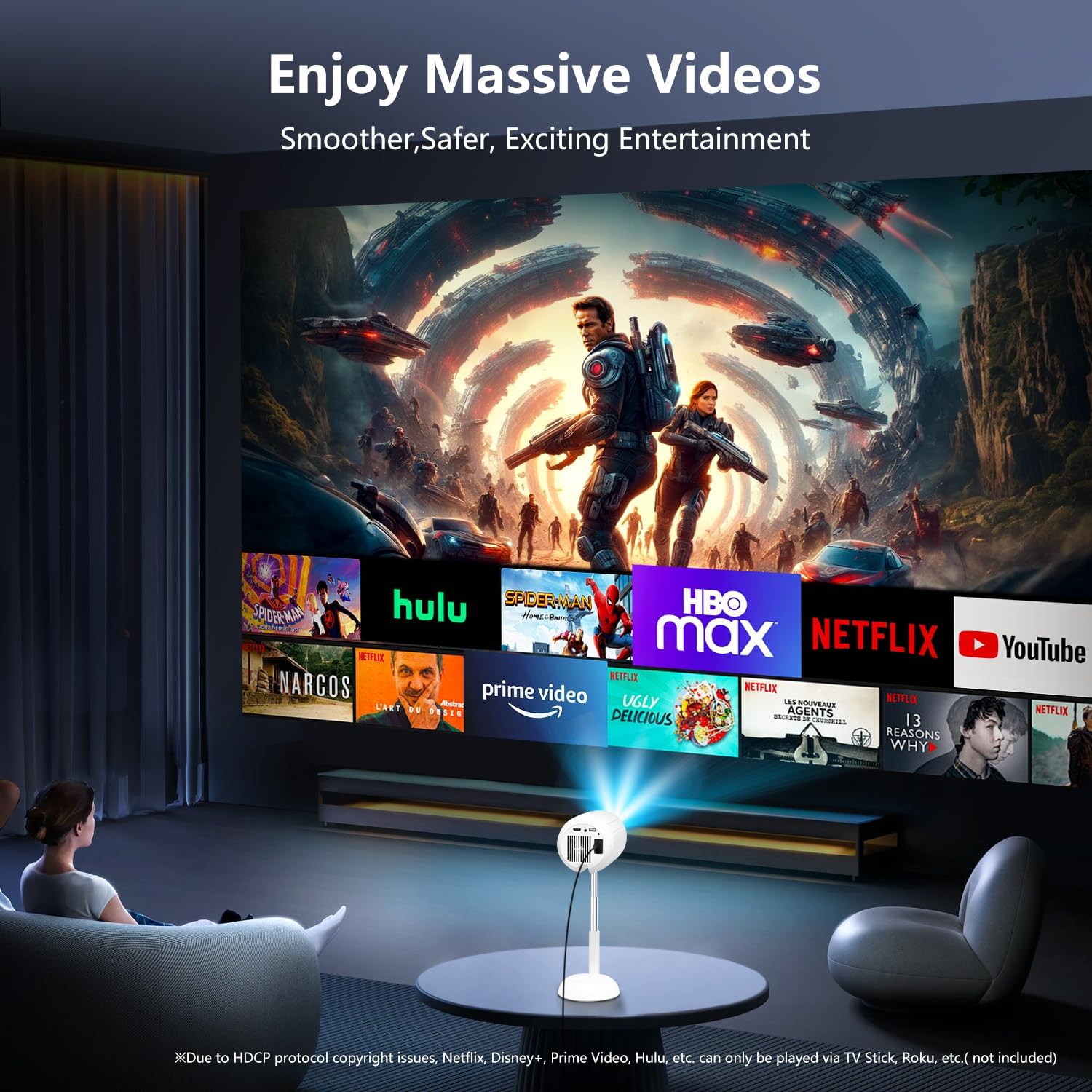
Figure 7: The projector displaying content from various streaming services, highlighting the use of external devices for copyrighted content.
5. Xizmat ko'rsatish
5.1 Ob'ektivni tozalash
Proyektor linzasini muloyimlik bilan artish uchun optik linzalar uchun maxsus mo'ljallangan yumshoq, tuksiz matodan foydalaning. Abraziv tozalagichlardan yoki haddan tashqari kuch ishlatishdan saqlaning, chunki bu linzani tirnashi mumkin.
5.2 Proyektor korpusini tozalash
Wipe the exterior of the projector with a soft, dry cloth. Do not use liquid cleaners or solvents, as they may damage the finish.
5.3 Shamollatish
Ensure the ventilation openings are clear of dust and obstructions to prevent overheating. Do not block the air vents during operation.
6. Muammolarni bartaraf qilish; nosozliklarni TUZATISH
| Muammo | Mumkin sabab | Yechim |
|---|---|---|
| Hech qanday rasm ko'rsatilmagan | Power cable disconnected; incorrect input source; device not connected properly. | Check power connection; select correct input source (HDMI, USB, etc.); ensure cables are securely connected. |
| Xira tasvir | Out of focus; incorrect keystone adjustment. | Adjust electric focus using the remote; perform keystone correction. |
| Ovoz yo'q | Volume too low; external audio device not connected/paired; projector muted. | Increase volume; connect/pair Bluetooth device; unmute projector. |
| Ekranni aks ettirish ishlamayapti | Devices not on same WiFi network; HDCP restrictions; WiFi signal weak. | Ensure both devices are on the same WiFi; use HDMI for restricted content; check WiFi signal strength. |
7. Texnik shartlar
| Xususiyat | Tafsilot |
|---|---|
| Brend | VGKE |
| Model raqami | TS-6 |
| Displey ravshanligi | 1920 x 1080 (Full HD) |
| Ulanish texnologiyasi | Bluetooth, HDMI, USB, Wi-Fi |
| Maxsus xususiyatlar | Built-In Wi-Fi, Bluetooth |
| Mahsulot o'lchamlari | 4.93 x 4.93 x 8.45 dyuym |
| Element og'irligi | 2.88 funt |
| Tavsiya etilgan foydalanish | Uy kino |
8. Kafolat va qo'llab-quvvatlash
For warranty information and technical support, please refer to the contact details provided on the VGKE official website or your purchase documentation. Keep your proof of purchase for warranty claims.
For further assistance, you may contact VGKE customer service through their official channels.