
Kirish
This manual provides essential information for the proper setup, operation, and maintenance of your ONN 24-inch FHD Gaming Monitor, model 100027813. Please read this manual thoroughly before using the product to ensure optimal performance and safety. This monitor is designed to deliver a high-quality gaming experience with its 1080p resolution, 165Hz refresh rate, 1ms response time, and FreeSync technology.
Xavfsizlik ma'lumotlari
Always observe the following safety precautions to prevent damage to the monitor and ensure user safety:
- Yong'in yoki zarba xavfini oldini olish uchun monitorni yomg'ir yoki namlikda qoldirmang.
- Monitorni ochmang casing. Ichkarida foydalanuvchi tomonidan xizmat ko'rsatadigan qismlar yo'q. Barcha xizmat ko'rsatishni malakali xizmat ko'rsatish xodimlariga topshiring.
- Monitorni yiqilishiga yo'l qo'ymaslik uchun uni barqaror, tekis yuzaga qo'ying.
- Monitor atrofida to'g'ri shamollatilishini ta'minlang. Shamollatish teshiklarini to'sib qo'ymang.
- Faqat monitor bilan birga kelgan quvvat adapteridan foydalaning.
- Chaqmoqlar paytida yoki uzoq vaqt foydalanilmaganda monitorni elektr rozetkasidan uzing.
Paket tarkibi
Paketda barcha elementlar mavjudligiga ishonch hosil qiling:
- ONN 24-inch FHD Gaming Monitor
- Monitor stend (taglik va bo'yin)
- Quvvat adapteri
- DisplayPort Cable (6 ft)
- HDMI Cable (6 ft)
- Foydalanuvchi uchun qo'llanma (ushbu hujjat)

Image: Retail box of the ONN 24-inch Gaming Monitor, highlighting key features like 165Hz, 1ms response time, DisplayPort, HDMI, and Adaptive-Sync.
Sozlash; o'rnatish
1. Stendni yig'ish
- Monitor va stend komponentlarini qadoqdan ehtiyotkorlik bilan olib tashlang.
- Attach the stand neck to the stand base. Secure it with the provided screw, if applicable.
- Align the assembled stand with the mounting slot on the back of the monitor. Gently push until it clicks into place or secure with screws as per the design.
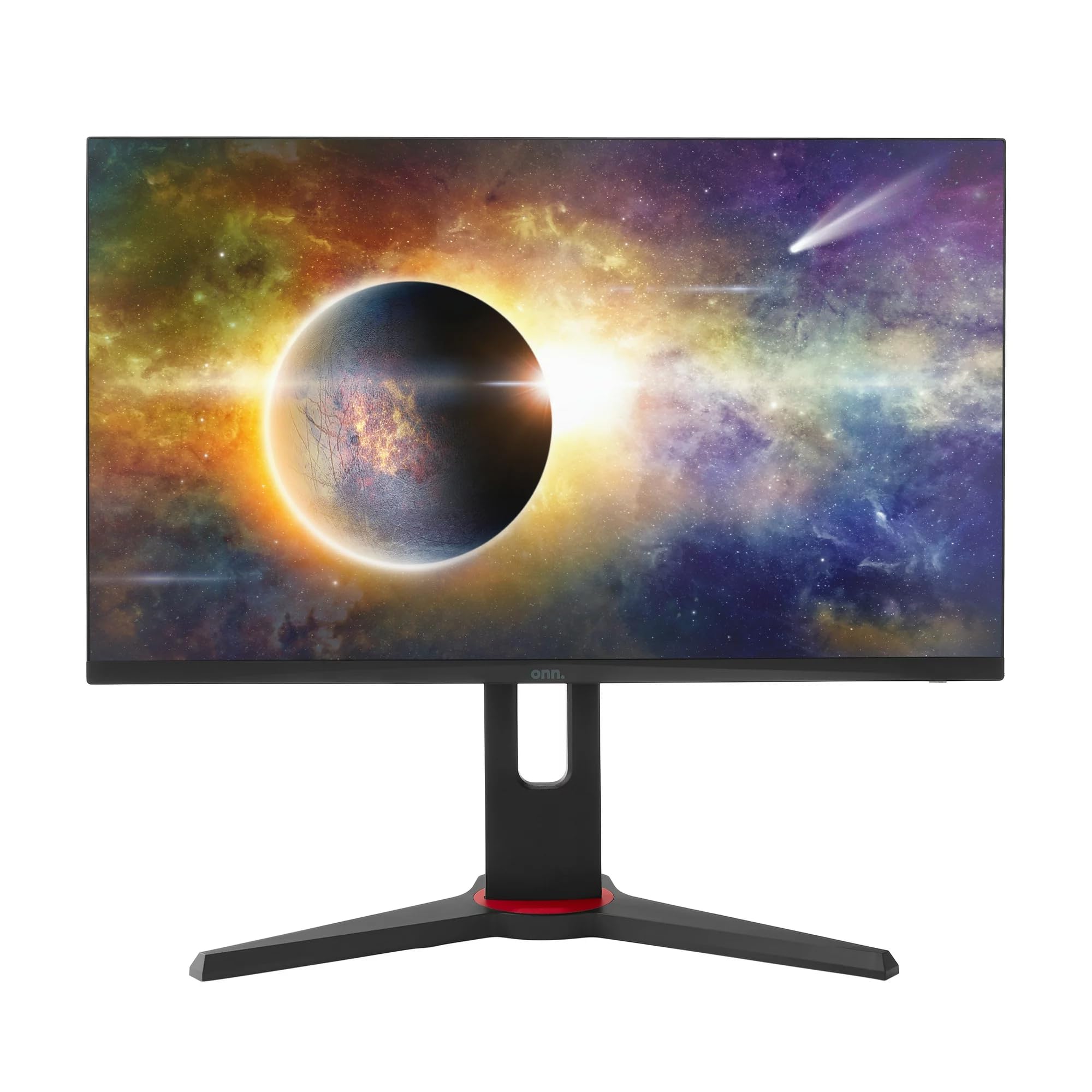
Rasm: old view of the ONN 24-inch Gaming Monitor, fully assembled with its stand.

Rasm: orqa view of the ONN 24-inch Gaming Monitor, illustrating the stand attachment and cable management area.
2. Kabellarni ulash
Locate the input ports on the back of your monitor:
- Quvvat: Quvvat adapterini monitorning quvvat manbaiga, keyin esa rozetkaga ulang.
- Video kirish: Connect one end of the provided DisplayPort or HDMI cable to the corresponding port on your computer's graphics card and the other end to the monitor. The monitor supports 2 HDMI inputs and 1 DisplayPort input.
- Ovoz chiqishi (ixtiyoriy): If your monitor has a 3.5mm audio jack, you can connect external speakers or headphones.

Rasm: yaqindan view of the monitor's rear ports, including HDMI 1, HDMI 2, DisplayPort (DP), and power input.
3. Dastlabki yoqish
- Barcha kabellar mahkam ulanganligiga ishonch hosil qiling.
- Press the power button on the monitor (usually located on the back or bottom right).
- The monitor should display the ONN logo and then search for an input signal.
- If no image appears, ensure your computer is powered on and the correct input source is selected on the monitor (see Operating section).
Ishlayotgan
1. Quvvatni yoqish/o‘chirish
Press the power button to turn the monitor on or off. The power indicator light will show the monitor's status (e.g., blue for on, amber for standby).
2. Ekrandagi displey (OSD) menyusi navigatsiyasi
Your monitor features an OSD menu for adjusting various settings. Typically, buttons on the back or bottom of the monitor control the OSD:
- Menyu tugmasi: OSD menyusini ochadi.
- Navigatsiya tugmalari (yuqoriga/pastga/chapga/o‘ngga): Menyu parametrlari bo'ylab harakatlanish uchun foydalaniladi.
- Tanlash/Kirish tugmasi: Tanlovni tasdiqlaydi yoki pastki menyuga kiradi.
- Chiqish tugmasi: Joriy menyu yoki OSD dan chiqadi.
3. Sozlamalarni sozlash
Ekran menyusi orqali sozlashingiz mumkin bo'lgan asosiy sozlamalar quyidagilarni o'z ichiga oladi:
- Yorqinlik/kontrast: Umumiy yorqinlikni va yorug'lik va qorong'i joylar orasidagi farqni sozlang.
- Rang sozlamalari: Rang harorati, gamma va individual RGB darajalarini o'zgartiring.
- Kirish manbai: HDMI 1, HDMI 2 yoki DisplayPort kirishlari oʻrtasida qoʻlda tanlang.
- Yangilanish tezligi: Ensure your graphics card and monitor are set to 165Hz for the smoothest experience. This is usually configured in your operating system's display settings.
- Javob vaqti: Adjust the monitor's response time setting (e.g., 1ms) for reduced motion blur in fast-paced games.
- FreeSync texnologiyasi: Enable FreeSync in the OSD menu and in your AMD graphics card settings to synchronize the monitor's refresh rate with your GPU's frame rate, eliminating screen tearing and stuttering.
- Rasm rejimlari: Select from preset modes optimized for different content (e.g., Standard, Game, Movie, Text).

Image: The ONN 24-inch Gaming Monitor displayed in a typical desk setup, connected to a laptop with gaming peripherals.
Xizmat
Monitorni tozalash
- Tozalashdan oldin har doim monitorni elektr tarmog'idan uzing.
- Yumshoq, tuklarsiz matodan engil foydalaning dampsuv yoki yumshoq, abraziv bo'lmagan ekran tozalagich bilan qoplangan.
- Tozalash vositasini to'g'ridan-to'g'ri ekranga sepmang. Avval matoga qo'llang.
- Qattiq kimyoviy moddalar, abraziv prokladkalar yoki erituvchilardan foydalanishdan saqlaning.
Saqlash
Agar monitorni uzoq vaqt saqlasangiz, barcha kabellarni uzing, uni asl o'ramiga (agar mavjud bo'lsa) joylashtiring va salqin, quruq joyda, to'g'ridan-to'g'ri quyosh nuri va haddan tashqari haroratdan uzoqroq joyda saqlang.
Muammolarni bartaraf qilish; nosozliklarni TUZATISH
Agar siz monitor bilan bog'liq muammolarga duch kelsangiz, quyidagi umumiy muammolar va echimlarga murojaat qiling:
| Muammo | Mumkin yechim |
|---|---|
| Ekranda rasm yo'q |
|
| Image is flickering or distorted |
|
| Ovoz yo'q (agar monitor karnaylari/audio chiqishidan foydalansangiz) |
|
| Monitor not reaching 165Hz |
|
Texnik xususiyatlari
Detailed technical specifications for the ONN 24-inch FHD Gaming Monitor (Model 100027813):
| Xususiyat | Spetsifikatsiya |
|---|---|
| Model raqami | 100027813 |
| Ekran o'lchami | 24 dyuym |
| Rezolyutsiya | FHD 1080p (1920x1080) |
| Yangilanish tezligi | 165 Gts |
| Javob vaqti | 1 millisekund |
| Displey texnologiyasi | IPS |
| Moslashuvchan sinxronlash | FreeSync |
| Aspekt nisbati | 16:9 |
| Kontrast nisbati | 2000:1 |
| Ekran yuzasi | Matte, Anti-glare with low blue light setting |
| Ulanish | 2 x HDMI, 1 x DisplayPort |
| Mahsulot o'lchamlari (D x G x Y) | 61.3 x 11.3 x 37.3 sm |
| Element og'irligi | 6.1 kg |
| Rang | Qora |
| O'rnatish turi | Stol usti |
| Maxsus foydalanish | Entertainment, Gaming |
Kafolat
This ONN 24-inch FHD Gaming Monitor is a renewed product. Warranty terms and conditions for renewed products may vary. Please refer to the specific warranty information provided by the seller or retailer at the time of purchase. It is recommended to retain your proof of purchase for any warranty claims.
Qo'llab-quvvatlash
For technical assistance, troubleshooting beyond this manual, or warranty inquiries, please contact the retailer or the Amazon Renewed support channel where the product was purchased. Have your model number (100027813) and proof of purchase ready when contacting support.