
1. Mahsulot tugadiview
The FEELWORLD S7 is a 7-inch camera field monitor designed for professional videography and photography. It features a high-brightness 1600nit touchscreen, 12G-SDI and HDMI 2.0 inputs/outputs, and supports 4K video monitoring. Key functionalities include HDMI and SDI cross-conversion, customizable 3D LUTs, DCI-P3 cinema color gamut, and a durable aluminum housing.

Image 1.1: The FEELWORLD S7 monitor showcasing its 1600 nit high-bright display, clearly visible in sunlight conditions.
2. O'rnatish va o'rnatish
2.1 Paket tarkibi
Paketda barcha elementlar mavjudligiga ishonch hosil qiling:
- FEELWORLD S7 Monitor
- Mini HDMI kabeli
- HDMI kabeli
- Mini Hot Shoe Mount + Hex Wrench
- F970 Dual Battery Plate
- Foydalanuvchi uchun qo'llanma
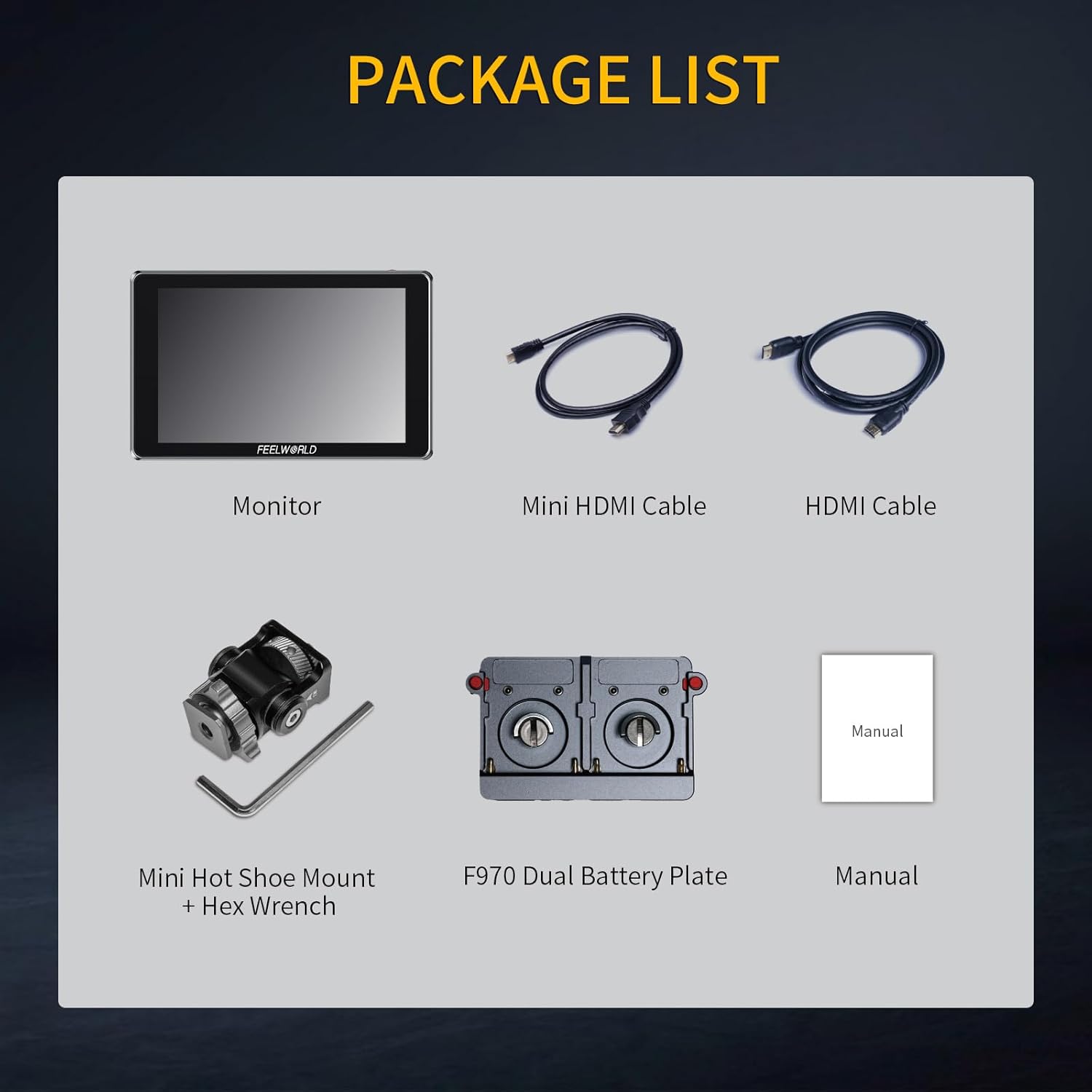
Image 2.1: All components included in the FEELWORLD S7 product package.
2.2 Monitorni quvvatlantirish
The S7 monitor can be powered via a DC input or compatible NP-F series batteries. The F970 dual battery plate supports various NP-F battery models (F970, F960, F950, F930, F770, F750, F570, F550, F530). Batteries are not included and must be purchased separately.

2.2-rasm: orqa view of the S7 monitor illustrating the dual NP-F battery plate and DC power input port.
2.3 Connecting to a Camera
Connect your camera or video source to the monitor using either the 12G-SDI or HDMI 2.0 input ports. The monitor also provides corresponding output ports for signal pass-through or cross-conversion.
- HDMI kirish/chiqish: Supports up to 4K 3840x2160P and 4K 4096x2160P resolutions.
- 12G-SDI Input/Output: Supports up to 12Gbps transmission rate, backward compatible with 6G-SDI, 3G-SDI, HD-SDI, and SD-SDI.

Rasm 2.3: Batafsil view of the S7 monitor's input and output ports, including 12G-SDI and HDMI connections.
3. Foydalanish bo'yicha ko'rsatmalar
3.1 Sensorli ekran bilan ishlash
The S7 features a full touchscreen interface for intuitive control. Swipe gestures and taps allow for easy navigation through menus and quick adjustments to settings such as backlight brightness and zoom levels.

Image 3.1: The S7 monitor's touchscreen interface, illustrating how to freely zoom in and out on the image.
3.2 Custom 3D LUTs
The monitor supports loading up to 32 sets of custom 3D LUT files via an SD card. This allows users to apply specific color profiles directly on the monitor for real-time preview of different color effects.

Image 3.2: The S7 monitor's interface for loading custom 3D LUTs from an SD card, showing various LUT previews.
3.3 Monitoring Features and Image Analysis
The S7 includes a comprehensive suite of video assist functions to optimize image processing and ensure accurate focus and exposure:
- To'lqin shakli: Displays luminance and chrominance levels.
- Vektorskop: Shows color saturation and hue.
- Gistogramma: Visualizes the distribution of tones.
- Peaking filtri: Highlights sharp edges for focus assist.
- Soxta rang: Helps set proper exposure levels.
- Oʻrnatilgan audio: Monitors audio levels.
- Ratio Marker, Overscan, Anamorphic Mode, Exposure, Check Field, Nine Grid, Screen Marker, Pixel-to-Pixel, Image Flip, Image Freeze, Zoom-in: Additional tools for precise monitoring.

Image 3.3: The S7 monitor showcasing multiple video assist functions simultaneously, including Vectorscope, Brightness Histogram, YUV Parade, and Y Parade.
3.4 HDMI and SDI Cross Conversion
The S7 monitor features built-in signal cross-conversion capabilities. It can convert an HDMI signal to SDI, or an SDI signal back to HDMI, eliminating the need for external converters in various broadcast and live production environments.

Image 3.4: The S7 monitor facilitating SDI and HDMI cross-conversion between a camera and a larger display.
3.5 Color Gamut and HDR Monitoring
The S7 monitor covers 94.9% of the DCI-P3 cinema color gamut, ensuring accurate and vivid color reproduction. It also supports HDR monitoring with built-in HLG1, HLG2, and HLG3 types, providing enhanced dynamic range for visual effects.

Image 3.5: Comparison of a scene with HDR monitoring enabled versus disabled on the S7 monitor.
4. Xizmat ko'rsatish
To ensure the longevity and optimal performance of your FEELWORLD S7 monitor, follow these maintenance guidelines:
- Ekranni tozalash: Use a soft, lint-free cloth specifically designed for electronics screens. Gently wipe the screen to remove dust and fingerprints. Avoid using harsh chemicals or abrasive materials.
- Tanani tozalash: Wipe the aluminum housing with a soft, dry cloth. For stubborn dirt, a slightly damp cloth can be used, ensuring no moisture enters the ports or vents.
- Saqlash: When not in use, store the monitor in a dry, cool place away from direct sunlight and extreme temperatures. Use a protective case to prevent scratches and impacts.
- Port parvarishi: Keep all input/output ports free from dust and debris. Avoid inserting incompatible connectors.
5. Muammolarni bartaraf qilish; nosozliklarni TUZATISH
If you encounter issues with your FEELWORLD S7 monitor, refer to the following common troubleshooting steps:
- Quvvat yo'q:
- Quvvat adapteri monitorga ham, ishlaydigan elektr rozetkasiga ham mahkam ulanganligiga ishonch hosil qiling.
- If using batteries, check that they are fully charged and correctly inserted into the battery plate.
- Quvvat tugmasining mahkam bosilganligiga ishonch hosil qiling.
- Signal ko'rsatilmaydi:
- Check that the HDMI or SDI cable is securely connected to both the camera/source and the monitor.
- Confirm that the camera/source is outputting a signal and is turned on.
- Ensure the monitor's input source is correctly selected (HDMI or SDI).
- Test with a different cable or source device if possible.
- Image Display Issues (e.g., distorted, incorrect colors):
- Reset the monitor to factory settings via the menu.
- Check the resolution and frame rate settings on your camera/source to ensure compatibility with the monitor.
- If using 3D LUTs, try disabling them to see if the issue persists.
- Sensorli ekran javob bermayapti:
- Restart the monitor.
- Ensure the screen is clean and free from obstructions.
6. Texnik shartlar
| Xususiyat | Spetsifikatsiya |
|---|---|
| Brend | FEELWORLD |
| Model raqami | S7-LY-JP-US |
| Ekran o'lchami | 7 dyuym |
| Displey turi | IPS |
| Mahalliy rezolyutsiya | 1920 x 1200 |
| Yorqinlik | 1600 nits |
| Kontrast nisbati | 1200:1 |
| Aspekt nisbati | 16:10 |
| Viewburchak | 80 daraja |
| Javob vaqti | 2 millisekund |
| Ulanish texnologiyasi | SDI, HDMI |
| Total Number of HDMI Ports | 2 |
| Number of Component Outputs | 2 |
| Picture Quality Enhancement | DCI-P3 Cinema Color Gamut, HDR Monitoring |
| Element og'irligi | 0.55 kilogramm |
7. Kafolat haqida ma'lumot
The FEELWORLD S7 monitor comes with a Bir Yil Kafolat from the date of purchase. This warranty covers manufacturing defects and malfunctions under normal use. Please retain your proof of purchase for warranty claims. For specific terms and conditions, refer to the warranty card included in your package or contact customer support.
8. Mijozlarni qo'llab-quvvatlash
For technical assistance, product inquiries, or warranty claims, please contact FEELWORLD customer support. Refer to the official FEELWORLD website or the contact information provided in your product packaging for the most up-to-date support channels.