
1. Kirish
Sotib olganingiz uchun tashakkurasing the Salange HY300Pro Mini Projector. This manual provides essential information for setting up, operating, and maintaining your projector. Please read it thoroughly before use to ensure optimal performance and longevity of your device.
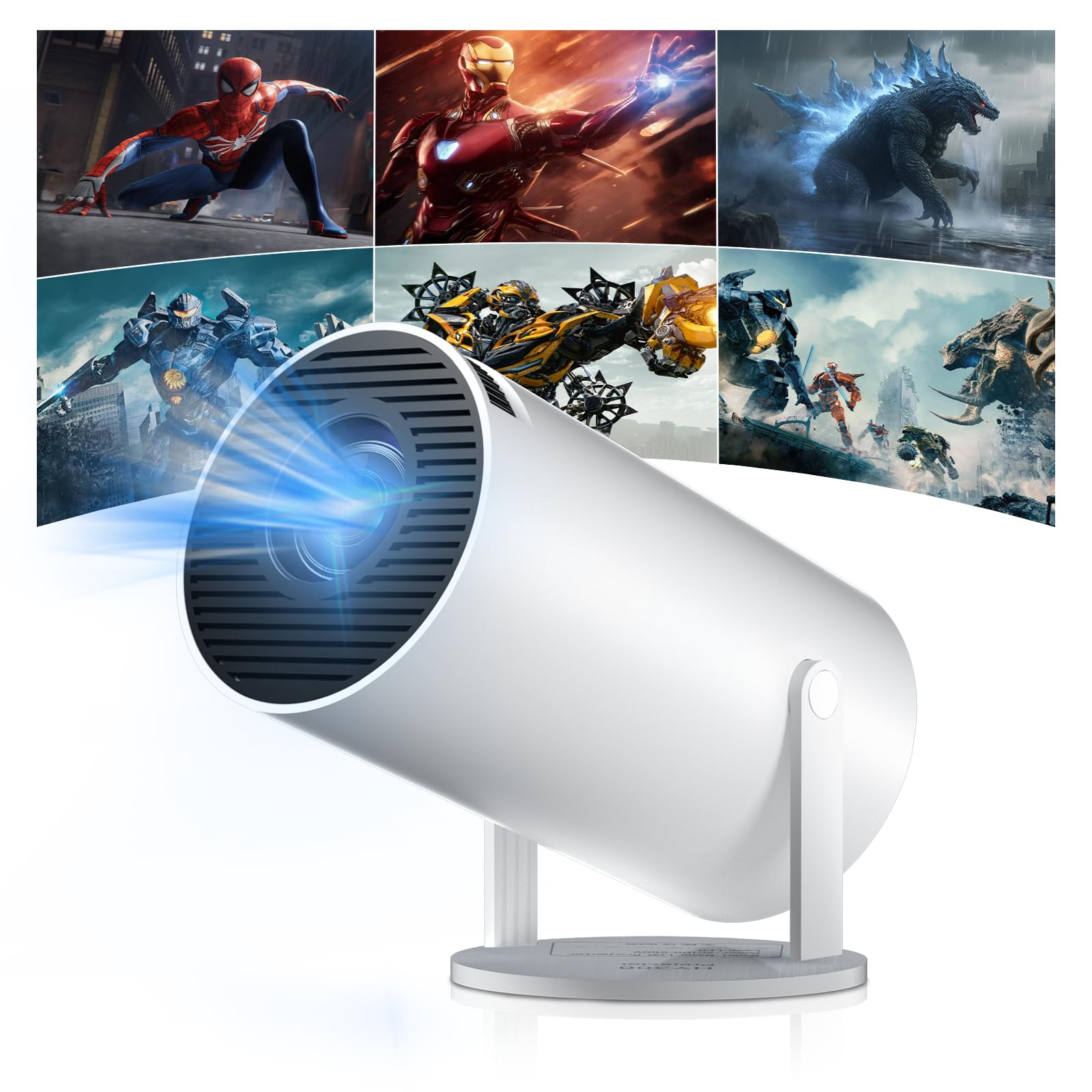
Figure 1: Salange HY300Pro Mini Projector
2. Mahsulot tugadiview
Asosiy xususiyatlar
- Ikki diapazonli WiFi 6 va Bluetooth 5.4: Ensures fast and stable network connectivity and seamless audio pairing with external speakers or headphones.
- Android 11.0 operatsion tizimi: Supports installation of various applications directly on the projector for versatile entertainment and productivity.
- 4K Support & Native 720P Resolution: Delivers clear and vibrant images, supporting 1080P and 4K video playback.
- 180° aylanish: Flexible projection angles for various setups, including ceiling, wall, or angled surfaces.
- Automatic Keystone Correction & Manual Focus: Intelligently corrects image distortion and allows for fine-tuning clarity.
- Yilni va portativ dizayn: Weighs only 700g, making it easy to transport for outdoor activities or different rooms.

2 -rasm: tugadiview of Salange HY300Pro features including 8K support, WiFi 6, Bluetooth 5.4, 180° rotation, and auto keystone correction.
Qutida nima bor
- 1 x Salange HY300Pro Projector
- 1 x foydalanuvchi qo'llanmasi
- 1 x quvvat kabeli
- 1 x masofadan boshqarish pulti

Figure 3: Contents of the Salange HY300Pro package.
3. Sozlash
3.1 Qadoqdan chiqarish va joylashtirish
- Paketdagi barcha komponentlarni ehtiyotkorlik bilan olib tashlang.
- Proyektorni barqaror, tekis yuzaga qo'ying. Qurilma atrofida yetarli shamollatishni ta'minlang.
- The projector's 180° rotation feature allows flexible placement. Adjust the projector's angle to project onto a wall, ceiling, or screen as desired.

Figure 4: Projector demonstrating 180-degree rotation for various projection surfaces.
3.2 Quvvatga ulanish
Berilgan quvvat simini proyektorning quvvat manbaiga, keyin esa rozetkaga ulang.
3.3 Dastlabki yoqish va fokusni sozlash
- Qurilmani yoqish uchun proyektor yoki masofadan boshqarish pultidagi quvvat tugmasini bosing.
- The projector features automatic keystone correction. It will intelligently detect and correct image distortion to ensure a square image.
- For fine-tuning the image clarity, use the manual focus adjustment ring on the projector.

Figure 5: Illustration of automatic keystone correction and manual focus adjustment.
3.4 Tarmoq ulanishi (WiFi)
- Proyektorning bosh ekranidagi "Sozlamalar" menyusiga o'ting.
- Select 'Network & Internet' and enable Wi-Fi.
- Choose your desired Wi-Fi network from the list and enter the password if prompted. The projector supports dual-band 2.4G + 5G WiFi 6 for fast and stable connections.

Figure 6: Visual representation of the projector's WiFi 6 capabilities for ultra-fast streaming.
3.5 Bluetooth ulanishi
- From the 'Settings' menu, select 'Connected Devices' or 'Bluetooth'.
- Bluetooth-ni yoqing va mavjud qurilmalarni qidiring.
- Ulash uchun ro'yxatdan Bluetooth karnay yoki minigarniturangizni tanlang.

Figure 7: Projector connected to various Bluetooth audio devices.
3.6 Tashqi qurilmalarni ulash
The projector supports HDMI and USB connections.
- HDMI: Connect your laptop, game console, Blu-ray player, or TV stick using an HDMI cable. Select the corresponding HDMI input source from the projector's input menu.
- USB: Media ijro etish uchun USB diskini joylashtiring files directly. Access the files through the media player application on the Android OS.
4. Foydalanish bo'yicha ko'rsatmalar
4.1 Android operatsion tizimida navigatsiya
The Salange HY300Pro runs on Android 11.0, providing a smart TV experience.
- Use the remote control to navigate through the home screen, applications, and settings.
- The interface is intuitive, similar to an Android smartphone or tablet.

Figure 8: Projector displaying the Android OS home screen with various streaming apps.
4.2 Ilovalarni boshqarish
You can install and manage applications directly on the projector.
- Access the app store (e.g., Google Play Store) to download streaming services, games, and productivity tools.
- To uninstall an app, go to 'Settings' > 'Apps' and select the desired app.
4.3 Ekranni aks ettirish
Mirror your smartphone or tablet screen to the projector wirelessly.
- Qurilmangiz va proyektoringiz bir xil Wi-Fi tarmog'iga ulanganligiga ishonch hosil qiling.
- On the projector, select the screen mirroring function (e.g., 'Miracast', 'AirPlay', or 'Screen Share').
- On your smartphone/tablet, enable screen mirroring and select the projector from the list of available devices.
4.4 Rasm va ovoz sozlamalari
Adjust various settings to optimize your viewtajribasi.
- Rasm sozlamalari: Access 'Settings' > 'Display' to adjust brightness, contrast, color, and aspect ratio.
- Ovoz sozlamalari: Access 'Settings' > 'Sound' to adjust volume, sound mode, and output device.

Figure 9: Projector displaying a large image, illustrating its ability to create a home cinema experience.
5. Xizmat ko'rsatish
5.1 Ob'ektivni tozalash
Proyektor linzalarini muloyimlik bilan artish uchun optik linzalar uchun maxsus mo'ljallangan yumshoq, tuksiz matodan foydalaning. Abraziv tozalagichlardan yoki haddan tashqari kuch ishlatmang.
5.2 Shamollatish
Ensure the projector's ventilation vents are clear of dust and obstructions. Blocked vents can lead to overheating and reduced performance. Periodically clean the vents with a soft brush or compressed air.
5.3 Saqlash
Uzoq vaqt davomida foydalanilmaganda, proyektorni salqin va quruq joyda, to'g'ridan-to'g'ri quyosh nuri va haddan tashqari haroratdan uzoqroq joyda saqlang. Chang to'planishi va shikastlanishiga yo'l qo'ymaslik uchun asl qadoqdan yoki himoya sumkasidan foydalaning.
6. Muammolarni bartaraf qilish; nosozliklarni TUZATISH
| Muammo | Mumkin sabab | Yechim |
|---|---|---|
| Hech qanday rasm ko'rsatilmagan | Power cable disconnected; Incorrect input source; Projector in standby mode. | Check power connection; Select correct HDMI/USB input; Press power button to wake up. |
| Tasvir loyqa | Fokus sozlanmagan; Proyektor ekranga juda uzoq/yaqin. | Adjust manual focus ring; Ensure projector is within optimal projection distance. |
| Ovoz yo'q | Volume too low; Muted; Incorrect audio output selected; Bluetooth device not paired. | Increase volume; Unmute; Check audio settings; Re-pair Bluetooth device. |
| Wi-Fi/Bluetooth ulanish muammolari | Incorrect password; Out of range; Interference. | Verify password; Move closer to router/device; Reduce interference from other electronics. |
| Masofadan boshqarish pulti ishlamayapti | Dead batteries; Obstruction; Not paired. | Replace batteries; Remove obstructions; Re-pair remote if necessary. |
7. Texnik shartlar
| Xususiyat | Tafsilot |
|---|---|
| Brend | Salanj |
| Model raqami | X-HY300PRO |
| Seriya | Salange Mini Beamer |
| Rang | Oq |
| Displey turi | LCD |
| Mahalliy rezolyutsiya | 1280 x 720P |
| Maksimal displey o'lchamlari | 3840 x 2160 (4K qo'llab-quvvatlanadi) |
| Ulanish texnologiyasi | Bluetooth, Wi-Fi (WiFi 6) |
| Uskuna interfeysi | Bluetooth, HDMI, USB |
| Mos qurilmalar | Smartphones, Laptops, Game Consoles, Blu-ray Players, Media Players |
| Buyum oʻlchamlari (U x G x Y) | 9.5 x 9.5 x 15.7 santimetr |
| Maxsus xususiyatlar | Wi-Fi Compatible, Digital Keystone Correction, Lightweight, Portable, 180° Rotation |
| Tavsiya etilgan foydalanish | Biznes, Uy kinoteatri, O'yinlar, Ta'lim |
| Form faktor | Portativ |
| O'rnatish turi | Stol o'rnatish |
8. Kafolat va qo'llab-quvvatlash
For warranty information and technical support, please refer to the documentation included with your purchase or visit the official Salange websayt. Kafolat da'volari uchun xaridingizni tasdiqlovchi hujjatingizni saqlang.