
iLovBee B87
iLovBee B87 Mechanical Keyboard
Foydalanuvchi uchun qo'llanma
Kirish
The iLovBee B87 is a 75% compact mechanical keyboard designed for an optimal typing and gaming experience. It features a gasket-mounted design, hot-swappable switches, customizable RGB backlighting, and a versatile volume knob. This manual provides essential information for setting up, operating, maintaining, and troubleshooting your iLovBee B87 keyboard.
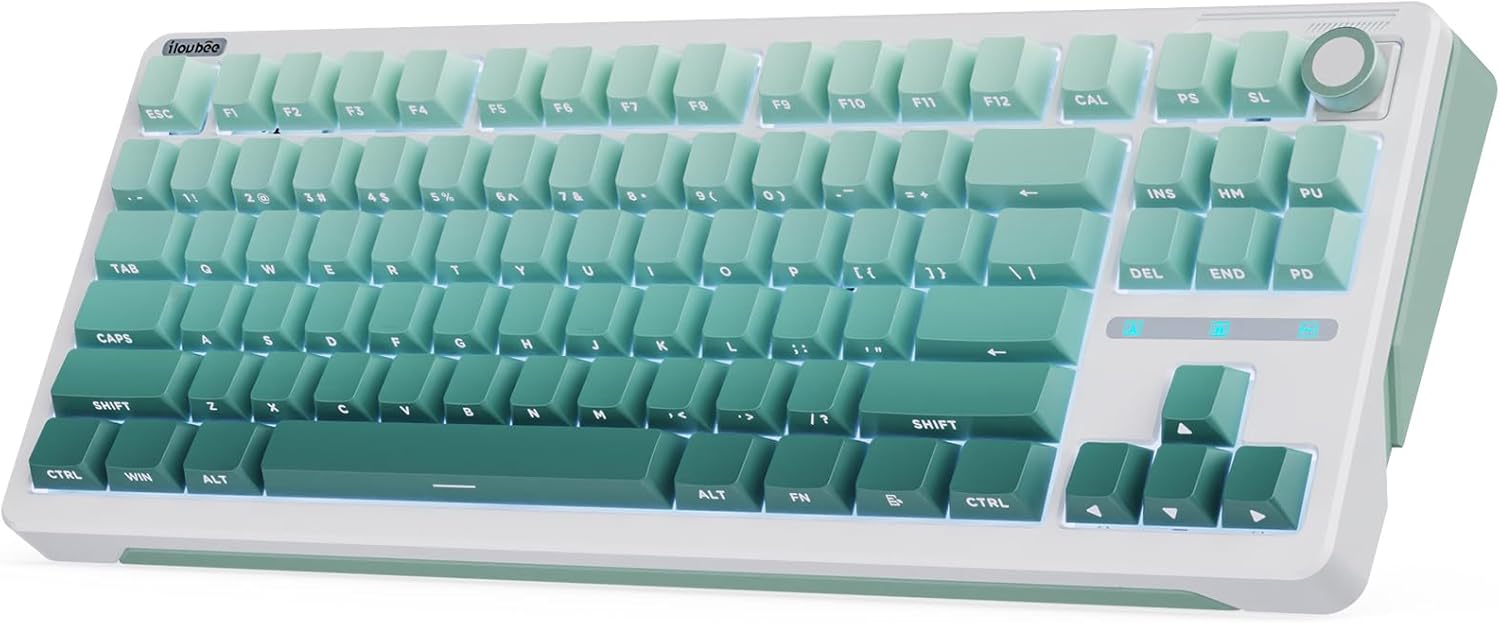
Image: The iLovBee B87 mechanical keyboard in gradient green, showcasing its 75% layout and integrated knob.
Paket tarkibi
Iltimos, paketda barcha narsalar mavjudligini tekshiring:
- iLovBee B87 Keyboard x 1
- Zaxira kalitlar x 3
- 2-in-1 Key & Switch Puller x 1
- C-toifa kabeli x 1
- Foydalanuvchi qo'llanmasi x 1
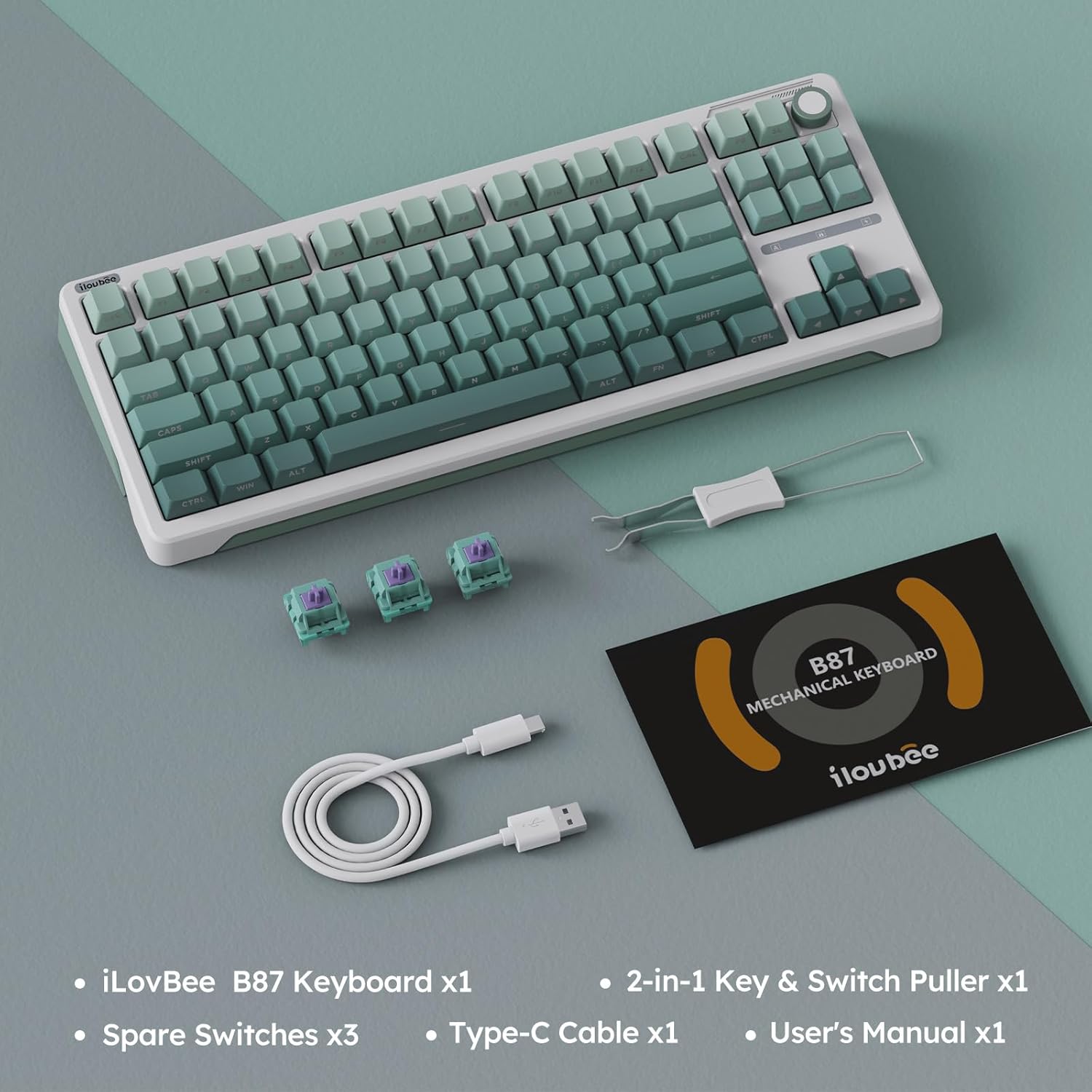
Image: All items included in the iLovBee B87 keyboard package, neatly laid out.
O'rnatish uchun qo'llanma
- Klaviaturani ulang:
Locate the USB-C port on the back of the iLovBee B87 keyboard. Connect one end of the provided Type-C USB cable to the keyboard and the other end to an available USB port on your computer (PC, Laptop, or Gaming Console).

Rasm: yaqindan view of the USB-C port on the iLovBee B87 keyboard, indicating the wired connection point.
- Haydovchi o'rnatish:
The keyboard is plug-and-play and typically does not require additional drivers for basic functionality. Your operating system should automatically recognize the device.
- Klaviatura burchagini sozlash:
Klaviaturada ikkita S mavjudtage adjustable feet on the underside. Flip them out to achieve your preferred typing angle for ergonomic comfort.

Rasm: Ikkitasining tafsilotlaritage adjustable feet on the bottom of the keyboard, showing how they can be extended for ergonomic tilt.
Foydalanish bo'yicha ko'rsatmalar
Ovoz balandligi tugmasi funksiyasi
The CNC alloy knob located on the top right of the keyboard provides convenient multimedia control:
- Soat yo'nalishi bo'yicha aylantiring: Ovozni oshiring.
- Soat miliga teskari yo'nalishda aylantiring: Ovozni pasaytirish.
- Pastga bosing: Mute/Unmute audio.
The knob is hot-swappable and programmable, allowing it to be replaced with a standard key or assigned custom functions via QMK/VIA software.
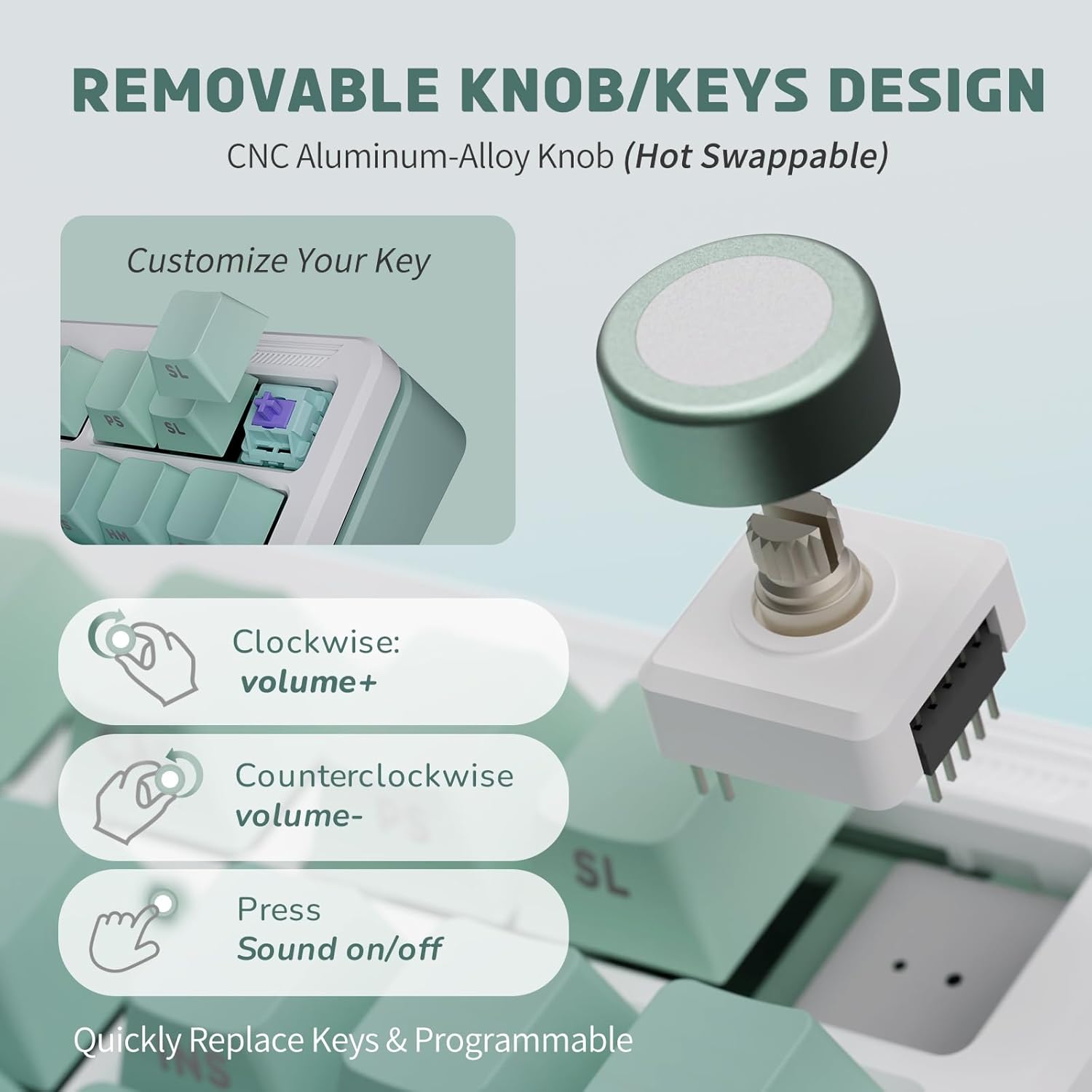
Image: Diagram illustrating the removable volume knob, its hot-swappable nature, and its functions for volume control and mute.
RGB orqa yorug'likni boshqarish
The iLovBee B87 features 24+ RGB lighting effects. You can control the backlight directly from the keyboard:
- Yorug'lik effektlarini o'zgartirish: Use specific key combinations (refer to the keyboard's keycap legends or QMK/VIA for default mappings).
- Yorqinlikni sozlash: Increase or decrease backlight intensity.
- Tezlikni sozlash: Dinamik yorug'lik effektlarining tezligini o'zgartiring.

Image: The iLovBee B87 keyboard displaying its vibrant RGB backlighting, highlighting the side-printed PBT keycaps.
QMK/VIA Software Customization
The iLovBee B87 supports QMK/VIA, an open-source firmware that allows extensive customization:
- Kalitni qayta tiklash: Change the function of any key.
- Makroyozuv: Create complex key sequences.
- Orqa yorug'likni moslashtirish: Fine-tune RGB effects, colors, and patterns.
- Layout Adjustment: Modify the keyboard layout to suit your preferences.
To use QMK/VIA, download the software from the official QMK/VIA website and follow their instructions for flashing firmware and customizing your keyboard. This provides a powerful tool for personalizing your typing experience.
Issiq almashtiriladigan kalitlar
The keyboard features a hot-swappable PCB, supporting 3-pin and 5-pin switches. This allows you to easily change switches without soldering, enabling quick customization of your typing feel and sound.
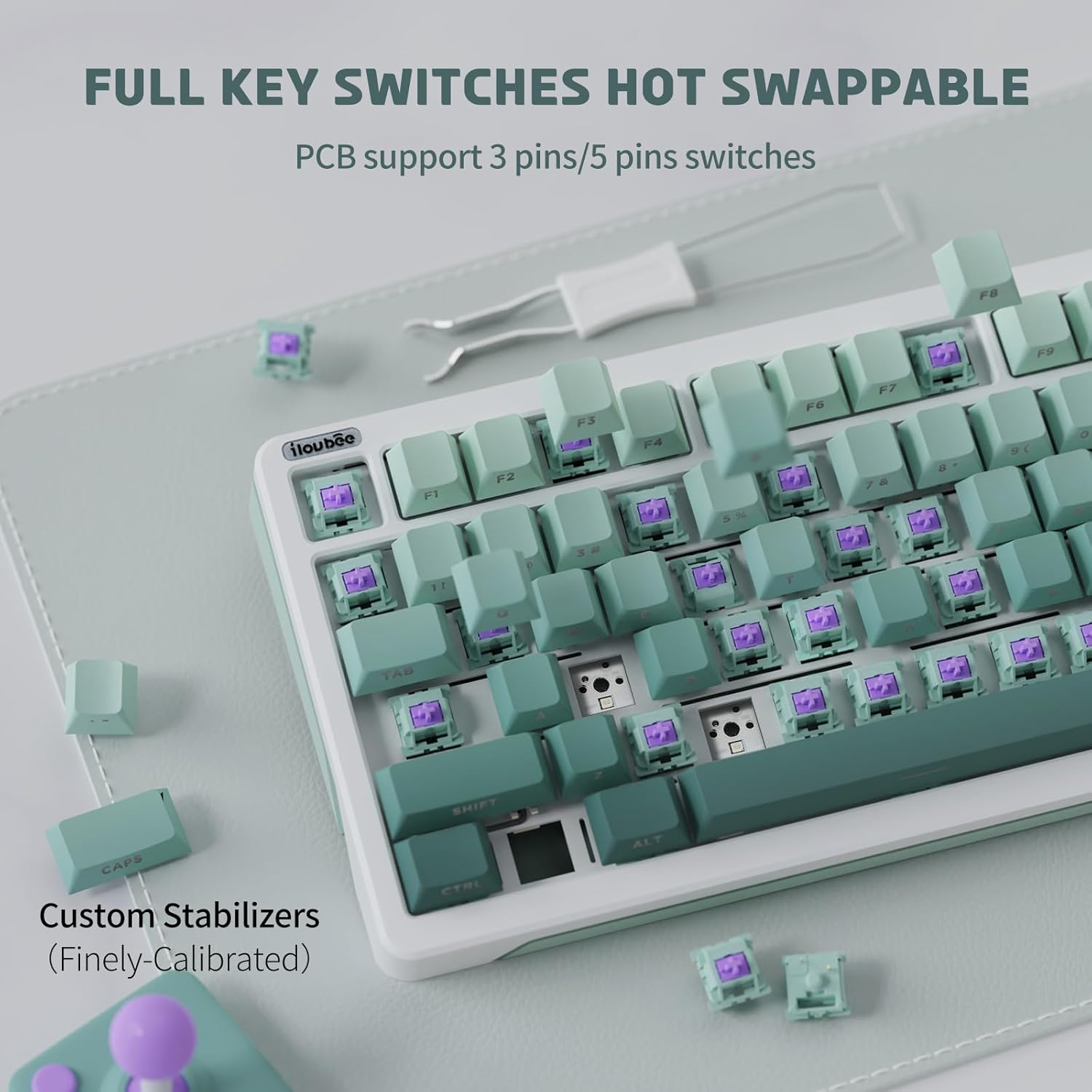
Rasm: yaqindan view of the iLovBee B87 keyboard with several keycaps and switches removed, demonstrating the hot-swappable sockets.
The keyboard comes with Linear Aster Switches, designed for gaming with a shorter actuation point and faster response time. Their specifications are:
- Turi: Chiziqli
- Operating Travel: 2.00 ± 0.4 mm
- Jami sayohat: 3.40 ± 0.4 mm
- Operatsion kuchlar: 45 ± 5 gf

Image: Detailed diagram of an Aster Switch, showing its internal components and key specifications like operating travel and force.
Xizmat
- Klaviatura qopqog'ini tozalash:
Yumshoqdan foydalaning, damp cloth to wipe down the PBT keycaps. For deeper cleaning, use the provided keycap puller to remove keycaps and clean them with mild soap and water. Ensure they are completely dry before reattaching.
- Tozalash kalitlari:
Periodically use compressed air to remove dust and debris from between the keycaps and switches. If a switch feels inconsistent, you can use the switch puller to remove it and inspect for obstructions.
- Kabelni boshqarish:
Keep the USB-C cable neatly organized to prevent damage and ensure a stable connection.
Muammolarni bartaraf qilish; nosozliklarni TUZATISH
| Muammo | Mumkin sabab | Yechim |
|---|---|---|
| Klaviatura javob bermayapti | Loose USB-C connection; Faulty USB port; Driver issue. | Ensure the USB-C cable is securely connected to both the keyboard and the computer. Try a different USB port on your computer. Restart your computer. |
| Backlight not working or incorrect | Backlight turned off; Incorrect lighting mode selected. | Check keyboard shortcuts for backlight control (e.g., Fn + specific keys). Use QMK/VIA software to verify backlight settings. |
| Maxsus kalitlar ishlamayapti | Loose or faulty switch; Keycap not properly seated. | Remove the keycap and ensure the switch is fully seated. If the issue persists, use the switch puller to remove the switch and reinsert it, or replace it with one of the spare switches. |
| Volume knob not functioning | Knob not properly seated; Software conflict. | Ensure the knob is firmly pressed into its socket. Check if any other software is interfering with multimedia controls. Reset keyboard settings via QMK/VIA if necessary. |
Texnik xususiyatlari
| Xususiyat | Tafsilot |
|---|---|
| Model raqami | B87 |
| Tartib | 75% ixcham (87 ta tugmacha) |
| Ulanish | USB-C simli |
| Kommutator turi | Linear Aster Switch (Hot-Swappable 3/5-pin) |
| Tugmalar | Side-Printed PBT Keycaps |
| Orqa yoritish | RGB (24+ effects) |
| Tugma | CNC Alloy Volume Knob (Hot-Swappable, Programmable) |
| Tuzilishi | Gasket Mount, Leaf Spring, 5-Layer Filling |
| O'lchamlari | 14.49 x 5.67 x 1.77 dyuym |
| Og'irligi | 2.27 funt |
| Mos qurilmalar | Noutbuk, o'yin konsoli, kompyuter |
| Dasturiy ta'minotni qo'llab-quvvatlash | QMK/VIA |
Kafolat va qo'llab-quvvatlash
iLovBee products are manufactured to high quality standards. For warranty information and support, please refer to the warranty card included with your product or visit the official iLovBee website. You may also contact the seller directly for assistance with product-related inquiries.
For QMK/VIA software support and community resources, please visit the official QMK and VIA websaytlar:
Ask a question about this manual
Ask about setup, troubleshooting, compatibility, parts, safety, or missing instructions. Manuals+ will review the question and use this page’s manual context to help answer it.