
1. Kirish
Thank you for choosing the Kipcush D2 Portable White Noise Sound Machine. This device is designed to enhance your sleep and relaxation experience with a variety of soothing sounds, breathing exercises, and smart alarm clock features. Please read this manual thoroughly to understand how to operate your device safely and effectively.

Image: Kipcush D2 Portable White Noise Sound Machine, gray model.
2. Xavfsizlik bo'yicha muhim ma'lumotlar
- Qurilmani suv yoki haddan tashqari namlik ta'sirida qoldirmang.
- Qurilmani issiqlik manbalaridan va to'g'ridan-to'g'ri quyosh nurlaridan uzoqroq tuting.
- Use only the provided USB-C charging cable. A power adapter is not included to reduce environmental waste.
- Qurilmani o'zingiz qismlarga ajratish yoki ta'mirlashga urinmang. Yordam uchun mijozlarni qo'llab-quvvatlash xizmatiga murojaat qiling.
- Bolalar va uy hayvonlari qo'li etmaydigan joyda saqlang.
3. Paket tarkibi
- Kipcush D2 Portativ Oq shovqin tovush mashinasi
- USB-C zaryadlovchi kabeli
- Foydalanuvchi uchun qo'llanma
4. Sozlash
4.1. Qurilmani zaryadlash
Before first use, fully charge the device using the provided USB-C cable. Connect the USB-C cable to the charging port on the device and the other end to a compatible USB power adapter (not included) or a computer USB port. The battery indicator on the screen will show charging status.

Image: Kipcush D2 on a nightstand, illustrating its rechargeable battery feature.
4.2. Dastlabki yoqish
Press and hold the power button located on the side of the device until the screen illuminates. The device will boot up and display the main interface.
4.3. Sana va vaqtni sozlash
Upon first power-on or after a factory reset, you may need to set the date and time. Navigate to the 'Settings' menu on the touch screen and select 'Date & Time'. You can choose to set it manually or connect to Wi-Fi for automatic synchronization.
4.4. Customizing Clock Display
The Kipcush D2 offers various clock display styles. From the main clock screen, swipe left or right on the touch screen to browse and select your preferred clock face.

Image: Kipcush D2 showing different customizable clock dials.
5. Foydalanish bo'yicha ko'rsatmalar
5.1. Navigating the Touch Screen
The Kipcush D2 features an intuitive color LCD touch screen. Tap icons to select functions, swipe to navigate through lists or clock faces, and use the back arrow icon to return to the previous screen.

Image: Close-up of the Kipcush D2's intelligent touch screen interface.
5.2. Selecting Sleep Sounds
The device offers 24 scientifically researched sleep sounds, including white noises, ambient noises, sounds of nature, and lullabies. From the main menu, tap the 'White Noises' icon or other sound categories to browse and select your desired sound. Tap a sound to play it.
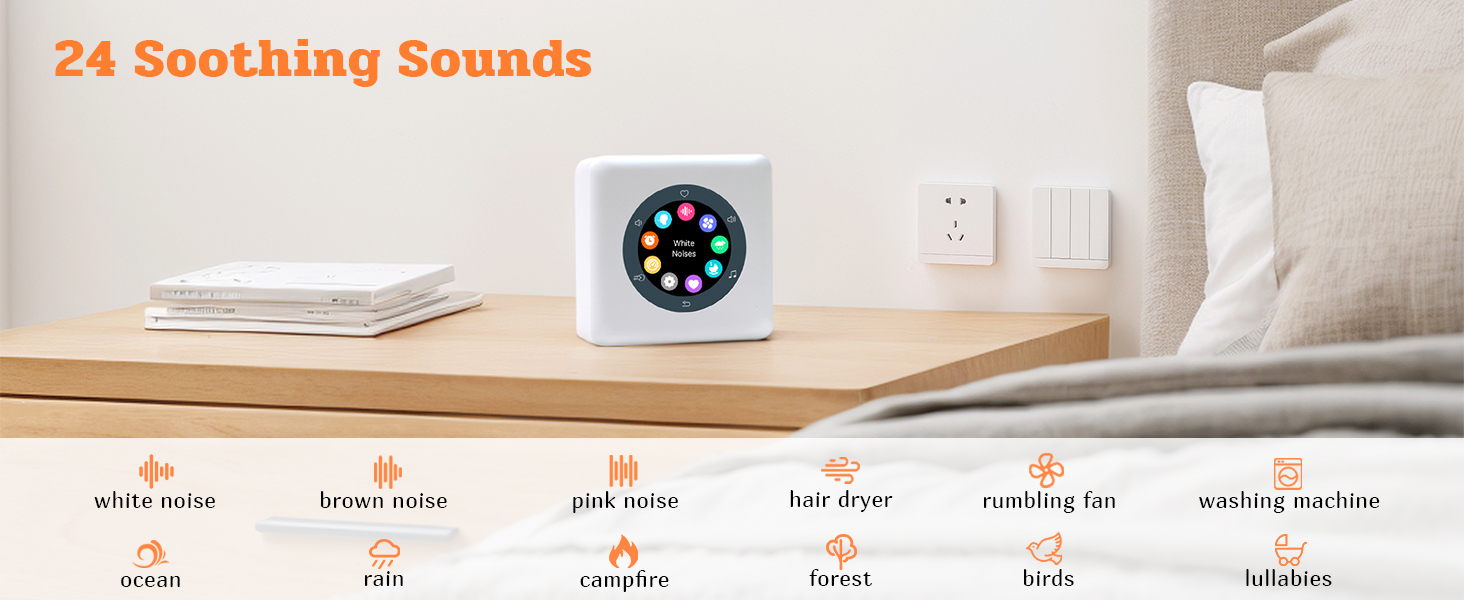
Image: Kipcush D2 displaying sound selection options on its touch screen.

Image: Kipcush D2 showcasing its 24 soothing sound options.
Video: This video demonstrates the Kipcush D2 Portable White Noise Sound Machine's various features, including sound selection, alarm clock settings, and overall user interface navigation.
5.3. Using the Favorites Feature
While a sound is playing, tap the heart-shaped button on the screen to add it to your favorites. To access your saved sounds, navigate to the 'Favorites' menu. This allows for quick and easy playback of your preferred sounds.
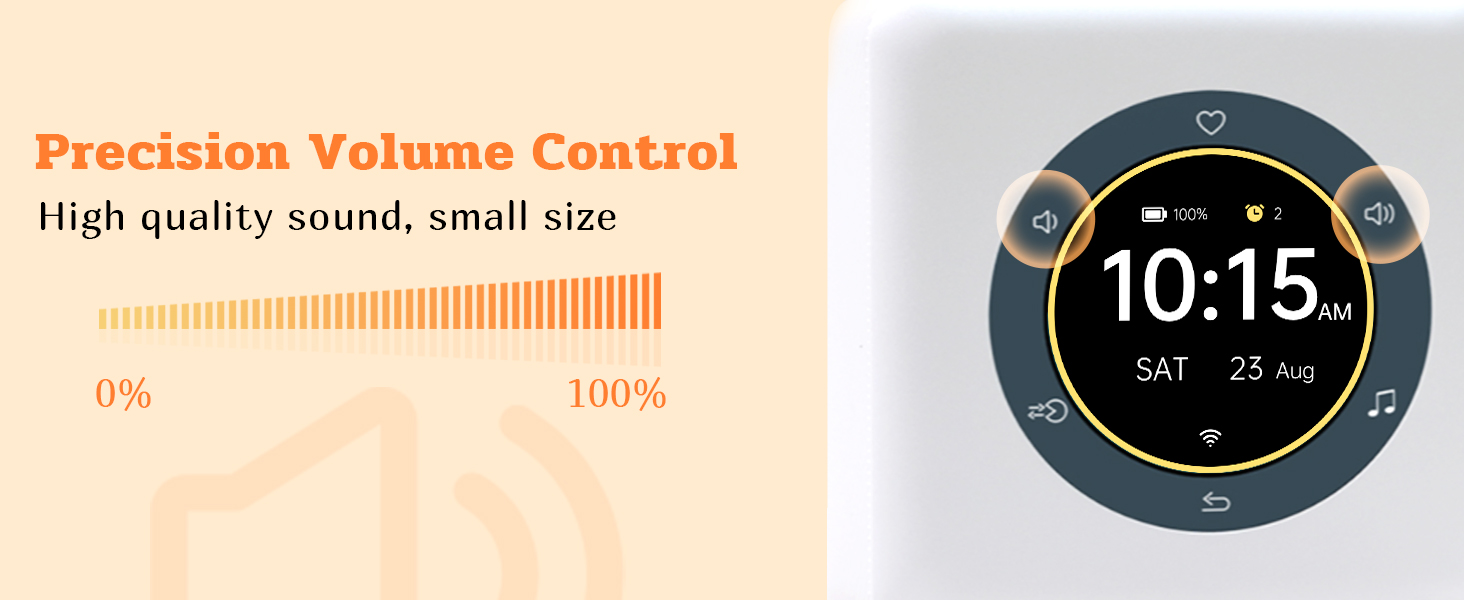
Image: Kipcush D2 displaying the favorites menu on its touch screen.
5.4. Ovoz balandligini sozlash
Use the volume up and down icons on the screen to precisely adjust the sound level from 0% to 100%. The device offers high-quality sound output.
Image: Kipcush D2 showing its precision volume control interface.
5.5. Nafas olish mashqlari
The Kipcush D2 includes a professional breath training function with 5 different modes (e.g., Sleep pattern 4-7-8, Stress pattern 3-4-5, Calm pattern 4-6, Mind & Body pattern 4-4, Relax pattern 4-4). Navigate to the 'Breath Training' menu, select a mode, and follow the on-screen visual and audio guidance to achieve relaxation.

Image: Person meditating with the Kipcush D2, demonstrating the breath training function.
Video: This video illustrates the Kipcush D2 Portable White Noise Sound Machine's integrated breathing training function, showing how to select and use different breathing patterns for relaxation.
5.6. Signallarni o'rnatish
Access the 'Alarms' menu to set multiple alarms. You can customize the alarm time, choose from various alarm sounds, set repeat days, and configure snooze time and count.
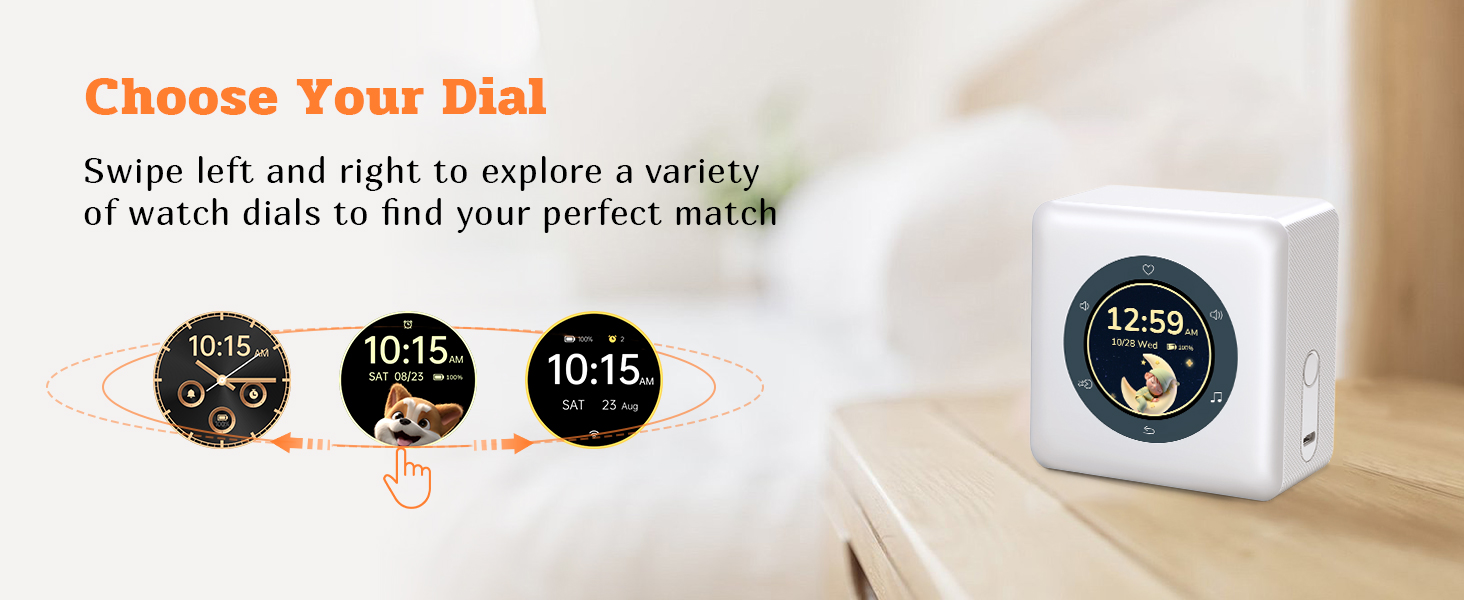
Image: Kipcush D2 displaying alarm settings on its touch screen.
5.7. Taymerlarni sozlash
The 'Timers' menu allows you to set countdown timers for various durations. This is useful for short relaxation sessions or as a reminder.
5.8. Kechiktirish funksiyasi
When an alarm sounds, you can activate the snooze function by simply flipping the device over. This will pause the alarm for the set snooze duration.

Image: Kipcush D2 demonstrating the 'Flip to Snooze' feature.
6. Xizmat ko'rsatish
- Qurilmani yumshoq, quruq mato bilan tozalang. Abraziv tozalash vositalarini yoki erituvchilarni ishlatmang.
- Zaryadlash portida chang va qoldiq yo'qligiga ishonch hosil qiling.
- Uzoq vaqt davomida foydalanilmaganda qurilmani salqin va quruq joyda saqlang.
7. Muammolarni bartaraf qilish; nosozliklarni TUZATISH
| Muammo | Yechim |
|---|---|
| Qurilma yoqilmaydi. | Ensure the device is fully charged. Connect to a power source using the USB-C cable. |
| Ovoz chiqishi yo'q. | Check the volume level. Ensure a sound is selected and playing. |
| Sensorli ekran javob bermayapti. | Restart the device by holding the power button. If the issue persists, contact customer support. |
| Signal jiringlamayapti. | Verify alarm settings (time, days, sound, volume). Ensure the alarm is enabled. |
8. Texnik shartlar
| Xususiyat | Tafsilot |
|---|---|
| Brend | Kipkush |
| Model raqami | D2 |
| Rang | Kulrang |
| Displey turi | Intelligent Color LCD Touch Screen |
| Mahsulot o'lchamlari | 1"W x 1"H (Note: This seems to be a placeholder, actual dimensions might vary) |
| Quvvat manbai | Batareya bilan quvvatlanadi (zaryadlanuvchi) |
| Material | Polipropilen (PP) |
| Element og'irligi | 0.47 kilogramm |
| Budilnik | Ha |
| Nafas olish mashqlari | Ha (5 rejim) |
| Tinchlantiruvchi tovushlar | 24 (White Noises, Ambient Noises, Sounds of Nature, Lullabies) |
9. Kafolat va qo'llab-quvvatlash
Kipcush products come with a lifelong warranty. If you have any questions, encounter issues, or require assistance with your Kipcush D2 Portable White Noise Sound Machine, please contact our customer support team. We are committed to providing support and ensuring your satisfaction.
For support, please visit the Kipcush store on Amazon or refer to the contact information provided with your purchase.