
Kirish
The MXR M307 Layers Harmonic Sustain Electric Guitar Effects Pedal is designed to enrich your guitar's sound with organic sustain and harmonic depth. This pedal allows for the creation of multi-layered soundscapes, extending the creative potential of your instrument. It enables complex chord voicings, transcendent melodies, and harmonic ensembles within a compact MXR housing.

Image: The MXR M307 Layers Harmonic Sustain Pedal shown with its included accessories, such as patch cables, a multi-tool, Dunlop picks, and a 9V power supply.
Asosiy xususiyatlar
- Rich, Organic Sustain: Provides high-fidelity sustain that enhances every note and chord.
- Multi-Layering Capability: Creates up to three simultaneous layers of sustain with natural decay.
- Dynamic Triggering: Layers can be engaged via footswitch or automatically triggered by playing dynamics.
- Intuitiv boshqaruvlar: Features Mix, Trig, Attack, and Decay knobs for precise sound shaping.
- Sub Octave Switch: Adds a subterranean octave to one or more layers for a deeper sound.
- Kengaytirilgan dasturlash: Offers customization options for modulation intensity, delay time, diffusion, and more.
- External Control Options: Supports external sustain pedals or switches (e.g., MXR Split + Tap) and expression pedals.
- Ko'p qirrali ulanish: Supports Stereo Input, Stereo Output, and Dry/Wet Split modes.
Sozlash; o'rnatish
Follow these steps to connect your MXR M307 pedal to your guitar and amphayotiyroq.
- Quvvat ulanishi: Connect a 9V DC power supply (center negative, 300mA minimum) to the power input jack on the side of the pedal.
- Kirish ulanishi: Connect your guitar to the "IN" jack on the right side of the pedal using a standard 1/4-inch instrument cable.
- Chiqish ulanishi: Connect the "OUT" jack on the left side of the pedal to your ampstandart 1/4 dyuymli asbob kabelidan foydalangan holda ko'targichning kirishi.
- Optional External Control: For advanced functionality, connect an expression pedal or external footswitch to the "CTR" jack on the left side.
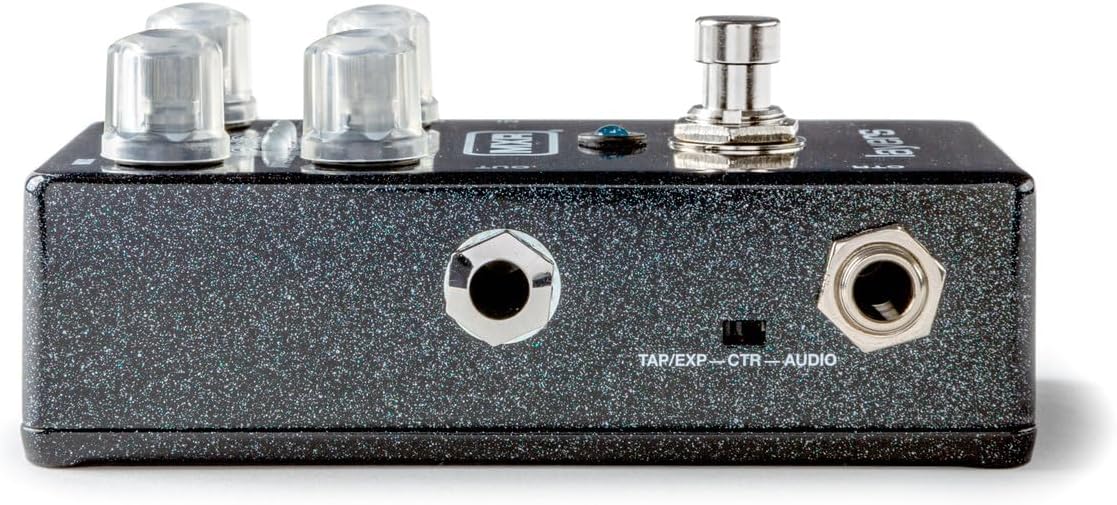
Rasm: o'ng tomonda view of the MXR M307 pedal, illustrating the 9V power input and the instrument input (IN) jack.
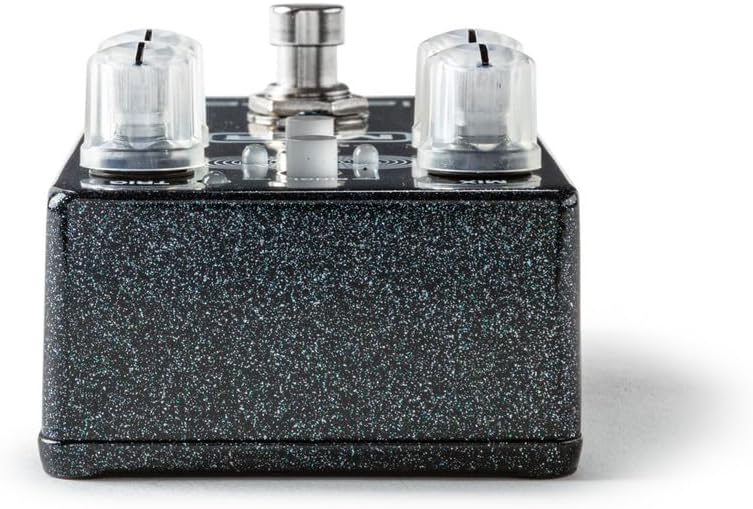
Rasm: Chap tomon view of the MXR M307 pedal, showing the instrument output (OUT) jack and the CTR (Control) jack for external devices.
Foydalanish bo'yicha ko'rsatmalar
Tekshiruvlarview

Rasm: yuqori view of the MXR M307 pedal, highlighting its various controls with corresponding numbers.
- CTR Jack: Used to connect an expression pedal or external footswitch, or to send a dry output signal when using Dry/Wet Split mode (see Advanced Operation).
- Oyoq kaliti: Governs the creation and deletion of sustain layers.
- Pressing the footswitch engages a layer.
- Holding the footswitch holds a layer indefinitely until released.
- Upon release, the layer fades out according to the ERISH sozlash.
- A double tap clears all layers and bypasses the pedal.
- ATTACK Knob: Adjusts the fade-in time of each layer.
- MIX tugmasi: Controls the level of the wet signal (the volume of your layers).
- BITTA tugma: Limits the sustain effect to a single layer. By default, there are three simultaneous layers that can overlap. When YIGIT is engaged, only one layer will be active at a time.
- TRIG Knob: Sets the sensitivity for auto-triggering layers with your pick attacks.
- Qachon TRIG is in the OFF position (fully counter-clockwise), auto-triggering is disabled, and only the footswitch can activate layers.
- The TRIG LED is red by default when auto-triggering is enabled; when the input signal exceeds the set threshold, the TRIG LED yashil rangga aylanadi.
- For a layer to be triggered, the signal must exceed the threshold (i.e., the TRIG LED is green), and the pedal must detect a pick attack.
- DECAY tugmasi: Sets the fade-out time of the layers, mimicking natural string vibrations by decaying high frequencies first.
- SUB OCT Switch: Engages a sub-octave effect, taking one or more of your layers down an octave for a deeper, subterranean sound.
Layering Mechanics
- The pedal supports up to three active layers, each indicated by its own mini LED.
- Layers can be triggered manually by the footswitch or automatically based on your playing dynamics (controlled by the TRIG tugma).
- To hold a layer with the footswitch: Play a note or chord, then press and hold the footswitch. Release to allow the layer to fade.
- To auto-trigger layers: Adjust the TRIG knob to set the sensitivity. Layers will be created in response to your attack.
- Combining methods: With YIGIT mode disengaged, you can hold a layer with the footswitch and then auto-trigger additional layers over it.
Kengaytirilgan operatsiyalar
The MXR M307 offers extensive customization through its programming functions. These allow you to adjust parameters beyond the front panel controls.
- Dasturlashtiriladigan parametrlar: Adjust modulation intensity, delay time, diffusion, and other advanced settings. Refer to the full MXR M307 manual (available online) for detailed programming instructions.
- External Sustain/Tap Control: Use a keyboard sustain pedal or an off-board switch (e.g., MXR Split + Tap) connected to the CTR jack to trigger layers.
- Ifoda pedali integratsiyasi: Connect an expression pedal to the CTR jack to blend setting configurations, such as with the Volume(X) 8 Pedal.
- Stereo and Dry/Wet Modes: The pedal supports Stereo Input, Stereo Output, and Dry/Wet Split modes for enhanced routing flexibility. Consult the comprehensive manual for setup details on these modes.
Xizmat
- Tozalash: Pedalning tashqi qismini tozalash uchun yumshoq, quruq matodan foydalaning. Abraziv tozalagichlar yoki erituvchilardan saqlaning.
- Quvvatlantirish manbai: Always use a regulated 9V DC power supply with a center-negative polarity and a minimum current rating of 300mA. Using an incorrect power supply can damage the unit and void the warranty.
- Saqlash: Pedalni ishlatilmayotganda to'g'ridan-to'g'ri quyosh nuri va haddan tashqari haroratdan uzoqroq joyda salqin va quruq joyda saqlang.
- Kabel ulanishlari: Ensure all cables are securely connected. Periodically check cables for wear and tear.
Muammolarni bartaraf qilish; nosozliklarni TUZATISH
| Muammo | Mumkin sabab | Yechim |
|---|---|---|
| No sound or weak signal. | Incorrect cable connections, faulty cables, incorrect power supply, pedal in bypass mode. |
|
| Layers are not triggering automatically. | TRIG knob set to OFF, insufficient input signal, SINGLE mode engaged. |
|
| Layers fade too quickly or too slowly. | DECAY knob setting. | ni sozlang ERISH knob to achieve the desired fade-out time. |
| Undesired noise or hum. | Ground loop, faulty power supply, interference from other electronics. |
|
Texnik xususiyatlari
| Parametr | Qiymat |
|---|---|
| Model raqami | M307 |
| Element og'irligi | 1.33 funt (taxminan 0.6 kg) |
| Paket o'lchamlari | 5.9 x 4.8 x 2.75 dyuym (taxminan 15 x 12.2 x 7 sm) |
| Quvvat manbai | Simli elektr |
| jildtage | 9 volt doimiy oqim |
| Amptozalash | 300 mlnamps (minimum) |
| Signal formati | Analog |
| Uskuna interfeysi | HP-HSC |
| Rang | Black (sparkle finish) |
Kafolat va qo'llab-quvvatlash
For specific warranty information, please refer to the documentation included with your purchase or visit the official MXR website. MXR products typically come with a limited warranty covering manufacturing defects.
FCC muvofiqligi: Ushbu qurilma FCC qoidalarining 15-qismiga mos keladi. Ishlash quyidagi ikkita shartga bo'ysunadi: (1) Ushbu qurilma zararli shovqinlarni keltirib chiqarmasligi mumkin va (2) ushbu qurilma qabul qilingan har qanday shovqinni, jumladan, kiruvchi ishlashga olib keladigan shovqinni ham qabul qilishi kerak.

Rasm: pastki view of the MXR M307 pedal, displaying the FCC compliance sticker.
For technical support or further assistance, please contact MXR customer service through their official channels.