
HCMOUNTING HCM6802
HCMOUNTING Full Motion TV Wall Mount (Model HCM6802) Instruction Manual
Brand: HCMOUNTING | Model: HCM6802
Kirish
This manual provides comprehensive instructions for the safe and efficient installation, operation, and maintenance of your HCMOUNTING Full Motion TV Wall Mount, Model HCM6802. This heavy-duty mount is designed to securely hold 60-100 inch televisions, offering versatile viewing angles and space-saving benefits.
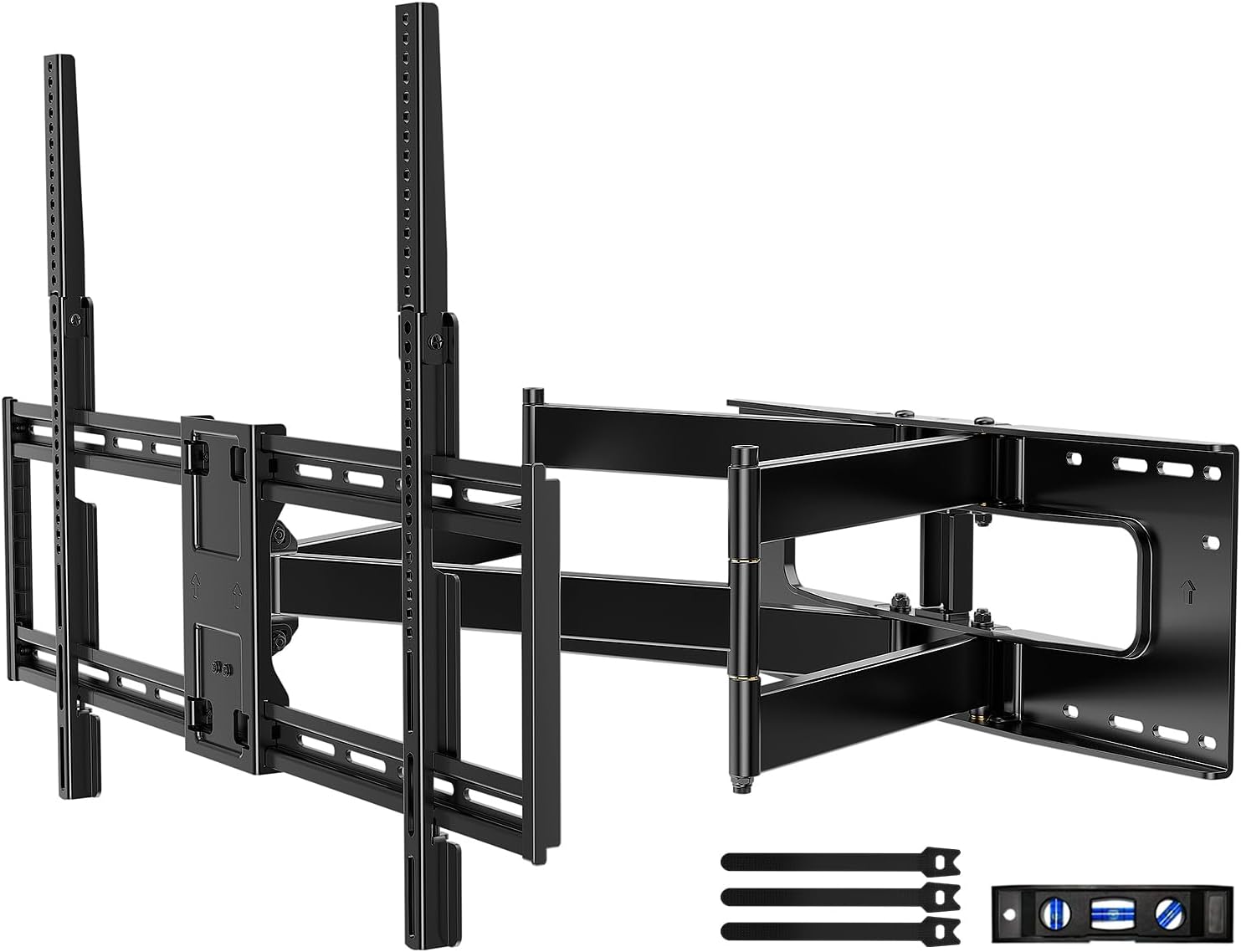
Rasm: tugadiview of the HCMOUNTING Full Motion TV Wall Mount components.
Xavfsizlik bo'yicha muhim ma'lumotlar
- Og'irlik hajmi: Maksimal og'irlik sig'imi 165 funtdan (75 kg) oshmang.
- Televizor hajmi: Ushbu o'rnatish moslamasi 60 va 100 dyuymli televizorlar uchun mos keladi.
- Devor turi: Install only on wood studs (16-24 inch spacing), solid concrete walls, or masonry walls. Faqat gipsokartonga o'rnatmang.
- Yordam: Due to the weight and size of the mount and TV, a minimum of two people are required for safe installation.
- Asboblar: Ensure all necessary tools are available and in good working condition before beginning installation.
- Kabellar: Ensure all cables are routed safely to prevent pinching or damage during TV movement.
Mahsulot spetsifikatsiyalari
| Xususiyat | Spetsifikatsiya |
|---|---|
| Brend | HCMOUNTING |
| Model raqami | HCM6802 |
| Televizor o'lchamlari mosligi | 60-100 dyuym |
| Maksimal yuk ko'tarish qobiliyati | 165 funt (75 kg) |
| VESA muvofiqligi | Up to 800x600mm (Min: 200x100mm) |
| Devordan kengaytma | 30.3 dyuymgacha |
| Retraction to Wall | 2.95 dyuym |
| Nishab burchagi | +10° dan -10° gacha |
| Burilish burchagi | ±165° |
| Darajani sozlash | ±3° |
| Material | Qotishma po'lat |
| Element og'irligi | 31.3 funt |
| Paket o'lchamlari | 36 x 10.5 x 3.5 dyuym |
Muvofiqlikni tekshirish
O'rnatishdan oldin, televizoringiz va devoringiz quyidagi mezonlarga javob berishiga ishonch hosil qiling:
- Televizor hajmi: Your TV must be between 60 and 100 inches.
- Televizorning og'irligi: Televizoringizning og'irligi 75 kg dan oshmasligi kerak.
- VESA namunasi: Check the back of your TV for the four mounting holes. Measure the horizontal and vertical distances between these holes. The VESA pattern must be between 200x100mm and 800x600mm. If the vertical VESA is greater than 400mm, the included extension strips will be required.
- Devor turi: This mount is designed for installation on wood studs (16-24 inch spacing), solid concrete walls, or brick walls. Do not install on drywall alone.
- Kabel rozetkalari: Ensure your TV's cable outlets do not interfere with the mounting brackets.

Image: Illustration of compatible wall types (concrete, wood studs, brick) and various VESA patterns.

Image: Diagram illustrating how to check the VESA pattern on the back of a television.

Image: Diagram illustrating how to check for cable outlet interference on the back of a television.

Image: Diagram illustrating compatible wall types for mounting, including wood studs, solid concrete, and brick walls.
O'rnatish va o'rnatish
Follow these steps carefully for a secure installation. A detailed installation guide and hardware kit are included with your mount. It is highly recommended to have at least two people for this process.
1-qadam: Televizor qavslarini televizorga ulang
- Chizilishlarning oldini olish uchun televizoringizni ehtiyotkorlik bilan yumshoq, toza yuzaga pastga qaratib qo'ying.
- Identify the correct screws and spacers for your TV's VESA mounting holes.
- Attach the vertical TV brackets to the back of your TV using the appropriate screws and washers. Ensure they are securely tightened.
- If your TV's vertical VESA is greater than 400mm, attach the included extension strips to the main brackets.

Rasm: tugadiview of the installation process: Attach brackets to TV, install wall plate, and hang TV.
2-qadam: Devor plitasini o'rnating
- Locate the desired mounting position on your wall. Use a stud finder to identify and mark the center of your wood studs. For concrete/brick walls, mark your desired drilling points.
- Use the provided drilling template to mark the precise locations for drilling holes. Ensure the template is level using the included mini-level.
- Drill pilot holes at the marked locations. For concrete/brick walls, insert the plastic anchors into the drilled holes.
- Attach the wall plate to the wall using the lag bolts and washers. Tighten all bolts securely.
Video: Official HCMOUNTING "How to Install" guide, demonstrating the installation process.
Video: HOME VISION Full Motion TV Wall Mount installation for 65-100" TVs, showing key steps and features.
3-qadam: Televizorni osib qo'ying
- With assistance, carefully lift the TV and hook the attached TV brackets onto the wall plate.
- Televizor devorga mahkam o'rnatilganligiga ishonch hosil qiling.
- Tighten the safety screws located at the bottom of the TV brackets to prevent accidental dislodgement.
Foydalanish bo'yicha ko'rsatmalar
Your HCMOUNTING Full Motion TV Wall Mount offers several adjustment options for optimal viewing:
- Kengaytirish/Qaytarib olish: Gently pull the TV away from the wall to extend it up to 30.3 inches, or push it back to retract it to 2.95 inches from the wall.
- Nishabni sozlash: Use the tilt adjustment mechanism to angle your TV +10° upwards or -10° downwards to reduce glare and achieve the perfect viewkirish burchagi.
- Burilishni sozlash: The mount allows for a wide swivel range of ±165°, enabling you to turn your TV left or right to suit various seating positions.
- Darajani sozlash: After installation, you can make minor horizontal adjustments of ±3° to ensure your TV is perfectly level.
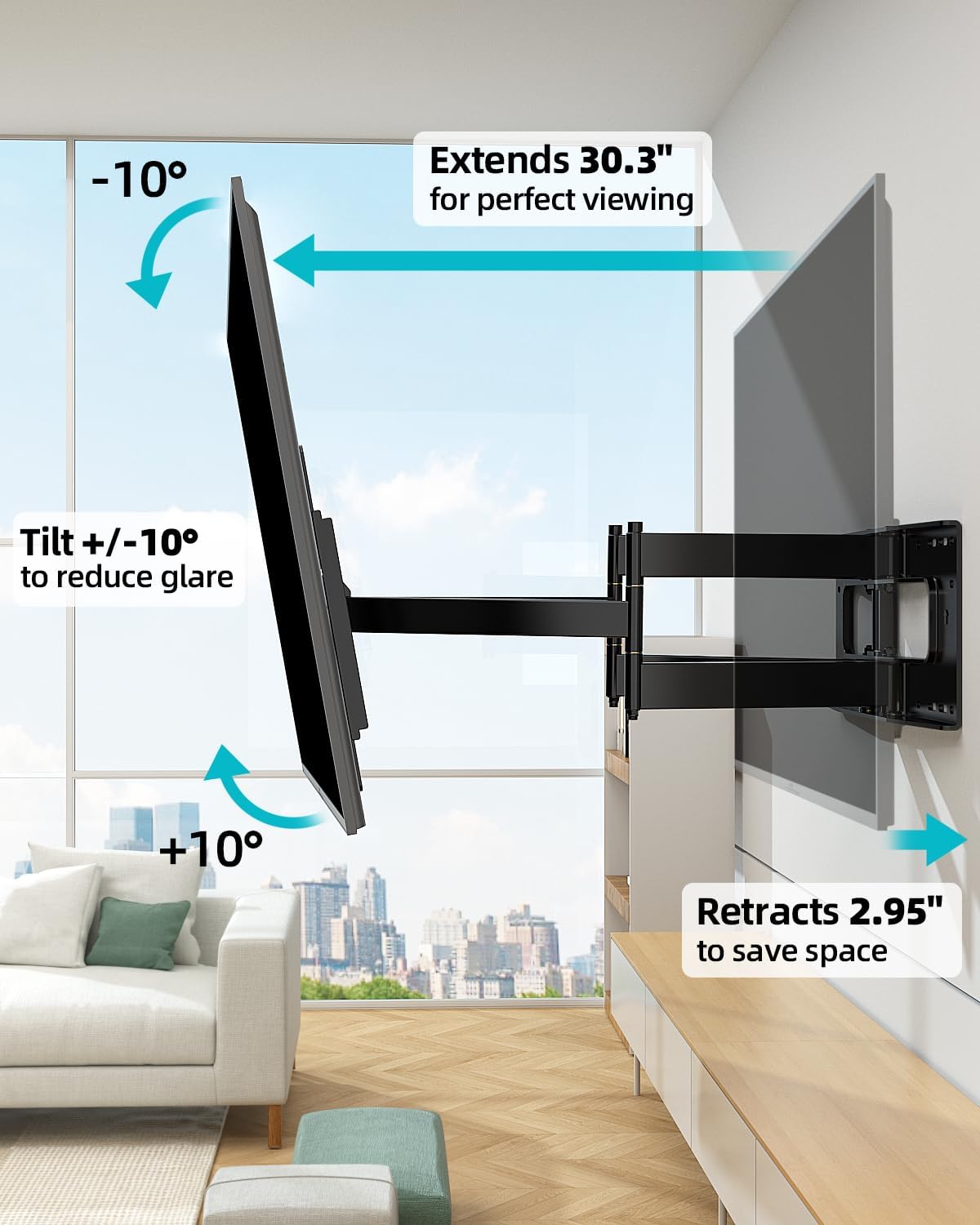
Image: Illustration of the mount's extension, retraction, and tilt features.
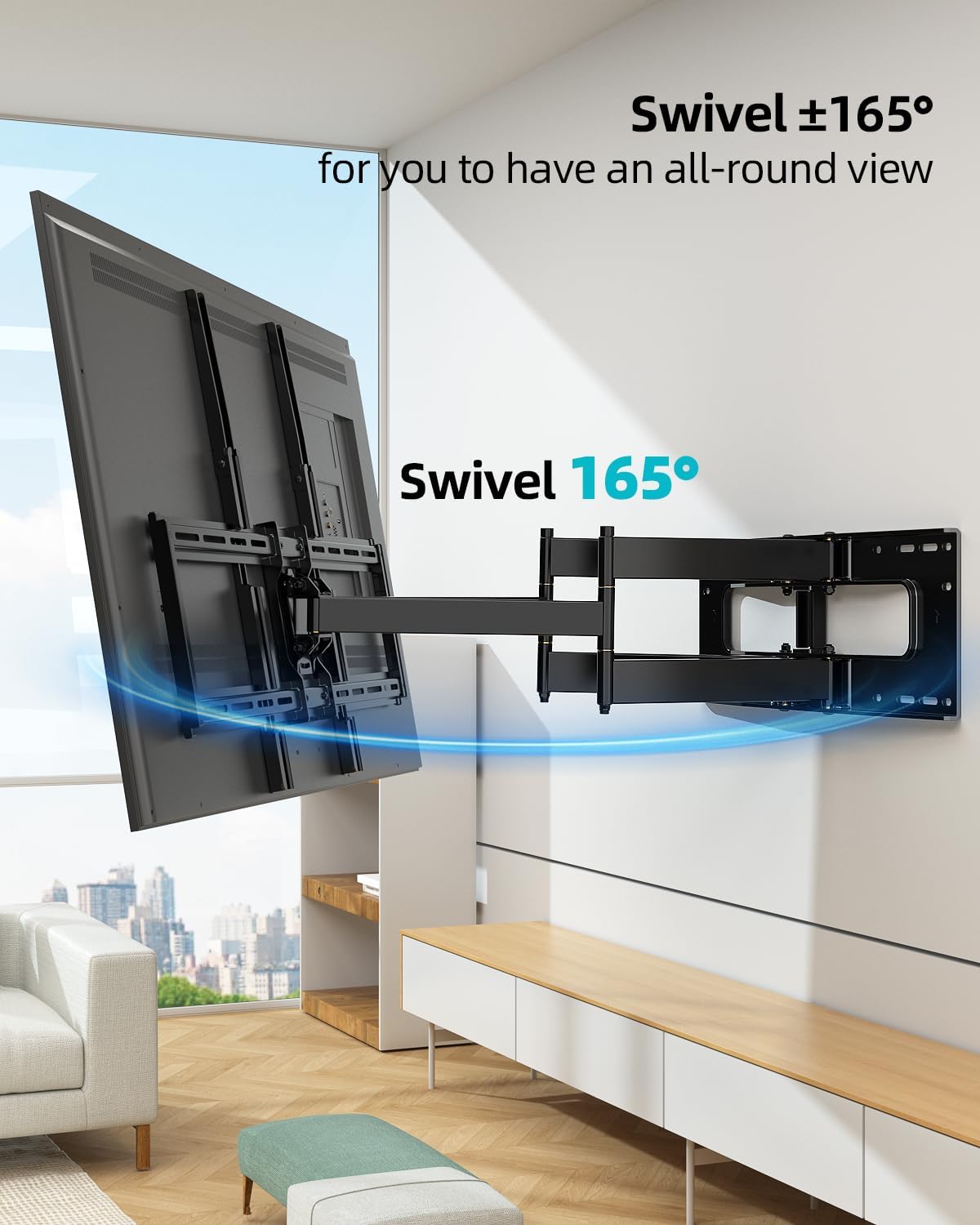
Image: Illustration of the mount's 165° swivel capability.
Xizmat
- Muntazam tekshiruvlar: Periodically check all screws and bolts to ensure they remain tight and secure.
- Tozalash: O'rnatish joyini yumshoq, quruq mato bilan arting. Abraziv tozalagichlar yoki erituvchilardan foydalanishdan saqlaning.
- Moylash: Moving parts are designed for smooth operation and generally do not require lubrication. If movement becomes stiff, consult customer support.
Muammolarni bartaraf qilish; nosozliklarni TUZATISH
- Televizor tekis emas: Use the level adjustment feature (±3°) to fine-tune the horizontal position. Ensure the wall plate was installed level initially.
- Tog' bo'shashgandek tuyuladi: Re-check all lag bolts securing the wall plate to the wall and all screws attaching the TV brackets to the TV. Tighten any loose fasteners.
- Televizorni ko'chirishda qiyinchilik: Ensure no cables are snagged or pinched. Check for any obstructions. The mount is designed to be sturdy; some resistance is normal, especially with heavier TVs.
- Yo'qolgan qismlar: Refer to the package contents list. If any parts are missing, contact HCMOUNTING customer service immediately.
Kafolat va qo'llab-quvvatlash
HCMOUNTING has over 10 years of expertise in designing and manufacturing TV wall mounts. Our professional after-sales team is dedicated to providing comprehensive solutions and ensuring your complete satisfaction. For any assistance, questions, or concerns, please contact our customer service team.
Contact information can typically be found on the product packaging or our official websayt.
Ask a question about this manual
Ask about setup, troubleshooting, compatibility, parts, safety, or missing instructions. Manuals+ will review the question and use this page’s manual context to help answer it.