
Kirish
Thank you for choosing the TECKNET TK-MS017 Ergonomic Wireless Vertical Mouse. This manual provides detailed instructions for setting up, operating, maintaining, and troubleshooting your new mouse. Designed for comfort and efficiency, this vertical mouse helps reduce wrist strain during prolonged use.

The TECKNET Ergonomic Vertical Mouse, designed for comfortable use.
Mahsulot xususiyatlari
- Ergonomik vertikal dizayn: Mimics a natural handshake posture to reduce wrist and arm pressure, preventing discomfort from prolonged use.
- Sozlanishi mumkin bo'lgan DPI: 5 levels of DPI (800/1600/2400/3200/4800) for precise tracking and adaptable sensitivity.
- Jim bosishlar: 99% noise reduction for a quiet working environment. (Forward/Backward buttons are not silent).
- 6 tugma: Includes standard left/right click, scroll wheel, DPI switch, and convenient forward/backward buttons for web navigatsiya.
- Stable 2.4G Wireless Connection: Provides a reliable connection up to 10 meters with a plug-and-play USB receiver.
- Uzoq batareya muddati: Features an independent power switch and automatic sleep function to conserve battery, offering up to 24 months of use.
- Keng muvofiqlik: Supports Windows 11/10/8/7/XP, Mac OS X10.4, Chrome OS, and Linux.
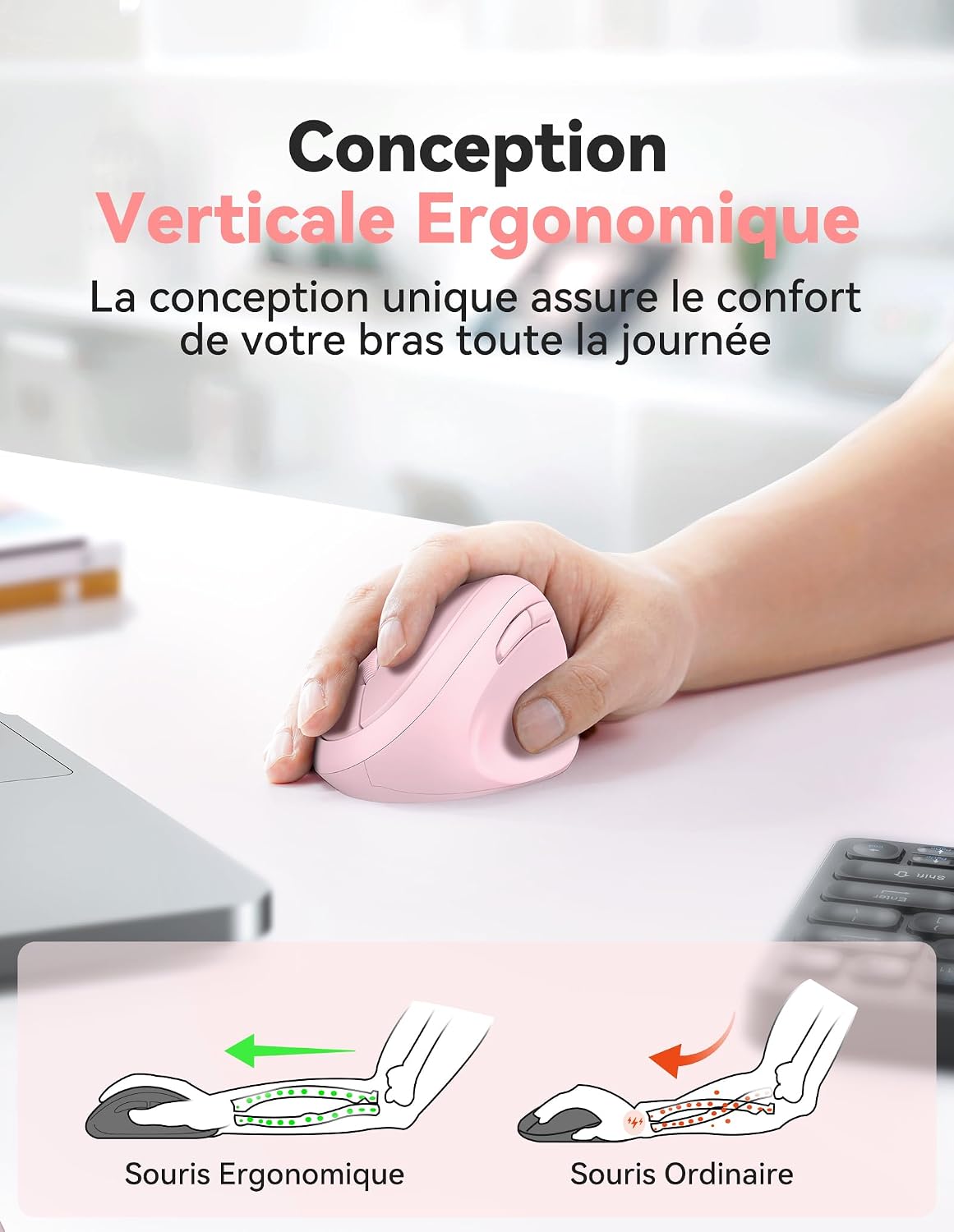
Comparison of vertical ergonomic grip and traditional mouse grip, highlighting reduced wrist tension with the vertical design.
O'rnatish bo'yicha ko'rsatmalar
- Batareyalarni o'rnatish:
Locate the battery compartment on the underside of the mouse. Open the cover and insert two AA batteries (not included), ensuring correct polarity. Close the battery cover securely.

The underside of the mouse, illustrating the battery compartment and the storage slot for the USB receiver.
- USB qabul qiluvchini ulang:
Remove the USB receiver from its storage slot next to the battery compartment. Plug the receiver into an available USB port on your computer (PC, laptop, Mac, Chromebook, or tablet).
- Yoqilgan:
Flip the ON/OFF switch on the bottom of the mouse to the "ON" position. The mouse should automatically connect to your device. No additional drivers are typically required for most operating systems.
Foydalanish bo'yicha ko'rsatmalar
Tugma funktsiyalari
- Chap tugmasini bosing: Standard selection and activation.
- O'ng tugmasini bosing: Kontekst menyularini ochadi.
- O'tkazish g'ildiragi: Hujjatlarni aylantiradi va web pages vertically. Can also be pressed for middle-click functionality.
- DPI almashtirish tugmasi: Located near the scroll wheel. Press to cycle through DPI settings (800/1600/2400/3200/4800). The red indicator light will flash to confirm the change.
- Oldinga yo'naltirish tugmasi: Oldinga navigatsiya qiladi web brauzerlar yoki file explorers. (Not supported on Mac OS).
- Orqaga qaytish tugmasi: Orqaga o'tadi web brauzerlar yoki file explorers. (Not supported on Mac OS).
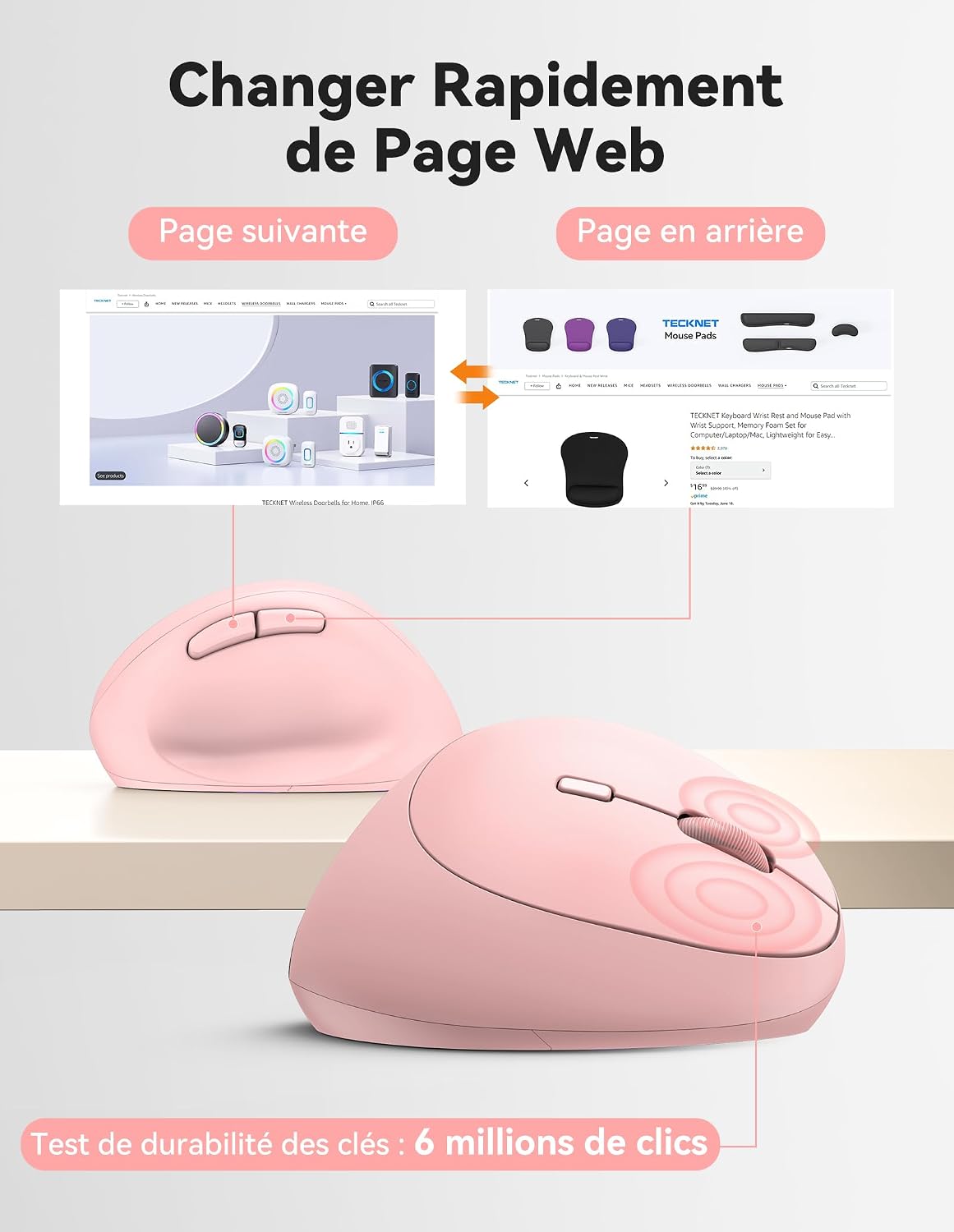
Diagram illustrating the location and function of each button on the TECKNET vertical mouse.
DPI sozlamalari
The mouse offers 5 adjustable DPI levels to suit various tasks and preferences. Press the DPI switch button to change the cursor speed. The red indicator light will flash a corresponding number of times to indicate the current DPI setting:
- Flash X1: 800 DPI (Web Navigation)
- Flash X2: 1600 DPI (Excel Editing)
- Flash X3: 2400 DPI (Video Editing)
- Flash X4: 3200 DPI (Photoshop)
- Flash X5: 4800 DPI (Gaming Track)

Visual representation of the 5 adjustable DPI levels for different usage scenarios.
Quvvatni tejash rejimi
To conserve battery life, the mouse will automatically enter sleep mode after 8 minutes of inactivity. To wake it up, simply move the mouse or click any button.
Xizmat
- Tozalash: Sichqonchani tozalash uchun yumshoq, quruq matodan foydalaning. Qattiq kimyoviy moddalar yoki abraziv materiallardan foydalanishdan saqlaning.
- Batareyani almashtirish: When the mouse performance degrades or the cursor becomes erratic, it's time to replace the batteries. Ensure you use fresh AA batteries and dispose of old batteries responsibly.
- Saqlash: When not in use for extended periods, turn off the mouse using the ON/OFF switch to further conserve battery life. Store the USB receiver inside the mouse's battery compartment to prevent loss.
Muammolarni bartaraf qilish; nosozliklarni TUZATISH
- Sichqoncha javob bermayapti:
- Sichqoncha yoqilganligiga ishonch hosil qiling.
- Batareyalar to'g'ri o'rnatilganligini va yetarli zaryadga ega ekanligini tekshiring. Agar kerak bo'lsa, almashtiring.
- USB qabul qilgich ishlaydigan USB portiga mahkam ulanganligiga ishonch hosil qiling. Boshqa USB portini sinab ko'ring.
- Masofa bilan bog'liq muammolarni bartaraf etish uchun sichqonchani USB qabul qilgichga yaqinroq joylashtiring.
- Kompyuteringizni qayta ishga tushiring.
- Kursorning tartibsiz harakati:
- Sichqonchaning pastki qismidagi optik sensorni tozalang.
- Ensure you are using the mouse on a suitable surface. The mouse is designed to track on various surfaces like resin, wood, fabric, paper, and metal. Avoid highly reflective or transparent surfaces.
- Adjust the DPI setting to a lower level if the cursor is too sensitive.
- Mac’da oldinga/orqaga tugmalar ishlamayapti:
These side buttons are not supported by Mac OS. This is a system limitation, not a mouse malfunction.
Texnik xususiyatlari
| Brend | Texnika |
| Model raqami | TK-MS017 |
| Ulanish texnologiyasi | 2.4G Wireless (Radio-frequency) |
| Harakatni aniqlash texnologiyasi | Optik |
| DPI darajalari | 800, 1600, 2400, 3200, 4800 |
| Tugmalar soni | 6 |
| Qo'lni yo'naltirish | To'g'ri |
| Mahsulot o'lchamlari | 10.5L x 6.5W centimeters |
| Simsiz diapazon | 10 metrgacha |
| Quvvat manbai | 2 x AA batareyalari (qo'shilmagan) |
| O'rtacha batareya quvvati | 24 oygacha |
| Mos keladigan operatsion tizimlar | Windows 11/10/8/7/XP, macOS X10.4+, Chrome OS, Linux |
Kafolat va qo'llab-quvvatlash
TECKNET provides a 36-month support period for registered products. If you encounter any issues during the use of this product, please contact the professional TECKNET customer service team for assistance.
For more information and support, please visit the official TECKNET websayti yoki bevosita mijozlarga xizmat ko'rsatish bilan bog'laning.
Websayt: Amazondagi TECKNET do'koni