
Kirish
This manual provides detailed instructions for the GOBOULT Mirage Smart Watch. Please read this guide thoroughly to ensure proper setup, operation, and maintenance of your device. This smartwatch features a 1.39-inch HD display, Bluetooth calling, comprehensive health monitoring, and various sports modes.
Qutida nima bor
- GOBOULT Mirage Smart Watch
- Zaryadlovchi kabel
- Foydalanuvchi uchun qo'llanma
- Kafolat kartasi
Sozlash; o'rnatish
1. Qurilmani zaryadlash
Before initial use, fully charge your GOBOULT Mirage Smart Watch. Connect the provided charging cable to the charging port on the back of the watch and to a standard USB power adapter (not included). The watch typically charges within 120 minutes.

Image: GOBOULT Mirage Smart Watch displaying its features, including charging capability.
2. Smartfoningiz bilan ulash
- Download the official GOBOULT companion app from your smartphone's app store (available for iOS and Android).
- Smartfoningizda Bluetooth yoqilganligiga ishonch hosil qiling.
- Open the app and follow the on-screen instructions to search for and connect to your GOBOULT Mirage Smart Watch.
- Soat va smartfonda ulanish so‘rovini tasdiqlang.
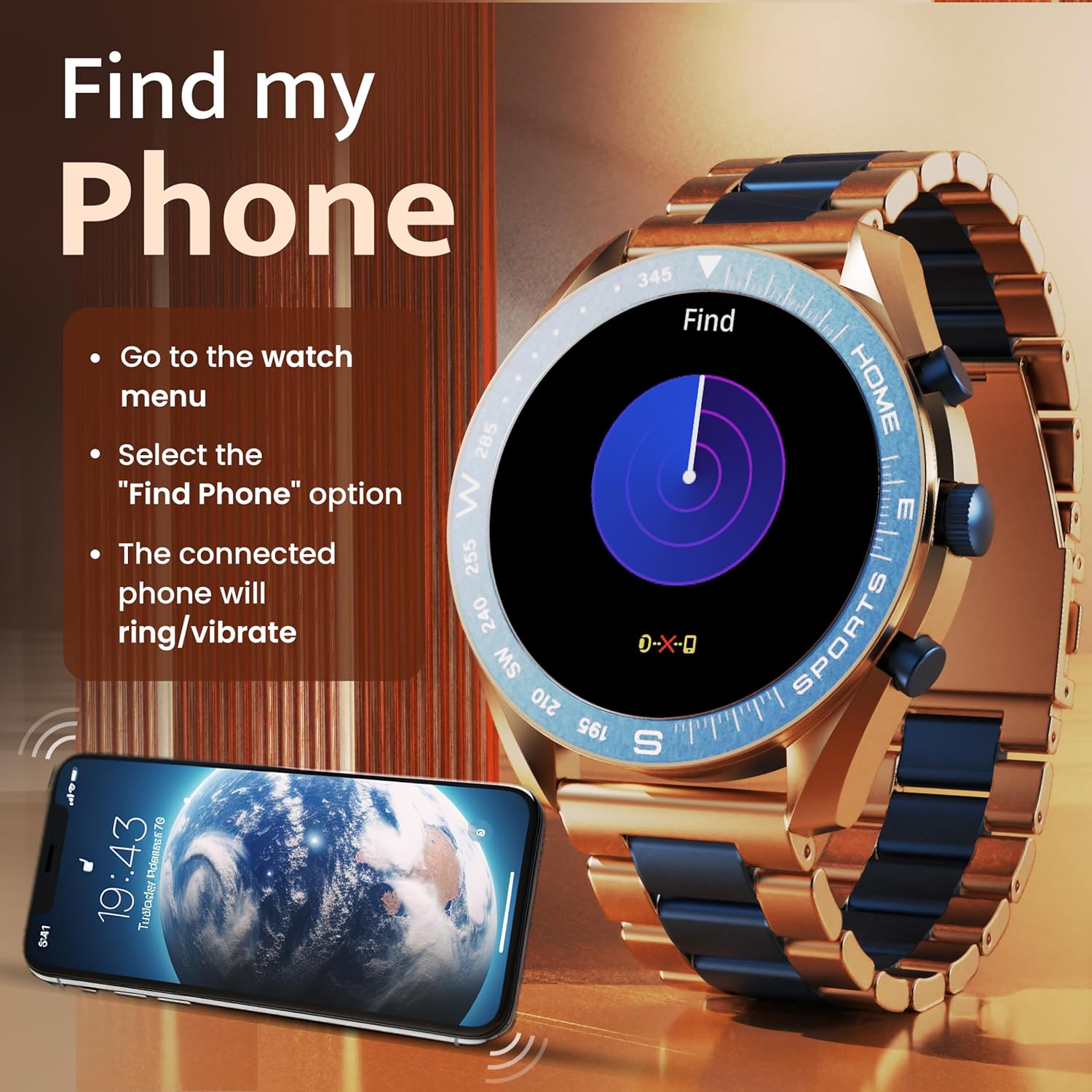
Image: The GOBOULT Mirage Smart Watch connected to a smartphone, illustrating connectivity.
Foydalanish bo'yicha ko'rsatmalar
1. Displey va navigatsiya
The GOBOULT Mirage features a 1.39-inch HD display with 360x360 pixels resolution and 500 nits peak brightness for clear visibility. Navigate the watch interface using touch gestures and the digital crown.
- Raqamli toj: Press to power on/off, switch UIs, and navigate menus. Rotate to scroll through options.
- Yon tugmalar: Use for quick access to specific functions, such as launching sports modes.

Image: GOBOULT Mirage Smart Watch highlighting the digital crown and its various functions.
2. Bluetooth qo'ng'iroqlari
With the built-in speaker and microphone, you can make and receive calls directly from your wrist once paired with your smartphone via Bluetooth 5.3.
- To answer a call, tap the green icon on the watch screen.
- To reject a call, tap the red icon.
- To make a call, access the dial pad or contacts through the watch menu.
Image: GOBOULT Mirage Smart Watch showing an incoming call notification.
3. Salomatlik monitoringi
The GOBOULT Mirage provides comprehensive health tracking features:
- SpO2 Blood Oxygen Monitor: Qondagi kislorod miqdorini o'lchaydi.
- Yurak urishi monitori: 24/7 heart rate tracking.
- Uyqu monitori: Uyqu rejimi va sifatini kuzatadi.
- Breath Training Mode: Nafas olish mashqlari bo'yicha sizga yo'l-yo'riq ko'rsatadi.
- Suv ichish haqida eslatma: Prompts you to stay hydrated.
- Sedentary Eslatma: Alerts you after periods of inactivity.
- Faoliyatni kuzatish: Qadamlar, masofa va yoqilgan kaloriyalarni qayd qiladi.
- Menstrüel siklni kuzatish: Menstrüel sikllarni kuzatishga yordam beradi.

Image: GOBOULT Mirage Smart Watch showcasing its complete health suite on the display.
4. Sport rejimlari
Track your performance across over 120 sports modes. Access these modes quickly using the shortcut buttons.
- Examples include Running, Cycling, Yoga, Cricket, Badminton, and Basketball.

Image: GOBOULT Mirage Smart Watch showing the selection of over 120 sports modes.
5. Soat yuzlari
Personalize your watch with over 300 cloud-based watch faces. You can also customize the dial to match your style.

Image: GOBOULT Mirage Smart Watch illustrating the variety of 300+ cloud watch faces.
6. Aqlli bildirishnomalar
Receive SMS and other smart notifications directly on your watch. Ensure your watch is connected to your phone via Bluetooth for this feature to function.

Image: GOBOULT Mirage Smart Watch showing a push notification from a messaging app.
7. Sun'iy intellekt ovozli yordamchisi
Access an intelligent AI voice assistant for hands-free control. Long press the designated button or use the voice assistant icon on the screen to activate.
8. Mening telefonimni toping
If you misplace your connected smartphone, use the 'Find My Phone' feature on your watch:
- Go to the watch menu.
- Select the "Find Phone" option.
- The connected phone will ring or vibrate, helping you locate it.
Image: GOBOULT Mirage Smart Watch showing the 'Find My Phone' interface.
9. Suvga chidamlilik
The GOBOULT Mirage Smart Watch is IP67 water-resistant, offering protection against dust and temporary immersion in water. It is suitable for daily wear and activities like hand washing or light rain.

Image: GOBOULT Mirage Smart Watch demonstrating its IP67 water resistance.
10. Mini Games
The watch includes several mini-games for entertainment during leisure time.
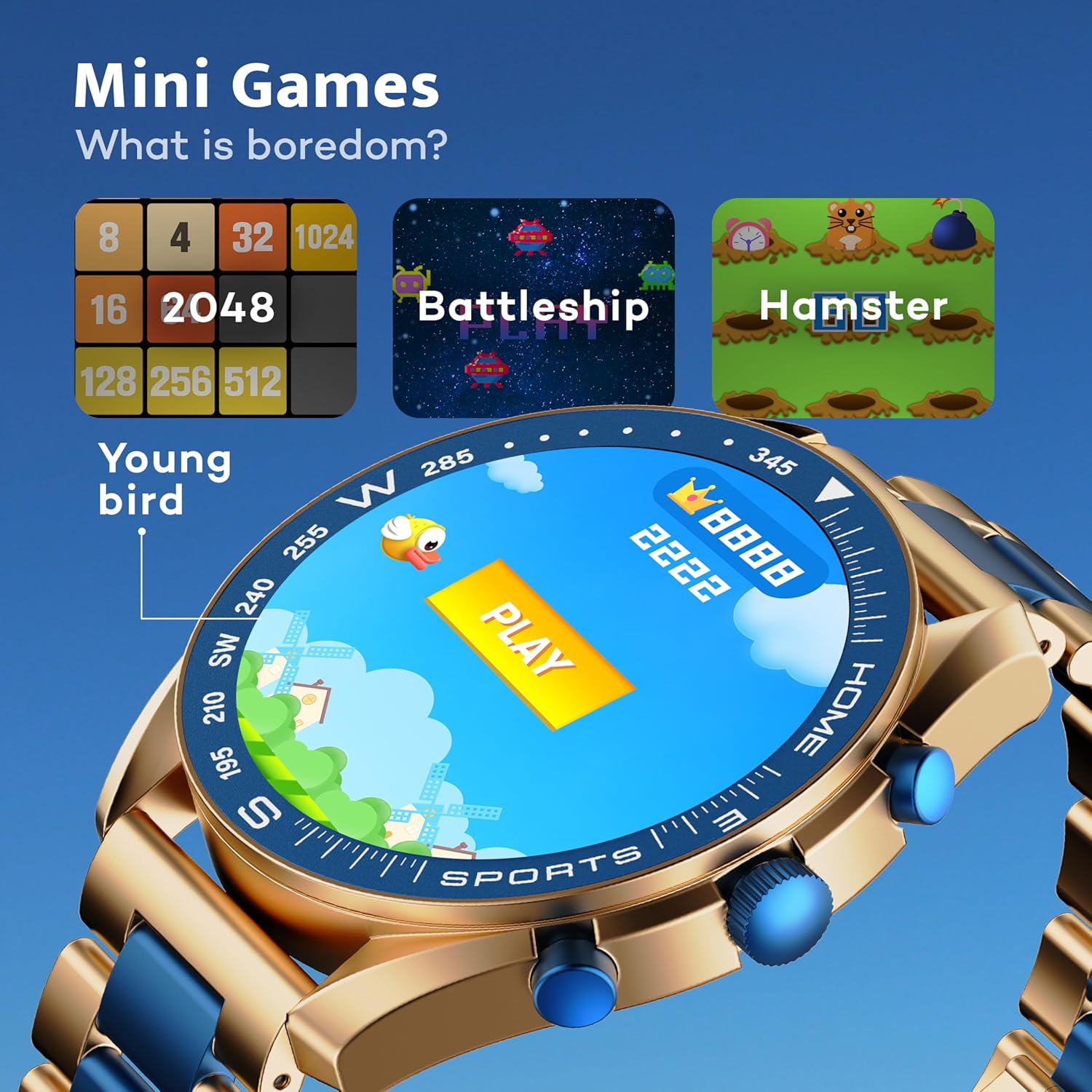
Image: GOBOULT Mirage Smart Watch showing the selection of mini-games.
Xizmat
1. Tozalash
- Wipe the watch screen and body with a soft, dry cloth.
- O'jar kirlar uchun, bir oz d foydalaningamp cloth and immediately dry the watch.
- Qattiq kimyoviy moddalar yoki abraziv materiallardan foydalanishdan saqlaning, chunki ular qoplamaga zarar etkazishi mumkin.
2. Suvga chidamlilik bo'yicha ko'rsatmalar
- The IP67 rating means the watch is protected from dust and can withstand immersion in water up to 1 meter for 30 minutes.
- Do not use the watch for swimming, showering with hot water, or diving.
- Soatni yuqori bosimli suv yoki bug'ga ta'sir qilishdan saqlaning.
- If the watch gets wet, dry it thoroughly before charging or using any buttons.
Muammolarni bartaraf qilish; nosozliklarni TUZATISH
- Soat yoqilmaydi: Soat to'liq zaryadlanganligiga ishonch hosil qiling. Uni kamida 30 daqiqa davomida zaryadlovchiga ulang.
- Telefon bilan ulanib bo'lmadi: Telefoningizda Bluetooth yoqilganligiga va soatingiz aloqa doirasida ekanligiga ishonch hosil qiling. Ikkala qurilmani ham qayta ishga tushiring va qaytadan ulanishga urinib ko'ring.
- Noto'g'ri sog'liq ma'lumotlari: Soat bilagingizga mahkam taqilganligiga, juda tor yoki juda keng emasligiga ishonch hosil qiling. Datchiklarni muntazam tozalab turing.
- Qisqa batareya muddati: Agar kerak bo'lmasa, ekran yorqinligini kamaytiring, keraksiz bildirishnomalarni o'chirib qo'ying va yurak urish tezligini doimiy ravishda kuzatishni cheklang.
- Ko'rsatish muammolari: Restart the watch. If the problem persists, contact customer support.
Texnik xususiyatlari
| Xususiyat | Tafsilot |
|---|---|
| Brend | GOBOULT |
| Model raqami | 8906133853464 |
| Displey hajmi | 1.39 dyuym |
| Yorqinlik | 500 nits |
| Ramka materiali | Sink qotishmasi |
| Simsiz turi | Bluetooth 5.3 |
| Operatsion tizim | iOS, Android |
| Suvga chidamlilik | IP67 |
| Batareyani zaryadlash vaqti | 120 daqiqa |
| Batareya turi | Lityum polimer |
| Element og'irligi | 106 gr |
Kafolat va qo'llab-quvvatlash
Your GOBOULT Mirage Smart Watch comes with a warranty card included in the box. Please refer to this card for details regarding warranty coverage and terms.
For technical support, troubleshooting assistance, or warranty claims, please contact GOBOULT customer service through their official websayt yoki kafolat kartangizda ko'rsatilgan aloqa ma'lumotlari.